
MERCUSYS MR90X Manual
PDF manual · 96 Pages
English



Quick check
Incorrect answer, please try again.
Chat with your MERCUSYS MR90X manual using AI
Get instant AI answers from your MERCUSYS MR90X manual
Ask anything about the MERCUSYS MR90X. Answers come from this manual, with the pages they are based on.
Ask a Question
Do you recommend MR90X?
Yes NoFrequently Asked Questions
Check the bottom label for the default password. If changed, connect a computer via Ethernet cable. Log in to http://mwlogin.net. Navigate to wireless settings to retrieve or reset the password.
Is this answer helpful?
Reset the router to factory defaults using the reset button. Log in again to create a new password. You must reconfigure internet settings after resetting. Keep the new password safe for future access.
Is this answer helpful?
Ensure the computer connects correctly. Set IP to automatically obtain. Verify http://mwlogin.net in the browser. Disable proxy settings or LAN dial connections in network options. Try another browser if issues persist.
Is this answer helpful?
Check the status light. Restart the modem and router. Wait two minutes for reboot. Configure DNS manually like 8.8.8.8 if needed. Check physical cables and verify the ISP connection status in the web interface dashboard.
Is this answer helpful?
Yes, support is available via OpenVPN or PPTP. Enable the server in the advanced menu. Install client software on the remote device. Configure certificates and ports. Ensure firewall rules allow the connection for secure remote access.
Is this answer helpful?
Advantages and Disadvantages
Advantages

- Supports up to 6 Gbps wireless speeds with Wi-Fi 6 technology for faster data transfer.
- Features a 2.5 Gbps WAN/LAN port for high-speed internet connectivity plans.
- MU-MIMO and OFDMA improve efficiency when multiple devices connect simultaneously.
- Includes built-in parental controls and access lists for network security management.
- Easy setup via web browser or dedicated MERCUSYS mobile application for convenience.
Disadvantages

- Outdoor use is restricted to specific band regulations in certain regions globally.
- Advanced configuration like VPN and NAT forwarding requires technical understanding.
- Firmware updates must be done manually or via scheduled intervals only.
- LEDs cannot be fully disabled without activating a specific night mode setting.
- Guest network setup allows access control but requires manual configuration of permissions.
Product Specification
Modem
N/A
WAN
1x 2.5GBase-T (shared with LAN), 1x 1000Base-T (shared with LAN)
LAN
1x 2.5GBase-T (shared with WAN), 1x 1000Base-T (shared with WAN), 2x 1000Base-T
Wireless
WLAN 802.11a/b/g/n/ac/ax (Wi-Fi 6), simultaneous
Transmission Rate
1148Mbps (2.4GHz), 4804Mbps (5GHz)
Security
WPA, WPA2, WPA3
Antennas
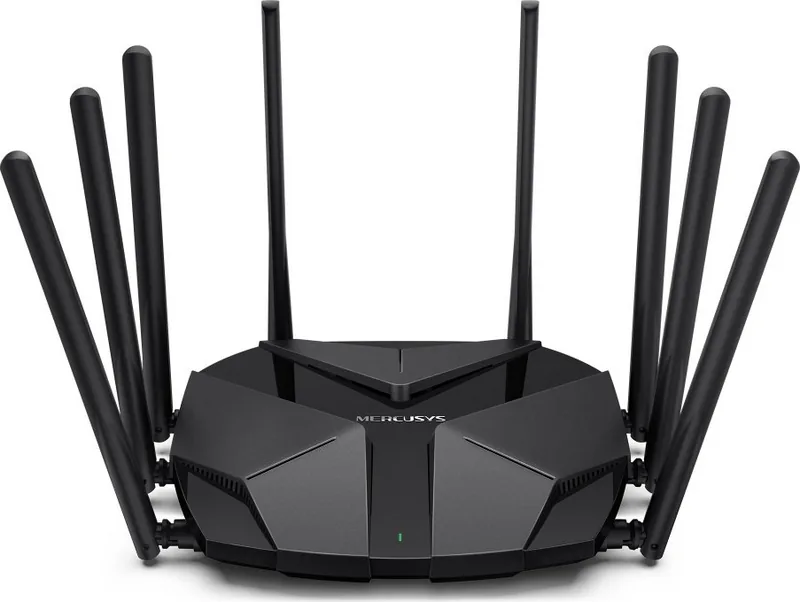
8x external
Power Consumption
No indication (consumption, operation), No indication (max. power supply output)
Dimensions
8.22x6.76x1.64 in
Features
MU-MIMO, IPv6, VPN passthrough (PPTP/L2TP), OpenWRT
Band Capability
Dual Band (simultaneous)
Transmission Rate 802.11ax (Wi-Fi 6 / Wi-Fi 6E) 2.4GHz
1148Mbps (Spatial Streams: 4x4, Bandwidth: 40MHz, Modulation: 1024-QAM)
Transmission Rate 802.11ax (Wi-Fi 6 / Wi-Fi 6E) 5GHz
4804Mbps (Spatial Streams: 4x4, Bandwidth: 160MHz, Modulation: 1024-QAM)
Note
Specification of the transmission rate for 802.11ax at 2.4GHz and 5GHz. (802.11ax (2.4GHz) 4x4 40MHz 1024-QAM: 1148Mbps, 802.11ax (5GHz) 4x4 160MHz 1024-QAM: 4804Mbps).
Note #2
In some cases, the manufacturer's maximum power consumption specification corresponds only to the maximum output rating of the power supply and is therefore not a meaningful indication for everyday power consumption.
Product Description
Experience Ultimate Network Speed with the MERCUSYS MR90X
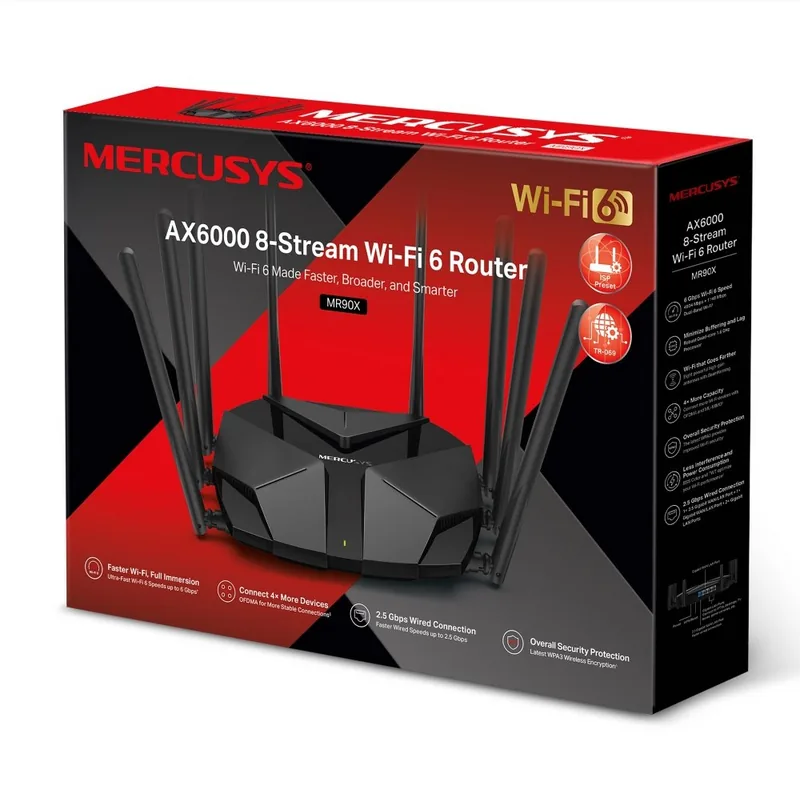
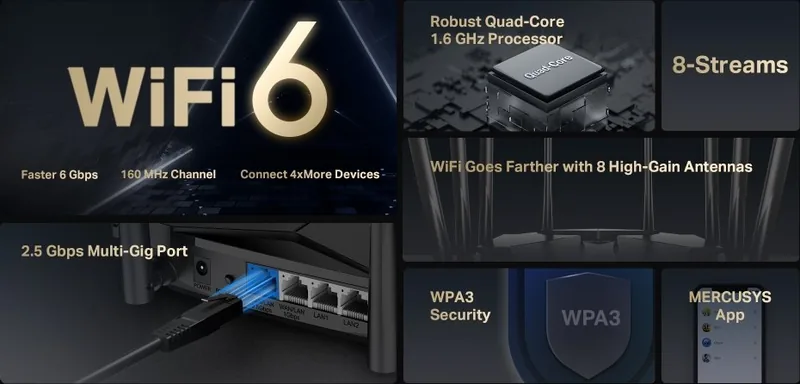
The MERCUSYS MR90X, AX6000 Manual provides guidance for users seeking a powerful networking solution. This router represents a significant leap in wireless technology, delivering speeds up to 6 Gbps. By leveraging Wi-Fi 6 standards, the device ensures smooth data transmission for multiple gadgets simultaneously. Whether you are gaming, streaming 4K video, or working from home, performance remains consistent without lag. The hardware boasts an impressive 8-stream configuration. This setup utilizes MU-MIMO and OFDMA technologies to optimize traffic flow. Users benefit from reduced congestion and improved efficiency. The AX platform supports 160 MHz channels and 1024-QAM modulation for maximum throughput. A standout feature includes the dedicated 2.5 Gbps internet port. This allows the device to fully utilize high-speed broadband plans that exceed standard gigabit connections. Additionally, there are multiple 1 Gbps LAN ports to connect wired devices securely. Managing the network has never been easier. The setup process accommodates both web browsers and the dedicated MERCUSYS App. This flexibility allows users to configure the router quickly without needing extensive technical knowledge. You can simply scan a QR code or enter the default login URL. Security is a priority with built-in firewalls, parental controls, and access lists. Parents can restrict content and set time limits to protect children online. A guest network option allows visitors to access the internet without sharing the main password or primary LAN. Advanced users appreciate the customization options available within the interface. You can set up VPN servers for remote access to home resources. This is supported via OpenVPN or PPTP protocols. Configure QoS for specific devices to ensure gaming or video calls prioritize bandwidth. The system log helps track connection issues, while firmware updates keep the device current with the latest features. Safety guidelines emphasize proper ventilation and power usage. The unit should remain away from moisture and heat sources to ensure longevity. The MERCUSYS MR90X, AX6000 Manual covers all these aspects in detail. It explains how to position the router for best coverage and how to troubleshoot common connection problems. Compliance with international safety standards ensures reliable operation in various regions. You can check the LED indicators on the front panel to monitor status instantly. The rear panel houses ports for power, reset, and various WAN/LAN connections. From simple browsing to complex gaming setups, this router handles the load with ease. Upgrade your home network today and enjoy the freedom of high-speed connectivity across all your favorite devices. It stands out as a robust choice for modern bandwidth demands.
Search for 67,706 Manuals online


Type-in Brand or Model