
MERCUSYS Halo H70X Manual
PDF manual · 26 Pages
English



Quick check
Incorrect answer, please try again.
Chat with your MERCUSYS Halo H70X manual using AI
Get instant AI answers from your MERCUSYS Halo H70X manual
Ask anything about the MERCUSYS Halo H70X. Answers come from this manual, with the pages they are based on.
Ask a Question
Do you recommend Halo H70X?
Yes NoFrequently Asked Questions
Download the MERCUSYS app, log in with your ID, and follow the step-by-step instructions to connect the Halo device. The app guides you through initialization and network configuration automatically.
Is this answer helpful?
Yes, tap the plus button on the app dashboard to add more Halo units. They will extend your mesh coverage automatically without needing complex wiring or additional hardware configuration.
Is this answer helpful?
Parental Controls allow you to create profiles and set time limits. You can also blacklist devices or filter content to ensure a safe online experience for all family members.
Is this answer helpful?
Solid Yellow means starting up. Pulsing Yellow is resetting. Solid Blue indicates setup. Pulsing Blue is ready for setup. Solid White means registered and healthy. Red indicates an issue.
Is this answer helpful?
Yes, the system prompts for updates in the app. Online updates provide the latest protections and features. This ensures the network remains secure against new threats.
Is this answer helpful?
Yes, use the QoS feature to prioritize connections for a set duration. This is useful for video calls or gaming where low latency is critical for performance.
Is this answer helpful?
It is designed for standard home internet connections. While it offers compatibility, availability may vary by region or ISP. Check local requirements before purchasing.
Is this answer helpful?
Advantages and Disadvantages
Advantages

- Easy setup process using the MERCUSYS app
- Seamless mesh network coverage for entire home
- Advanced parental controls for safety
- Intuitive dashboard for device management
- Regular online security updates available
Disadvantages

- Indoor use only due to regulations
- Requires original power adapter for safety
- LED colors may take time to memorize
- Advanced features need technical knowledge
- Sensitivity near pacemakers requires distance
Product Specification
Modem
N/A
Wireless
WLAN 802.11a/b/g/n/ac/ax (Wi-Fi 6), simultaneous
Data Rate
574Mbps (2.4GHz), 1201Mbps (5GHz)
Security
WPA, WPA2, WPA3
Antennas
Internal
Power Consumption
Not specified (consumption, operation), Not specified (max. power supply output)
Dimensions
5.04x3.30x3.19 inches
Features
IPv6, MU-MIMO, Roaming, Mesh (shared band), VPN passthrough (PPTP/L2TP), VLAN
Band Support
Dual Band (simultaneous), Mesh (shared band)
Mesh Router
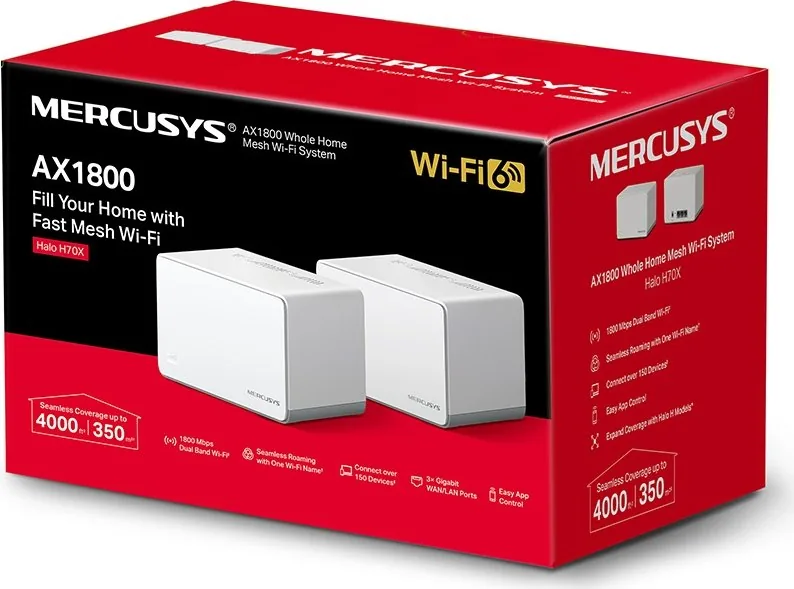
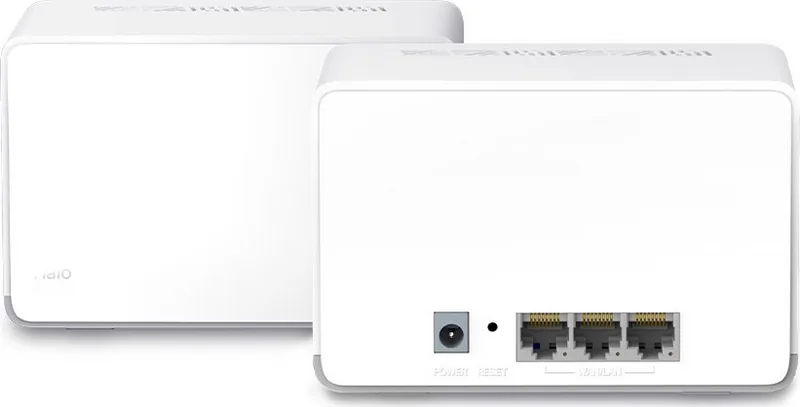
1x Router, Base Ports Total: 3x 1000Base-T WAN/LAN
Data Rate 802.11ax (Wi-Fi 6 / Wi-Fi 6E) 2.4GHz
574Mbps (Spatial Streams: 2x2, Bandwidth: 40MHz, Modulation: 1024-QAM)
Data Rate 802.11ax (Wi-Fi 6 / Wi-Fi 6E) 5GHz
1201Mbps (Spatial Streams: 2x2, Bandwidth: 80MHz, Modulation: 1024-QAM)
Note
Transfer rate specification for 802.11ax at 2.4GHz and 5GHz. (802.11ax (2.4GHz) 2x2 40MHz 1024-QAM: 574Mbps, 802.11ax (5GHz) 2x2 80MHz 1024-QAM: 1201Mbps)
Product Description
Revolutionize Your Internet Experience at Home
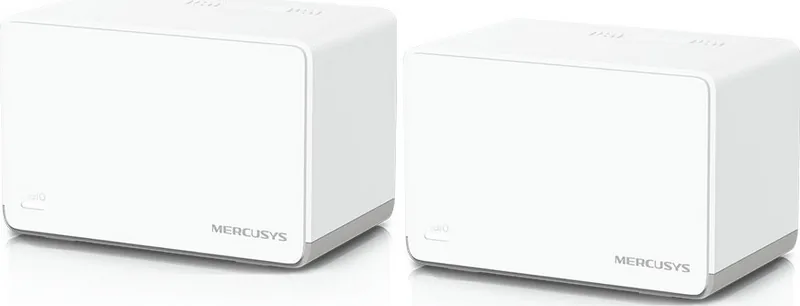
Living without reliable internet everywhere is difficult. Modern homes need strong signals in every room. The MERCUSYS Halo H70X offers a robust solution for whole home coverage. This system creates a seamless mesh network that eliminates dead zones effectively. Users appreciate the straightforward installation process and the intuitive control interface.
Seamless Connectivity and Setup
Setting up the network starts with the MERCUSYS app. You simply scan a QR code or download the application to begin. Logging in with your ID guides you through connecting the main unit. Once the system is running, extending coverage involves adding more units to the network. The interface displays the status of each Halo device clearly. This ensures you know exactly where your signal strength is strongest or needs attention.
Advanced Features for Modern Needs
Security is a top priority for many users. The system includes features like a blacklist to prevent unwanted access. Guest networks allow visitors to connect without risking your private data. Additionally, Parental Controls enable managing screen time and filtering content for specific family members. Quality of Service settings let you prioritize traffic for critical tasks like video calls. Online updates ensure the system remains secure with the latest protections.
Hardware and LED Indicators
The hardware design includes status LED lights. These lights change color to indicate startup, reset, or connection status. Yellow signals starting up while blue indicates setup phases. Solid white means the device is ready and registered. Red highlights issues or disconnections. Managing the network happens through the dashboard view where connected devices are visible. This transparency helps users troubleshoot quickly without confusion.
Conclusion
Following the instructions helps understand the full potential of the system. While the MERCUSYS Halo H70X Manual outlines specific configurations, the app simplifies most tasks. Regular users find the management tools efficient and powerful enough for most households. Whether protecting family online or ensuring gaming performance, this mesh system delivers consistent results.
Comprehensive Network Management
You can view connected devices and tap to check details for each specific item. Managing network settings is straightforward whether you are changing passwords or configuring DNS. The ability to reserve IP addresses is useful for printers or gaming consoles. Advanced features expose a wide range of configuration options for technical users.
Safety and Environmental Standards
Compliance with international standards ensures safe operation. The device meets CE and UK declaration requirements for radio equipment. Safety warnings regarding power supply and humidity are critical for longevity. Avoiding water and heat sources protects the internal components from damage. Understanding these guidelines ensures the system operates safely within the home environment.
Search for 67,706 Manuals online


Type-in Brand or Model