
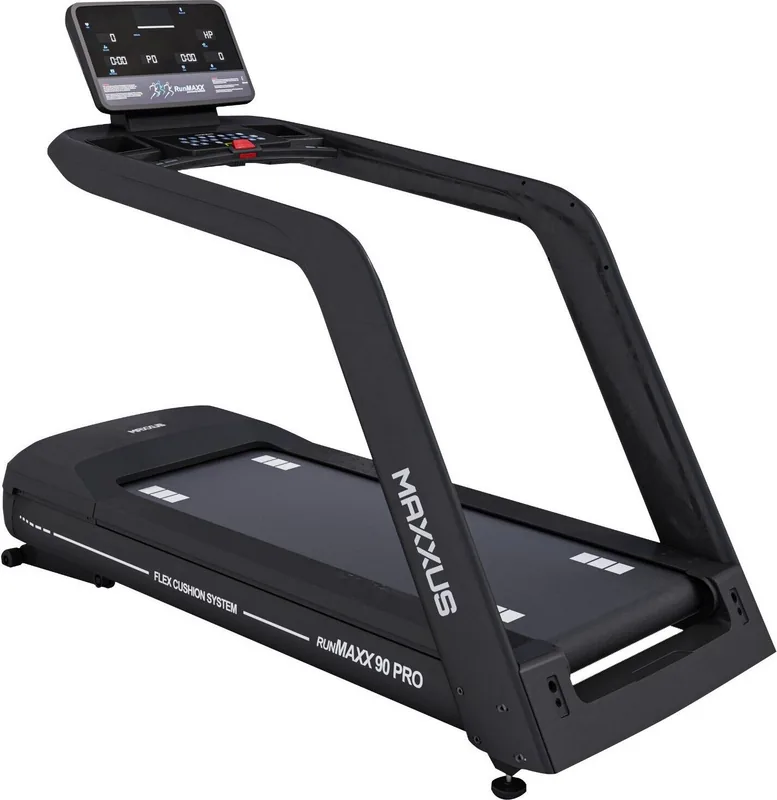
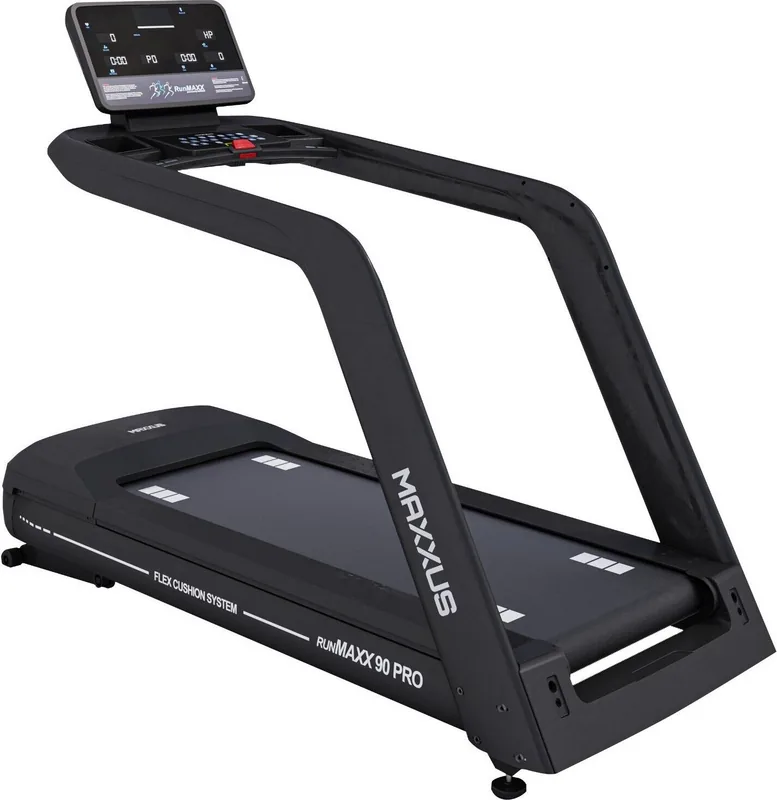
Maxxus RunMaxx 90 Pro Manual
PDF manual · 32 Pages
English



Quick check
Incorrect answer, please try again.
Chat with your Maxxus RunMaxx 90 Pro manual using AI
Get instant AI answers from your Maxxus RunMaxx 90 Pro manual
Ask anything about the Maxxus RunMaxx 90 Pro. Answers come from this manual, with the pages they are based on.
RunMaxx 90 Pro Maintenance Schedule
Lift the front part of the belt and feel for lubricant in the middle. Lubricate if insufficient.
Ensure the belt runs straight along the center of the deck. Correct immediately if it runs to one side.
Remove cover and vacuum visible dust. Never use detergent or compressed air.
Check bolts and nuts at least once a month and tighten if necessary.
Clean with a damp cloth to remove perspiration and liquid residues. Do not use solvents.
Free maintenance reminders
Timed to your purchase date. Always free, unsubscribe anytime.
Ask a Question
Do you recommend RunMaxx 90 Pro?
Yes NoFrequently Asked Questions
To begin, press the START button after turning on the unit. You can choose a manual mode or one of the 36 programs using the P and M keys. Ensure the safety key is inserted securely before starting to activate the treadmill.
Is this answer helpful?
The treadmill includes a Safety Key that stops the belt if pulled away, an Emergency Stop button on the console, and requires specific electrical grounding. Users must also maintain a safe perimeter of 200 cm behind and 100 cm on sides during operation.
Is this answer helpful?
You should check the lubrication weekly. The manual recommends applying silicone oil every week. If the belt feels dry or makes noise, apply it immediately. Using the correct silicone oil is crucial to avoid warranty voids.
Is this answer helpful?
No, the treadmill is strictly designed for indoor use. It must be kept in a temperate, dry, and clean room. Outdoor conditions or humidity can damage the electronics and mechanical parts, voiding the warranty.
Is this answer helpful?
Start the treadmill at 12 km/h. If it runs to the right, turn the right screw clockwise and left counter-clockwise. If it runs left, reverse the directions. Adjust in 1/8 turns until the belt tracks centrally.
Is this answer helpful?
The device requires a 220-230V supply with an individually protected 16 Amp socket. It must be grounded by a professional. Do not use power strips or extension cords unless they comply with VDE safety guidelines.
Is this answer helpful?
Yes, the console has hand pulse sensors located on the handrails. Place both hands firmly on the metal sensors to get a reading. Note that these are for short-term checks, while a chest strap allows continuous monitoring.
Is this answer helpful?
Advantages and Disadvantages
Advantages

- Features 36 distinct training profiles for varied workouts
- Safety key system allows immediate machine stoppage
- Quick selection buttons for instant speed and incline changes
- Supports heart rate monitoring via hand sensors or chest strap
- Front transport rollers enable easy relocation and storage
Disadvantages

- Requires specific electrical setup with grounded 16 Amp socket
- Needs regular weekly lubrication to prevent belt damage
- Assembly must be performed carefully by multiple adults
- Demands a significant safety space of 200 cm behind the unit
- Not designed for outdoor use or uneven ground surfaces
Product Specification
Motor Power
3.95 HP Continuous, 9.86 HP Peak
Speed
0.62-13.67 mph
Incline
0-15% electronically adjustable
Running Surface
61.02x23.62 in
Max User Weight
330.69 lbs
Dimensions
84.25x35.83x64.57 in
Weight
330.69 lbs
Features
Transport wheels, Hand pulse sensors, Chest strap compatible, Water bottle holder, App support (iOS, Android), USB, Bluetooth
Product Description
Elevate Your Home Fitness Routine with the MAXXUS 90 PRO
Achieving your fitness goals requires reliable equipment and clear guidance. The MAXXUS 90 PRO Laufband stands out as a robust solution for indoor running enthusiasts seeking professional results. Understanding operational details is crucial, making the Maxxus RunMaxx 90 Pro Laufband Manual an essential resource in your home gym setup. This comprehensive guide details everything from initial assembly to advanced training profiles.
Comprehensive Training Options and Features
One of the standout features is the incredible variety of programs included to keep your workouts engaging. Users can select from 36 distinct training profiles designed to target different fitness zones. Manual training allows presetting time, distance, or calorie targets for focused sessions. The digital display provides real-time feedback on speed, incline, and steps. Whether you are walking lightly or running intensely, the quick selection buttons for speed and incline allow for instant adjustments without interrupting your flow. Heart rate monitoring is also available via hand sensors or an optional chest strap transmitter, ensuring you stay in your desired heart rate zone.
Safety First in Home Environments
Safety is prioritized in the design and layout of this treadmill. The Safety Key is a critical component that stops the machine immediately if pulled away, preventing accidents during emergencies. The unit requires a specific electrical setup, needing a grounded 16 Amp socket with individual safety. Space requirements are also strictly specified to ensure safe operation, mandating at least 200 cm behind and 100 cm on the sides. This ensures ample room to react if they stumble. The emergency stop button offers an additional layer of security for rapid response times during unexpected physical issues.
Maintenance and Longevity
To keep the machine running smoothly, regular maintenance is non-negotiable for users. The lubrication of the running belt is vital to prevent friction damage to the deck and motor. The manual instructs users to check lubrication weekly and apply silicone oil as needed to reduce wear. Belt alignment and tension also require periodic adjustment to prevent slipping or off-center drifting. By following the guidelines found in the Maxxus RunMaxx 90 Pro Laufband Manual, owners can avoid warranty voids and extend the equipment life significantly. Regular cleaning protects electronics from failure due to accumulated debris. Front rollers allow easy relocation within the room.
Warranty and Support
The manufacturer provides guidelines for warranty claims. Contact the service department for technical issues. Unauthorized repairs may void protection. Only certified technicians should handle internal components.
Search for 67,706 Manuals online


Type-in Brand or Model