
Maxview VuQube Auto II Manual
PDF manual · 19 Pages
English



Quick check
Incorrect answer, please try again.
Chat with your Maxview VuQube Auto II manual using AI
Get instant AI answers from your Maxview VuQube Auto II manual
Ask anything about the Maxview VuQube Auto II. Answers come from this manual, with the pages they are based on.
Ask a Question
Do you recommend VuQube Auto II?
Yes NoFrequently Asked Questions
Press and hold the power inserter button for six seconds to enter configuration mode. Use short presses to cycle through selected satellite color indicators. Hold the button for approximately three seconds to confirm the change and save the new satellite preference.
Is this answer helpful?
The total weight of the antenna system is approximately 3.5kg. This makes it suitable for portable use where carrying the equipment manually is necessary during travel or outdoor setups.
Is this answer helpful?
The unit functions in various weather conditions but may lose signal temporarily during very heavy rain or snow. Do not power wash the antenna or use harsh solvents for cleaning to avoid damage to the enclosure.
Is this answer helpful?
A two-year parts limited guarantee covers defective components from the date of purchase. The customer is responsible for costs after two years or if damage results from misuse, mounting without the proper kit, or unauthorized repairs.
Is this answer helpful?
Keep the cover clean from dirt and bugs using a damp cloth with mild soap and water. Never use solvents or power washers as these can void the warranty and damage the unit surface.
Is this answer helpful?
Check for line of sight obstructions like trees or buildings blocking the southern view. Ensure all coax cables are hand tightened and stable. Try moving the unit to a more open location and rescan the satellite frequency.
Is this answer helpful?
Enter the configuration mode on the power inserter and navigate to the alarm setting option. Select the mode where the LED flashes colors for enabled alarm status. Hold the button to save the setting which will sound if cables are disconnected.
Is this answer helpful?
Advantages and Disadvantages
Advantages

- Automatic levelling feature simplifies setup on uneven ground without tools.
- Supports multiple satellites including Astra and Hotbird across Europe.
- Lightweight design at 3.5kg makes transport and handling easy.
- Integrated alarm feature prevents theft and connection issues.
- Includes all necessary cables for immediate deployment out of the box.
Disadvantages

- Requires clear line of sight to southern sky for signal acquisition.
- Permanent roof mounting voids warranty without specific Maxview bracket.
- Coax connections must be tightened by hand to prevent damage.
- Settings may need reset if the antenna is physically relocated.
- Limited functionality during heavy rain or snow conditions occasionally.
Product Specification
Outputs
2
LNB
1x Twin
Multiswitch
no
Receiver
no
Installation Accessories
1x Coaxial Cable (32.81 ft), 1x Coaxial Cable (1.64 ft), Control Unit
Features
Campground
Product Description
Introduction to Advanced Mobile Entertainment
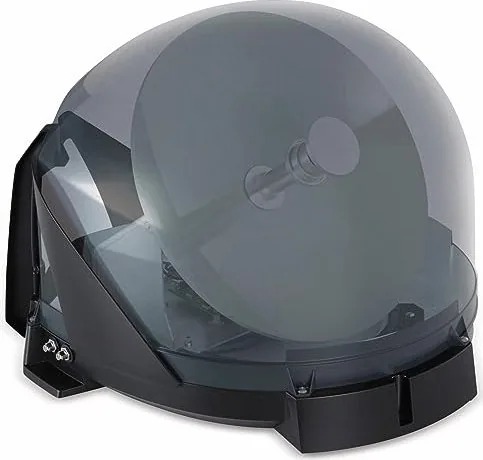
Are you seeking a superior mobile television experience that delivers consistent signal performance regardless of location? The Maxview VuQube II represents a significant advancement in portable satellite reception technology designed for the modern traveler. Whether you are on a road trip, camping in the countryside, or enjoying time on your boat, this system guarantees access to your favorite entertainment without interruption. The product design prioritizes user convenience ensuring that setup is accessible to everyone. A critical resource for owners regarding configuration details is the Maxview VuQube Auto II Manual which provides essential guidance on initial installation and troubleshooting.
Once you position the unit on a flat surface with a clear view towards the south the system engages its automatic levelling mechanism. This feature eliminates the need for complex alignment tools or technical expertise during the setup phase. The device supports major satellite frequencies including Astra 1, Astra 2, Astra 3, and Hotbird across Europe. Configuration is handled through the integrated power inserter using simple LED color signals to indicate the selected satellite target. Changing settings is intuitive and requires only a simple button press sequence. Connectivity relies on the included coaxial cables which must be hand tightened to prevent signal degradation or tripping hazards.
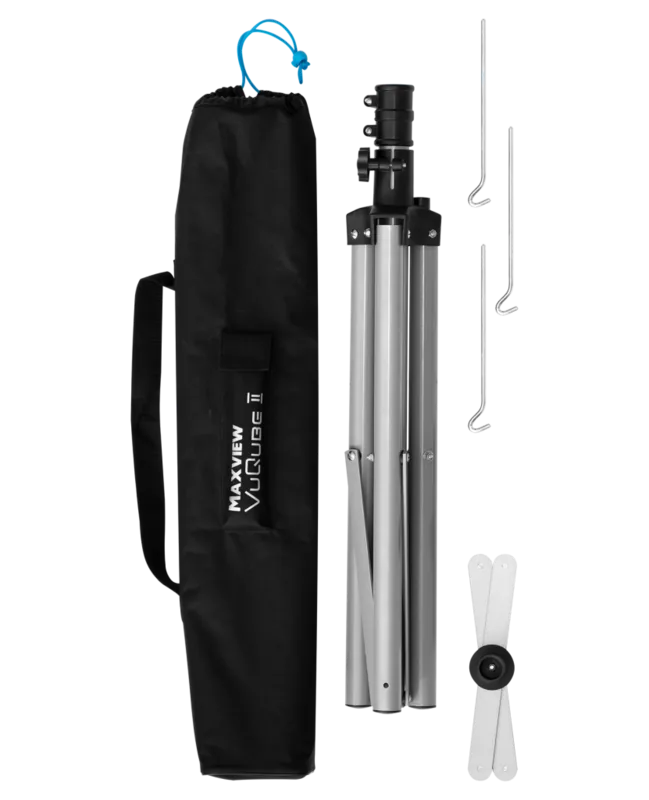
The lightweight construction weighing approximately 3.5kg facilitates easy transport and storage when not in use. Regular maintenance involves wiping the outer cover with a damp cloth to remove dust or bugs for optimal signal reception. High pressure washing or harsh solvents must never be used as they can damage the enclosure. For security purposes the handle allows for the attachment of a padlock to prevent theft when parked temporarily. Permanent roof mounting requires a specific kit to comply with warranty terms and protect the investment. The unit features an alarm system that alerts users if cables are disconnected unexpectedly during operation.
Power requirements can be met via a standard 12V cigarette adapter or a wall outlet using the included power supply. This versatility ensures continuous operation in various environments. A two-year parts guarantee offers assurance against manufacturing defects. Always ensure the correct satellite list is downloaded to avoid signal issues upon setup. Enjoy high definition television anywhere with this robust and reliable portable solution built for comfort. In the event of connection errors the system guides you to check the line of sight and cable tightness. Weather conditions may occasionally impact signal strength but the system remains functional in extreme environments. The package includes the antenna unit, power inserter, and necessary cables for immediate deployment. Additional troubleshooting steps involve verifying the receiver settings match the satellite selected on the unit. This ensures proper channel scanning and decoding of the incoming signal for clear viewing.
Search for 67,706 Manuals online


Type-in Brand or Model
van93
6 months ago
Is the setup really simple, and will trees or buildings block the signal?
Manual.ly
6 months ago
Most users confirm the installation is extremely simple. You just need to place the device, connect the cable, and let it find the satellites by itself, which often happens within a few minutes. However, regarding obstructions, some feedback indicates that large trees, hills, or buildings directly in the South viewing path can block the signal. Ensuring a clear line of sight to the South is recommended for the best results. Despite occasional signal issues in difficult terrain, the majority of buyers find it superior to cheaper alternatives and highly suitable for camping and boating.