
Maxview Quick Out MXL041 Manual
PDF manual · 8 Pages
English



Quick check
Incorrect answer, please try again.
Chat with your Maxview Quick Out MXL041 manual using AI
Get instant AI answers from your Maxview Quick Out MXL041 manual
Ask anything about the Maxview Quick Out MXL041. Answers come from this manual, with the pages they are based on.
Ask a Question
Do you recommend Quick Out MXL041?
Yes NoFrequently Asked Questions
You can use a padlock instead of the safety pin provided in the kit. The recommended lock shackle size should not exceed 8mm to fit the designated slot securely without interference.
Is this answer helpful?
Screws are recommended for reversibility and security. Glue options exist, such as Sikaflex, but they may prevent future latch changes and are permanent if adhesive is applied incorrectly.
Is this answer helpful?
You need a drill with the appropriate bit set, an 11mm spanner, a tape measure, flexible sealant, and a screwdriver. Always follow manufacturer instructions for tool usage.
Is this answer helpful?
Use the MAIN and AUX ports on the back of the antenna unit to connect two coax cables. The MAIN output goes to the primary receiver, and AUX can be used for an additional TV setup.
Is this answer helpful?
Seal all holes and screw heads with roof-compatible sealant like Sikaflex or Dekalin MS-5 before tightening. This prevents water ingress into the vehicle cabin during rain.
Is this answer helpful?
Advantages and Disadvantages
Advantages

- Quick Release mechanism allows fast removal for theft prevention.
- Dual coax ports support multiple televisions inside the vehicle.
- Secure padlock option prevents unauthorized removal of the unit.
- Waterproof sealant included for protection against leaks.
- Clear instructions guide installation steps for users.
Disadvantages

- Installation requires working at height safely on vehicle.
- Adhesive method latches cannot be changed once glued.
- Requires drilling holes in vehicle roof permanently.
- Obstructions may block satellite signal view from roof.
- Sealant curing time delays driving after installation.
Product Specification
Type
Roof
Dimensions
24.02 x 2.83 x 10.51 inches
Weight
1.50 lbs
Product Description
Maxview Quick Out Mount Complete Guide
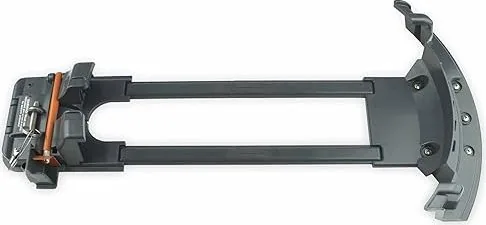
Travel enthusiasts demand reliable television connectivity during their journeys across long distances. The Maxview Quick Out Mount Manual provides comprehensive guidance for the VuQube II Quick Release Roof Mount System setup. This installation process transforms your vehicle into a fully equipped mobile entertainment center for all passengers. Proper setup ensures optimal signal reception without compromising vehicle safety or structural integrity during transit. The mount is designed for high versatility, allowing for temporary or permanent solutions depending on your specific travel needs. This ensures your equipment remains secure during transit.
Installation Process Overview
The installation begins with selecting the correct location on the roof carefully. You need a smooth, flat, and rigid surface free of physical obstructions. Obstacles like air conditioners or storage boxes can block vital satellite signals completely. Measure the distance from these obstacles to ensure line of sight clearance is adequate. Use the included stainless steel screws with compatible sealant to secure the base plate firmly. Glue options exist but may prevent future latch changes permanently. Use a drill to create mounting holes and seal all fasteners completely inside and out. Ensure you use a 19mm drill for coax entry holes later in the process.
Hardware and Connectivity Features
This system supports dual output capabilities for viewing on multiple televisions simultaneously. Connect the main coax cable to the MAIN port and an optional second cable to the AUX port for another screen. The Quick Release feature allows the satellite dish unit to be removed quickly whenever necessary. This reduces wind resistance significantly and allows for safe garage storage when not in use. A safety pin secures the unit, but you can replace it with a padlock for theft protection. Ensure the lock shackle size does not exceed eight millimeters to fit properly. Press the retaining rod into the tab and insert the safety pin securely before driving.
Critical Safety and Maintenance Notes
Working at height requires strict adherence to advanced safety protocols always. Always check the weight capacity of your roof before installing any heavy equipment. Distribute weight using creeper boards if walking on the surface to avoid damage. Never power wash the mount to avoid damaging the sealant joints or connections. Follow manufacturer instructions regarding sealants like Sikaflex for total waterproofing effectiveness and performance. Contact customer support if any installation doubts arise during the process. Adhering to these guidelines ensures legal compliance and long-term durability for your satellite system. Close the locking mechanism if the antenna is removed for any length of time to protect the port.
Search for 67,706 Manuals online


Type-in Brand or Model