
Maxview Precision Manual
PDF manual · 24 Pages
English



Quick check
Incorrect answer, please try again.
Chat with your Maxview Precision manual using AI
Get instant AI answers from your Maxview Precision manual
Ask anything about the Maxview Precision. Answers come from this manual, with the pages they are based on.
Ask a Question
Do you recommend Precision?
Yes NoFrequently Asked Questions
Yes, simply turn the Sat Finder knob fully to the left. The device will become silent with only the green light illuminated, which does not affect signal quality.
Is this answer helpful?
Push the legs down firmly and use the compass to align the south leg with the south direction. Ensure there are no obstructions blocking the satellite line of sight.
Is this answer helpful?
You may have located a satellite different from the one your receiver is set to. Realign the dish slightly or check your receiver satellite settings.
Is this answer helpful?
No, the system is designed for outdoor use and allows water to pass through and exit easily. It will dry out quickly without internal issues.
Is this answer helpful?
No, satellite signals will not pass through objects. A clear line of sight to the satellite in the sky is strictly required.
Is this answer helpful?
Models include MXL012/55, MXL012/65, MXL012/75, and specific Twin versions like MXL012/55TWIN.
Is this answer helpful?
Advantages and Disadvantages
Advantages

- Integrated Sat Finder provides audio and visual guidance for easy signal alignment.
- Manual tripod system is simple and reliable without complex motors.
- Limited satellite zone on tripod helps reduce scanning time for faster setup.
- Designed for outdoor use with water drainage capabilities for durability.
- Multiple model options available including single and twin LNB configurations.
Disadvantages

- Requires clear line of sight to satellite without obstruction by trees or buildings.
- Manual alignment needs patience and compass usage for azimuth positioning.
- Tripod leveling is a guide only and may require adjustment on uneven ground.
- Integrated Sat Finder uses power and might not work on all output ports in twin kits.
- Cleaning requires manual washing without harsh chemicals or pressure washers.
Product Specification
Satellite Positions
1
Multiswitch
No
Receiver
No
Installation Accessories
1x Coaxial Cable (32.81 ft), LNB Mount, Stand
Special Features
Campsite, Compass
Product Description
Maxview Precision Manual - The Ultimate Portable Satellite Experience
Traveling across Europe opens up incredible opportunities for adventure and discovery, but staying connected with your favorite television stations can sometimes be a challenge in remote locations far from city networks. The Maxview Precision Manual Portable Satellite System is designed specifically for travelers who demand reliability, portability, and ease of use without the need for complex automation. Simplicity sits at the absolute heart of this device, allowing you to set up a robust satellite signal quickly without complicated electronics or automated motors that can fail.
Why Choose The Precision System
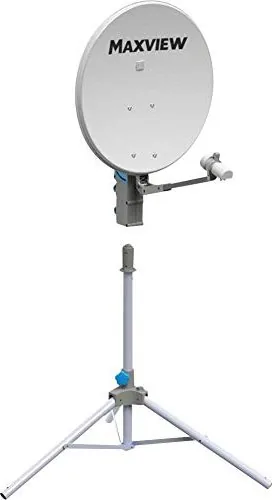
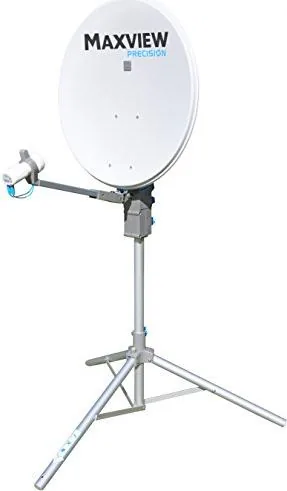
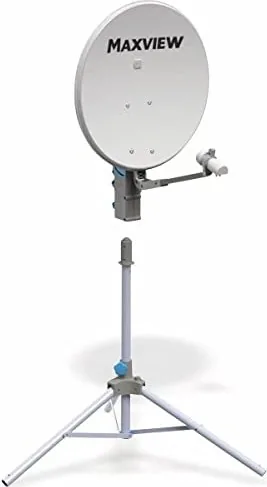
This comprehensive kit features a stable tripod stand and a high-quality dish unit that can be manually adjusted for elevation and azimuth to suit any latitude. The system includes an integrated Sat Finder, which provides audio and visual cues to help you align the dish accurately to receive popular signals like Astra 1 and Astra 2. Models such as the MXL012/55 and MXL012/65 offer specific flexibility for different vehicle sizes and antenna needs. Whether you are staying at a remote campsite or parked near a scenic mountain view, the device ensures you get a clear picture without needing to rely on expensive subscription packages.
Installation And Setup Guide
Setting up the Precision involves basic steps outlined clearly in the user manual. You start by erecting the tripod by pushing the legs down firmly and locking them in place. Ensure the south leg points correctly using the compass included to establish the right direction. Leveling the system helps with accurate readings, though the device is forgiving on uneven ground if you adjust the elevation map accordingly. Once mounted, you plug in the 10m flexible cable and use the Sat Finder to locate the strongest signal. The limited satellite zone on the tripod reduces scanning time significantly, making it faster to lock onto Astra or HotBird transmissions commonly found in European skies.
Maintenance And Care Instructions
Longevity is key for outdoor equipment exposed to the elements. The Precision is built to handle water passing through and draining easily, making it suitable for various weather conditions without internal damage. Cleaning should be done with mild soap and water using a soft cloth. You must avoid harsh solvents or pressure washers which could damage the plastic components or the reflective foil on the dish. Keep the dish clean from dirt, bugs, and debris to maintain peak signal strength throughout your travels.
Final Thoughts
With its robust construction and user-friendly interface, the Maxview Precision Manual brings the comfort of home television freedom to your journey. It is a trusted companion for leisure travelers who value free-to-air content and hassle-free entertainment on the road. Always consult the contact details for support if you encounter difficulties during reception to ensure you remain connected wherever the road takes you tonight.
Search for 67,706 Manuals online


Type-in Brand or Model