


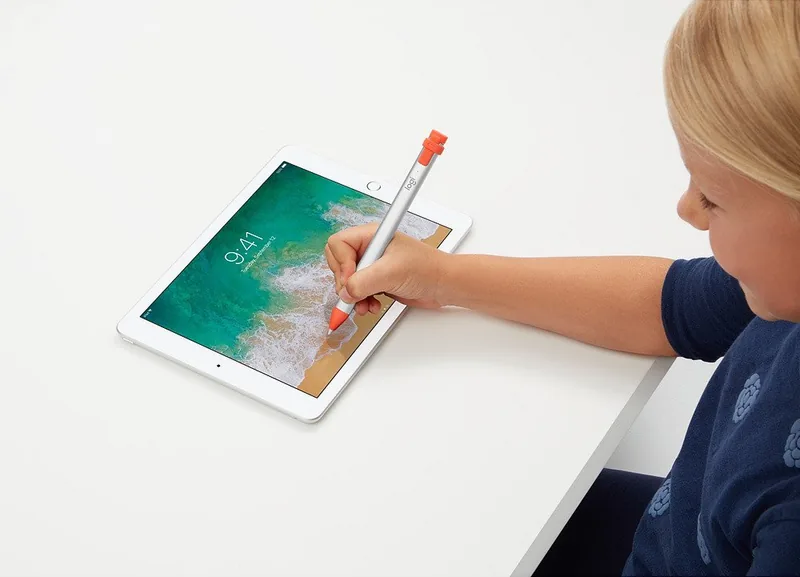
Logitech Crayon Manual
PDF manual · 42 Pages
English


Quick check
Incorrect answer, please try again.
Chat with your Logitech Crayon manual using AI
Get instant AI answers from your Logitech Crayon manual
Ask anything about the Logitech Crayon. Answers come from this manual, with the pages they are based on.
Crayon Maintenance Schedule
Turn off the device to preserve battery life. It will auto-shut off after 30 minutes of inactivity if forgotten.
Wipe with a cloth dampened with water or mild cleaner (less than 15% alcohol). Ensure it is dry before storing.
Purchase replacement covers from Logitech support website to protect the charging port.
Replace the tip if dropped or worn down to prevent screen damage.
Ask a Question
Do you recommend Crayon?
Yes NoProduct Specification
Suitable for
Apple iPad 10.2" 7th Generation (2019), Apple iPad 6th Generation (2018), Apple iPad Air 3rd Generation (2019), Apple iPad mini 5 (2019)
Type
active stylus
Power supply
Battery (Li-Ion), Charging port (Lightning)
Features
1 button
Tip
fine
Grip
round, plastic
Shaft
anti-slip, plastic
Size
0.47x6.42in (DxL)
Weight
0.71 oz
Special features
exchangeable tip
Product Description
Search for 67,706 Manuals online


Type-in Brand or Model
Sophie Keller
8 months ago
Does the Logitech Crayon include a charging cable, and will it fit in common iPad protective cases for storage?
Manual.ly
8 months ago
The charging cable is typically not included. You can charge the Crayon using a compatible Apple iPad/iPhone-style cable and charger that matches the port on your device (for example, the same cable you already use for your iPad). Also, not all iPad cases have a compartment that fits the Crayon, because its size is different from an original Apple Pencil. If storage in a case is important, check that the case has a slot sized for this model and compare the Crayon dimensions before buying.