
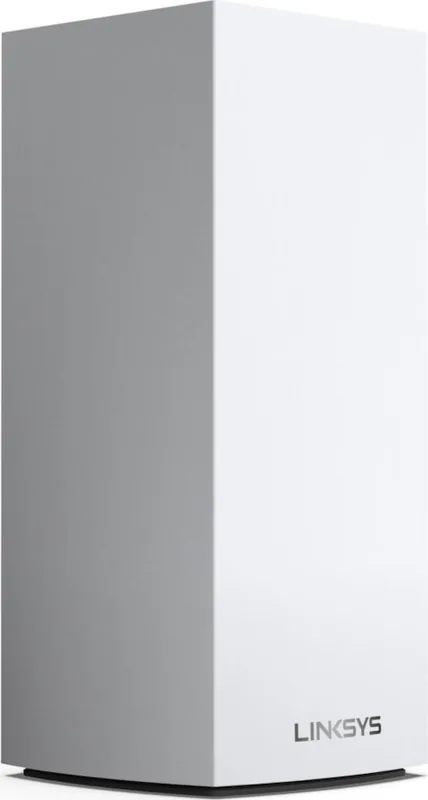
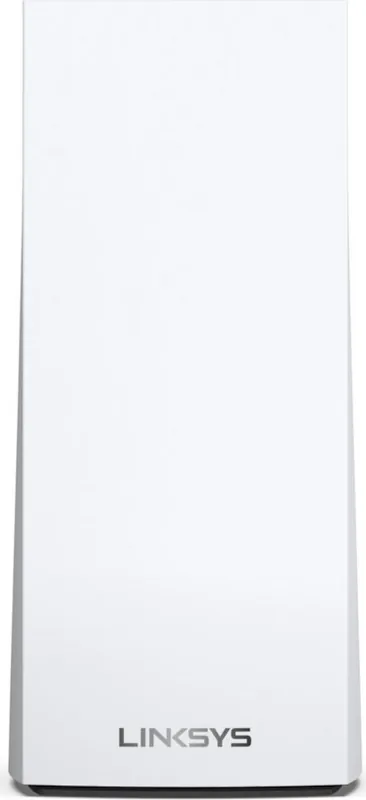
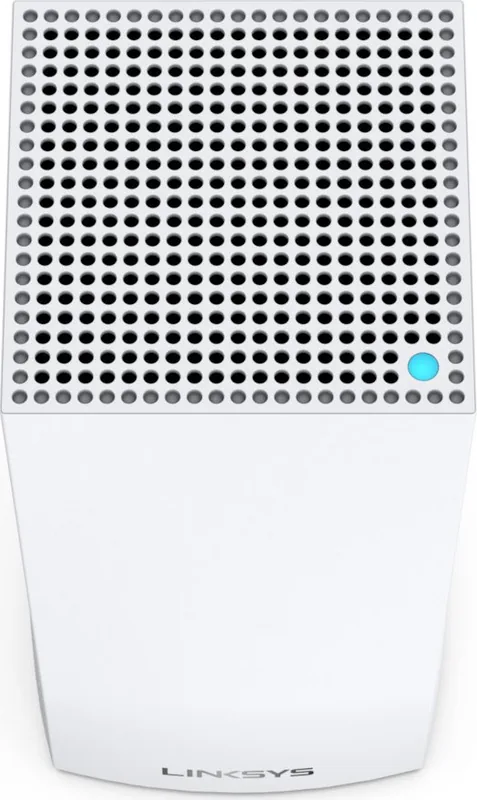
Linksys Velop AX4200 MX4000 Manual
How many stars do you give the Velop AX4200 MX4000 manual?
PDF manual · 1220 Pages
English



/ 1220

Quick check
Incorrect answer, please try again.
Chat with your Linksys Velop AX4200 MX4000 manual using AI
Get instant AI answers from your Linksys Velop AX4200 MX4000 manual
Ask anything about the Linksys Velop AX4200 MX4000. Answers come from this manual, with the pages they are based on.
Ask a Question
Do you recommend Velop AX4200 MX4000?
Yes NoFrequently Asked Questions
Download the Linksys app on your smartphone, create an account, and follow the on-screen instructions. Connect the primary node to your modem via Ethernet, then power it on. The app will guide you to place additional nodes around your home to complete the mesh network setup.
Is this answer helpful?
No, the USB 3.0 port on the Velop AX4200 is designed for local file sharing only. It does not support connecting peripherals like printers, scanners, or cameras, nor does it function as a media server or FTP host.
Is this answer helpful?
The parent node connects directly to your internet modem via an Ethernet cable. Child nodes connect wirelessly to the parent or other nodes, or can be hardwired to any node to extend coverage without losing speed.
Is this answer helpful?
Open the Linksys app, navigate to the Dashboard, and select Speed Check. This tool tests your download and upload speeds to ensure you are receiving the service provided by your ISP and helps prioritize devices effectively.
Is this answer helpful?
A factory reset erases all custom settings, including Wi-Fi names, passwords, and parental controls. You will need to go through the entire setup process again, and all wireless devices will disconnect from the network until reconfigured.
Is this answer helpful?
Advantages and Disadvantages
Advantages

- Supports WiFi 6 (802.11ax) for faster speeds and better efficiency in crowded networks.
- Intuitive setup and management via the Linksys mobile app from anywhere.
- Advanced security features including WPA3 encryption and robust parental controls.
- Flexible deployment options with both wireless mesh and wired backhaul capabilities.
- Includes USB 3.0 port for convenient local file storage and sharing.
Disadvantages

- USB port does not support external printers, scanners, or FTP media servers.
- Secondary nodes may experience reduced speeds if connected wirelessly instead of via Ethernet.
- Requires a Linksys account for full remote management features.
- Physical reset button requires holding down for several seconds, which can be tricky for some users.
- Higher price point compared to traditional single-router setups.
Product Specification
Modem
N/A
Wireless
WLAN 802.11a/b/g/n/ac/ax (Wi-Fi 6), simultaneous
Transmission Rate
574Mbps (2.4GHz), 3603Mbps (5GHz), split into 1x 2402Mbps and 1x 1201Mbps
Security
WPA2, WPA3
Antennas
Internal
Ports
1x USB-A 3.0
Power Consumption
Not specified, not specified (max power supply rating)
Dimensions
9.61x4.49x4.49 inches
Features
Bluetooth, Bluetooth LE, MU-MIMO, Roaming (Qualcomm Wi-Fi SON), Mesh (split band)
Band Capability
Dual Band (simultaneous), Mesh (split band)
Manufacturer Warranty
Three years
Transmission Rate 802.11ax (Wi-Fi 6 / Wi-Fi 6E) 2.4GHz
574Mbps (Spatial Streams: 2x2, Bandwidth: 40MHz, Modulation: 1024-QAM)
Transmission Rate 802.11ax (Wi-Fi 6 / Wi-Fi 6E) 5GHz
Band 1: 2402Mbps (Spatial Streams: 4x4, Bandwidth: 80MHz, Modulation: 1024-QAM); Band 2: 1201Mbps (Spatial Streams: 2x2, Bandwidth: 80MHz, Modulation: 1024-QAM)
Note
Specification of transmission rate for 802.11ax at 2.4GHz and 5GHz. (802.11ax (2.4GHz) 2x2 40MHz 1024-QAM: 574Mbps, 802.11ax (5GHz Band 1) 4x4 80MHz 1024-QAM: 2402Mbps, 802.11ax (5GHz Band 2) 2x2 80MHz 1024-QAM: 1201Mbps)
Product Description
Experience Seamless Whole Home Wi-Fi with Linksys Velop AX4200
The Linksys Velop AX4200 represents the next generation of home networking, delivering robust WiFi 6 performance designed to eliminate dead zones and ensure high-speed connectivity throughout your entire residence. This mesh system is built for modern households where multiple devices stream, game, and work simultaneously without interruption. By utilizing advanced dual-band frequencies across 2.4 GHz and 5 GHz bands, the AX4200 provides a stable foundation for smart homes filled with connected gadgets.
Setting up your network has never been more intuitive. The system relies on the user-friendly Linksys app, available for iOS and Android, which guides you through the installation process step-by-step. You can designate one node as the primary unit connected directly to your modem while placing additional nodes wirelessly or via Ethernet cables to extend coverage. The intelligent mesh technology automatically optimizes channels to reduce interference, ensuring that every corner of your home receives a strong signal.
Security and control are paramount with this device. It supports WPA3 encryption alongside WPA2, offering top-tier protection against unauthorized access. Parents can utilize dedicated parental controls to manage screen time and block specific websites, giving peace of mind regarding online safety. Additionally, the Guest Access feature allows visitors to connect securely without compromising your main network's integrity. For those who need priority bandwidth for gaming or video conferencing, the Device Prioritization tool lets you select up to three devices to receive preferential treatment during peak usage times.
Beyond connectivity, the AX4200 offers practical utility through its USB 3.0 port. While primarily intended for local file sharing rather than serving as a full media server or printer host, it provides a convenient way to store and share documents within your network. The system also includes real-time speed checks and detailed device management dashboards, allowing you to monitor network health and identify bottlenecks instantly. Whether you are a tech enthusiast or a casual user, the Linksys Velop AX4200 delivers a reliable, secure, and easy-to-manage internet experience.
Search for 67,706 Manuals online


-
No results found.
Type-in Brand or Model