
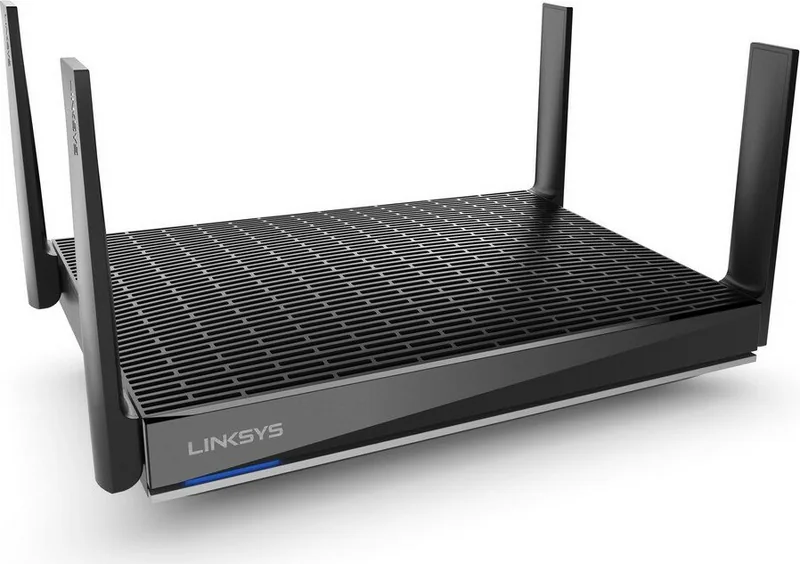
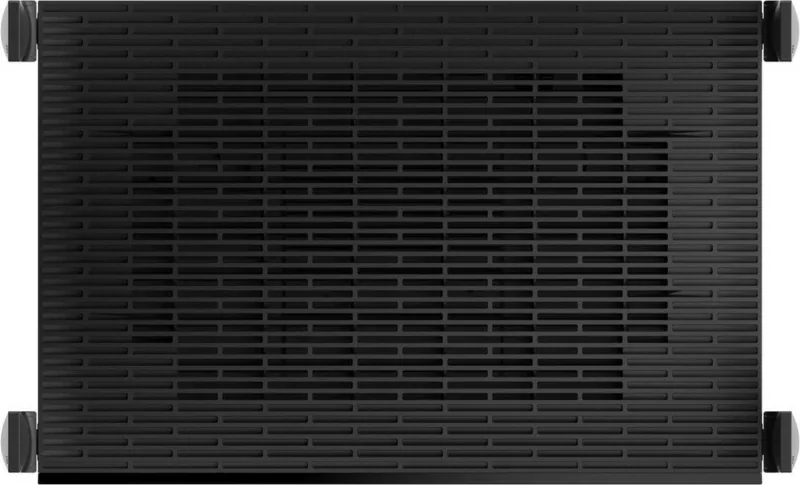
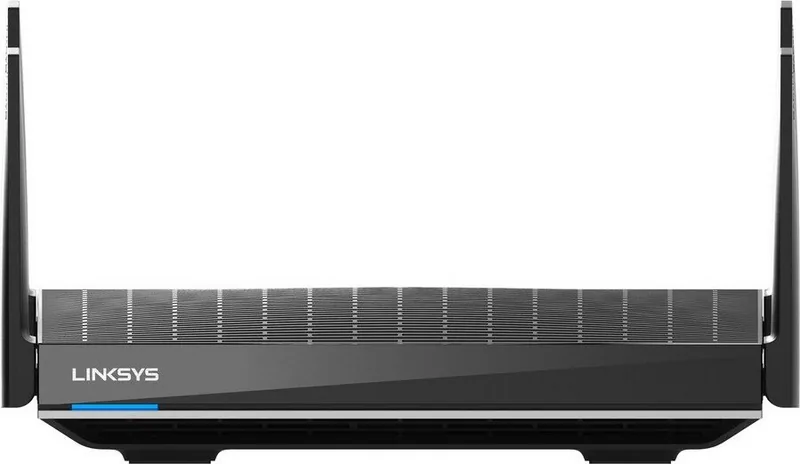
Linksys Max-Stream MR9600 Manual
How many stars do you give the Max-Stream MR9600 manual?
PDF manual · 1180 Pages
English



/ 1180

Quick check
Incorrect answer, please try again.
Chat with your Linksys Max-Stream MR9600 manual using AI
Get instant AI answers from your Linksys Max-Stream MR9600 manual
Ask anything about the Linksys Max-Stream MR9600. Answers come from this manual, with the pages they are based on.
Ask a Question
Do you recommend Max-Stream MR9600?
Yes NoFrequently Asked Questions
Yes, but you must factory reset all existing Velop nodes first. Once the MR9600 is set up as the new parent node, you can add the reset nodes to the system.
Is this answer helpful?
While there is no hard limit, the Wi-Fi 6 technology is designed to efficiently manage dozens of simultaneous connections including smart home gadgets, phones, and computers.
Is this answer helpful?
Open the Linksys app, navigate to the Dashboard, and select Speed Check. This test verifies if you are receiving the speeds provided by your ISP.
Is this answer helpful?
Yes, the router has two USB 3.0 ports that allow you to connect and share external storage drives across your network securely.
Is this answer helpful?
No, you can change passwords directly through the web interface by connecting to the router, though the app offers a more user-friendly experience.
Is this answer helpful?
If notifications are enabled in the app, you will receive an alert indicating that a specific child node has disconnected from the network.
Is this answer helpful?
Advantages and Disadvantages
Advantages

- Supports Wi-Fi 6 standards for faster speeds and better efficiency
- Intuitive Linksys app allows remote management and easy setup
- Flexible mesh system supports both wired and wireless node connections
- Advanced parental controls and guest network isolation features
- Includes two USB 3.0 ports for shared storage and media streaming
Disadvantages

- Requires the Linksys app for full feature utilization during setup
- Factory reset is a disruptive process that wipes all configurations
- May be overkill for small apartments with few connected devices
- Child nodes rely on wireless backhaul which can reduce throughput
- Advanced settings like MAC cloning require technical knowledge
Product Specification
Modem
N/A
WAN
1x 1000Base-T
LAN
4x 1000Base-T
Wireless
WLAN 802.11a/b/g/n/ac/ax (Wi-Fi 6), simultaneous
Transfer Rate
1148Mbps (2.4GHz), 4804Mbps (5GHz)
Security
WPA2, WPA3, WPS
Antennas
4x external
Ports
2x USB-A 3.0
Power Consumption
Not specified (operating consumption), not specified (max power supply rating)
Dimensions
11.02x6.69x2.36 inches
Features
IPv6, MU-MIMO, Bluetooth LE, DLNA, Roaming, Mesh (shared band)
Band Capability
Dual Band (simultaneous), Mesh (shared band)
Manufacturer Warranty
one year
Transfer Rate 802.11ax (Wi-Fi 6 / Wi-Fi 6E) 2.4GHz
1148Mbps (Spatial Streams: 4x4, Bandwidth: 40MHz, Modulation: 1024-QAM)
Transfer Rate 802.11ax (Wi-Fi 6 / Wi-Fi 6E) 5GHz
4804Mbps (Spatial Streams: 4x4, Bandwidth: 160MHz, Modulation: 1024-QAM)
Note
Transfer rate specification for 802.11ax at 2.4GHz and 5GHz. (802.11ax (2.4GHz) 4x4 40MHz 1024-QAM: 1148Mbps, 802.11ax (5GHz) 4x4 160MHz 1024-QAM: 4804Mbps)
Product Description
Linksys MR9600 AX6000: The Ultimate Mesh Wi-Fi 6 Experience
The Linksys MR9600 stands as a powerhouse in the world of home networking, delivering the robust performance of Wi-Fi 6 technology. Designed for modern households with high bandwidth demands, this dual-band mesh router ensures seamless connectivity across large spaces. With an aggregate speed of up to 6 Gbps, it handles multiple devices simultaneously without lag, making it ideal for streaming 4K video, online gaming, and smart home operations.
Setting up your network has never been easier thanks to the intuitive Linksys app. Whether you are installing the MR9600 as a primary parent node or adding it as a child node to an existing system, the guided setup process simplifies configuration. You can manage your entire network from anywhere, adjusting settings, monitoring connected devices, and securing your internet access with parental controls. The router features advanced security protocols like WPA3, ensuring your data remains protected against unauthorized access.
One of the standout capabilities of the MR9600 is its flexibility within a mesh ecosystem. It allows for wired backhaul connections via its gigabit Ethernet ports, providing a stable backbone for wireless nodes. This ensures that every corner of your home enjoys consistent signal strength. Additionally, the inclusion of USB 3.0 ports enables you to share storage locally or stream media directly to your television. The device prioritizes critical traffic through intelligent device prioritization, guaranteeing that your work calls or gaming sessions remain uninterrupted even when others are downloading large files.
For users who value control, the Linksys app offers deep customization options. You can create guest networks to keep visitors safe while isolating them from your main devices. The channel finder tool automatically scans for the least congested frequencies, optimizing performance in dense urban environments. With support for both 2.4 GHz and 5 GHz bands, the MR9600 adapts to various device requirements, balancing range and speed effectively. Its sleek design fits discreetly into any decor, while the status lights provide immediate visual feedback on connection health.
Important Notes
- Always use CAT5e or higher cables for optimal Ethernet performance.
- Factory resetting the router will erase all custom settings and require re-setup.
- Notifications for offline child nodes help maintain mesh integrity.
- The router supports both cloud-based management and local direct access.
- Ensure the latest firmware is installed for best security and performance.
Search for 67,706 Manuals online


-
No results found.
Type-in Brand or Model