
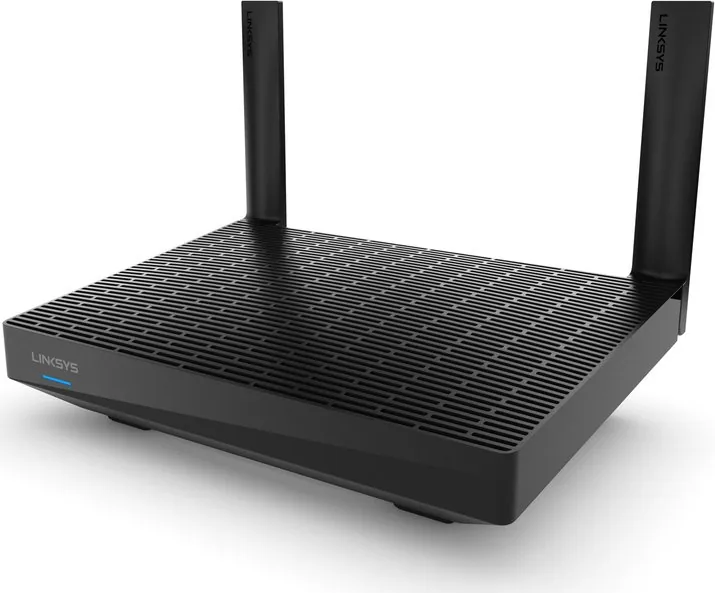
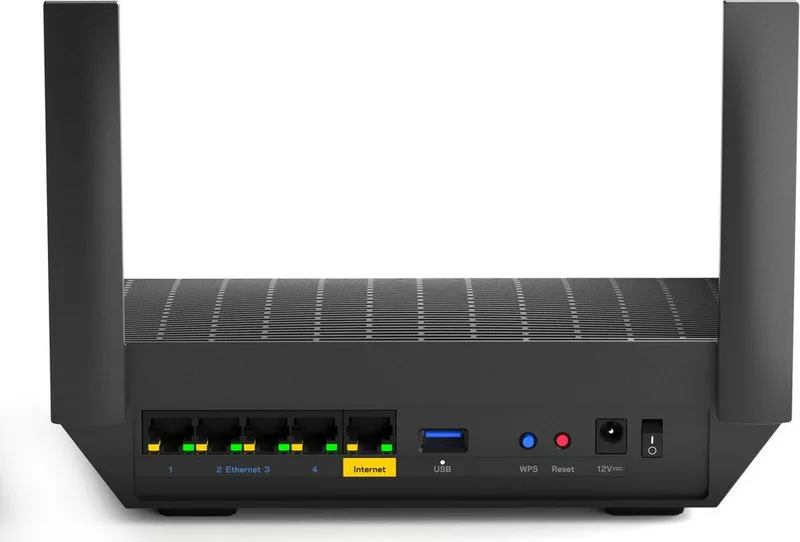
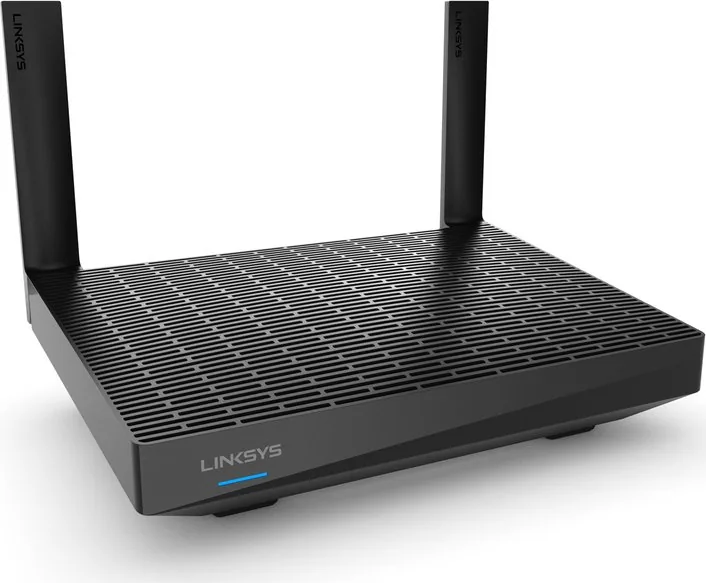
Linksys Max-Stream MR7350 Manual
How many stars do you give the Max-Stream MR7350 manual?
PDF manual · 1258 Pages
English



/ 1258

Quick check
Incorrect answer, please try again.
Chat with your Linksys Max-Stream MR7350 manual using AI
Get instant AI answers from your Linksys Max-Stream MR7350 manual
Ask anything about the Linksys Max-Stream MR7350. Answers come from this manual, with the pages they are based on.
Ask a Question
Do you recommend Max-Stream MR7350?
Yes NoFrequently Asked Questions
Download the Linksys app on your iOS or Android device. Create a Linksys Smart Wi-Fi account, then follow the on-screen instructions to connect the router to your modem and complete the setup wizard.
Is this answer helpful?
Yes, but you must factory reset all existing Velop nodes before adding them to the new MR7350 system. The MR7350 will act as the new parent node for the entire mesh network.
Is this answer helpful?
The primary difference is the WiFi rating. The MR7350 is an AX1800 model, while the MR7340 is an AX1500 model. Both share similar physical dimensions and features like Gigabit ports and USB 3.0.
Is this answer helpful?
Yes, it has one USB 3.0 port that allows you to connect a hard drive or flash drive to share files over your network. Note that some file systems like APFS are read-only.
Is this answer helpful?
You can change the admin password via the Linksys app under Network/Router Administration. If locked out, you must perform a factory reset by holding the Reset button until the light turns bright red.
Is this answer helpful?
Advantages and Disadvantages
Advantages

- Supports WiFi 6 (802.11ax) for superior speed and efficiency
- Seamless whole-home mesh coverage eliminates dead zones
- Intuitive Linksys app simplifies setup and management
- WPA2/WPA3 security ensures robust protection against threats
- Gigabit Ethernet ports support high-speed wired connections
Disadvantages

- Requires smartphone app for initial configuration and advanced settings
- External antennas are non-detachable and cannot be upgraded
- USB port only supports read-only access for certain file systems
- Parental controls require internet connection for remote management
- Higher price point compared to older WiFi 5 router models
Product Specification
Modem
N/A
WAN
1x 1000Base-T
LAN
4x 1000Base-T
Wireless
WLAN 802.11a/b/g/n/ac/ax (Wi-Fi 6), simultaneous
Transfer Rate
574Mbps (2.4GHz), 1201Mbps (5GHz)
Security
WPA2, WPA3, WPS
Antennas
2x external
Ports
1x USB-A 3.0
Power Consumption
Not specified (operating consumption), Not specified (max power supply output)
Dimensions
8.46x6.10x2.20 inches
Features
IPv6, MU-MIMO, Bluetooth LE, Roaming, Mesh (shared band)
Band Capability
Dual Band (simultaneous), Mesh (shared band)
Manufacturer Warranty
One year
Transfer Rate 802.11ax (Wi-Fi 6 / Wi-Fi 6E) 2.4GHz
574Mbps (Spatial Streams: 2x2, Bandwidth: 40MHz, Modulation: 1024-QAM)
Transfer Rate 802.11ax (Wi-Fi 6 / Wi-Fi 6E) 5GHz
1201Mbps (Spatial Streams: 2x2, Bandwidth: 80MHz, Modulation: 1024-QAM)
Note
Transfer rate specification for 802.11ax at 2.4GHz and 5GHz. (802.11ax (2.4GHz) 2x2 40MHz 1024-QAM: 574Mbps, 802.11ax (5GHz) 2x2 80MHz 1024-QAM: 1201Mbps)
Product Description
Linksys MR7350 AX1800: The Ultimate Mesh WiFi 6 Solution
The Linksys MR7350, part of the powerful MAX-STREAM Dual-Band Mesh WiFi 6 Router series, represents a significant leap forward in home networking technology. Designed to eliminate dead zones and provide seamless connectivity throughout your entire living space, this router leverages the latest WiFi 6 (802.11ax) standards to deliver faster speeds, greater capacity, and reduced latency compared to previous generations. Whether you are streaming 4K video, gaming online, or working from home with multiple devices connected simultaneously, the MR7350 ensures your network keeps up with your demands.
Setting up your new Linksys MR7350 is an intuitive process managed entirely through the dedicated Linksys app. This user-friendly application guides you step-by-step, transforming what was once a complex technical task into a simple few-minute setup. Once installed, the router can function as a parent node connected directly to your modem or as a child node within a larger mesh system, offering incredible flexibility for homes of all sizes. The app allows you to customize your network name and password, manage parental controls to keep children safe online, and prioritize specific devices for optimal performance during critical tasks.
Security is paramount with the MR7350, which supports WPA2 and WPA3 encryption protocols to protect your data from unauthorized access. The device features four Gigabit Ethernet ports for wired connections, ensuring that desktop computers, gaming consoles, and smart TVs receive stable, high-speed internet. Additionally, the built-in USB 3.0 port enables easy file sharing across your network or serves as a personal cloud storage solution. With its sleek design and intelligent LED indicators that communicate status at a glance, the Linksys MR7350 is not just a tool but a reliable partner for your digital life.
Search for 67,706 Manuals online


-
No results found.
Type-in Brand or Model