
Linksys Max-Stream EA7300 Manual
How many stars do you give the Max-Stream EA7300 manual?
PDF manual · 745 Pages
English



/ 745

Quick check
Incorrect answer, please try again.
Chat with your Linksys Max-Stream EA7300 manual using AI
Get instant AI answers from your Linksys Max-Stream EA7300 manual
Ask anything about the Linksys Max-Stream EA7300. Answers come from this manual, with the pages they are based on.
Ask a Question
Do you recommend Max-Stream EA7300?
Yes No
jkling58
3 months ago
Is the signal strength and upload speed reliable for this device?

Manual.ly
3 months ago
Yes, users report strong signal output and excellent processing capabilities. The device offers high upload speeds and stable transmission without connection issues, providing great performance at a competitive price point.
Frequently Asked Questions
MU-MIMO technology allows the router to communicate with multiple devices simultaneously rather than sequentially. This significantly improves network efficiency and reduces lag when many devices are active at once.
Is this answer helpful?
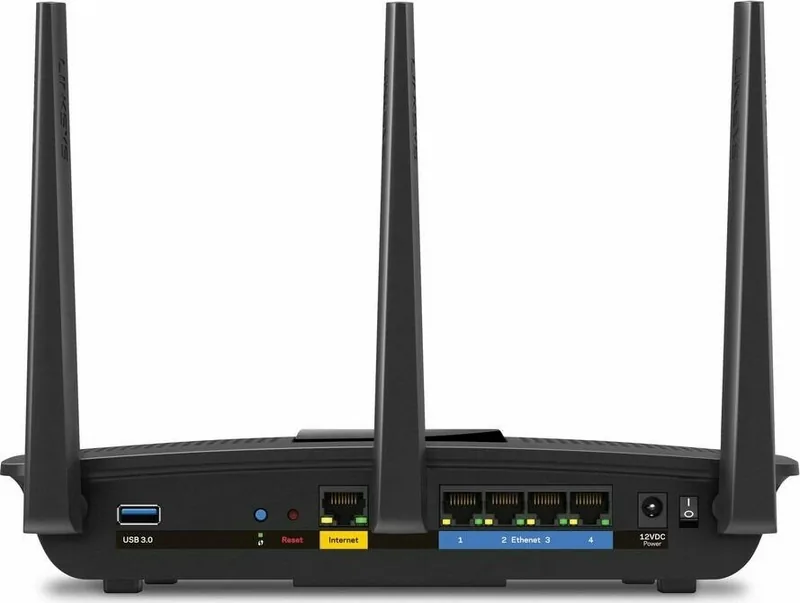
Yes, the EA7300 connects to any standard cable, DSL, or fiber modem via the yellow Internet port. You simply need to disconnect your old router if you have one separate from your modem.
Is this answer helpful?
You can reset the router by pressing and holding the Reset button on the back panel until the LED starts blinking. Alternatively, you can restore factory settings using the Linksys Smart Wi-Fi interface.
Is this answer helpful?
Yes, the USB 3.0 port allows you to connect external storage drives. You can share files, set up a media server, or enable FTP access for connected devices on your network.
Is this answer helpful?
If the internet cable is unplugged, the router will display a message indicating the connection issue. You should check that the yellow Internet port is securely connected to your modem and that the modem is powered on.
Is this answer helpful?
Yes, you can configure and manage your router using the Linksys Smart Wi-Fi app on mobile devices, allowing you to control settings from anywhere with an internet connection.
Is this answer helpful?
The latest versions of Google Chrome, Firefox, Safari, Microsoft Edge, and Internet Explorer version 8 or newer are supported for accessing the Linksys Smart Wi-Fi portal.
Is this answer helpful?
Advantages and Disadvantages
Advantages

- MU-MIMO technology allows simultaneous data transmission to multiple devices
- Dual-band support on 2.4 GHz and 5 GHz for flexible connectivity
- Four Gigabit Ethernet ports ensure fast wired connections
- USB 3.0 port enables easy file sharing and printer connectivity
- Linksys Smart Wi-Fi offers remote management and parental controls
Disadvantages

- External antennas may require manual adjustment for optimal placement
- Performance can degrade in environments with heavy interference
- Setup requires a stable internet connection and compatible browser
- USB storage capabilities depend on file system compatibility
- No built-in mesh nodes included for expanding coverage beyond one unit
Product Specification
Modem
N/A
WAN
1x 1000Base-T
LAN
4x 1000Base-T
Wireless
WLAN 802.11a/b/g/n/ac (Wi-Fi 5), simultaneous
Data Rate
450Mbps (2.4GHz), 1300Mbps (5GHz)
Security
WPA, WPA2, WPS
Antennas
3x external
Ports
1x USB-A 3.0
Power Consumption
No information provided (operating consumption), no information provided (max. power supply output)
Dimensions
10.12 x 7.24 x 2.20 inches
Features
IPv6, MU-MIMO
Band Capability
Dual Band (simultaneous)
Manufacturer Warranty
two years
Product Description
Linksys EA7300 Max-Stream Review
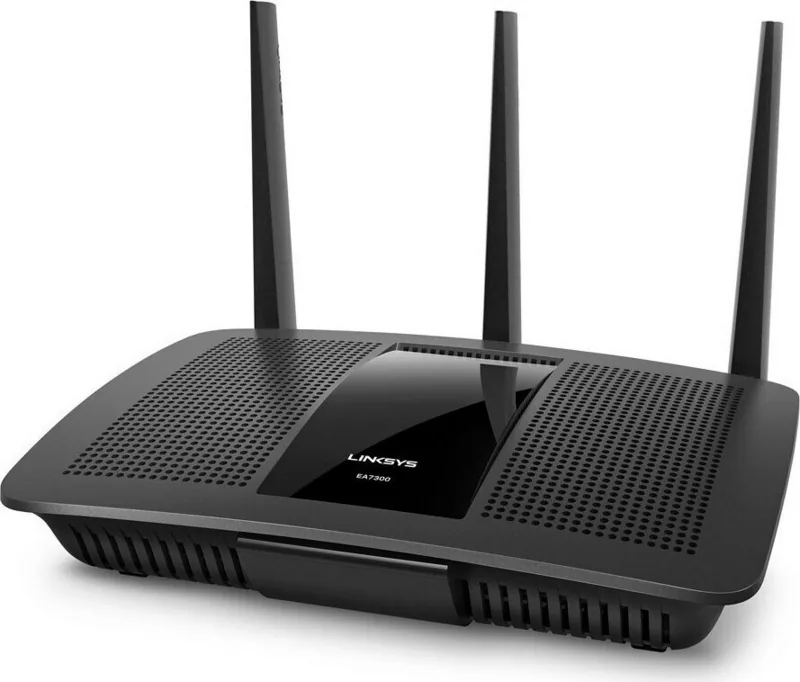
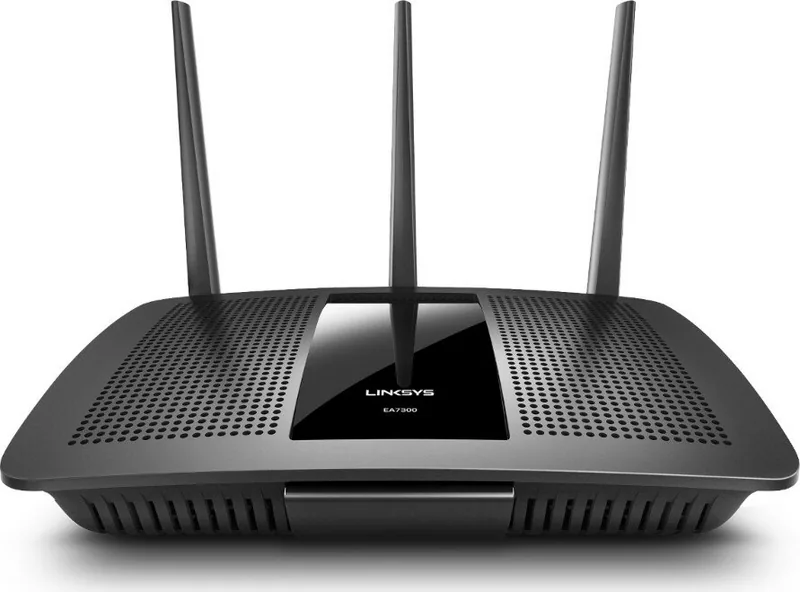
The Linksys EA7300 Max-Stream AC1750 MU-MIMO Gigabit Router represents a significant leap in home networking technology, designed to handle the demands of modern smart homes. This device is not just a standard router; it is a powerhouse built to deliver robust wireless coverage and high-speed data transfer across multiple devices simultaneously. With its advanced MU-MIMO (Multi-User, Multiple-Input, Multiple-Output) technology, the EA7300 ensures that your bandwidth is distributed efficiently, preventing bottlenecks when multiple users are streaming, gaming, or working from home at the same time.
One of the standout features of this router is its dual-band capability, operating on both 2.4 GHz and 5 GHz frequencies. The 2.4 GHz band offers excellent range for basic tasks, while the 5 GHz band provides faster speeds ideal for high-definition video streaming and online gaming. The router comes equipped with three external adjustable antennas that can be positioned vertically to optimize signal strength throughout your living space. Whether you have a large house or an apartment with thick walls, the EA7300 aims to minimize dead zones and maintain a stable connection.
Connectivity options are plentiful, featuring four Gigabit Ethernet ports for wired devices like desktop computers, gaming consoles, and smart TVs. Additionally, the inclusion of a USB 3.0 port allows users to connect external hard drives or printers, turning the router into a versatile media server and file sharing hub. Security is paramount, and the EA7300 supports WPA2 encryption along with RADIUS security, ensuring your network remains protected from unauthorized access. The intuitive Linksys Smart Wi-Fi interface makes managing these settings easy, offering tools for parental controls, guest access, and speed testing directly from your web browser or mobile app.
Setting up the EA7300 is straightforward, guided by clear instructions and supported by the Linksys Smart Wi-Fi portal. Users can easily monitor their network map, prioritize traffic for specific applications, and troubleshoot common issues like connection errors or cable disconnections through the dedicated support resources. While performance can vary based on environmental factors, the EA7300 stands out as a reliable choice for those seeking a balance of speed, range, and manageability without breaking the bank.
Search for 67,706 Manuals online


-
No results found.
Type-in Brand or Model
Dennis Morgan
4 months ago
Does this unit have any known connectivity problems during setup?