
Linksys Hydra Pro 6E MR7500 Manual
How many stars do you give the Hydra Pro 6E MR7500 manual?
PDF manual · 1228 Pages
English



/ 1228

Quick check
Incorrect answer, please try again.
Chat with your Linksys Hydra Pro 6E MR7500 manual using AI
Get instant AI answers from your Linksys Hydra Pro 6E MR7500 manual
Ask anything about the Linksys Hydra Pro 6E MR7500. Answers come from this manual, with the pages they are based on.
Ask a Question
Do you recommend Hydra Pro 6E MR7500?
Yes NoFrequently Asked Questions
The Hydra Pro 6E includes a 6GHz radio band, which is not present in standard Wi-Fi 6 routers. This new band offers more channels and significantly less interference, allowing for much faster speeds and lower latency, ideal for high-demand applications like 8K streaming and VR gaming.
Is this answer helpful?
Yes, the MR7500 series can function as either a parent node or a child node. You can add it wirelessly to an existing Linksys mesh system or use it to create a new one. If integrating into an existing Velop system, you may need to factory reset the other nodes first.
Is this answer helpful?
Through the Linksys app dashboard, you can select up to three devices to receive priority usage. The router runs speed checks to distribute bandwidth effectively, ensuring these chosen devices always have the best access while others share the remaining capacity.
Is this answer helpful?
While the USB 3.0 port is primarily designed for connecting external hard drives to share files across your network, it can also support certain network printers depending on their compatibility with the router's firmware. Check manufacturer specifications for specific printer support.
Is this answer helpful?
Even without an active internet connection, you can still access the router's local settings by connecting to its Wi-Fi name and logging in via the Linksys app using your router password. This allows you to troubleshoot local network issues without needing external internet access.
Is this answer helpful?
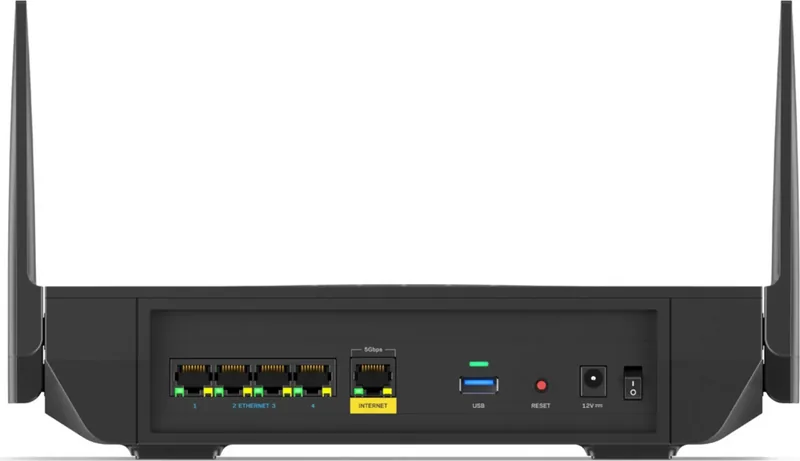
With the router powered on, press and hold the Reset button on the back panel. Keep holding it until the status light blinks red, then turns off, and finally turns bright red again. This restores the device to its original out-of-the-box state.
Is this answer helpful?
Advantages and Disadvantages
Advantages

- Supports Wi-Fi 6E with access to the less crowded 6GHz band for faster speeds
- Tri-band technology reduces congestion and improves overall network capacity
- Intuitive setup process via the Linksys mobile app for iOS and Android
- Advanced parental controls allow scheduling and blocking of specific websites
- USB 3.0 port enables easy network-attached storage and file sharing
Disadvantages

- Requires a compatible modem and internet plan to fully utilize gigabit speeds
- Mesh nodes must be within range to connect wirelessly without speed loss
- Factory reset process erases all custom settings and requires reconfiguration
- External storage features only available on the MR7500 model specifically
- Advanced settings may be overwhelming for users with limited networking knowledge
Product Specification
Modem
N/A
WAN
1x 1000Base-T
LAN
4x 1000Base-T
Wireless
WLAN 802.11a/b/g/n/ac/ax (Wi-Fi 6E), simultaneous
Transfer Rate
600Mbps (2.4GHz), 1201Mbps (5GHz), 4804Mbps (6GHz)
Security
WPS, WPA2, WPA3
Antennas
4x external
Ports
1x USB-A 3.0
Power Consumption
Not specified, 12V/3A/36W (max power supply rating)
Dimensions
11.02x6.77x2.36 inches
Features
MU-MIMO, Mesh (split band), Bluetooth
Band Capability
Tri Band (simultaneous), Mesh (split band)
Manufacturer Warranty
three years
Transfer Rate 802.11ax (Wi-Fi 6 / Wi-Fi 6E) 2.4GHz
600Mbps (Spatial Streams: 4x4, Bandwidth: 40MHz, Modulation: 64-QAM)
Transfer Rate 802.11ax (Wi-Fi 6 / Wi-Fi 6E) 5GHz
1201Mbps (Spatial Streams: 2x2, Bandwidth: 80MHz, Modulation: 1024-QAM)
Transfer Rate 802.11ax (Wi-Fi 6 / Wi-Fi 6E) 6GHz
4804Mbps (Spatial Streams: 4x4, Bandwidth: 160MHz, Modulation: 1024-QAM)
Note
Transfer rate specification for 802.11ax at 5GHz. (802.11ax (5GHz Band 1) 2x2 80MHz 1024-QAM: 1201Mbps, 802.11ax (5GHz Band 2) 4x4 160MHz 1024-QAM: 4804Mbps)
Note #2
In some cases, the manufacturer's maximum power consumption specification only reflects the maximum output power of the power supply and is therefore not a meaningful indicator of everyday power usage.
Product Description
Linksys Hydra Pro 6E: The Future of Home Networking
The Linksys Hydra Pro 6E, model AXE6600, represents a significant leap forward in home connectivity. As a tri-band mesh Wi-Fi 6E router, it leverages the new 6GHz spectrum to deliver speeds that were previously impossible on standard networks. This device is designed for modern households that demand high bandwidth for streaming, gaming, and smart home devices without lag or interference.
Setting up this powerful router is intuitive thanks to the dedicated Linksys app. Whether you are placing it as the main parent node connected directly to your modem or adding it as a child node to expand coverage wirelessly, the app guides you through every step. The system intelligently manages network traffic, ensuring that prioritized devices always get the best performance. With support for WPA3 security and advanced parental controls, you maintain full control over who accesses your network and when.
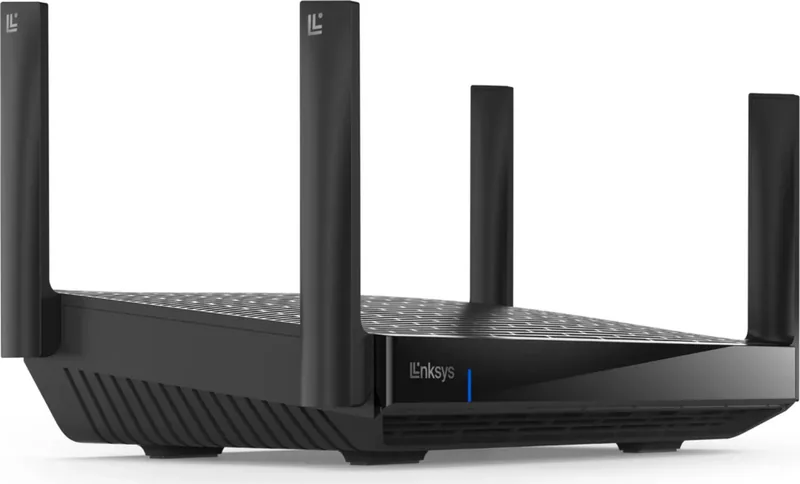
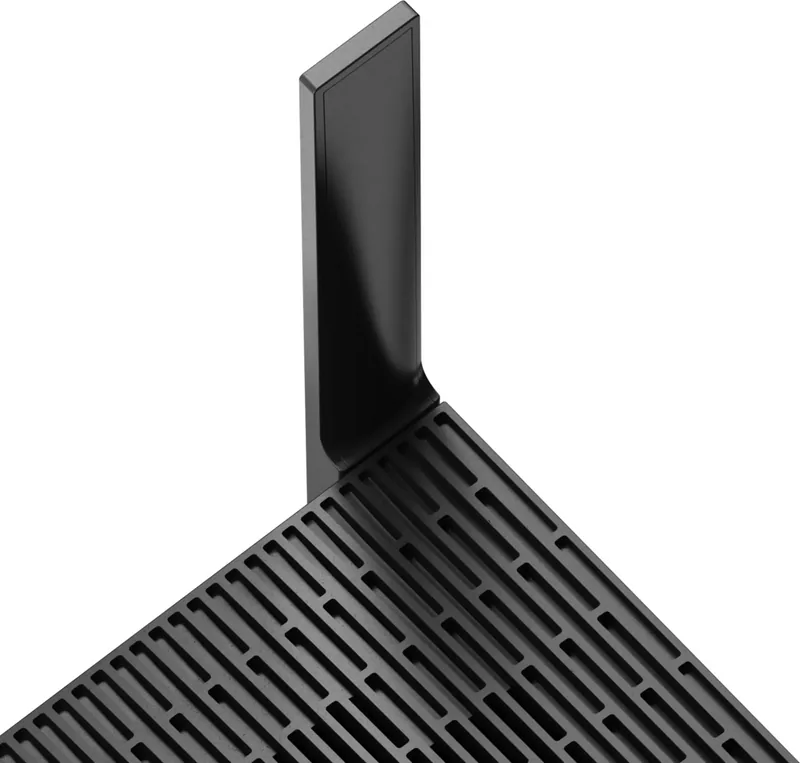
The hardware itself is robust, featuring four external adjustable antennas and an internal antenna to maximize signal strength across your entire home. The Gigabit Ethernet ports allow for wired connections to stationary devices like desktops or gaming consoles, while the USB 3.0 port enables easy file sharing across your network. The multicolor status light provides immediate visual feedback on your connection health, ranging from blue for online status to red if issues arise.
For tech enthusiasts, the Linksys Hydra Pro 6E offers deep customization through its advanced settings menu. You can configure port forwarding, set MAC filters, and adjust channel widths to optimize performance based on your specific environment. The Channel Finder tool automatically scans for the least congested channels, ensuring stable connectivity even in dense urban areas where many neighbors might be using Wi-Fi.
Key Features Summary
This router excels in speed and reliability. It supports simultaneous connections on 2.4GHz, 5GHz, and 6GHz bands, providing massive capacity for multiple users. The mesh capability means you can add nodes to eliminate dead zones, creating a seamless blanket of Wi-Fi throughout large properties. Security is top-tier with WPA3 encryption, protecting your data from unauthorized access. Additionally, the ability to prioritize up to three devices ensures that critical tasks like video conferencing or online gaming never suffer from buffering.
Important Notes
Always use CAT5e or higher rated cables for the best performance on Ethernet ports. If you need to reset the device to factory settings, hold the reset button until the light blinks red, but be aware this will erase all custom configurations.
Search for 67,706 Manuals online


-
No results found.
Type-in Brand or Model