
Linksys Atlas 6 MX2000 Manual
How many stars do you give the Atlas 6 MX2000 manual?
PDF manual · 1161 Pages
English



/ 1161

Quick check
Incorrect answer, please try again.
Chat with your Linksys Atlas 6 MX2000 manual using AI
Get instant AI answers from your Linksys Atlas 6 MX2000 manual
Ask anything about the Linksys Atlas 6 MX2000. Answers come from this manual, with the pages they are based on.
Ask a Question
Do you recommend Atlas 6 MX2000?
Yes NoFrequently Asked Questions
Download the Linksys app from your device's app store. Connect the primary node to your modem via Ethernet, then follow the in-app instructions to create your account and name your network. Add secondary nodes wirelessly or via cable after the first one is configured.
Is this answer helpful?
The Wi-Fi password is used by devices to connect to your network. The router password is a secure credential used to log into the router's administration settings via the app or web interface, especially when not connected to the internet.
Is this answer helpful?
Yes, the Atlas 6 allows you to select up to three wired or wireless devices to receive priority bandwidth. The system runs a speed check to distribute resources efficiently, ensuring prioritized devices get the best access.
Is this answer helpful?
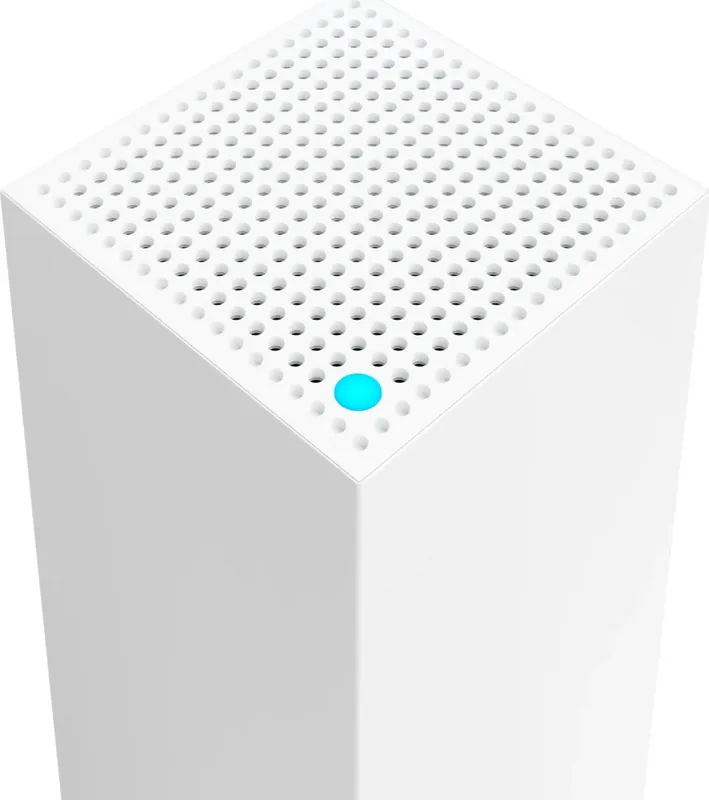
Check the light on top of each node. Solid blue means connected, solid purple means ready for setup, blinking purple indicates setup in progress, and solid yellow indicates a weak connection for child nodes.
Is this answer helpful?
It is not dangerous but highly disruptive. A factory reset erases all custom settings including names, passwords, and security types, returning the router to its out-of-the-box state and requiring a full re-setup.
Is this answer helpful?
Yes, the device features a WiFi Protected Setup button. Pressing it allows compatible devices to connect to your network without manually entering security settings, simplifying the connection process.
Is this answer helpful?
If notifications are enabled in your mobile device settings, the Linksys app will send you an alert when a secondary node disconnects. This helps you quickly identify and resolve connectivity issues in your mesh system.
Is this answer helpful?
Advantages and Disadvantages
Advantages

- Wi-Fi 6 technology ensures faster speeds and better handling of multiple devices
- Easy setup and management through the dedicated Linksys mobile app
- Advanced parental controls allow precise monitoring and restriction of child internet usage
- Priority feature lets you assign top bandwidth to up to three critical devices
- Compact design with internal antennas fits unobtrusively in any room
Disadvantages

- Factory reset process is disruptive and requires complete reconfiguration of the network
- Guest access password must be shared manually via text or email rather than automatic generation
- Secondary nodes may experience weaker connections if placed too far from the parent node
- Router admin password is separate from Wi-Fi password which can cause initial confusion
- Requires a stable internet connection for remote app management outside the local network
Product Specification
Modem
N/A
WAN
1x 1000Base-T
LAN
3x 1000Base-T
Wireless
WLAN 802.11a/b/g/n/ac/ax (Wi-Fi 6), simultaneous
Transfer Rate
574Mbps (2.4GHz), 2402Mbps (5GHz)
Security
WPA2, WPA3, WPS
Antennas
internal
Ports
N/A
Power Consumption
no information, 12V/1.5A/18W (max power supply rating)
Dimensions
7.30x3.39x3.39 inches
Features
MU-MIMO, Mesh (shared band)
Band Capability
Dual Band (simultaneous), Mesh (shared band)
Manufacturer Warranty
three years
Transfer Rate 802.11ax (Wi-Fi 6 / Wi-Fi 6E) 2.4GHz
574Mbps (Spatial Streams: 2x2, Bandwidth: 40MHz, Modulation: 1024-QAM)
Transfer Rate 802.11ax (Wi-Fi 6 / Wi-Fi 6E) 5GHz
2402Mbps (Spatial Streams: 2x2, Bandwidth: 160MHz, Modulation: 1024-QAM)
Product Description
Experience Seamless Connectivity with the Linksys Atlas 6
The Linksys Atlas 6 represents a significant leap in home networking technology, designed to eliminate dead zones and provide robust Wi-Fi coverage throughout your entire living space. As part of the MX2000 series, this AX3000 Wi-Fi 6 system utilizes advanced mesh technology to ensure that every corner of your home receives a strong, reliable signal. Whether you are streaming 4K video, gaming online, or working from home, the Atlas 6 delivers the speed and stability required for modern digital demands.
Setting up your network has never been easier thanks to the intuitive Linksys app. This application guides you through the installation process step-by-step, allowing you to create a primary node connected to your modem and easily add secondary nodes wirelessly or via Ethernet cables. The system intelligently manages traffic, automatically optimizing channels to reduce interference and maintain peak performance across all devices. You can personalize your network by assigning unique names to each node based on their location, making troubleshooting simple if issues ever arise.
Security is paramount with the Atlas 6, featuring WPA2 and WPA3 encryption standards to keep your data safe from prying eyes. The built-in parental controls give you granular control over what your children access online, allowing you to pause internet access for specific devices or block inappropriate websites entirely. For those who need uninterrupted connectivity for work or gaming, the Priority feature lets you select up to three devices to receive the best possible bandwidth at any given time. Additionally, the Guest Access function allows visitors to connect to the internet without compromising the security of your main network.
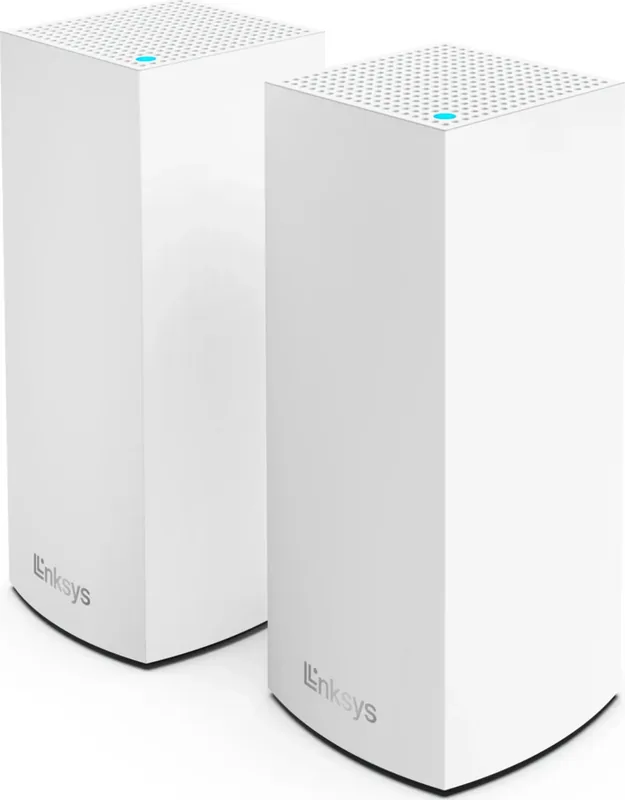
The hardware itself is sleek and compact, measuring just 3.4 inches by 3.4 inches with a height of 7.3 inches. It features internal antennas and a multicolored status light that provides instant visual feedback on your connection health. From blinking blue during startup to solid red indicating no internet, the light keeps you informed about the system's status at a glance. With Gigabit Ethernet ports available on the back, you can also hardwire devices like smart TVs or gaming consoles for maximum speed and reliability.
Key Features Summary
The Linksys Atlas 6 combines powerful Wi-Fi 6 performance with user-friendly management tools. Its ability to scale as your needs grow makes it an ideal choice for expanding networks. By integrating seamlessly with the Linksys Smart WiFi ecosystem, you gain the power to manage your entire home network from anywhere in the world using your smartphone.
Important Notes
- Always use CAT5e or higher cables for optimal Ethernet performance.
- Factory resetting the device will erase all custom settings and require a full re-setup.
- Notifications for offline nodes must be enabled in your mobile device settings.
Search for 67,706 Manuals online


-
No results found.
Type-in Brand or Model