
Linksys AC1300 Manual
PDF manual · 27 Pages
English



Quick check
Incorrect answer, please try again.
Chat with your Linksys AC1300 manual using AI
Get instant AI answers from your Linksys AC1300 manual
Ask anything about the Linksys AC1300. Answers come from this manual, with the pages they are based on.
Ask a Question
Do you recommend AC1300?
Yes NoFrequently Asked Questions
Connect the AP to the internet, log in to Cloudmanager.Linksys.com (or create an account), then add the device by entering its MAC address and serial number. Follow the confirmation email link to complete registration and assign the AP to a network.
Is this answer helpful?
By default the AP uses DHCP. If no DHCP server is present, the fallback IP is 192.168.1.252/255.255.255.0. Local login defaults to username: admin and password: admin — change these immediately after setup.
Is this answer helpful?
Yes. Cloud Manager provides per-wireless SSID bandwidth limits and per-client bandwidth controls via sliders so administrators can cap overall SSID throughput and enforce per-client maximums.
Is this answer helpful?
Yes. You can enable or disable captive portals, choose or create splash pages with text, images, terms, and login elements, configure walled-garden sites, and preview pages for phone, tablet, and PC before publishing.
Is this answer helpful?
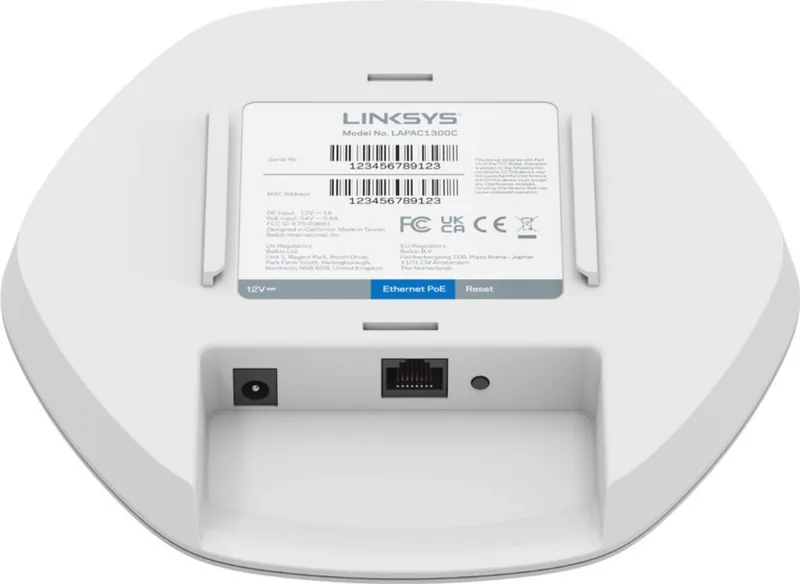
The AC1300 supports both AC power via an adapter and Power over Ethernet (PoE), allowing flexible installations where power outlets are limited or centralized.
Is this answer helpful?
Use a strong account password, enable two-factor authentication, manage people and roles (Manager or Viewer), and limit local web server access on devices if desired. Regularly review account members and transfer ownership only when needed.
Is this answer helpful?
Cloud Manager and the device include monitoring (CPU, memory, connected clients), a ping tool for network diagnostics, remote syslog support, scheduled reboots, and firmware checks. Device details show last seen, connection duration, and bandwidth usage to aid troubleshooting.
Is this answer helpful?
Advantages and Disadvantages
Advantages

- Cloud-managed interface simplifies provisioning, monitoring, and firmware updates across multiple sites.
- Dual-band AC1300 with MU‑MIMO and selectable channel widths for balanced throughput and coverage.
- Captive portal and splash page editor enable branded guest access and flexible authentication workflows.
- Bandwidth limiting per SSID and per client helps enforce QoS and prevent single clients from saturating links.
- PoE and AC power support offer flexible installation options in diverse environments.
Disadvantages

- WPA2-only security options may lack native WPA3 support for future-proofing.
- Cloud dependency means limited offline management if cloud access is unavailable and local web access is discouraged for full feature set.
- Advanced enterprise features (e.g., deep traffic analytics, complex VLAN topologies) may be limited compared with higher-end controllers.
- Default local credentials (admin/admin) present an initial security risk if not changed immediately.
- Maximum concurrent client limits and lower-end hardware may be insufficient for very dense deployments.
Product Specification
LAN
1x 1000Base-T (PoE+ PD)
Wireless
WLAN 802.11a/b/g/n/ac (Wi-Fi 5), simultaneous
Transfer Rate
400Mbps (2.4GHz), 867Mbps (5GHz)
Security
64/128bit WEP, WPA, WPA2
Antennas
internal
Ports
N/A
Power Consumption
10W (consumption, operation), not specified (max. power supply output)
Dimensions
6.86x6.52x1.39in
Features
IPv6, VLAN
Band Capability
Dual Band (simultaneous)
Manufacturer Warranty
five years
Product Description
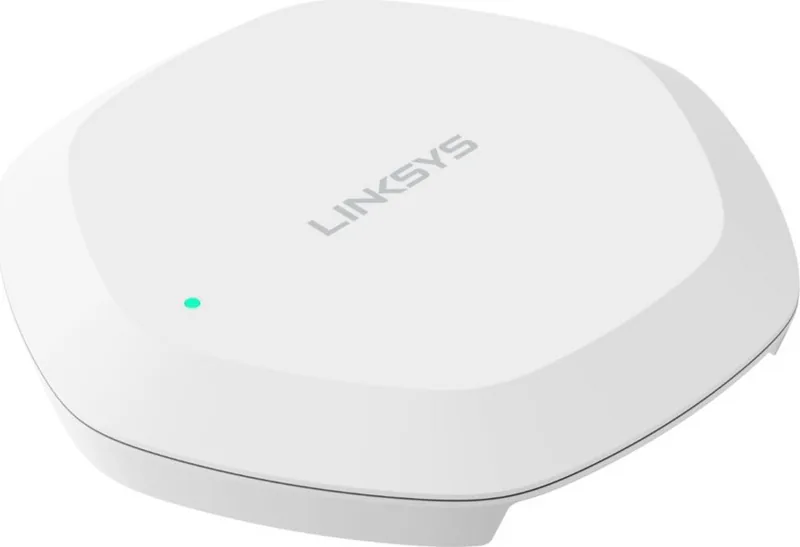
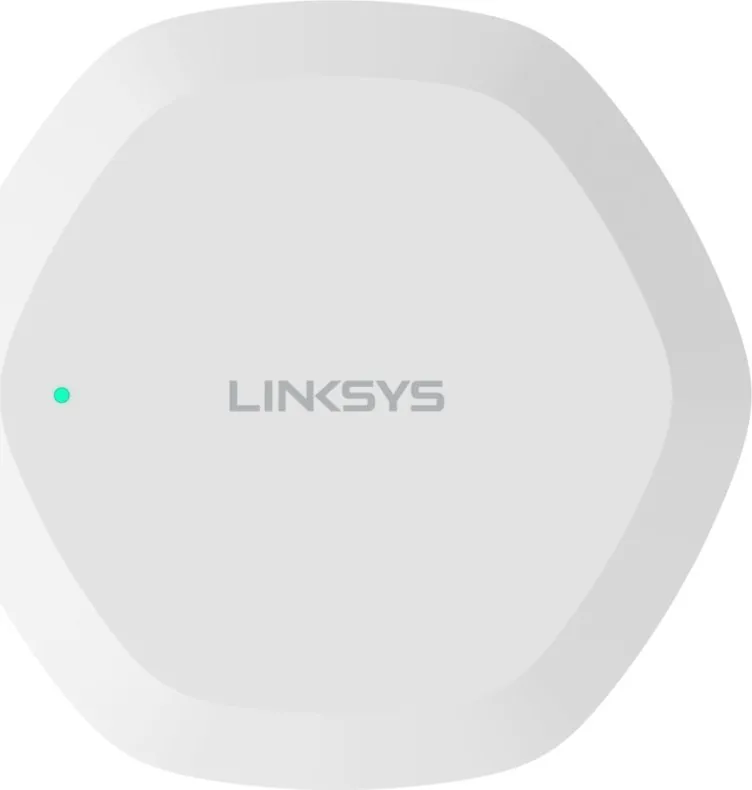
Linksys AC1300 Cloud Access Point — Cloud-Managed Manual
The Linksys AC1300 Cloud Access Point is a compact, business-ready wireless access point designed for cloud-managed deployments. It delivers dual-band Wi‑Fi performance, flexible deployment options (AC power or PoE), and centralized management through Linksys Cloud Manager. Ideal for small-to-medium sites, branch offices, retail, and hospitality environments, this AP focuses on reliable connectivity, secure SSID controls, and straightforward onboarding.
Product overview and key features
This AC1300 model supports simultaneous dual‑band operation with selectable channel widths (20/40/80 MHz), MU‑MIMO support, and configurable transmit power for optimized coverage. Administrators can set static or DHCP IP addressing, VLAN tagging, and advanced radio and band settings. The device includes local browser access with default credentials for local configuration and supports cloud registration via Cloudmanager.Linksys.com using MAC and serial numbers.
Cloud Manager provides an intuitive dashboard for creating and organizing networks, adding devices, and monitoring performance. Network-level views show stats, top clients and access points by usage, channel allocations, and mapped device locations. Device pages display CPU/memory load, connection status, firmware version, connected clients, and historical device stats for seven days.
Management and SSID controls
SSIDs are created and assigned per device or network with options for WPA2 or WPA2 Enterprise, broadcasting control, and captive portal customization. The splash page editor allows tailored onboarding with text, images, terms, login buttons, and layout/appearance controls, plus previews for phone, tablet, and PC. Bandwidth controls limit throughput per SSID or per client; additional options include client isolation, maximum concurrent clients, 802.11k/r roaming enhancements, and sticky client auto-disconnect for problem clients.
Advanced tools include ping diagnostics, remote syslog integration, scheduled reboots, auto configuration rollback, and firmware checks. Account-level controls provide user management, two-factor authentication, organization settings, and permission roles (Manager/Viewer) with inventory staging for unassigned devices.
Deployment notes
Set up requires internet connectivity and cloud account registration; default local IP is DHCP or 192.168.1.252 if no DHCP server is present. For cloud onboarding, connect the AP to the internet, register via Cloud Manager with MAC and serial, confirm via email, and assign to a network. PoE simplifies deployments where AC outlets aren’t available.
Final thoughts
The Linksys AC1300 Cloud Access Point balances ease of use with enough enterprise features for small-to-mid deployments. Its cloud-managed workflow accelerates provisioning, monitoring, and troubleshooting while offering granular SSID and client controls for secure, high-performance Wi‑Fi.
Notes
- Default local credentials: admin / admin — change immediately after setup.
- Default fallback IP if no DHCP: 192.168.1.252/24.
- Cloud onboarding requires MAC and serial; keep device labels and inventory updated.
- PoE support reduces cabling and power outlet needs.
- Use VLAN tagging and client isolation for secure guest networks.
Search for 67,706 Manuals online


Type-in Brand or Model