
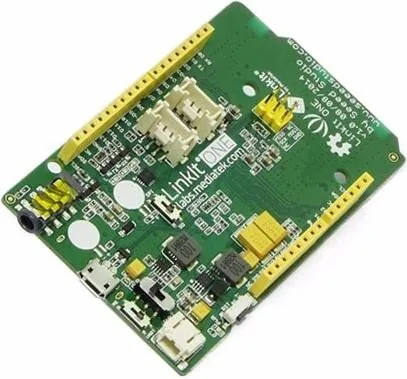
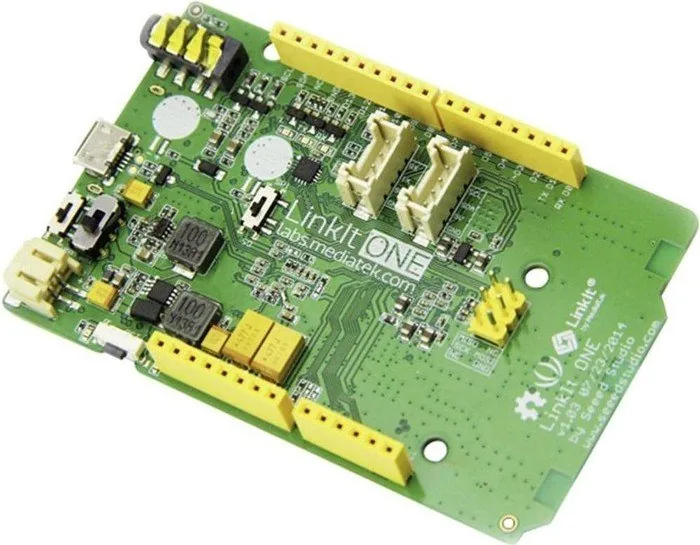
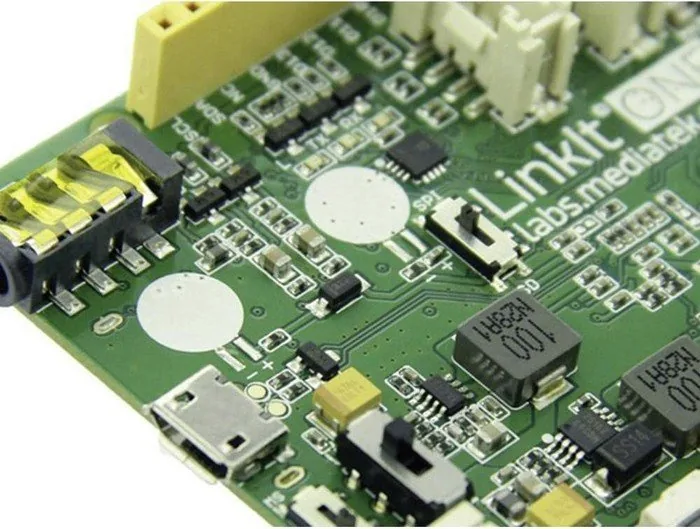
LinkIt ONE Manual
PDF manual · 53 Pages
English



Quick check
Incorrect answer, please try again.
Chat with your LinkIt ONE manual using AI
Get instant AI answers from your LinkIt ONE manual
Ask anything about the LinkIt ONE. Answers come from this manual, with the pages they are based on.
Ask a Question
Do you recommend ONE?
Yes NoFrequently Asked Questions
The LinkIt ONE SDK supports Microsoft Windows XP, Vista, 7, and 8, as well as Apple Mac OS X versions 10.09 and 10.10. Specific driver configurations may be required for newer macOS versions to ensure proper USB port access.
Is this answer helpful?
First, install the LinkIt ONE SDK plug-in within the Arduino IDE folder. Then, select the LinkIt ONE board from the Tools menu. Finally, identify the correct COM port in Device Manager on Windows or System Information on Mac and set it in the Port dropdown.
Is this answer helpful?
No, the LinkIt ONE SDK does not support PIN-locked SIM cards. You must remove the PIN lock from your SIM card before inserting it into the device to ensure successful GSM and GPRS connectivity.
Is this answer helpful?
The Debug COM port is used for uploading sketches to the board, while the Modem COM port is used for serial communication output. When using the Serial Monitor, you must select the Modem port to view text data sent from your code.
Is this answer helpful?
No, the LinkIt ONE development board only supports SPI master mode. Peripheral devices connected to it must operate as slaves. This differs from some other Arduino boards that support both modes.
Is this answer helpful?
If uploads fail due to firmware issues, switch the board to mass storage mode and run the LinkIt ONE Firmware Updater tool found in the Arduino IDE hardware tools folder. Follow the prompts to download and install the latest firmware version.
Is this answer helpful?
Advantages and Disadvantages
Advantages

- Supports both Windows and Mac OS X environments for flexible development
- Integrates seamlessly with the popular Arduino IDE for familiar coding
- Includes built-in support for diverse connectivity options like GSM, Wi-Fi, and Bluetooth
Disadvantages

- Limited to master mode for SPI and I2C protocols compared to standard Arduino boards
- Only three analog input pins are available versus six on traditional UNO models
- Requires specific driver installations on Mac OS X 10.10 for full USB port functionality
Product Specification
Format
Entry Level, Enhanced Features, Internet of Things, Wearable
Platform
Uno, LinkIt, Grove
Manufacturer
Seeedstudio, MediaTek
Type
Mainboard
MCU
MediaTek MT2502A, 260MHz, 3.7-4.2V
Memory
16MB Flash, 4MB RAM
Host Interface
USB 2.0 Micro-B, ATmega16u2, 5.0V
Operating Voltage
3.7-4.2V, USB 2.0 Micro-B
Current I/O Pin
0.3-3.0mA (3.3V)
Digital I/O Pins
16 total, 2 with PWM
Analog I/O Pins
3 (input)
UART/USART
1x UART
Additional SoC
N/A
Dimensions
3.30x2.10 in (WxD)
Features
Reset Button, Power Switch, WLAN 802.11b/g/n, Bluetooth 4.0 + LE, GPS, GLONASS, BeiDou, GSM Quad-Band (850/900/1800/1900MHz), GPRS Class 12, 2x Grove connector, 1x 3.5mm Jack (Audio out)
Package Contents
1x Mainboard, 3x Antenna
Product Description
Discover the Power of LinkIt ONE Manual
The LinkIt ONE Manual serves as an essential companion for developers aiming to build innovative wearable and Internet of Things (IoT) devices. This comprehensive guide unlocks the potential of the MediaTek LinkIt ONE development platform, a robust solution designed for creating smart wristbands, safety trackers, and connected appliances. By leveraging this resource, engineers can seamlessly transition from concept to prototype using a platform that combines powerful hardware with an intuitive software ecosystem.
At the heart of the LinkIt ONE experience is the MT2502 Aster System-on-Chip, paired with high-performance Wi-Fi and GPS chipsets. The manual details how to harness these components through the LinkIt ONE SDK, a specialized plug-in for the Arduino IDE. Whether you are working on Windows or Mac OS X, the guide provides step-by-step instructions for installation, configuration, and firmware updates. It covers everything from setting up your environment to writing your first sketch, ensuring a smooth entry into the world of connected electronics.
Developers will find extensive coverage of the available APIs, including digital and analog I/O, serial communication, Bluetooth GATT profiles, GSM/GPRS connectivity, and audio playback. The text explains how to manage storage via SD cards and internal flash memory, control motors with servo and stepper functions, and interact with real-time clocks. Practical examples demonstrate sending SMS messages, connecting to web servers over Wi-Fi, and establishing Bluetooth links with Android devices. With its focus on practical application, the LinkIt ONE Manual empowers creators to explore complex functionalities like multi-threaded environments and custom service definitions without getting lost in technical jargon.
Search for 67,706 Manuals online


Type-in Brand or Model