
Lightwave L41TF Manual
PDF manual · 19 Pages
English



Quick check
Incorrect answer, please try again.
Chat with your Lightwave L41TF manual using AI
Get instant AI answers from your Lightwave L41TF manual
Ask anything about the Lightwave L41TF. Answers come from this manual, with the pages they are based on.
Ask a Question
Do you recommend L41TF?
Yes NoDo you recommend L41TF?
Yes NoFrequently Asked Questions
A qualified electrician and a back box with a minimum depth of 50mm. You must turn off the mains electricity supply before starting.
Is this answer helpful?
Yes, you can lock sockets remotely using the Lightwave App to prevent manual operation by small children.
Is this answer helpful?
The output rating is 3700W at 16A, suitable for heavy appliances.
Is this answer helpful?
To unlink and clear memory, hold the on/off button until the LED flashes red. Release it and hold again to confirm.
Is this answer helpful?
Yes, the product comes with a 2-year standard warranty covering defects.
Is this answer helpful?
Yes, you need the Lightwave Link Plus to command the socket or link it to the App.
Is this answer helpful?
Yes, you can change the color of the LED or turn it off using the Lightwave App settings.
Is this answer helpful?
Advantages and Disadvantages
Advantages

- Locking feature for child safety via App
- Custom automations like timers and triggers
- Firmware updates over the Air
- Clear LED status indicators
- Good communication range with Link Plus
Disadvantages

- Requires qualified electrician for installation
- Needs a 50mm deep back box
- Cannot operate manually when locked
- Need Link Plus for full functionality
- Installation takes time and effort
Product Specification
Type
Actuator
Standard
Wireless Bus (868MHz), Bluetooth
Function
Switchable Outlet (on/off)
Topology
Mesh, Star
Dimensions
2.72 x 2.72 x 1.93 inches
Features
App controllable, Voice Assistant (Amazon Alexa, Apple HomeKit, Google Assistant, IFTTT)
Product Description
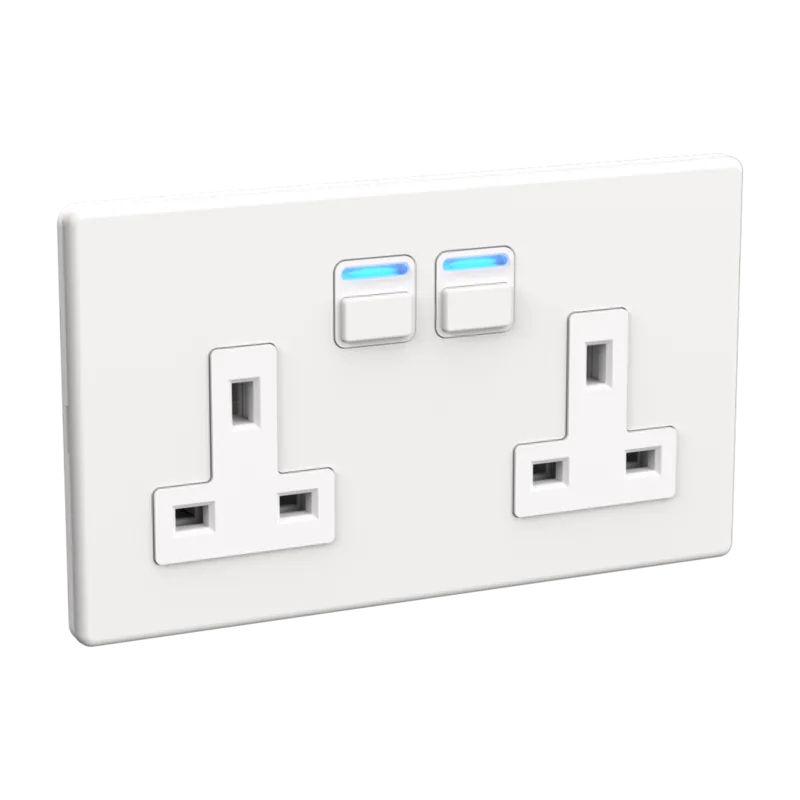
Discover the Lightwave SmartHome Socket White Smart Socket Manual
Transforming your home into a secure and automated haven is easier than ever with modern technology. This comprehensive guide explores the Lightwave SmartHome Socket White Smart Socket Manual, ensuring you understand every feature available to you. Whether you are a tech enthusiast or a safety conscious homeowner, this device offers robust control options. Integrating smart switches provides convenience and energy management capabilities for every room in your house.
Installation Requirements and Preparation
Before diving in, note that a qualified electrician must install the unit. This is a strict requirement found in the Lightwave SmartHome Socket White Smart Socket Manual to ensure safety and compliance with local electrical laws. The device needs a back box with a minimum depth of 50mm. This ensures the internal components fit correctly without strain on the wiring. Always turn off the mains electricity supply at the consumer unit before beginning any work. Safety is paramount when dealing with live circuits and exposed wires.
Key Features and Usage
The Lightwave App allows for incredible customization and remote access from anywhere. You can create custom automations including timers, group actions, triggers, and wireless two-way switching. A standout feature is the locking function available in the application. You can lock sockets remotely so small children cannot operate dangerous appliances manually by pressing the physical buttons. This adds a significant layer of family safety during the night or when you leave the house.
Another important function is the LED indicator color changes. These lights show status, linking mode, or firmware updates. During an over-the-air update, the LED flashes cyan color. If there is a permanent software error, it flashes red. You can even change the color of the LED to match your decor using the settings in the app. This provides visual feedback without needing a smartphone nearby to check settings immediately.
Connectivity and Range
Communication happens over 868 MHz via the Lightwave Link Plus unit. While range is usually excellent in typical homes, large metal objects or bodies of water like radiators might interfere. If issues arise, check for obstacles between the socket and the receiver to improve signal strength. Linking requires the Lightwave App to manage devices properly within your network.
Warranty, Specs, and Compliance
The product comes with a two-year standard warranty covering defects. It complies with EU RoHS directives and radio equipment regulations as listed in the declaration. The output rating is 3700W at 16A for heavy appliances. Proper disposal of old electrical appliances is also outlined in the manual to protect the environment and recycle valuable raw materials safely.
Important Notes
Never attempt installation if unsure of electrical safety. Failure to follow instructions may risk personal safety or void the warranty. Firmware updates are wireless and take about two to five minutes generally. Do not interrupt the process during this critical time or the device may malfunction permanently.
This overview highlights why this socket is a top choice for home automation enthusiasts seeking reliability and safety for their connected devices.
Search for 67,732 Manuals online


Type-in Brand or Model