
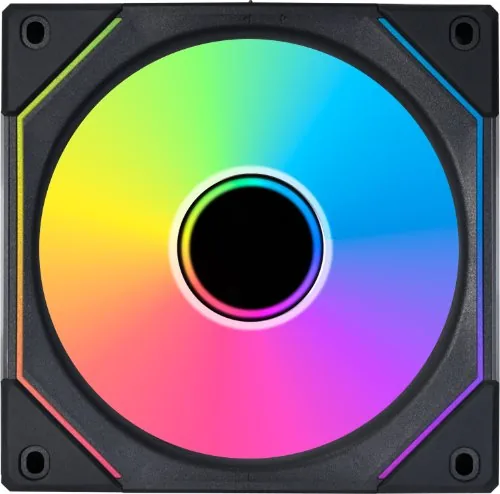
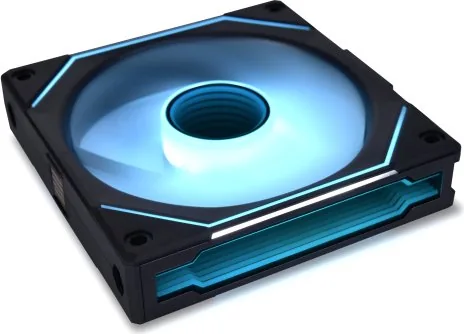
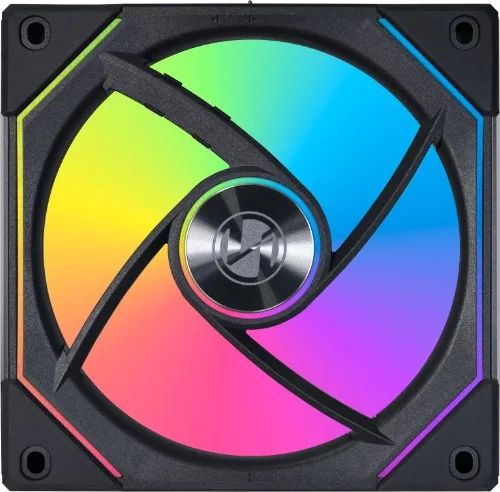
Lian Li Uni Fan SL-Infinity 140 Manual
PDF manual · 2 Pages
English



Quick check
Incorrect answer, please try again.
Chat with your Lian Li Uni Fan SL-Infinity 140 manual using AI
Get instant AI answers from your Lian Li Uni Fan SL-Infinity 140 manual
Ask anything about the Lian Li Uni Fan SL-Infinity 140. Answers come from this manual, with the pages they are based on.
Ask a Question
Do you recommend Uni Fan SL-Infinity 140?
Yes NoFrequently Asked Questions
Always connect the RGB strip to a 5 V ARGB header. Never plug it into a 12 V connector as this will cause permanent damage instantly. Check your motherboard labels carefully.
Is this answer helpful?
You can remove the fan interlocking key if it interferes with inlet or outlet positions. This allows proper mounting without obstruction.
Is this answer helpful?
Yes, the top cover on the power module is removable. Take it off to route the cable vertically if needed for better clearance.
Is this answer helpful?
You need a PWM fan header for speed control and a 5 V ARGB 3 pin header for lighting effects on the motherboard.
Is this answer helpful?
Yes, note that the socket for the power module comes in different sizes. You must pay attention to the direction during installation.
Is this answer helpful?
It is highly recommended to follow the manual instructions. It details critical safety warnings and correct connection steps.
Is this answer helpful?
Advantages and Disadvantages
Advantages

- Removable interlocking key facilitates mounting near radiators
- Detachable top cover allows vertical cable routing for cleaner builds
- Clear distinction between 5 V and 12 V headers prevents damage
- Daisy chain capability simplifies powering multiple fans from one source
- Modular design supports various case configurations and layouts easily
Disadvantages

- Distinct power module socket sizes require careful orientation check
- Risk of permanent damage if connected to wrong LED voltage type
- Requires specific attention to cable direction during assembly phase
- Vertical cable routing needs removal of external top cover piece
- Installation complexity increases for beginners unfamiliar with hardware
Product Specification
Fan Connector
4-Pin PWM + 3-Pin ARGB (+5V/DATA/GND)
Dimensions
5.51x5.59x0.98 inches (W x H x D)
Speed
200-1600 rpm
Fan Bearing
Hydrodynamic Bearing (FDB)
Voltage Range
12V
Power Consumption
4.56W
Lighting
RGB
Manufacturer Warranty
2 Years
Product Description
Discovering the Lian Li Uni Fan SL-Infinity 140 RGB Manual Experience
Building a custom PC requires absolute precision especially when integrating high end components for maximum efficiency. The Lian Li Uni Fan SL-Infinity 140 RGB Manual serves as an essential companion for enthusiasts who seek technical perfection in their builds. Every single step outlined within the document ensures that your computer remains electrically safe while simultaneously delivering stunning visual spectacles for your eyes. Proper physical handling begins immediately with understanding the exact mechanical dimensions of the supplied hardware packages.
Power Module Orientation and Critical Safety Warnings
The included power module sockets come in two distinct sizes which demand extreme care during assembly. Installation guides explicitly highlight that direction matters significantly to avoid irreversible misalignment issues. You must verify the physical orientation before applying any force to the unit. Incorrect insertion can lead to persistent loose connections or internal damage over long periods of heavy usage. Furthermore the manual warns strictly against connecting LED strips to incorrect voltage headers on the system board. Connecting a 5 V addressable RGB light directly to a 12 V source causes immediate permanent failure of the lighting strip. Always double check your motherboard headers carefully to protect your financial investment completely from harm.
Mechanical Flexibility for Complex Cooling Rigs
Advanced water cooling setups often present spatial constraints that standard rigid designs simply cannot accommodate comfortably. Fortunately the Uni Fan design allows removal of the interlocking key if nearby radiator pipes interfere with mounting points physically. This useful feature enables smoother installation processes without needing to strip screws unnecessarily just to make clearance. Additionally the top cover on the power module is fully detachable as well to aid routing flexibility. Removing it permits vertical cable routing which keeps internal wiring looking incredibly tidy inside tighter chassis cases. These minor modifications provide exceptional adaptability for complex liquid cooling loops found in enthusiast systems.
Wiring and Detailed Connectivity Specifications
Connecting individual fans together requires following specific pathways detailed meticulously in the provided documentation files. Daisy chaining capabilities allow multiple units to share power sources efficiently across the entire case layout. When linking to the main motherboard locate the dedicated PWM header specifically for motor speed control and the 5 V ARGB 3 pin header specifically for dynamic lighting effects synchronization. Separate lines significantly reduce electrical noise and improve signal stability across the entire board environment. Referring to the schematic diagram prevents accidental cross wiring during busy installation sessions when patience wears thin.
Final Thoughts on Assembly Success and Longevity
Adhering strictly to all provided instructions guarantees optimal operational performance day after day. Taking dangerous shortcuts might compromise overall airflow or structural integrity of the cooling unit entirely. Pay close attention to the notes section regarding cable management strategies and heat dissipation rates for best results. By respecting these detailed guidelines you maximize the expected lifespan of your cooling solution effectively. The visual beauty of the infinity mirror effect relies on secure power delivery reliability throughout operation. Enjoy the total silence and crystal clarity that comes from a professionally built system using verified methods described here consistently.
Maintenance of these fans becomes easier when you understand how components interact with each other physically. Dust accumulation can be managed better by cleaning accessible areas without dismantling the full assembly frequently. Regular inspection of the power connectors ensures no thermal buildup occurs at connection points over years of continuous operation. Keep the area around the fans clear of obstructions to maintain intended airflow patterns designed by engineers. This proactive approach reduces wear on bearings and keeps the system running quietly for many hours each day.
Search for 67,706 Manuals online


Type-in Brand or Model