
Lian Li Uni Fan SL-INF120 Manual
PDF manual · 2 Pages
English



Quick check
Incorrect answer, please try again.
Chat with your Lian Li Uni Fan SL-INF120 manual using AI
Get instant AI answers from your Lian Li Uni Fan SL-INF120 manual
Ask anything about the Lian Li Uni Fan SL-INF120. Answers come from this manual, with the pages they are based on.
Ask a Question
Do you recommend Uni Fan SL-INF120?
Yes NoFrequently Asked Questions
No, connecting to the 12-volt connector will cause permanent damage to the fan components. Always use the 5V ARGB header for lighting and PWM for speed control.
Is this answer helpful?
Identify the socket sizes carefully as they are different. Ensure correct direction to receive power. Use the installation guide provided with the manual for specific steps.
Is this answer helpful?
Yes, reverse blade options exist for intake scenarios that block airflow direction. Check the specific product code for the reverse version.
Is this answer helpful?
Yes, you can connect fans using the fan to fan connection method outlined in the manual. This simplifies wiring significantly.
Is this answer helpful?
Permanent damage will occur if connected to the 12V connector instead of the 5V ARGB header. This voids warranty and ruins the unit.
Is this answer helpful?
Yes, the top cover is removable if the radiator placement interferes with standard cabling. Route cables vertically in that scenario.
Is this answer helpful?
It requires a five-pin ARGB header and PWM support. Most modern mid-range to high-end boards support these features.
Is this answer helpful?
Advantages and Disadvantages
Advantages

- Seamless integration with modern case designs.
- High quality fan bearings for longevity.
- Bright RGB lighting effects with control.
- Modular cable management for clean builds.
- Quiet operation during heavy system load.
Disadvantages

- Expensive compared to standard case fans.
- Complex installation for beginners to understand.
- Software dependency for full color control.
- Hub adds slight bulk to internal layout.
- Requires specific motherboard headers for operation.
Product Specification
Fan Connector
4-Pin PWM + 3-Pin ARGB (+5V/DATA/GND), detachable cable
Dimensions
4.72x4.81x0.98 inches (WxHxD)
Fan Speed
0-2100 rpm
Fan Bearing
Hydrodynamic Fluid Bearing (FDB)
Voltage Range
6-12 V
Power Consumption
5.16 W
Lighting
RGB (40 LEDs)
Manufacturer Warranty
2 Years
Product Description
Lian Li Uni Fan SL-INF120 RGB Overview
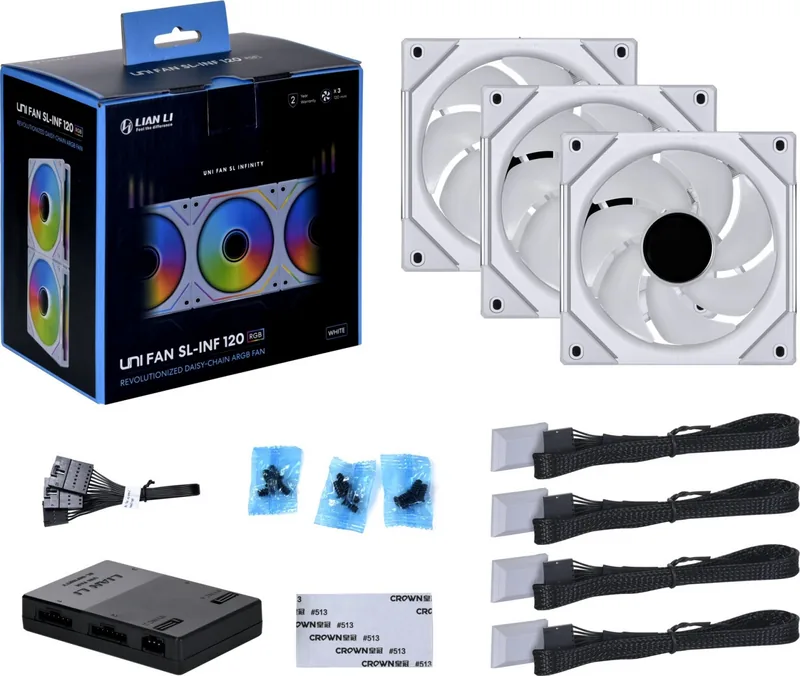
Welcome to the comprehensive overview of the Lian Li Uni Fan SL-INF120 RGB. This product represents the pinnacle of case fan technology. It is essential to understand the installation process before purchasing. Many users seek the Lian Li Uni Fan SL-INF120 RGB Manual to understand the wiring requirements properly. The unified fan design allows for a clean aesthetic within your chassis system. It suits high-end gaming setups perfectly. Installation should be planned ahead of time. The packaging includes all necessary mounting hardware pieces.
Installation Process
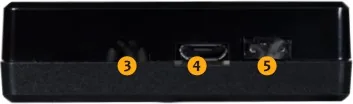
Begin by identifying the power module sockets. These come in different sizes so direction is critical. Incorrect orientation prevents the fan from receiving power. The interlocking key might block cooling pipes if not removed correctly. You must detach the key if it interferes with your radiator placement. This ensures proper clearance and airflow throughout the build. The top cover is removable for vertical cabling if needed. Ensure power is off before starting. Tools are not included in the box from the manufacturer.
Connectivity and Lighting
Connect the power module to the motherboard PWM header for speed control. Use the five-volt ARGB three-pin header for lighting only. Never connect to the twelve-volt connector as permanent damage will occur. The manual warns strictly about this critical error. Once connected, you gain full control over rotation speeds and illumination patterns. Each fan can be individually managed for the best visual effect. Integration with existing RGB ecosystems is seamless. You can customize colors for every single unit. Software updates may improve functionality over time significantly.
Performance and Build Quality
These fans offer quiet operation despite high airflow capabilities. The bearings are designed for longevity and reduced noise levels. Cable management is easier with the unified design compared to traditional fans. Users report stable performance even under heavy system load conditions. The build quality supports long-term use without degradation in airflow. Noise levels remain low during standard tasks. Temperature monitoring is also supported via software. The motor runs smoothly at maximum rotation speeds without vibration.
Important Note
Always verify the socket sizes before connecting the power module. Ensure proper airflow direction when swapping blades. The safety warning regarding 12V connections must be respected fully. Double check alignment before tightening screws to prevent damage. This step ensures longevity for your hardware components.
Conclusion
This fan series is a top choice for enthusiasts. Follow the guide carefully to avoid hardware issues. The Lian Li Uni Fan SL-INF120 RGB Manual provides the necessary steps for success. Enjoy the performance and style with your new build. It is highly recommended for all builds. Upgrade your cooling solution today with confidence in the results.
Search for 67,706 Manuals online


Type-in Brand or Model