
Lian Li TU150 Manual
PDF manual · 10 Pages
English



Quick check
Incorrect answer, please try again.
Chat with your Lian Li TU150 manual using AI
Get instant AI answers from your Lian Li TU150 manual
Ask anything about the Lian Li TU150. Answers come from this manual, with the pages they are based on.
Ask a Question
Do you recommend TU150?
Yes NoFrequently Asked Questions
PCI slots are included with ventilation for expansion cards, though space is limited by the portable size.
Is this answer helpful?
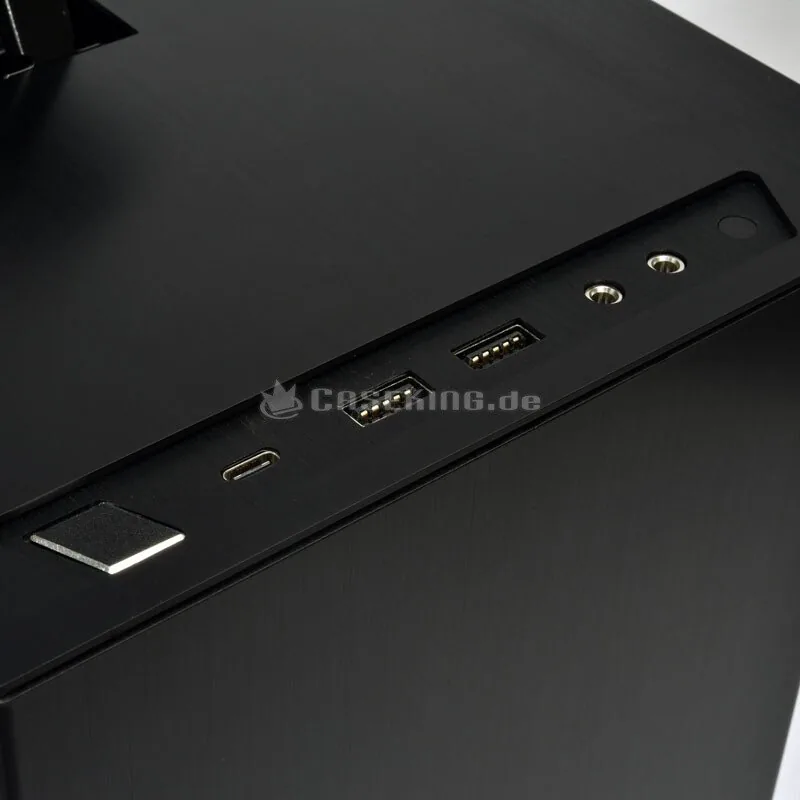
The chassis features one USB 3.1 Type-C port and two USB 3.0 ports for standard device connections.
Is this answer helpful?
Follow the specific guide steps to remove panels without breaking the glass, peeling the film only after removal is complete.
Is this answer helpful?
Yes, it supports 120 mm AIO radiators and multiple fans for cooling configurations.
Is this answer helpful?
Screws for SSD, HDD, motherboard, and PSU mounting are included in the hardware list as spare parts if needed.
Is this answer helpful?
Removable air filters are available to reduce dust accumulation inside the system during operation.
Is this answer helpful?
The HDD rack supports both 2.5-inch SSDs and 3.5-inch HDDs depending on your specific selection.
Is this answer helpful?
Advantages and Disadvantages
Advantages

- Portable design with integrated handlebar for easy transport of high-end gear
- Supports 120 mm fans and radiators for effective cooling management
- Includes USB 3.1 Type-C ports for high-speed data transfer connectivity
- Removable air filters assist in keeping internal dust levels low
- Dedicated cable management zones simplify routing for cleaner builds
Disadvantages

- Requires careful handling when removing side glass protective films
- Limited space might restrict larger motherboard sizes beyond standard
- Single expansion card slot access can be tight depending on GPU size
- Assembly instructions contain multiple languages which can be distracting
- PSU mounting requires specific alignment verification with included brackets
Product Specification
External
N/A
Internal
1x 2.5"/3.5", 1x 2.5"
Connectors
1x USB-C 3.1 (10Gb/s, 20-Pin Key-A Header), 2x USB-A 3.0 (5Gb/s), 1x 3.5mm Jack (Line-Out), 1x 3.5mm Jack (Line-In)
PCI Slots
3
Fan (Front)
1x 4.72 inches (optional)
Fan (Rear)
1x 4.72 inches (optional)
Fan (Left)
N/A
Fan (Right)
N/A
Fan (Top)
N/A
Fan (Bottom)
2x 4.72 inches (optional)
Fan (Other)
N/A
Radiator Sizes
N/A front, N/A top, 4.72 inches rear
Motherboard
up to Mini-DTX
Supported Motherboards
Mini-ITX (6.7"x6.7")/Mini-DTX (8"x6.7")
Power Supply
SFX-L
Power Supply Position
Front Top
CPU Cooler
up to 6.50 inches height
Graphics Cards
up to 12.60 inches
Lighting
no lighting
Dimensions (WxHxD)
7.98 x 12.28 x 14.76 inches
Volume
1449.31 cubic inches
Weight
9.92 lbs
Case Type
ITX/DTX
Front
closed, ventilation slots on sides
Top
closed
Bottom
partially closed, largely fan grid, dust filter outside
Right
closed, ventilation slots top
Rear
partially closed, fan grid right center, PCI slots bottom (3x horizontal)
Front I/O Position
Case Side: Top, Height: Front, Position: Center
USB Placement
Left
Product Description
The Lian Li TU150 Portable Experience
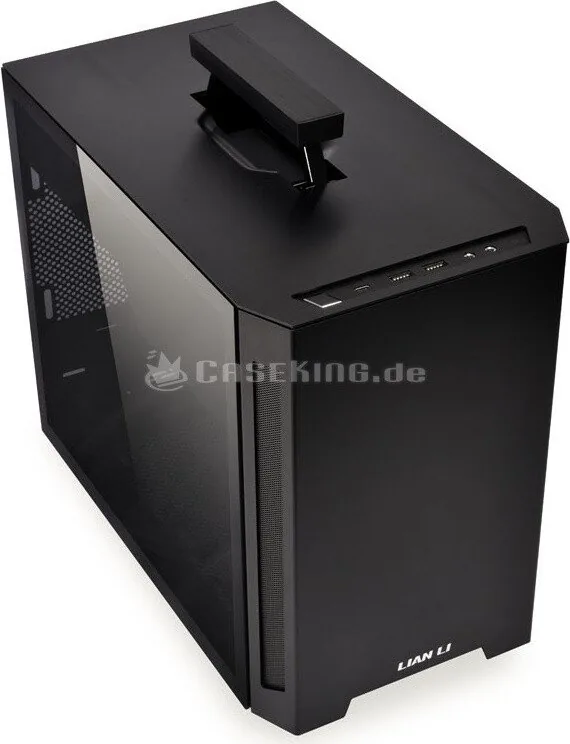
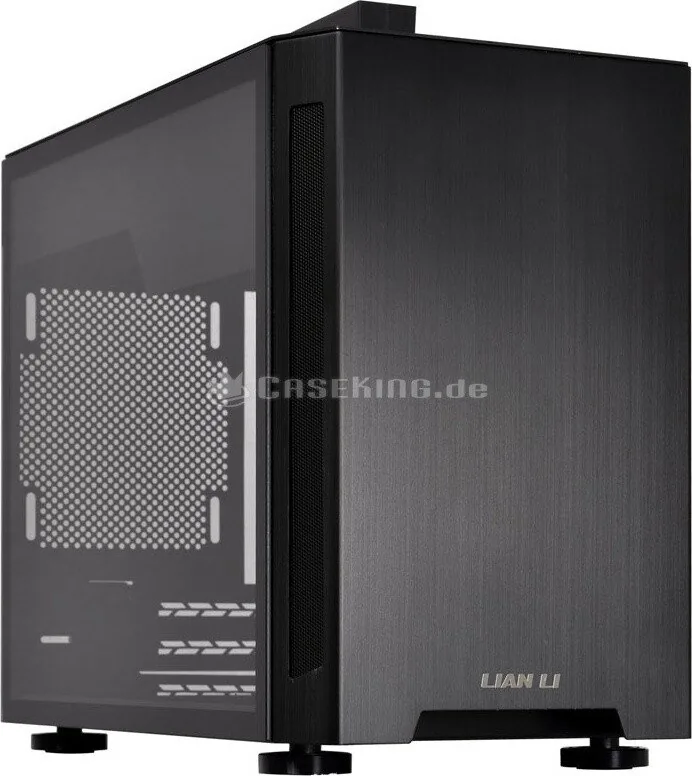
The Lian Li TU150 represents a significant shift in how enthusiasts approach portable computing. This case is designed for those who value performance without sacrificing mobility. By integrating advanced cooling solutions and a robust handlebar, users can transport high-end hardware with ease. The build quality focuses on accessibility, allowing for quick upgrades and maintenance without excessive tools. Attention to detail is evident in every component, ensuring durability during frequent moves.
A key aspect of ownership involves understanding the specific assembly requirements found in the Lian Li TU150 Manual. While the design is compact, it supports substantial components. The chassis accommodates multiple 120 mm fans and even an AIO radiator. This ensures thermal management remains effective even in demanding gaming scenarios. The I/O panel offers versatile connectivity options including USB 3.1 Type-C ports for modern peripherals. Users can connect devices quickly without dongles. Cable management is simplified through dedicated zones inside the case. Users can route power and data lines efficiently to keep airflow unobstructed. The included hardware list ensures compatibility with common storage solutions like 2.5-inch SSDs or 3.5-inch HDDs. Anti-vibration rings are provided to minimize noise during operation. Removing panels is straightforward, featuring clear guidance for accessing the motherboard tray and side glass. Installation of the power supply unit is intuitive, with clear space allocated for standard configurations. The ventilation across PCI slots supports additional expansion cards if needed. Removable air filters help maintain cleanliness over time, reducing dust accumulation inside the system. This focus on longevity makes the TU150 a practical choice for daily use. Ultimately, this portable chassis balances portability with desktop-level expansion capabilities. Builders will appreciate the thoughtful layout and the emphasis on user accessibility during setup. Whether for travel competitions or moving between gaming setups, this case delivers reliability. The comprehensive guide provided ensures that even novice builders can assemble their dream machine with confidence and precision. Special attention must be paid to the screw types included, as specific fasteners are designated for motherboards and drives. Protective films on glass should also be peeled off carefully to avoid scratches. This careful preparation ensures a professional finish upon completion of the build process. Proper cable management is essential for optimal performance and aesthetics within the chassis. Every user should take the time to label their cables for easier troubleshooting later. The multi-language support in documentation ensures global users understand the steps clearly. However, relying on the English text is recommended for consistency in terminology across all build steps. This approach minimizes confusion regarding component placement and connectivity requirements.
Notes
- Always verify screw compatibility before mounting new drives.
- Check PSU mounting holes align correctly with chassis brackets.
- Ensure all fans are secured before powering on the system.
Search for 67,706 Manuals online


Type-in Brand or Model