
Lian Li O11 Mini Dual PSU Bracket Kit O11DMINI-3X Manual
PDF manual · 1 Pages
English


Quick check
Incorrect answer, please try again.
Chat with your Lian Li O11 Mini Dual PSU Bracket Kit O11DMINI-3X manual using AI
Get instant AI answers from your Lian Li O11 Mini Dual PSU Bracket Kit O11DMINI-3X manual
Ask anything about the Lian Li O11 Mini Dual PSU Bracket Kit O11DMINI-3X. Answers come from this manual, with the pages they are based on.
Ask a Question
Do you recommend O11 Mini Dual PSU Bracket Kit O11DMINI-3X?
Yes No
ServerAdmin99
5 months ago
Does this cable work reliably with Unraid servers and multiple power supplies?
Frequently Asked Questions
The package contains the dual PSU bracket kit, thumbscrews, mounting plates, and an installation guide with diagrams.
Is this answer helpful?
No special tools are required beyond a standard Phillips head screwdriver to remove the existing trays and install the new bracket.
Is this answer helpful?
Yes, the kit supports standard ATX power supplies as long as they fit within the dimensions of your case.
Is this answer helpful?
Modifying the internal layout may void the warranty depending on the manufacturer's policy. Check your terms before proceeding.
Is this answer helpful?
The process is straightforward if you follow the steps sequentially. Removing trays takes time but is not technically challenging.
Is this answer helpful?
This ensures proper power sequencing and prevents electrical issues by designating the primary power input clearly.
Is this answer helpful?
Advantages and Disadvantages
Advantages

- Enables dual power supply installation for redundancy
- Improves cable management by splitting power loads
- Compatible with standard ATX power supplies
- Includes all necessary mounting hardware
- Easy to follow step-by-step installation guide
Disadvantages

- Requires removal of existing HDD and SSD trays
- May reduce available drive bay space
- Adds complexity to initial cable routing
- Not suitable for users without dual PSUs
- Requires precise screw placement to avoid misalignment
Product Specification
Type
Mount (Power Supply), Mounting Kit (Power Supply)
Consists of
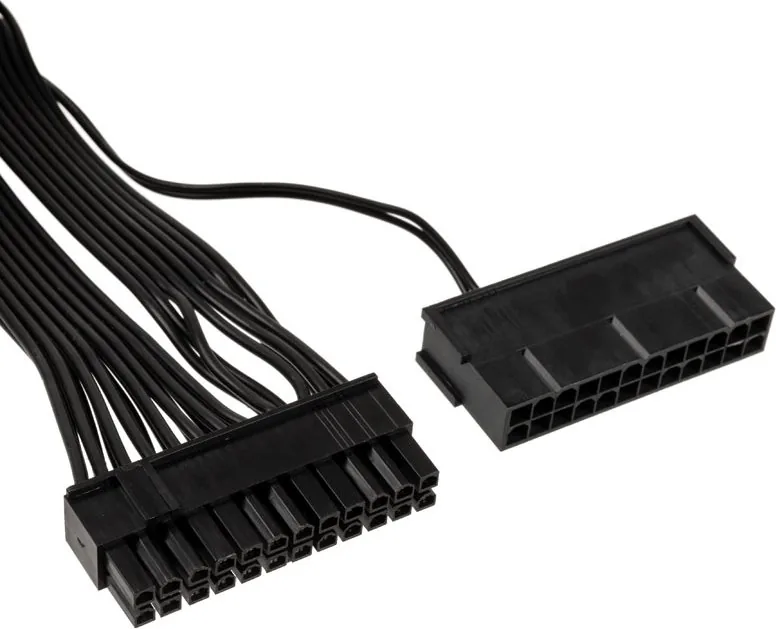
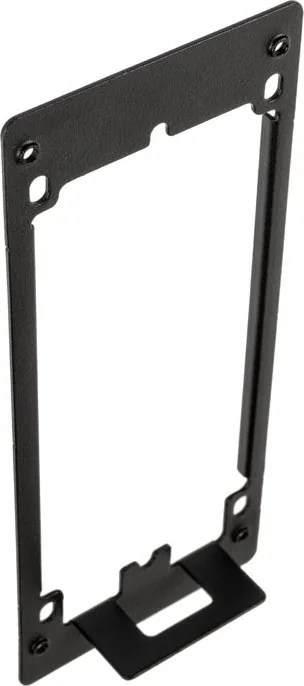
Mount (Dual Power Supply Mount), 1x Cable (2x 24-Pin ATX Socket to 1x 24-Pin ATX Connector, 5.91 inches), Mounting Accessories
Compatibility
Lian Li PC-O11 Dynamic Mini (SFX/SFX-L Power Supplies)
Color
Black
USB Spelling
Link
Product Description
Enhance Your Build with the Lian Li O11 Mini Dual PSU Bracket Kit
The Lian Li O11 Mini Dual PSU Bracket Kit is a specialized accessory designed to maximize the flexibility of your computer chassis. This kit allows users to install two power supply units in their build, a feature that is particularly useful for enthusiasts who need redundant power or specific modular setups. The installation process involves removing existing trays and brackets to make room for the new configuration.
Installation Overview
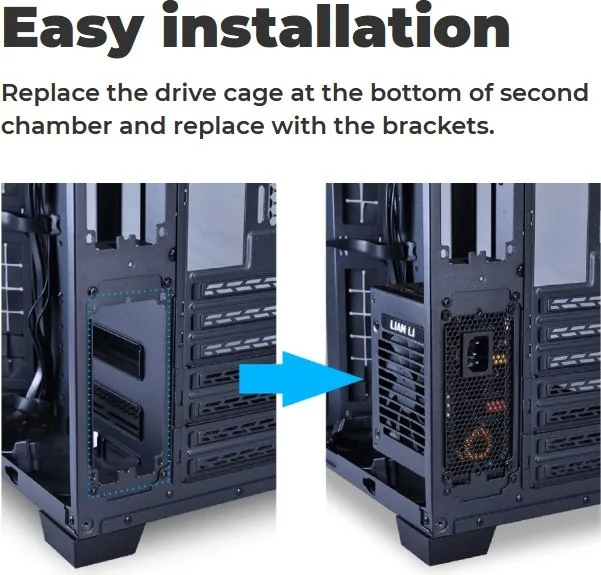
Installing this bracket requires careful attention to detail. First, you must loosen the thumbscrew to remove the cover plate. Next, remove two screws to release the SSD bar and four screws to detach the HDD tray. Once these components are cleared, you can fix the power supply fixing plate into place. Finally, install the power supplies, ensuring that PSU side 1 connects directly to your main power source as indicated in the guide.
Why Choose Dual Power?
Using dual power supplies offers significant benefits for stability and performance. It provides redundancy, meaning if one unit fails, the other keeps your system running. Additionally, it allows for better cable management by separating high-wattage components across different units. This setup is ideal for complex builds where space and efficiency are critical.
Notes on Compatibility
Always verify that your specific O11 Mini case supports this modification before purchasing. The kit includes necessary hardware such as thumbscrews and mounting plates to ensure a secure fit. Follow the step-by-step instructions carefully to avoid damaging internal components during the swap.
Pros and Cons
Pros
- Enables dual power supply installation for redundancy
- Improves cable management by splitting power loads
- Compatible with standard ATX power supplies
- Includes all necessary mounting hardware
- Easy to follow step-by-step installation guide
Cons
- Requires removal of existing HDD and SSD trays
- May reduce available drive bay space
- Adds complexity to initial cable routing
- Not suitable for users without dual PSUs
- Requires precise screw placement to avoid misalignment
Frequently Asked Questions
What is included in the package? The package contains the dual PSU bracket kit, thumbscrews, mounting plates, and an installation guide with diagrams.
Do I need special tools to install this? No special tools are required beyond a standard Phillips head screwdriver to remove the existing trays and install the new bracket.
Can I use any power supply with this kit? Yes, the kit supports standard ATX power supplies as long as they fit within the dimensions of your case.
Does installing this affect warranty? Modifying the internal layout may void the warranty depending on the manufacturer's policy. Check your terms before proceeding.
Is the installation difficult? The process is straightforward if you follow the steps sequentially. Removing trays takes time but is not technically challenging.
Why connect PSU side 1 to main power? This ensures proper power sequencing and prevents electrical issues by designating the primary power input clearly.
Search for 67,706 Manuals online


Type-in Brand or Model
MF
6 months ago
Is this cable long enough for server setups with multiple power supplies?
Manual.ly
6 months ago
Thank you for your inquiry. While our cables are designed to meet standard requirements, some users in complex server configurations like Unraid with dual power supplies may find the length slightly limiting for optimal cable management. We recommend measuring your specific setup distance before purchase to ensure adequate reach.