
Lian Li O11 Dynamic XL Manual
PDF manual · 15 Pages
English



Quick check
Incorrect answer, please try again.
Chat with your Lian Li O11 Dynamic XL manual using AI
Get instant AI answers from your Lian Li O11 Dynamic XL manual
Ask anything about the Lian Li O11 Dynamic XL. Answers come from this manual, with the pages they are based on.
Ask a Question
Do you recommend O11 Dynamic XL?
Yes NoFrequently Asked Questions
Yes, you can install a second ATX PSU if you remove the two hot swappable drive trays located at the back. This provides redundancy or specific power setup requirements.
Is this answer helpful?
The removable trays support 120 mm fans by three or 140 mm fans by two. The front also supports a 360 mm radiator for liquid cooling.
Is this answer helpful?
The front panel has a Mode switch for effects and a Color switch for static lights. Holding the button for three seconds turns the lighting off or on again.
Is this answer helpful?
The GB-001 bracket is an optional kit mentioned for preventing GPU sag on heavy cards. You may need to purchase it separately depending on your region.
Is this answer helpful?
The case supports multiple 2.5 inch SSDs in removable trays and up to four 3.5 inch HDDs using hot swappable drive tray configurations.
Is this answer helpful?
You need standard tools for screws like Phillips heads. The manual details the specific screws for different parts like the motherboard or PSU mounting.
Is this answer helpful?
Yes, specific display card kits like the O11DXL-1 exist for EEB sized motherboards to allow for proper display card installation without interference.
Is this answer helpful?
Advantages and Disadvantages
Advantages

- Supports multiple fan sizes and large radiators for optimal thermal performance in any build configuration.
- USB 3.1 Type-C connectivity ensures high-speed data transfer and modern peripheral compatibility for users.
- Removable storage trays offer flexible SSD and HDD installation options without complex reconfiguration.
- Includes comprehensive hardware kits with spare screws and rubber pads for easier installation and setup.
- Built-in ARGB control allows lighting adjustment directly on the case without needing software control.
Disadvantages

- Tempered glass panels require careful handling and installation to avoid accidental breakage during assembly.
- Complex cable management may be challenging for beginners without sufficient experience building custom PCs.
- Large footprint might not fit in smaller desks or rooms without ample space for ventilation around chassis.
- Installing a second PSU requires removal of drive trays reducing storage capacity in specific configurations.
- Riser card kits and specific motherboard support may need additional accessories for full EEB compatibility.
Product Specification
External Bays
4x 2.5"/3.5" (Hot-Swap) (Rear)
Internal Bays
6x 2.5"
Ports
1x USB-C 3.1 (10Gb/s, 20-Pin Key-A Header), 4x USB-A 3.0 (5Gb/s), 1x 3.5mm Jack (Line-Out), 1x 3.5mm Jack (Line-In)
PCI Slots
8
Fan (Front)
N/A
Fan (Rear)
1x 4.72" (optional)
Fan (Left)
N/A
Fan (Right)
N/A
Fan (Top)
3x 4.72" (optional) or 2x 5.51" (optional)
Fan (Bottom)
3x 4.72" (optional) or 2x 5.51" (optional)
Fan (Other)
3x 4.72" (optional)
Radiator Sizes
N/A front, 4.72/5.51/9.45/11.02/14.17" top, 4.72/5.51/9.45/11.02/14.17" right, 4.72/5.51/9.45/11.02/14.17" bottom
Motherboard Support
up to ATX
Supported Motherboards
Mini-ITX (6.70"x6.70")/microATX (9.60"x9.60")/ATX (12.00"x9.60")/E-ATX (SSI EEB, optional, 12.00"x13.00")
Power Supply
ATX (max. 8.27" deep)
PSU Position
bottom (vertical)
CPU Cooler Height
max. 6.57"
GPU Length
max. 17.56"
Lighting
RGB Header 3-Pin ARGB (+5V/DATA/GND), integrated LED controller, integrated RGB LED lighting
Dimensions (Width x Height x Depth)
11.22"x20.20"x18.54"
Volume
68.86L
Weight
25.57lbs
Chassis Type
Midi Tower
Front
closed, Glass
Top
partially closed, Mesh, mostly fan grille, dust filter inside
Bottom
partially closed, mostly fan grille, dust filter outside
Left Side
closed, Glass
Right Side
partially closed, Mesh, mostly fan grille, dust filter inside
Rear
partially closed, fan grille right center, PCI Slots (8x horizontal)
Front IO Position
Case Side: Front, Height: Top (additional below), Position: Right
Features
Cable management, Dust filter, PCI slots vertically mountable (optional), Glass window, Multi-chamber design
Note
Motherboard and Chassis Manufacturers define different dimensions as E-ATX. Motherboards with E-ATX/SSI EEB dimensions of 12.01"x13.00" require an expansion plate (separately available).
USB Labeling
Left
Product Description
Exploring the Lian Li O11 Dynamic XL
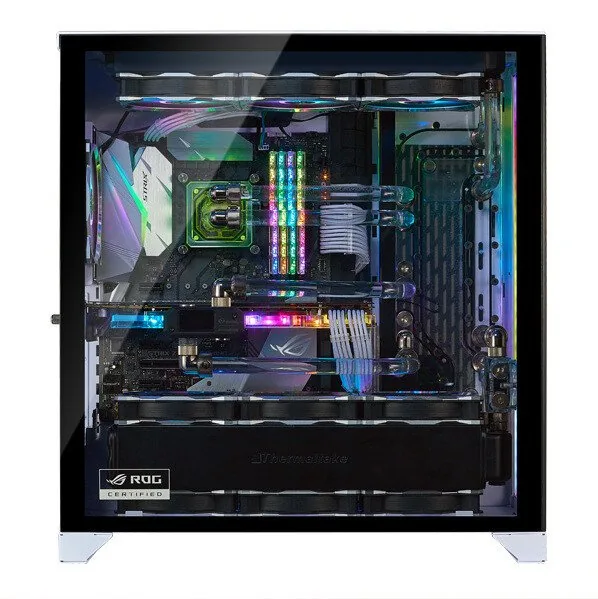
The Lian Li O11 Dynamic XL stands out as a premier choice for enthusiasts seeking high-end PC chassis design and flexibility. This large form factor case offers exceptional customization options for water cooling and hardware installation. It features a versatile interior that accommodates massive radiators and multiple storage drives effortlessly. Users can configure the chassis to support three 120 mm fans or two 140 mm fans on the fan trays depending on airflow needs. Additionally, the unit supports up to three 2.5 inch SSDs in removable trays, providing ample storage flexibility for modern builds requiring high-speed boot drives.
Connectivity and Lighting Control
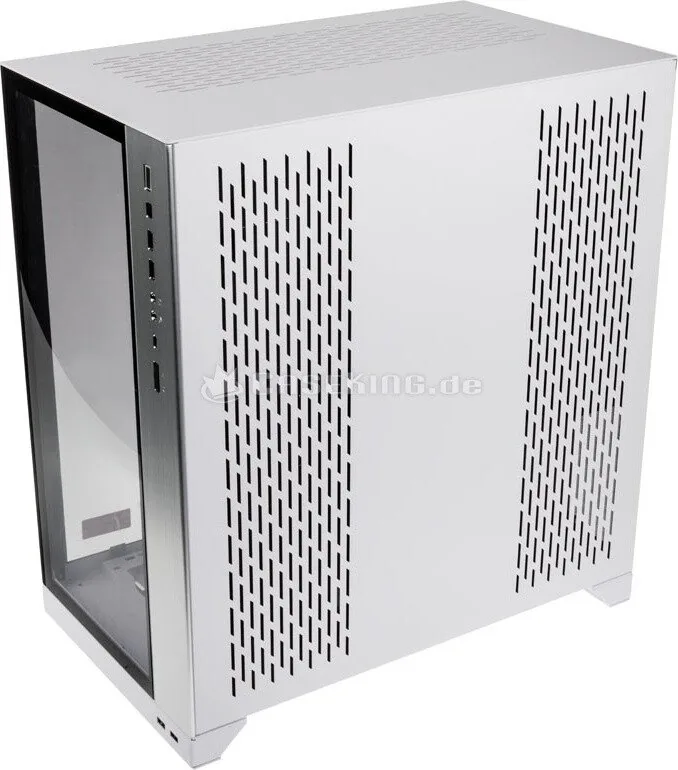
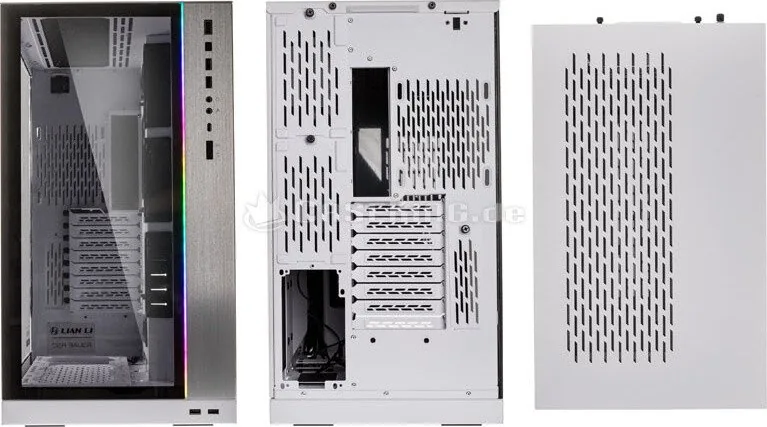
The front panel includes essential IO ports for connecting modern peripherals efficiently. Two USB 3.0 ports and one USB 3.1 Type-C port ensure fast data transfer speeds for external devices. Audio jacks and a dedicated microphone input are also present on the top edge. A specific ARGB control button allows users to cycle through lighting modes or sync with the motherboard directly. Pressing the mode button changes lighting modes while the color button adjusts static hues for personal style. This integration simplifies aesthetic management without needing additional software applications or complex drivers on the system for lighting adjustments.
Installation and Assembly Process
Assembling this unit requires careful attention to the provided instructions to ensure proper functionality and safety during the build. The side panels utilize tempered glass which must be handled with extreme care to avoid breakage during removal from the box. Protective films should be peeled off immediately before installation to ensure clarity and prevent residue issues on the surface. The PSU tray supports standard ATX power supplies, with options to install a second unit by removing hot swappable drive trays. Cable management is aided by velcro straps and ample space behind the motherboard tray for tidier routing paths. Dust filters are located at both the top and bottom for easy cleaning and maintenance access later on.
Cooling and Storage Expansion Capabilities
Thermal performance is a top priority with this chassis design for gaming and workstation systems relying on cooling efficiency. It supports 360 mm radiators in the front or top positions depending on the desired configuration and loop planning. Users can install a graphics card anti-sag bracket to prevent bending on heavy GPUs under load for longevity. For EEB size motherboards, specific kits like the O11DXL-1 upright display card kits are available on the market. Extension panels allow for further custom water cooling loops or larger hardware setups with dual PSU options. The total hardware kit includes various screws and stand-offs for different drive types to ensure compatibility with various components.
Hardware and Accessories
Included hardware contains rubber pads for PSU mounting and various screw sets for motherboard and SSD mounts. You will find stand-off bolts and spare screws for easy installation. Exceeded quantities act as spares for future needs. The audio panel connects via specific color codes for headers. Installing the LED control board involves connecting to the 5V and addressable LED headers properly. This comprehensive kit ensures users have everything needed for a secure and organized setup while managing their build components effectively.
Search for 67,706 Manuals online


Type-in Brand or Model