
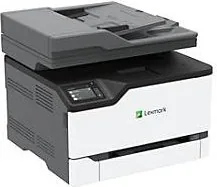
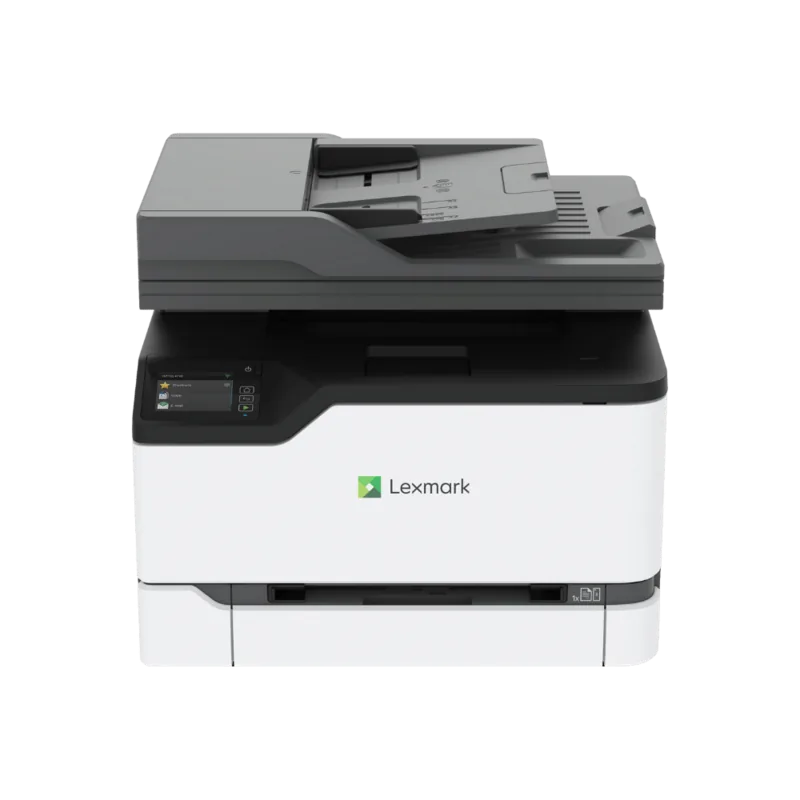
Lexmark XC2326 Manual
PDF manual · 253 Pages
English



Quick check
Incorrect answer, please try again.
Chat with your Lexmark XC2326 manual using AI
Get instant AI answers from your Lexmark XC2326 manual
Ask anything about the Lexmark XC2326. Answers come from this manual, with the pages they are based on.
Ask a Question
Do you recommend XC2326?
Yes NoFrequently Asked Questions
The Lexmark XC2326 is a multifunction color laser printer designed for printing, copying, scanning, e-mail delivery, and fax workflows where fax is configured and supported. It also supports held print jobs, cloud-connected printing, USB printing on supported configurations, and scan destinations such as computers, network folders, FTP locations, e-mail, and cloud profiles.
Is this answer helpful?
Yes. Supported mobile options include Lexmark Mobile Print, Mopria Print Service for compatible Android devices, Apple AirPrint, and Wi-Fi Direct. AirPrint generally requires the Apple device and printer to be on the same network. Wi-Fi Direct enables direct connections without requiring a wireless router.
Is this answer helpful?
Yes. The XC2326 supports two-sided printing for compatible paper sizes and types. It can also create two-sided copies when the appropriate settings are selected. Match the loaded media to the selected paper size and type to improve reliability and avoid print issues.
Is this answer helpful?
The printer supports plain paper, card stock, labels, and envelopes through supported trays or the manual feeder. Common sizes include Letter, Legal, A4, A5, and selected envelope and custom sizes. The automatic document feeder is intended for plain-paper originals only.
Is this answer helpful?
Configure the printer's SMTP settings first using the setup wizard, control panel settings, or Embedded Web Server. After setup, load the original in the automatic document feeder or on the scanner glass, select E-mail from the home screen, enter the recipient details, choose output settings if needed, and send.
Is this answer helpful?
A user can select a confidential job in the print driver and assign a PIN. The job remains held at the printer until the user selects it from the Held Jobs menu and enters the correct PIN. Administrators can set PIN limits and expiration periods for held jobs.
Is this answer helpful?
Advantages and Disadvantages
Advantages

- Combines color printing, copying, scanning, e-mail delivery, and fax functions in one office-ready device.
- Supports mobile printing through AirPrint, Mopria, Lexmark Mobile Print, and Wi-Fi Direct.
- Automatic document feeder supports efficient handling of multi-page and two-sided originals.
- Confidential print, PIN protection, memory sanitization, and configurable security settings support shared use.
- Supports paper, card stock, labels, envelopes, custom sizes, and automatic two-sided printing.
Disadvantages

- Fax features and available fax transports vary by model, license, subscription, and configuration.
- Wireless hardware support is configuration-dependent and may require additional setup or an adapter.
- Labels, envelopes, and card stock print at reduced speed compared with plain paper.
- The automatic document feeder supports plain paper only and has a limited supported weight range.
- Correct media settings and storage practices are important to avoid paper jams and print-quality issues.
Product Specification
Format
A4 (printing), A4 (scanning)
Type
Printer/Scanner/Copier/Fax
Color System
4-color, 4 individual toner cartridges
Consumables
24B7502, 24B7499, 24B7500, 24B7501, 20N0W00
Printing
600 x 600 dpi - 25/25 ppm (A4) (ISO)
Scanning
600 x 600 dpi (CCD) - 45/20 ppm (A4)
Copying
600 x 600 dpi - 25/25 ppm (A4) (ISO)
Paper Input
250 sheets, DADF, duplex unit
Memory
1 GB (RAM)
Ports
1x USB-B 2.0, 1x USB-A 2.0 (host), 1x fax (RJ-11)
Network
Gigabit LAN, Wi-Fi 5 (WLAN 802.11a/b/g/n/ac), AirPrint, Mobile Print, Mopria, Universal Print (Azure Cloud Print), PIN printing
Display
color, 2.8 in, touchscreen
Power Consumption
TEC: 0.37 kWh/week
Sound Pressure Level
56.0 dB(A)
Case Color
white, black
Dimensions
16.18 x 13.54 x 15.51 in
Weight
42.77 lb
Manufacturer Warranty
1 year
Product Description
Lexmark XC2326 Laser Multifunction Printer
The Lexmark XC2326 Laser Multifunction Printer - Read, Download & Print Free is a practical color multifunction solution for busy small offices, workgroups, and home-based professionals who need dependable everyday output. It brings printing, copying, scanning, e-mail delivery, and fax capabilities together in one compact device, helping teams handle routine workflows without relying on several separate machines.
Designed for Flexible Workflows
The XC2326 supports printing from computers, mobile devices, cloud-connected services, and compatible USB flash drives. Mobile printing options include Lexmark Mobile Print, Mopria Print Service, AirPrint, and Wi-Fi Direct, allowing users to send jobs with less dependence on a traditional wired connection. Network connectivity through Ethernet is also supported, while setup and management can be handled from the control panel or a browser-based interface.
For document handling, the printer includes an automatic document feeder for multi-page originals and a scanner glass for single sheets, photos, cards, and delicate media. Users can create copies, adjust scaling, collate sets, copy both sides, combine several pages on one sheet, and use an ID copy feature for cards. Scanned content can be sent to a computer, e-mail address, network folder, FTP destination, USB drive, or cloud profile, depending on the configured services.
Paper Handling and Output Options
A standard 250-sheet tray and manual feeder support common office media, including plain paper, card stock, labels, and envelopes. Optional 250-sheet trays may be available for supported configurations, providing additional capacity for organizations that regularly switch between paper sizes or stock types. Automatic two-sided printing helps reduce paper consumption, while supported sizes include Letter, Legal, A4, A5, envelopes, and selected custom formats.
The device is designed to work best with properly stored, undamaged media. Matching the paper type and size settings to the loaded stock can help prevent feeding issues and support consistent print quality. Labels, envelopes, and heavier media are supported, though they may print at a reduced speed.
Security, Maintenance, and Control
The XC2326 includes useful safeguards for shared environments. Confidential print settings let users protect held jobs with a PIN, and administrators can configure job expiration rules. Device settings include options for restoring defaults and sanitizing nonvolatile memory when the printer is moved, serviced, or retired.
A color display and customizable home screen provide direct access to common tasks. Supply notifications, e-mail alerts, usage reports, firmware updates, and troubleshooting tools help simplify ongoing administration. For organizations seeking a versatile color laser MFP with scanning, copying, mobile access, and secure job handling, the Lexmark XC2326 is built to support organized daily productivity.
Notes
- Configure SMTP settings before using scan-to-e-mail.
- Fax availability and transport options depend on the installed model and configuration.
- Use recommended paper types and weights to minimize jams and preserve output quality.
Search for 67,706 Manuals online


Type-in Brand or Model