
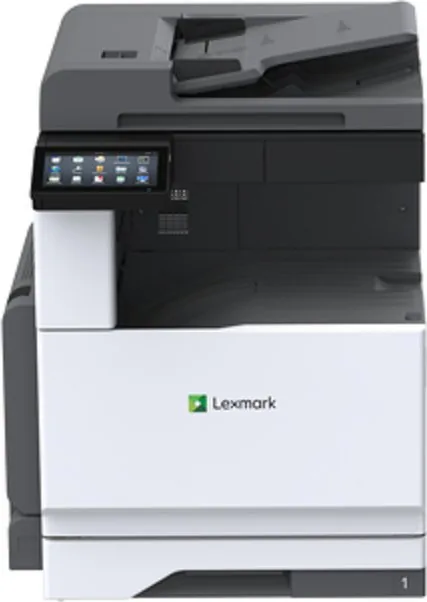
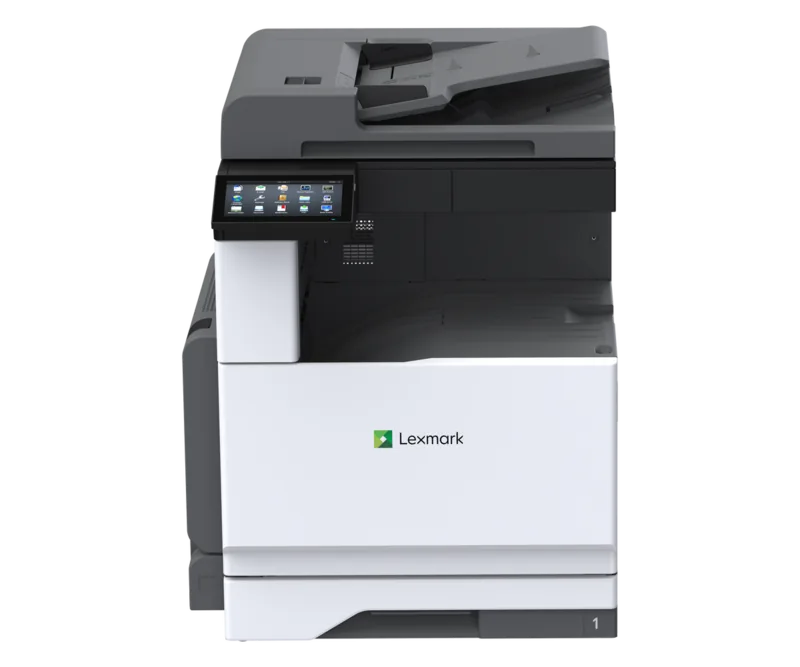
Lexmark MX931dse Manual
PDF manual · 416 Pages
English



Quick check
Incorrect answer, please try again.
Chat with your Lexmark MX931dse manual using AI
Get instant AI answers from your Lexmark MX931dse manual
Ask anything about the Lexmark MX931dse. Answers come from this manual, with the pages they are based on.
MX931dse Maintenance Schedule
Use a soft brush or vacuum to remove dust. Wipe the exterior with a damp cloth. Clean the touch screen with a damp cloth. Do not use cleaning agents.
Tap Status/Material on the home screen to view levels and remaining life for consumables and parts.
Navigate to Settings > Device > Maintenance > Configuration Menu > Supplies and Counters to reset the counter after replacing the ADF maintenance kit.
Ask a Question
Do you recommend MX931dse?
Yes NoFrequently Asked Questions
The device supports a wide range of sizes including Letter, Legal, A4, A3, Executive, and various envelopes. It handles different weights from 60 to 256 g/m2 depending on the tray used.
Is this answer helpful?
Yes, you can configure SMTP settings to send scanned documents directly to email addresses. The printer supports major providers like Gmail, Outlook, and Yahoo with secure connections.
Is this answer helpful?
Absolutely. It is built for high-volume environments with a robust design capable of handling large monthly duty cycles without compromising performance or reliability.
Is this answer helpful?
You must connect a standard RJ-11 telephone cable to the LINE port on the back of the printer. Ensure you use a 26-AWG cable or higher to prevent fire hazards.
Is this answer helpful?
Yes, it includes voice guidance, screen reader support, and gesture-based navigation to assist users with visual impairments or mobility challenges.
Is this answer helpful?
Advantages and Disadvantages
Advantages

- High-speed monochrome printing with excellent document quality
- Versatile paper handling supporting multiple formats and weights
- Advanced connectivity options including network scanning and email
- Intuitive touchscreen interface for easy user navigation
- Robust security features protecting sensitive business data
Disadvantages

- Initial setup requires careful configuration of network settings
- Heavy weight necessitates two people for safe relocation
- Limited color capability restricts usage to black and white only
- Optional finishers add significant cost to the base package
- Requires specific Lexmark surge protectors for warranty safety
Product Specification
Format
A3 (Print), A3 (Scan)
Type
Printer/Scanner/Copier/Fax
Color System
1-color, 1x Single Toner
Consumables
63D0H00, 63D0Z00
Printing
2400x1200dpi - 35 ppm (A4) (ISO)
Scanning
600x600dpi (CCD) - 60 ppm
Copying
600x600dpi - 35 ppm (A4) (ISO)
Paper Input
520 sheets, RADF (100 sheets), Duplex Unit
Memory
4GB (RAM)
Connections
1x USB-B 2.0, 2x USB-A 2.0 (Host), 1x Fax (RJ-11)
Network
Gb LAN, AirPrint, Universal Print (Azure Cloud Print), PIN Printing
Display
color, 7", Touchscreen
Power Consumption
950W (max), 220W (standby), 3.6W (sleep)
Sound Pressure Level
56.0dB(A)
Emulation
PCL 6, PCL 5, PCLm, PostScript 3, PPDS, PDF 1.7
Cabinet Color
white, black
Dimensions
23.2x30.2x27.5 inches
Weight
116.84 lbs
Features
Direct Print, Blue Angel
Manufacturer Warranty
1 Year
Product Description
Lexmark MX931dse: The Ultimate Monochrome Laser Solution
The Lexmark MX931dse stands as a pinnacle of efficiency in the world of monochrome laser printing. Designed for high-volume environments, this multifunction printer delivers exceptional speed and reliability, making it an indispensable asset for modern offices. With its robust build and advanced features, it ensures that your daily workflow remains uninterrupted while maintaining crisp, professional document quality.
At the heart of the MX931dse is a powerful print engine capable of handling demanding tasks with ease. Whether you are printing contracts, reports, or marketing materials, the device produces sharp text and clear graphics every time. Its versatile paper handling capabilities allow users to manage various media types, from standard letter-sized sheets to larger formats like A3 and legal sizes. This flexibility ensures that you can tackle any printing job without needing multiple devices cluttering your workspace.
Connectivity is seamless with the MX931dse. It supports extensive network integration, enabling easy sharing across departments. Users can scan documents directly to email, FTP servers, or network folders, streamlining digital archiving processes. The intuitive touchscreen interface simplifies navigation, allowing quick access to essential functions like copying, faxing, and scanning. Additionally, the device offers advanced security features to protect sensitive data, ensuring compliance with strict corporate policies.
Energy efficiency is another hallmark of this model. Smart power management modes automatically reduce consumption during idle periods without sacrificing performance when needed. This commitment to sustainability not only lowers operational costs but also contributes to a greener office environment. The MX931dse is more than just a printer; it is a comprehensive solution designed to enhance productivity and streamline operations.
Important Notes
- Always use authorized power cables to prevent electrical hazards.
- Ensure proper ventilation around the unit to maintain optimal operating temperatures.
- Regular maintenance checks help extend the lifespan of the machine.
Search for 67,706 Manuals online


Type-in Brand or Model