
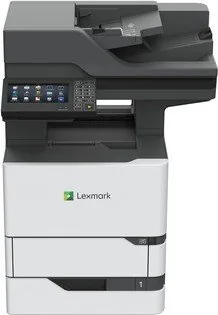
Lexmark MX721ade Manual
PDF manual · 279 Pages
English



Quick check
Incorrect answer, please try again.
Chat with your Lexmark MX721ade manual using AI
Get instant AI answers from your Lexmark MX721ade manual
Ask anything about the Lexmark MX721ade. Answers come from this manual, with the pages they are based on.
MX721ade Maintenance Schedule
Remove dust, lint, and paper parts with a soft brush or vacuum. Wipe the outside with a damp, soft, lint-free cloth.
Clean the ADF glass, ADF glass pad, scanner glass, and Klappe E areas with a damp, soft, lint-free cloth.
Ask a Question
Do you recommend MX721ade?
Yes NoFrequently Asked Questions
It is best used in busy office environments that need fast monochrome printing, copying, scanning, emailing, and faxing. It fits teams that handle lots of text-based documents and want strong paper handling plus workflow tools.
Is this answer helpful?
Yes. The printer supports mobile printing methods and cloud-connected workflows, including options for printing from supported mobile devices and cloud profiles. This makes it easier to send documents without being tied to a desk.
Is this answer helpful?
Yes. The device can be expanded with optional 250-sheet, 550-sheet, and 2100-sheet trays. This is useful for offices that print in high volumes or want to separate paper types across trays.
Is this answer helpful?
Yes. It includes confidential print settings, held jobs, and related security controls. Users can protect sensitive documents with PIN-based release, which helps keep private printouts from being picked up too early.
Is this answer helpful?
The printer offers Voice Guidance, gesture-based navigation, magnification mode, speech rate adjustment, and spoken passwords or PINs. These features help improve screen interaction for users with different needs.
Is this answer helpful?
It supports common office sizes like A4, letter, legal, and several envelope formats, plus specialty media such as labels, card stock, and transparencies. Paper type settings should match the loaded media for best results.
Is this answer helpful?
Advantages and Disadvantages
Advantages

- Fast multifunction workflow for printing, copying, scanning, emailing, and faxing in one device.
- Flexible paper handling with support for optional high-capacity trays and specialty media.
- Strong security tools, including confidential jobs, memory controls, and access settings.
- Accessibility features like Voice Guidance and magnification improve usability for more users.
Disadvantages

- Setup and menu navigation can be complex for users who want a simple plug-and-play printer.
- Some functions depend on optional hardware, admin rights, or model-specific support.
- Expanded configurations can be heavy and may require a caster base or extra care when moving.
- It is monochrome only, so it is not ideal for color document needs or creative work.
Product Specification
Format
A4 (Printing), A4 (Scanning)
Type
Printer/Scanner/Copier/Fax
Color system
1-color, 1x single toner
Consumables
62D2000, 62D2H00, 62D200E, 62D2H0E
Printing
1200x1200dpi - 62 ppm (A4) (ISO)
Scanning
600x600dpi (CCD) - 72/72 ppm (A4)
Copying
600x600dpi - 61 ppm (A4) (ISO)
Paper input
650 sheets (1x 550 sheets + 1x 100 sheets), DADF (200 sheets), duplex unit
Memory
2GB (RAM)
Ports
1x USB-B 2.0, 3x USB-A 2.0 (Host), 1x Fax (RJ-11)
Network
Gb LAN, AirPrint, Universal Print (Azure Cloud Print), PIN Printing
Display
color, 7", touchscreen
Power consumption
830W (typical), 41.5W (standby), 1.8W (sleep)
Sound pressure level
60.0dB(A)
Emulation
PCL 6, PCL 5e, PostScript 3, PPDS, PDF 1.7, XML
Housing color
white, black
Dimensions
22.01x29.09x22.76in
Weight
97.25lb
Special features
Direct Print
Manufacturer warranty
1 year
Product Description
Lexmark MX721ade Laser Monochrome: A Workhorse for Demanding Offices
The Lexmark MX721ade Laser Monochrome is built for teams that want speed, control, and dependable output in one compact enterprise-ready device. In the spirit of the Lexmark MX721ade, Laser, monochrome Manual, this model is presented as a versatile multifunction printer designed to handle everyday document work without slowing down the office. It combines printing, copying, scanning, emailing, and faxing with a control panel that keeps core tasks close at hand.
What stands out most is how adaptable the MX721ade is. It supports multiple paper sources, including standard trays, optional 250- and 550-sheet trays, and a high-capacity 2100-sheet tray for heavier workloads. That flexibility makes it a strong fit for departments that print in volume or need different media types throughout the day. The machine also handles common office formats such as letter, legal, A4, and envelopes, while keeping specialty media options available when needed.
This printer is not just about output; it is also about workflow. Users can print from a computer, a mobile device, a flash drive, or cloud-connected profiles. Scanning and copying are supported through the automatic document feeder and scanner glass, which gives the device enough range for multipage packets, photos, and mixed originals. Faxing and email functions further expand its usefulness in teams that still rely on secure document transmission.
Security and management features are another major strength. The device supports confidential jobs, PIN-protected access, tray linking, and printer memory controls, giving administrators more confidence in shared environments. At the same time, accessibility options such as Voice Guidance, gesture navigation, magnification mode, and spoken passwords help make the interface more usable for a wider range of users.
Beyond performance, the MX721ade also reflects a practical office mindset. Eco settings, sleep and hibernate modes, and supply monitoring help reduce waste and manage operating costs over time. It is a monochrome laser machine, so it is especially well suited to text-heavy work where clarity, consistency, and efficiency matter more than color.
Notes
- Best suited for black-and-white document workflows
- Optional trays help scale paper capacity as demand grows
- Advanced menus and admin tools support workplace control
- Some features depend on model, hardware, or setup choices
Search for 67,706 Manuals online


Type-in Brand or Model