
Lexmark M5255 Manual
PDF manual · 228 Pages
English



Quick check
Incorrect answer, please try again.
Chat with your Lexmark M5255 manual using AI
Get instant AI answers from your Lexmark M5255 manual
Ask anything about the Lexmark M5255. Answers come from this manual, with the pages they are based on.
M5255 Maintenance Schedule
Unplug the printer. Remove dust and lint with a soft brush or vacuum, then wipe the outside with a damp, lint-free cloth.
Regularly inspect the power cord for signs of damage such as cuts, twists, or abrasion to avoid fire or electrical shock risks.
Free maintenance reminders
Timed to your purchase date. Always free, unsubscribe anytime.
Ask a Question
Do you recommend M5255?
Yes NoFrequently Asked Questions
You can enable mobile printing by ensuring the printer is on the same network as your device. Install the Lexmark Mobile Print app or use AirPrint for Apple devices. The control panel allows you to configure Wi-Fi Direct settings for direct connections without a router.
Is this answer helpful?
Yes, the printer supports hard disk encryption to safeguard stored documents. You can enable this feature through the Security menu. Additionally, the Secure Erase function removes data from the drive if the unit is retired.
Is this answer helpful?
It supports standard sizes like Letter, Legal, and A4. It also handles envelopes and specialized media like card stock. You can configure paper sizes for each tray individually via the control panel menus.
Is this answer helpful?
Yes, you can insert a USB flash drive into the front port. The printer supports PDF, JPEG, and TIFF files. You can select the document on the home screen and send it to the printer without a computer.
Is this answer helpful?
The display will indicate the exact location of the jam. Open the specified door or tray. Gently pull the paper in the direction of the paper path. Avoid using sharp objects that could damage the rollers.
Is this answer helpful?
Yes, the printer features multiple Eco-Settings. You can schedule sleep modes and hibernate modes to reduce power usage during non-business hours. This helps lower electricity costs.
Is this answer helpful?
Options include WPA2 security for Wi-Fi, user authentication for network access, and IP security protocols. You can configure network settings via the Embedded Web Server or the control panel menus.
Is this answer helpful?
Advantages and Disadvantages
Advantages

- Built-in hard disk encryption for enhanced security and data protection.
- Supports AirPrint, Mopria, and Wi-Fi Direct for mobile printing.
- High-capacity paper trays reduce refill frequency significantly.
- Eco-Settings manage power consumption and environmental impact.
Disadvantages

- High initial purchase price compared to entry-level models.
- Physical dimensions may require significant desk or office space.
- Menu system has a learning curve for new users.
Product Specification
Paper Format
A4
Type
Laser Printer
Color System
Monochrome
Consumables
25B3079
Printing
1200x1200dpi - 52/23 ppm (A4)
Paper Input
650 Sheets (1x 550 Sheets + 1x 100 Sheets), Duplex Unit
Memory
512MB (RAM)
Connections
1x USB-B 2.0
Network
Gigabit LAN, Universal Print (Azure Cloud Print), PIN Printing
Display
Color, 4.3 inches, Touchscreen
Power Consumption
670W (typical), 21.5W (standby), 0.2W (sleep), 0.2W (off), TEC: 0.54kWh/Week
Sound Pressure Level
55.0dB(A)
Emulation
PCL 6, PCL 5, PCLm, PostScript 3, PPDS, PDF 1.7, Direct Image
Dimensions
15.71 x 10.35 x 15.31 in
Weight
29.76 lbs
Manufacturer Warranty
1 Year (On-site, Next Day)
Product Description
Lexmark M5255 Laser Monochromatic Review
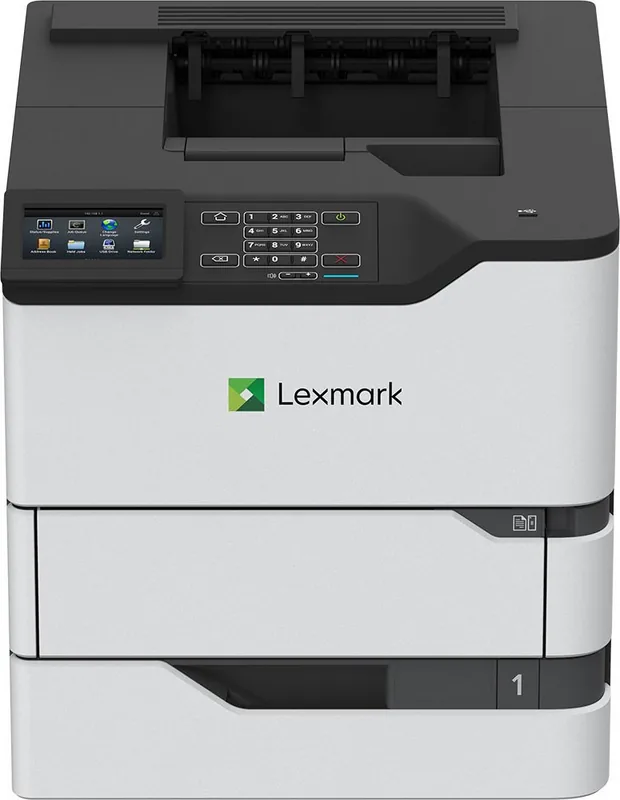
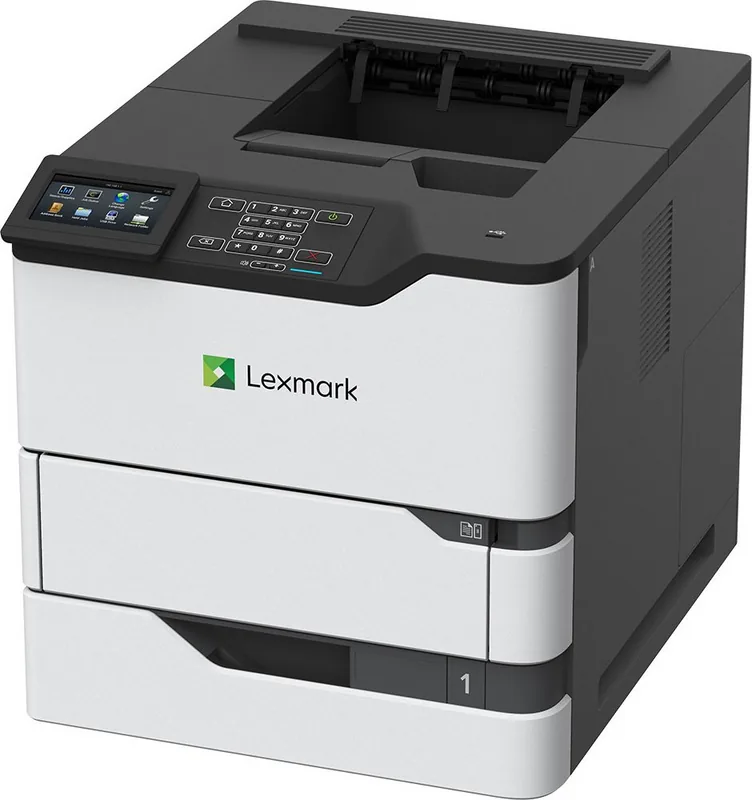
In today fast-paced workspace, efficiency and security must go hand in hand. The Lexmark M5255 addresses both needs effectively. Its monochromatic laser engine produces sharp black text suitable for contracts, reports, and presentations. The physical design is sturdy, featuring a large control panel that remains responsive even after extended use. Connectivity is a major strength with support for mobile printing protocols like AirPrint and Wi-Fi Direct. This allows employees to print from smartphones or tablets without additional drivers.
Network configurations are flexible, supporting both wired Ethernet and optional wireless adapters for placement freedom. Security measures include hard disk encryption and confidential print jobs that require a user PIN before releasing documents. Paper handling capabilities are robust. Standard trays hold significant weight, and optional high-capacity trays reduce refill frequency. The multipurpose feeder accommodates envelopes and card stock easily. Automatic tray linking ensures the printer pulls from the correct source when multiple trays contain identical paper sizes.
Energy consumption is managed through Eco-Settings and power management profiles. Users can schedule sleep modes during non-business hours to reduce carbon footprint and lower electricity bills. The interface allows customization of the home screen to display frequently used apps like the Address Book or Job Queue. This workflow optimization minimizes the time spent searching for functions during busy periods.
Printing from a flash drive is another convenient feature for users without direct network access. You can print PDFs or images directly from the USB port without needing a computer. Security is paramount for corporate data. The printer supports encryption of the hard disk to prevent unauthorized access to stored documents. Additionally, the Secure Erase function removes metadata from the drive when the unit is retired or replaced.
Troubleshooting is simplified with built-in reports and diagnostic tools. The Menu Settings Page provides detailed information about current configurations and status. If paper jams occur, the display guides users to the exact location. Output options include stapling and hole punching, reducing the cost of post-processing equipment. This printer supports multiple paper sizes ranging from envelopes to legal documents. Connectivity options ensure seamless integration into existing infrastructure.
Environmental considerations are taken into account with energy-saving modes and recyclable packaging materials. The device is designed to minimize waste through double-sided printing defaults and toner efficiency. Proper placement is key, requiring adequate clearance for ventilation and safety. In summary, the M5255 offers a comprehensive solution for professional printing tasks. It combines speed, security, and flexibility into one package. Users appreciate the ability to manage documents remotely and maintain control over their printing environment. For organizations seeking a dependable monochromatic workhorse, this model provides exceptional value. This machine is a solid investment for any business.
Search for 67,706 Manuals online


Type-in Brand or Model