

Lexmark CX510de Manual
PDF manual · 337 Pages
English



Quick check
Incorrect answer, please try again.
Chat with your Lexmark CX510de manual using AI
Get instant AI answers from your Lexmark CX510de manual
Ask anything about the Lexmark CX510de. Answers come from this manual, with the pages they are based on.
Ask a Question
Do you recommend CX510de?
Yes NoFrequently Asked Questions
It combines color laser printing with copying, scanning, e-mailing, faxing, FTP scanning, and network-folder scanning. Its touch-screen home screen gives access to core functions and configurable workflow applications.
Is this answer helpful?
Yes. Its automatic document feeder accepts up to 50 sheets of plain paper and can handle two-sided pages. Use the scanner glass instead for books, photos, postcards, transparencies, and other delicate or small originals.
Is this answer helpful?
The printer supports USB and Ethernet connections. Wireless networking is available when a compatible optional wireless adapter is installed. Wireless setup can be completed from the control panel, through WPS, or with the Embedded Web Server.
Is this answer helpful?
The standard unit has a 250-sheet tray and manual feeder. Optional accessories include a 650-sheet duo tray with an integrated multipurpose feeder and an additional 550-sheet tray.
Is this answer helpful?
Available applications include MyShortcut, Card Copy, Forms and Favorites, Multi Send, Scan to E-mail, Scan to Computer, Scan to FTP, and Scan to Network. Availability and setup can depend on configuration and installed applications.
Is this answer helpful?
Enter the printer IP address in a web browser to open the Embedded Web Server. From there, administrators can adjust settings, customize the home screen, configure apps, view reports, manage supplies, and import or export settings.
Is this answer helpful?
Advantages and Disadvantages
Advantages

- Multifunction design supports color printing, copying, scanning, e-mailing, and faxing.
- ADF processes up to 50 plain-paper sheets and supports two-sided originals.
- Customizable home screen offers shortcuts, Card Copy, Multi Send, and network scan tools.
- Optional trays expand paper capacity and add a multipurpose feeding option.
- Ethernet, USB, optional wireless, and Embedded Web Server support flexible management.
Disadvantages

- The printer weighs more than 18 kg and requires two trained people for safe lifting.
- Optional wireless networking requires a separately purchased compatible adapter.
- Some advanced applications need activation and configuration through the Embedded Web Server.
- Incorrect paper size or type settings can lead to jams or print-quality problems.
- Multiple input options may require a stand or base for stable floor-mounted installation.
Product Description
Lexmark CX510de - Read, Download & Print Free
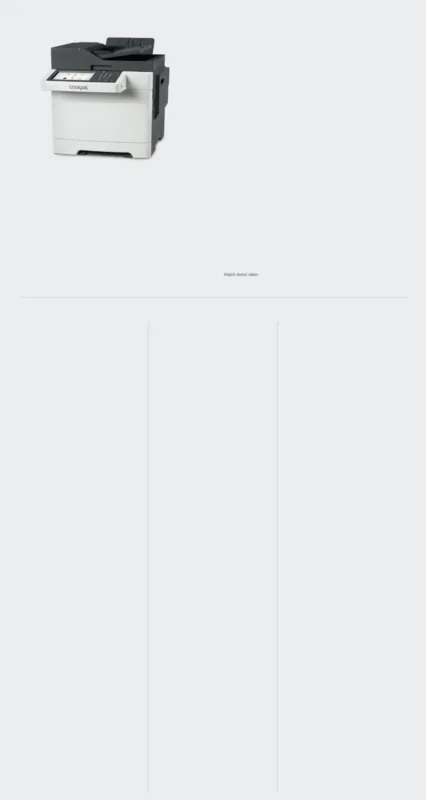
The Lexmark CX510de is a color multifunction laser printer designed for teams that need dependable printing, copying, scanning, e-mailing, and faxing in one productive device. The phrase Lexmark CX510de - Read, Download & Print Free highlights the value of having clear operating guidance available when setting up features, managing media, or maintaining daily performance.
Built for busy office workflows
This model combines a responsive touch-screen control panel with an automatic document feeder and scanner glass. The ADF handles multipage jobs, including two-sided pages, while the flatbed is useful for books, photos, cards, and delicate originals. Users can start copy jobs, send faxes, scan to e-mail, transfer scans to FTP destinations, or save them to shared network folders.
The customizable home screen helps keep common tasks close at hand. Applications such as Card Copy, Forms and Favorites, Multi Send, MyShortcut, Scan to Computer, Scan to FTP, and Scan to Network can simplify recurring work. Shortcuts can reduce the number of steps needed for routine copy, fax, and e-mail tasks.
Flexible paper handling and connectivity
The standard configuration includes a 250-sheet tray and manual feeder. Optional input accessories can expand capacity with a 650-sheet duo tray that includes a multipurpose feeder, plus an additional 550-sheet tray. This flexibility supports offices that regularly switch between standard paper, envelopes, labels, transparencies, card stock, and preprinted media.
The Lexmark CX510de supports USB and Ethernet connections, while optional wireless networking can be configured through the control panel, Wi-Fi Protected Setup, or the Embedded Web Server. Network administrators can use the printer IP address to view settings, configure applications, check reports, manage supplies, and copy configurations to other compatible units.
Management, security, and care
Practical controls help organizations manage print environments efficiently. The device supports held and confidential jobs, supply notifications, configuration export and import, and remote operation through a browser-based interface. Security options include a physical lock feature, memory-clearing procedures, and hard-disk security settings where supported.
Regular maintenance is straightforward when the correct paper settings and compatible media are used. Matching the paper size and type to each tray helps prevent jams and improves output consistency. The guide also emphasizes safe placement, adequate ventilation, proper lifting by two trained people, and careful handling around hot internal components.
Note: For consistent results, use laser-compatible media, keep paper dry and flat, and configure tray settings whenever the loaded stock changes.
The Lexmark CX510de is a practical choice for workgroups seeking a feature-rich color laser multifunction printer with flexible workflow tools and scalable paper input.
Search for 67,706 Manuals online


Type-in Brand or Model