
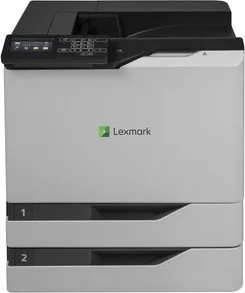
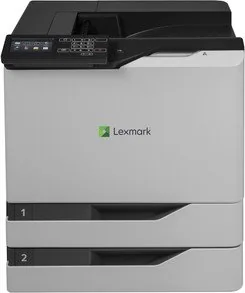

Lexmark CS820dte Manual
PDF manual · 139 Pages
English



Quick check
Incorrect answer, please try again.
Chat with your Lexmark CS820dte manual using AI
Get instant AI answers from your Lexmark CS820dte manual
Ask anything about the Lexmark CS820dte. Answers come from this manual, with the pages they are based on.
Ask a Question
Do you recommend CS820dte?
Yes NoFrequently Asked Questions
It fits busy offices that need reliable color output, strong paper handling, and secure document workflows. It is especially useful for shared environments with heavier print demands.
Is this answer helpful?
Yes. It supports several mobile printing options, including Lexmark Mobile Print, Mopria Print Service, AirPrint, and Google Cloud Print where available.
Is this answer helpful?
It offers confidential print settings, memory erasure, hard disk encryption, and access controls. These tools help reduce the risk of unauthorized access to stored data.
Is this answer helpful?
It can handle plain paper, specialty media, labels, envelopes, and card stock. Correct tray and paper-type settings are important for best results and fewer jams.
Is this answer helpful?
Users should monitor supplies, clean the printer periodically, clear jams promptly, and replace consumable parts like toner, imaging units, and rollers when needed.
Is this answer helpful?
Yes. It includes voice guidance, magnification mode, spoken prompts, gesture navigation, and display keyboard support to make operation easier for more users.
Is this answer helpful?
Advantages and Disadvantages
Advantages

- High-capacity color printing supports busy office workloads and keeps output professional.
- Flexible trays and feeder options make it easier to handle mixed paper sizes and specialty media.
- Built-in security features help protect sensitive documents and device data.
- Accessibility and mobile printing support improve convenience for different users and workflows.
Disadvantages

- The printer is large and may require careful placement and enough surrounding space.
- Multiple consumables and parts mean maintenance can be more involved over time.
- Paper type, tray, and media settings must be matched carefully to avoid jams or print issues.
- Best performance depends on genuine supplies, which can increase operating costs.
Product Specification
Format
A4
Type
Laser printer
Color system
4-color
Consumables
72K2X/K0/C0/M0/Y0, 72K20K0/C0/M0/Y0
Printing
1200x1200dpi - 57/57 ppm (A4)
Paper input
1200 sheets (2x 550 sheets + 1x 100 sheets), Duplex unit
Memory
1GB (RAM)
Ports
1x USB-B 2.0, 3x USB-A 2.0 (Host)
Network
Gb LAN, AirPrint, Universal Print (Azure Cloud Print), PIN Printing
Display
color, 4.3", Touchscreen
Power consumption
800W (typical), 80W (standby), 0.3W (sleep)
Sound pressure level
57.0dB(A)
Emulation
PCL 6, PCL 5c, PostScript 3, PPDS, PDF 1.7, XML
Dimensions
22.01x25.79x20.55in
Weight
158.07 lb
Special features
Blue Angel
Manufacturer warranty
1 year (On-site)
Product Description
Lexmark CS820dte Laser, Multicolor: A Business-Class Printer Built for Demanding Workflows
The Lexmark CS820dte Laser, multicolor is made for offices that need dependable output, fast turnaround, and a polished look on every page. It combines high-capacity printing with a sturdy design, making it a practical choice for teams that handle everything from daily reports to color-rich presentations. Instead of feeling like a basic desktop device, it behaves more like a true workhorse for shared environments.
One of its biggest strengths is flexibility. With support for multiple trays, a multipurpose feeder, and finishing options, this printer adapts well to changing print needs. That means less time spent reloading paper and more time focused on real work. It also handles specialty media, so labels, envelopes, card stock, and other common office materials can move through the same system with fewer complications.
The user experience is equally thoughtful. The control panel gives quick access to settings, job queues, held jobs, supply status, and applications that help streamline daily use. Features like voice guidance, magnification mode, and gesture-based navigation make the printer more approachable for a wider range of users. The Lexmark CS820dte Laser, multicolor Manual emphasizes these tools clearly, showing that the device is designed with both performance and usability in mind.
Security is another area where this model stands out. Businesses that manage confidential files will appreciate options such as encrypted storage, memory erasure, secure job release, and access controls. These features help protect sensitive data while giving administrators more confidence in shared office settings.
Maintenance is straightforward when the printer is treated as a long-term office investment. Consumables and components are organized in a way that supports targeted replacement, including toner, imaging parts, developer units, rollers, and waste toner handling. That approach can help preserve print quality and keep downtime under control.
Why It Stands Out
The CS820dte is well suited to organizations that want strong color printing, dependable paper handling, and practical security in one package. It is not just about printing faster; it is about keeping workflows stable, readable, and professional across busy workdays. For teams that value consistency and control, this printer delivers a solid balance of power and refinement.
Notes
- Best results come from using genuine Lexmark supplies.
- Match tray settings to the media loaded in the printer.
- Keep the device in a stable, well-ventilated location.
- Routine cleaning and timely part replacement help maintain quality.
Search for 67,706 Manuals online


Type-in Brand or Model