
Kobo Elipsa 2E Manual
PDF manual · 64 Pages
English



Quick check
Incorrect answer, please try again.
Chat with your Kobo Elipsa 2E manual using AI
Get instant AI answers from your Kobo Elipsa 2E manual
Ask anything about the Kobo Elipsa 2E. Answers come from this manual, with the pages they are based on.
Ask a Question
Do you recommend Elipsa 2E?
Yes NoFrequently Asked Questions
Press and hold the power button located on the side until the device turns on. To put it to sleep, press and release quickly. You can turn it off by holding until the Powered off screen appears.
Is this answer helpful?
Charge it for at least 30 minutes using the included cable. Try powering the reader off and back on. Replacing the stylus tip may also solve performance issues.
Is this answer helpful?
A fully charged Kobo eReader battery can last up to two months depending on usage frequency. Charging takes at least one hour before first use.
Is this answer helpful?
Go to the Home screen, tap the Sync icon at the top, then tap Sync now. This downloads ebooks, updates software, and bookmarks.
Is this answer helpful?
Yes, use the OverDrive service. You need a library card and Wi Fi. Tap the OverDrive icon in settings to sign in and borrow.
Is this answer helpful?
Go to My Books, tap and hold the book cover, select More, then choose Remove from eReader or Delete from My Books account.
Is this answer helpful?
Advantages and Disadvantages
Advantages

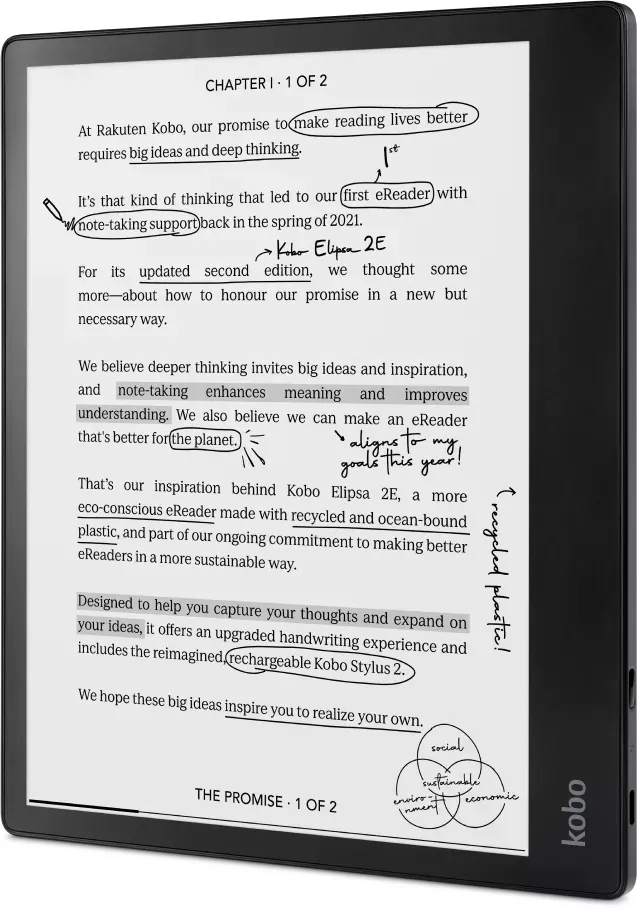
- Large 10.3 inch glare free screen mimics paper
- Kobo Stylus 2 supports pressure sensitive writing
- Natural Light adjusts color for day or night
- Battery lasts up to two months on one charge
- Supports OverDrive for library borrowing
Disadvantages

- No waterproofing protection for liquid damage
- Stylus must be charged separately via USB
- Some PDF formats do not support font changes
- Screen orientation may not lock in all apps
- Cannot write on protected DRM files
Product Specification
Technology
E-Ink Carta 1200 "Electronic Paper"
Display Size
10.3", 16 Grayscale Levels, 227ppi
Resolution
1404x1872
Internal Storage
32GB Flash
Supported File Formats
EPUB, EPUB3, Flipped PDF, PDF, MOBI, JPEG, GIF, PNG, BMP, TIFF, TXT, HTML, RTF, CBZ, CBR
Wireless
WLAN 802.11a/b/g/n/ac
Ports
1x USB-C 2.0
Battery
Li-Polymer Battery, 3000mAh
Dimensions
8.94 x 7.60 x 0.30 in
Color
Black (Device)
Weight
0.86 lbs
Features
Multi-Touchscreen, Digitizer, Stylus (Kobo Stylus 2), Protective Case, Backlit Display, Adjustable Blue Light Filter, Accelerometer, Light Sensor
Product Description
Kobo Elipsa E2 Product Overview
Welcome to the Kobo Elipsa E2 reading experience. This device offers a massive ten point three inch screen. If you wish to learn more features, search for the Kobo Elipsa E2 Manual online. The glare free paper like screen ensures comfort. Natural Light adjusts color for day or night. Battery lasts up to two months. Charge with USB C. Power button toggles sleep or off. Sleep returns to page. Off returns home. Wi Fi syncs books. Bluetooth pairs audio. Charging indicator on stylus glows orange. White means full. Flicker means low.
Writing and Notes
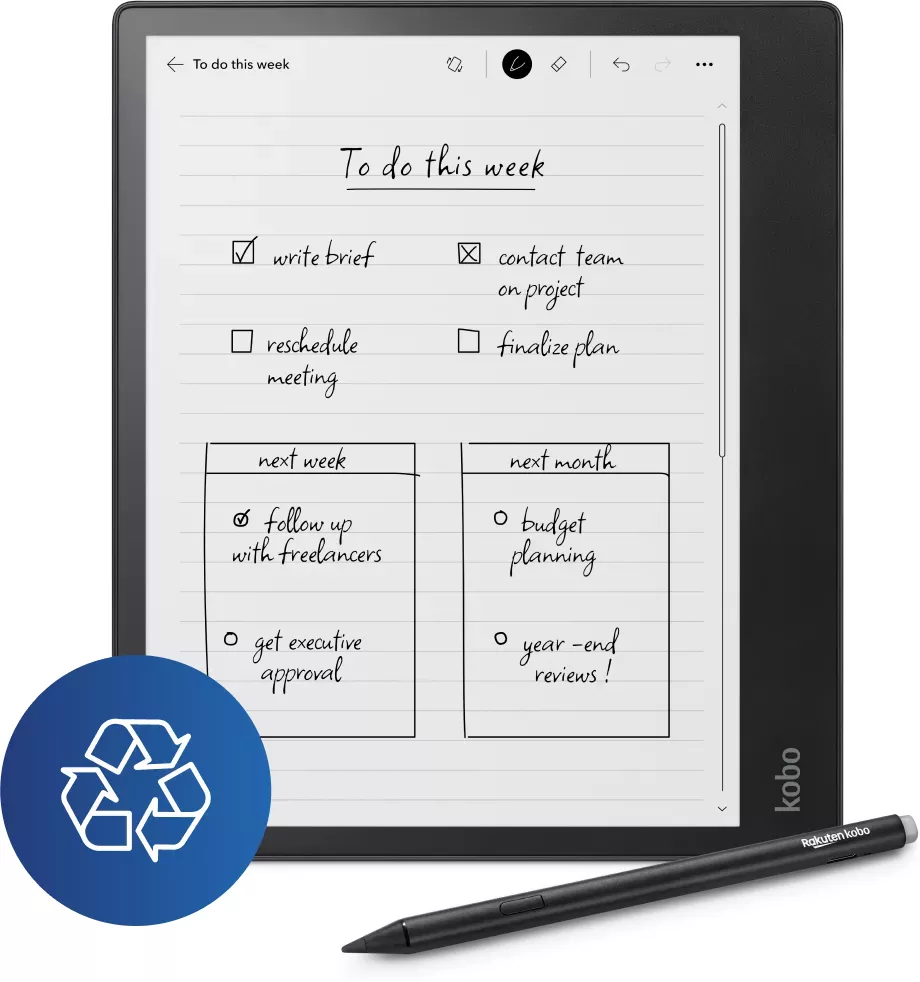
Writing notes is a key feature. Kobo Stylus 2 mimics pen pressure. Thick lines need pressure. Thin lines need light touch. Gestures edit handwriting easily. Scribble to erase. Draw line to join. Draw line to split. Headings get underlines. Export notes to text format. Backup protects against reset. Advanced notebooks convert text. Basic notebooks stay as handwriting. You can draw diagrams too. Scribble icon views notes in margins. List shows annotations. Deleting removes permanently. PDF zoom lets drag pages. Pen icon selects style. Eraser removes ink. Undo reverts changes. Redo restores changes.
Library and Book Management
Managing books includes buying or borrowing. Tap store to browse. Enter title to search. Use credit card or gift cards. Sync downloads purchased items. Library cards allow free OverDrive loans. Connect to Wi Fi to find library. Borrow books directly. Return times are automatic. Delete removes from account or device. Sync restores if removed from device. Font size changes easily. Line spacing adjusts too. Margins grow with tabs. Justification aligns left or right. PDFs zoom but fonts stay fixed. My Books menu lists titles. Filter by audiobooks or ebooks. Sort by name or date. Search filters apply scope.
Troubleshooting and Setup
Troubleshooting covers frozen screens. Hold power to force off. Account repair fixes missing books. Sign out and back in resets setup. Factory reset wipes everything. Manual reset restores settings. Power cord charges first. Screen turns black on restore. Desktop app aids setup. Help center lists safety. Warranty details exist online. Audio plays at variable speed. Skip thirty seconds. Timeline skips chapters. Bookmarks mark favorites. Dog ear icon appears. Sync keeps progress current. Airplane mode saves battery. Check icons for status. Sleep interrupts sync. Wake restores screen. Safety instructions online. Enjoy your new library. Stylus responsive charging takes thirty minutes. Replacing tips helps usability. Tips on help center guide repair. Wi Fi status icons show connection strength. Home screen icons access sync and wifi.
Search for 67,706 Manuals online


Type-in Brand or Model