

Free Kobo Manuals – Read, Download & Print
2 Manuals
Manuals
Categories

Free Kobo Manuals - Read, Download & Print
Introduction to Comprehensive E-Reader Support
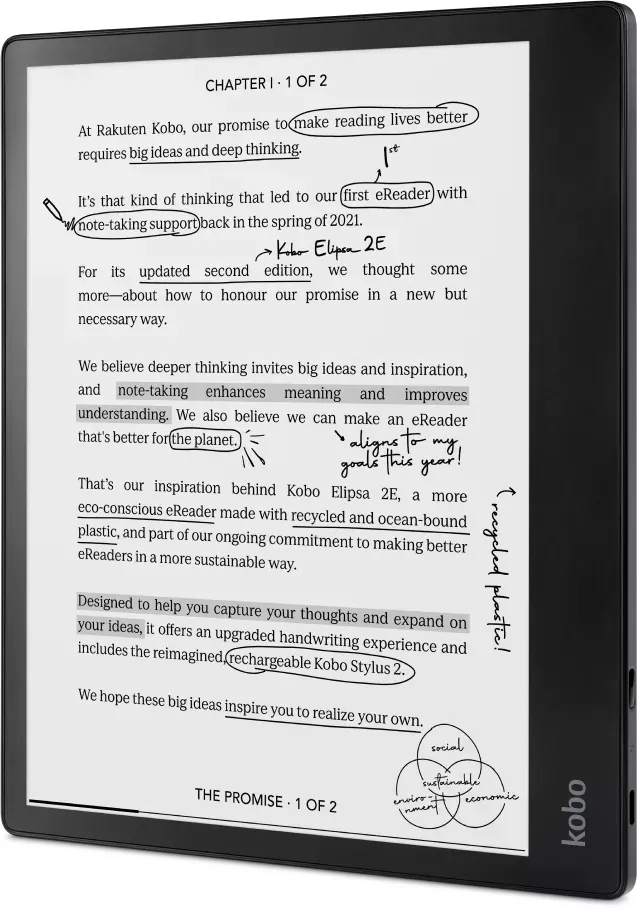
In the rapidly evolving world of digital reading, Kobo has established itself as a leading manufacturer of e-readers and tablets. With a diverse lineup of devices ranging from the compact Kobo Clara to the premium Kobo Libra and the all-in-one Kobo Elipsa, users require reliable guidance to maximize their experience. This guide serves as your central hub for accessing free Kobo manuals. Whether you are setting up a new device, troubleshooting a persistent issue, or simply exploring advanced features, having the official documentation readily available is essential. The following sections detail how to read, download, and print these vital resources to ensure seamless operation of your e-reader.
Understanding the Value of Official Documentation
Owning a Kobo device is an investment in your reading journey, but that investment only pays off when you understand the full capabilities of your hardware. Official manuals provide accurate, up-to-date information directly from the source. Unlike third-party blogs or forums where advice may be outdated or incorrect, official documentation guarantees that instructions align with the specific firmware version and model of your device. These guides cover everything from initial unboxing and setup to complex settings adjustments like font customization, sleep mode configuration, and library management. By utilizing these free resources, users can avoid common pitfalls, extend the lifespan of their battery, and fully utilize the ecosystem of features designed to enhance readability and comfort.
How to Access and Read Manuals Online
Accessing Kobo manuals online is a straightforward process designed for user convenience. Most users prefer to view instructions directly on their computer or mobile device before attempting any physical changes to their e-reader. To begin, visit the official Kobo support website. Navigate to the support section and select the specific model of your device from the extensive list. Once the product page loads, look for the Downloads or Documentation tab. Here, you will find links to the User Guide, Quick Start Guide, and other relevant technical documents. These files are typically provided in PDF format, ensuring compatibility across various operating systems including Windows, macOS, Linux, iOS, and Android. You can open these files using standard web browsers or dedicated PDF readers, allowing you to search for keywords, zoom into diagrams, and navigate through chapters easily without needing to install additional software.
Downloading Guides for Offline Use
While reading online is convenient, many users prefer to have their manuals stored locally for quick access without an internet connection. This is particularly useful for travelers or those who frequently read in areas with limited connectivity. The download process is simple and free. After locating the correct manual on the support page, click the download link associated with the User Guide. Your browser will prompt you to save the file to your preferred directory. Once downloaded, the PDF file remains on your device, ready for immediate use. It is advisable to organize these files in a dedicated folder labeled Kobo Manuals to keep them accessible alongside other important documents. Having offline copies ensures that you can reference troubleshooting steps or feature explanations at any time, whether you are commuting on a train or relaxing in a cabin with no Wi-Fi signal.
Printing Manuals for Physical Reference
For readers who prefer tangible references, printing the Kobo manuals is a viable option. Some users find it easier to follow step-by-step instructions by flipping through printed pages rather than scrolling on a screen. To print your manual, open the downloaded PDF file using a PDF viewer such as Adobe Acrobat Reader, Preview on Mac, or any built-in browser print function. Ensure that your printer settings are configured correctly to handle the document size, which is usually standard letter or A4 paper. You can choose to print the entire guide or select specific pages if you only need information on a particular topic, such as connecting to Wi-Fi or adjusting brightness. When printing, consider using double-sided printing to save paper and reduce clutter. Laminating frequently used pages, such as the quick start guide or troubleshooting checklist, can further protect them from wear and tear, creating a durable reference sheet for your desk or bedside table.
Key Sections Covered in Kobo Manuals
The comprehensive nature of Kobo manuals means they address a wide array of topics to assist users of all skill levels. The introduction typically covers the contents of the box, helping you identify the e-reader, charger, and USB cable. The setup section provides detailed instructions on connecting the device to a computer, installing the Kobo desktop application, and syncing your personal library or borrowing ebooks from local libraries. A significant portion of the manual is dedicated to the interface, explaining how to navigate the home screen, adjust display settings like contrast and font size, and manage your bookshelf. Advanced users will appreciate sections on accessibility features, such as text-to-speech functionality, adjustable line spacing, and night mode settings that reduce eye strain during evening reading sessions. Additionally, the troubleshooting chapter offers solutions to common problems, including what to do if the device freezes, how to reset the system, and steps to take if the device fails to charge.
Maximizing Device Performance with Manual Insights
Beyond basic operation, the manuals contain valuable insights for optimizing performance. For instance, understanding power management settings can significantly extend battery life between charges. The documentation explains how to enable sleep mode effectively and how to configure auto-lock timers to prevent unnecessary battery drain. Furthermore, the guides often include tips on maintaining the device, such as cleaning the screen safely and storing the e-reader in optimal conditions to preserve the electronic ink display. By reading these sections, users can prevent minor issues from becoming major headaches. The manuals also serve as a reference for firmware updates, guiding users through the process of keeping their device current with the latest features and security patches. Staying informed through these resources ensures that your Kobo e-reader remains a reliable companion for years to come.
Conclusion: Empowering Your Reading Experience
Free Kobo manuals are an indispensable tool for anyone owning one of these innovative e-readers. They bridge the gap between hardware potential and user knowledge, empowering individuals to explore every feature their device offers. Whether you choose to read the guides online, download them for offline access, or print them for a physical copy, the availability of this information is a testament to the commitment to customer satisfaction. By taking the time to familiarize yourself with the contents of these manuals, you ensure a smoother, more enjoyable reading experience. Do not hesitate to explore the documentation; it holds the key to unlocking the full potential of your Kobo device, transforming it from a simple ebook reader into a personalized library tailored exactly to your preferences.
Search for 67,706 Manuals online


Type-in Brand or Model