
Jonsbo V8 Manual
PDF manual · 2 Pages
English



Quick check
Incorrect answer, please try again.
Chat with your Jonsbo V8 manual using AI
Get instant AI answers from your Jonsbo V8 manual
Ask anything about the Jonsbo V8. Answers come from this manual, with the pages they are based on.
Ask a Question
Do you recommend V8?
Yes NoFrequently Asked Questions
The Jonsbo V8 is designed to accommodate 240mm radiators, making it suitable for custom loop water cooling systems. The modular interior allows for strategic placement of these radiators to optimize thermal performance.
Is this answer helpful?
The chassis features dedicated installation areas for multiple 2.5-inch SSDs and 3.5-inch HDDs. Specific capacity depends on your chosen configuration, but ample space is available for comprehensive storage needs.
Is this answer helpful?
While the modular design offers great flexibility, it requires careful planning during assembly. Following the detailed manual ensures a smooth build process, though it may take longer than standard non-modular cases.
Is this answer helpful?
Yes, the Jonsbo V8 provides generous clearance for long and thick graphics cards. The internal layout is designed to prevent interference between the GPU and other components like the power supply or cooling radiators.
Is this answer helpful?
The power supply is mounted at the bottom of the chassis. This location facilitates cleaner cable management and helps direct cool air towards the PSU intake, improving overall system efficiency.
Is this answer helpful?
Advantages and Disadvantages
Advantages

- Modular design allows for flexible component layout and future upgrades
- Supports large 240mm radiators and extensive GPU clearance
- Dedicated and organized bays for both 2.5-inch SSDs and 3.5-inch HDDs
Disadvantages

- Complex assembly may require patience for first-time builders
- Limited color options compared to some modern RGB-focused cases
- Cable routing can be tight in certain modular configurations
Product Specification
Extern
N/A
Intern
2x 3.5", 1x 2.5"
Connections
1x USB-C 3.0 (5Gb/s), 1x USB-A 3.0 (5Gb/s), 1x 3.5mm Jack (Line-In/Out)
PCI Slots
2 (2x Riser Card)
Fan (front)
1x 7.87"
Fan (rear)
1x 5.51" (optional)
Fan (left)
N/A
Fan (right)
N/A
Fan (top)
2x 4.72" (optional)
Fan (bottom)
N/A
Fan (other)
N/A
Radiator sizes
N/A front, 4.72/9.45" top
Motherboard
up to Mini-DTX
Supported Motherboards
Mini-ITX (6.7"x6.7")/Mini-DTX (8"x6.7")
Power Supply
SFX-L (max. 4.92" deep)
Power Supply Position
front
CPU Cooler
max. 7.68" height
Graphics Cards
max. 13"
Lighting
no lighting
Dimensions (WxDxH)
9.84x10.24x15.35"
Volume
0.89 cu ft
Weight
12.79 lbs
Case Type
ITX/DTX
Front
closed, ventilation slots top, ventilation slots bottom, ventilation slots side
Top
partially closed, mesh, mostly fan grille, dust filter inside
Bottom
closed
Left
partially closed, mesh, mostly fan grille, dust filter
Right
partially closed, mesh, mostly fan grille, dust filter
Back
partially closed, fan grille left top, PCI slots bottom (2x vertical)
Front I/O Position
Case side: Front, Height: bottom, Position: center
Motherboard Orientation
Motherboard orientation: up; Connections: connections back
Features
motherboard sled, graphics card mountable vertically
USB Spelling
Link
Product Description
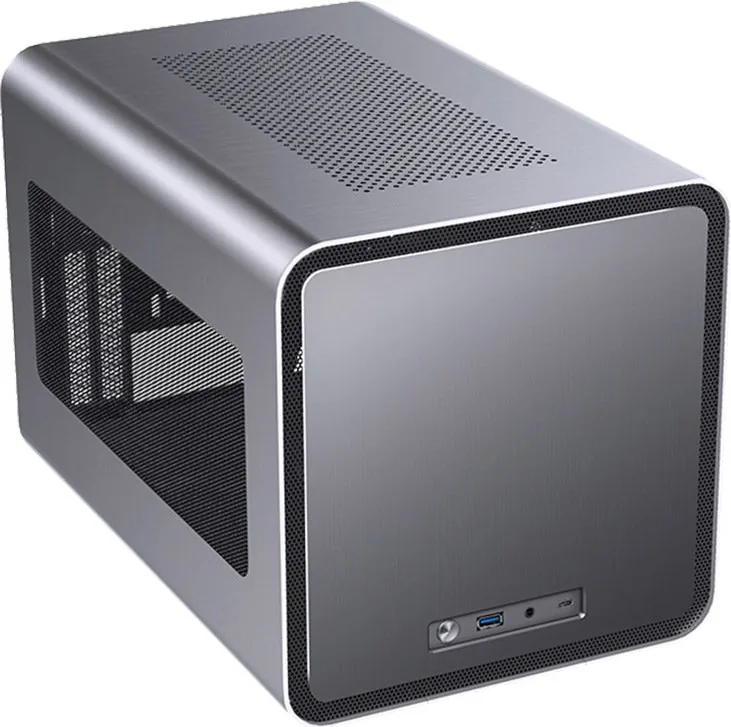
Discover the Jonsbo V8: The Ultimate Modular PC Experience
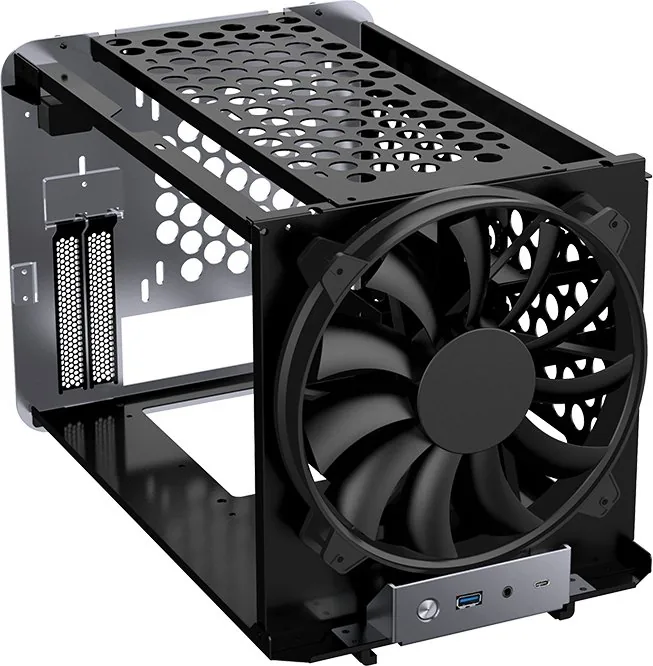
The Jonsbo V8 represents a significant leap forward in computer chassis design, offering enthusiasts and builders a unique modular approach to system assembly. This case is engineered for those who demand flexibility without compromising on aesthetics or functionality. By integrating a versatile internal structure, the Jonsbo V8 allows users to customize their build layout with unprecedented freedom, making it an ideal choice for complex water-cooling setups or high-performance air cooling configurations.
At the heart of the Jonsbo V8 lies its innovative chassis design, which prioritizes ease of access and thermal efficiency. The manual for this unit guides users through a streamlined installation process that covers everything from radiator mounting to motherboard placement. Unlike traditional cases that force a specific component arrangement, the V8 encourages experimentation. Whether you are installing a massive 240mm radiator or organizing multiple storage drives, the internal space is optimized to accommodate diverse hardware needs.
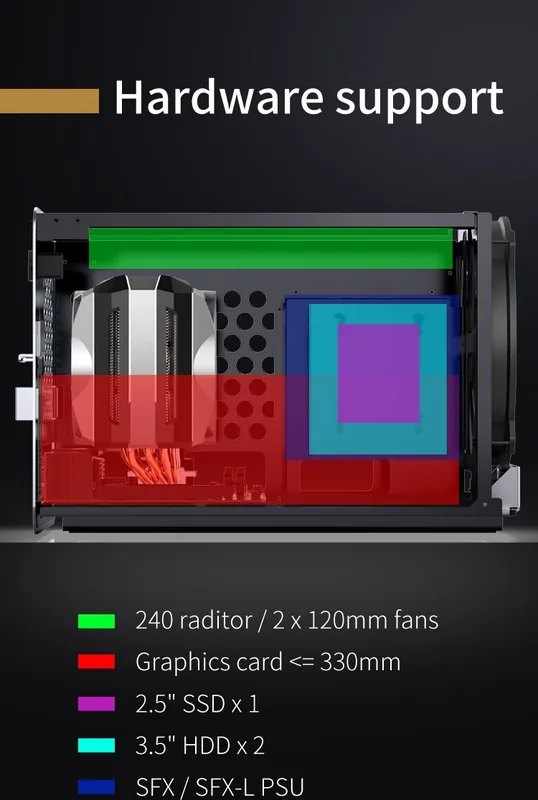
One of the standout features of the Jonsbo V8 is its support for various drive types. The case includes dedicated bays for both 2.5-inch SSDs and 3.5-inch HDDs, ensuring that your data storage solutions are secure and easily accessible. The installation guide details how to properly mount these drives to minimize vibration and noise, contributing to a quieter overall system operation. Additionally, the graphics card installation area is designed to handle long and thick GPUs, providing ample clearance for even the most demanding visual processing units.
Power supply management is another critical aspect addressed in the Jonsbo V8 documentation. The power supply compartment is located at the bottom, allowing for clean cable routing and improved airflow. This thoughtful placement helps keep heat away from other sensitive components while maintaining a tidy interior. The installation process involves securing the power supply firmly and connecting cables efficiently, a task made easier by the clear instructions provided in the manual.
Key Highlights of the Build
Building with the Jonsbo V8 is an experience defined by precision and modularity. The case supports advanced cooling solutions, including liquid cooling radiators up to 240mm, which can be mounted in various positions depending on your thermal requirements. The modular nature of the chassis means that you can reconfigure the interior as your needs change over time. This adaptability makes the Jonsbo V8 a future-proof investment for any serious PC builder.
Important Notes for Builders
When assembling your system, always refer to the specific installation steps outlined in the official guide. Pay close attention to the screw specifications and torque requirements to ensure structural integrity. Proper cable management is essential for optimal airflow and should be completed before finalizing the chassis closure. Remember that the modular design allows for creative layouts, so do not hesitate to test different configurations to find what works best for your specific hardware.
Search for 67,706 Manuals online


Type-in Brand or Model