
Jonsbo Jonsplus i100 Pro Manual
PDF manual · 20 Pages
English



Quick check
Incorrect answer, please try again.
Ask a Question
Do you recommend Jonsplus i100 Pro?
Yes NoFrequently Asked Questions
The main feature is its support for vertical graphics card installation, which improves cooling and showcases the GPU visually while maintaining a sleek design.
Is this answer helpful?
Yes, the spacious interior is designed to accommodate various motherboard sizes, including ATX and micro-ATX boards, without crowding components.
Is this answer helpful?
Remove the top cover and side glass panel, then follow the provided steps to mount the GPU vertically using the included adapters and brackets.
Is this answer helpful?
Yes, the Jonsbo Jonsplus i100 Pro includes a height increase stand option that allows for flexible placement and improved airflow under the unit.
Is this answer helpful?
While it requires some basic knowledge, the modular design and included accessories make the process manageable for most users with patience.
Is this answer helpful?
Advantages and Disadvantages
Advantages

- Supports vertical graphics card installation for better cooling and aesthetics
- Modular design allows for flexible customization and easy upgrades
- Spacious interior accommodates various motherboard sizes comfortably
- Includes height increase stand options for versatile desk placement
- High-quality construction ensures durability and long-term reliability
Disadvantages

- Requires removal of top cover and side glass for initial GPU setup
- May need additional tools for precise vertical mounting alignment
- Limited color options compared to some competitors in the market
- Cable management could be improved with more dedicated channels
- Height adjustment mechanism may require extra effort to lock securely
Product Specification
Extern
N/A
Intern
1x 2.5"/3.5", 2x 2.5"
Ports
1x USB-C 3.0 (5Gb/s), 1x USB-A 3.0 (5Gb/s), 1x 3.5mm Jack (Line-Out), 1x 3.5mm Jack (Line-In)
PCI Slots
2 (2x Riser Card); incl. PCIe Riser Card (PCIe 3.0 x16, 8.15")
Fan (front)
N/A
Fan (rear)
N/A
Fan (left)
N/A
Fan (right)
N/A
Fan (top)
3x 4.72" (optional)
Fan (bottom)
3x 4.72" (optional)
Fan (other)
N/A
Radiator Sizes
N/A front, 4.72/9.45/11.02/14.17" top
Motherboard
up to Mini-DTX
Supported Motherboards
Mini-ITX (6.7"x6.7")/Mini-DTX (8"x6.7")
Power Supply
ATX (max. 6.89" deep with vertical GPU without bottom fan, 5.91" with vertical GPU with bottom fan, 5.51" with horizontal GPU), SFX (max. 4.53" deep, with horizontal GPU and radiator)
PSU Position
front (vertical)
CPU Cooler
max. 6.54" height (with horizontal GPU, 3.03" with vertical GPU)
Graphics Cards
max. 13.58" (14.69" without HDD cage)
Lighting
no lighting
Dimensions (WxDxH)
7.64x12.09x17.13"
Volume
1.58 cu ft
Weight
14.77 lbs
Chassis Type
ITX/DTX
Front
closed
Top
partially closed, Mesh, mostly fan grille, dust filter inside
Bottom
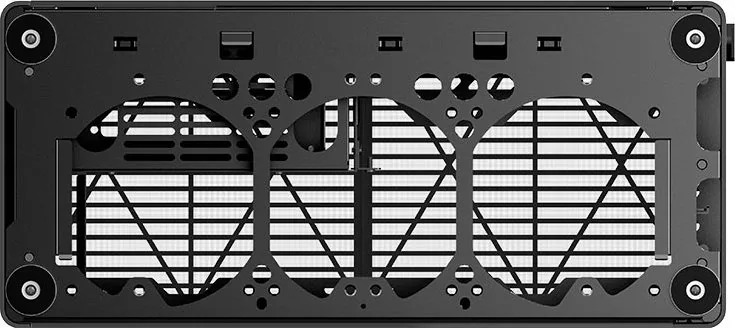
partially closed, mostly fan grille, dust filter outside
Rear
partially closed, dust filter inside, PCI slots (modular, 2x horizontal or Variant 2: 2x vertical)
Front I/O Position
Chassis side: top, Height: Front, Position: right
USB Spelling
Link
Product Description
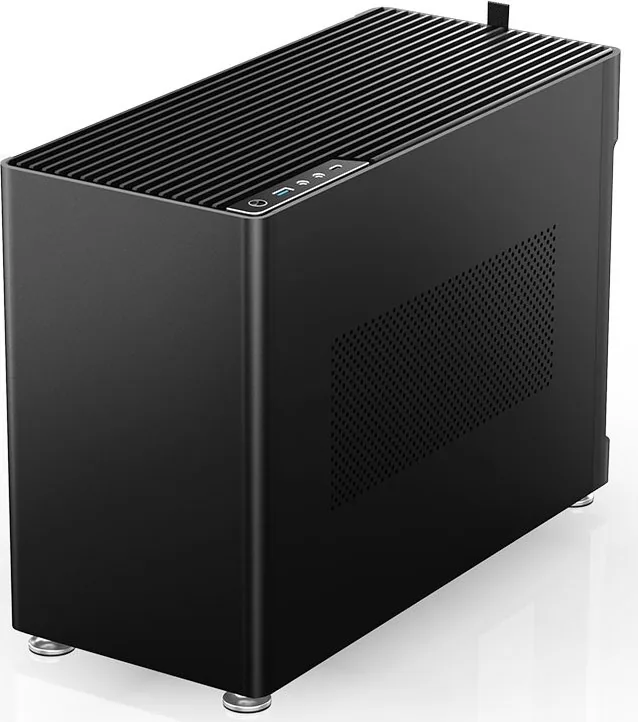
Jonsbo Jonsplus i100 Pro: The Ultimate Modular PC Experience
The Jonsbo Jonsplus i100 Pro stands out as a versatile chassis designed for enthusiasts who demand both aesthetics and functionality. This case offers a unique modular approach to building, allowing users to customize their setup with ease. Whether you are a gamer seeking optimal airflow or a professional needing a clean workspace, the Jonsplus i100 Pro adapts to your needs.
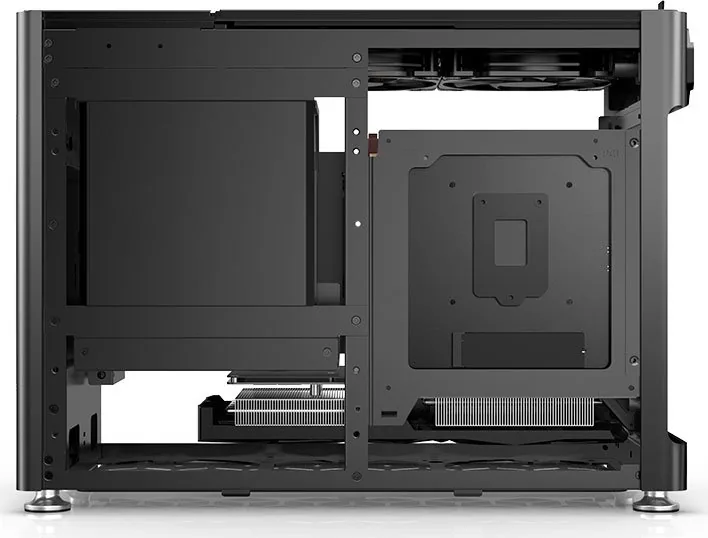
One of the standout features is its support for vertical graphics card installation. This innovative design not only saves space but also enhances the visual appeal of your build by showcasing your GPU. The installation process is straightforward, requiring you to remove the top cover and side glass panel to access the necessary mounting points. Once configured, your graphics card sits upright, offering better cooling efficiency and a stunning display.
The chassis also excels in motherboard compatibility. Its spacious interior accommodates various board sizes, ensuring a comfortable fit without crowding components. The included accessories simplify the assembly, making it accessible even for those new to PC building. Additionally, the height increase stand option provides flexibility for different desk setups, ensuring stability and proper ventilation underneath the unit.
Building with the Jonsbo Jonsplus i100 Pro is an experience defined by precision and modularity. The case supports manual adjustments that allow for a tailored fit, ensuring that every component is securely placed. From cable management to thermal performance, this chassis delivers on all fronts, making it a top choice for modern builds.
Key Highlights
- Vertical GPU mounting for enhanced visuals and cooling.
- Modular design allows for easy customization and upgrades.
- Spacious interior fits a wide range of motherboards.
- Height increase stand options for flexible placement.
- High-quality materials ensure durability and style.
Whether you are upgrading an existing system or starting from scratch, the Jonsbo Jonsplus i100 Pro provides the foundation for a high-performance machine.
Search for 67,706 Manuals online


Type-in Brand or Model