
Jonsbo D41 Manual
PDF manual · 19 Pages
English



Quick check
Incorrect answer, please try again.
Chat with your Jonsbo D41 manual using AI
Get instant AI answers from your Jonsbo D41 manual
Ask anything about the Jonsbo D41. Answers come from this manual, with the pages they are based on.
Ask a Question
Do you recommend D41?
Yes NoFrequently Asked Questions
The D41 supports ITX, mATX and full-size ATX motherboards, giving flexibility for compact to standard builds.
Is this answer helpful?
Graphics card length varies with PSU position and cooling choices. Typical supported lengths range from about 330mm up to 400mm; using the recommended PSU positions and avoiding certain top-mounted radiators yields maximum clearance.
Is this answer helpful?
Yes—top radiator support includes 240/280/360mm options. Note that installing a 360mm top radiator may require a shorter PSU (around 140mm) to preserve GPU installation space.
Is this answer helpful?
There is a screened version. If you have that model, you should consult the screen instructions and pre-install HDMI and USB Type-C cables before placing the motherboard to ensure proper routing and connection.
Is this answer helpful?
The case accommodates three 2.5" SSDs and two 3.5" HDDs. The HDD cage is removable to free additional space for longer or thicker graphics cards.
Is this answer helpful?
The front panel includes USB 3.2 Gen2 Type-C, one USB 3.0 port, and a combined audio/mic jack for convenient modern connectivity.
Is this answer helpful?
Route front-panel and fan cables behind the motherboard tray before screwing components in. Connect fan and front I/O headers to the motherboard early, then secure screws to keep airflow unobstructed and the interior tidy.
Is this answer helpful?
Advantages and Disadvantages
Advantages

- Compact mid-tower footprint (205 x 407 x 452 mm) supporting ITX/mATX/ATX boards.
- Flexible PSU rack with 4-level adjustment to maximize GPU clearance in multiple layouts.
- Supports up to 360mm top radiator and multiple fan configurations for strong cooling options.
- Front I/O includes USB 3.2 Gen2 Type-C, USB 3.0 and audio/mic for modern connectivity.
- Removable HDD cage and dust filter simplify installation and increase GPU space when needed.
Disadvantages

- GPU length depends on PSU position and radiator choice; may require shorter PSU for max clearance.
- Screened variant requires pre-routing of HDMI/Type-C before motherboard installation.
- Top-mounted 360mm radiator limits preferred PSU length and may complicate cable management.
- Limited front fan count (single 120mm optional) compared with larger towers.
- 3.5" HDD placement can conflict with GPU in certain configurations requiring repositioning.
Product Specification
External
N/A
Internal
2x 3.5", 3x 2.5"
Ports
1x USB-C 3.1 (10Gb/s, 20-Pin Key-A Header), 1x USB-A 3.0 (5Gb/s), 1x 0.14in jack (Line-In/Out)
PCI Slots
7
Fan (front)
1x 4.72in (optional)
Fan (rear)
1x 4.72in (optional)
Fan (left)
N/A
Fan (right)
N/A
Fan (top)
3x 4.72in (optional) or 2x 5.51in (optional)
Fan (bottom)
3x 4.72in (optional) or 2x 5.51in (optional)
Fan (other)
N/A
Radiator sizes
N/A front, 4.72/5.51/9.45/11.02/14.17in top, 4.72in rear, 4.72/9.45/14.17in bottom
Motherboard
up to ATX
Supported Motherboards
Mini-ITX (6.7"x6.7")/mATX (9.6"x9.6")/ATX (12"x9.6")
Power supply
ATX (max. 8.66in deep)
PSU position
front (vertical)
CPU cooler
max. 6.61in height
Graphics cards
max. 15.75in (with PSU <= 5.51in, 14.17in with PSU <= 5.91in, 14.17in with PSU = 7.09in)
Lighting
without lighting
Dimensions (WxHxD)
8.07x16.02x17.80in
Volume
9.96 gal
Case type
Midi-Tower
Top
partially closed, Mesh, mostly fan grille
Bottom
partially closed, mostly fan grille, external dust filter
Left
closed, Glass
Right
closed
Rear
partially closed, fan grille center right, PCI slots bottom (7x horizontal)
Front I/O Position
Case side: Front, Height: bottom, Position: right
USB notation
Link
Product Description
Jonsbo D41 — Compact, Flexible Mid-Tower
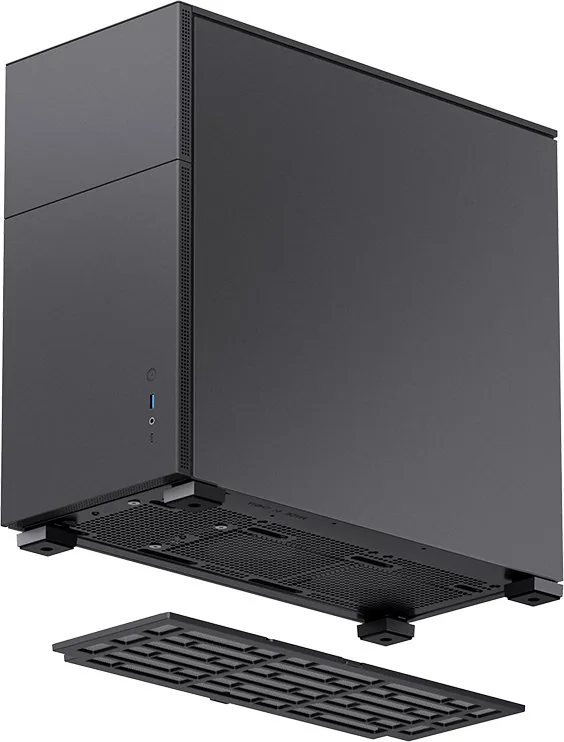
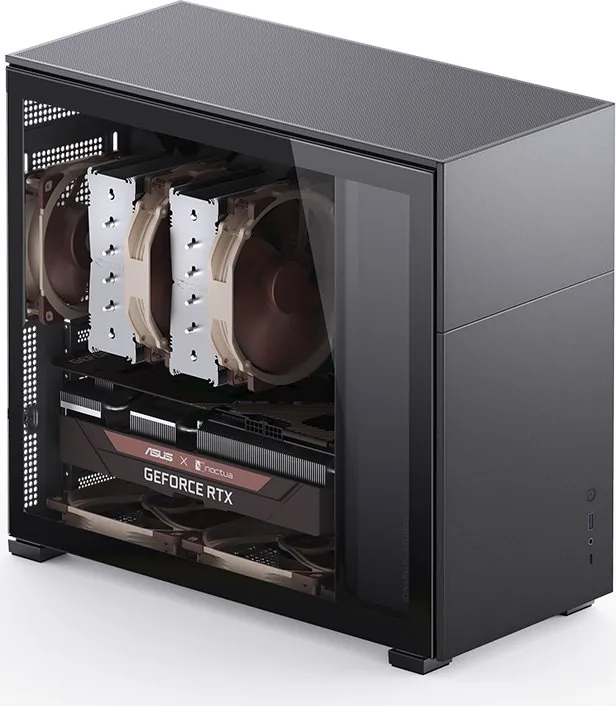
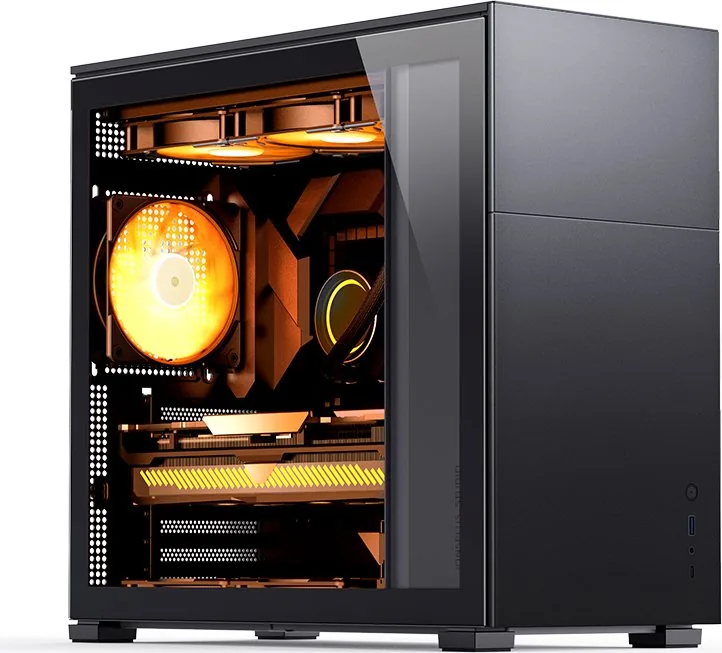
The Jonsbo D41 is a thoughtfully engineered mid-tower case that balances compact dimensions with versatile hardware support. Sized at 205mm (W) x 407mm (H) x 452mm (D), it supports ITX, mATX and ATX motherboards while offering multiple drive bays: three 2.5" SSD slots and two 3.5" HDD bays. A distinctive option is a screen-equipped variant; if you choose that model, front HDMI and USB Type-C cabling should be pre-routed before motherboard installation.
Internally the D41 provides adaptable layouts for power supplies and graphics cards. The PSU rack features four adjustable mounting heights so you can optimize GPU clearance. Depending on PSU position and top cooling choices, graphics card accommodation ranges from about 330mm up to 400mm. For builds using a 360mm top radiator, a shorter PSU (~140mm) is recommended to maximize GPU length.
Cooling and radiator compatibility are strong selling points. The chassis can host up to three 120mm or two 140mm fans on top, a single 120mm rear fan, and multiple bottom fan configurations (120mm3 or 140mm2). Radiator support includes top 240/280/360mm, rear 120mm, and bottom 240/360mm. Cable routing behind the motherboard tray and securing fan connectors before final fastening are recommended for a clean build and unobstructed airflow.
Installation convenience is emphasized with removable panels, a detachable dust filter, an HDD cage that can be taken out for expanded GPU space, and a removable PSU bracket. The case provides clear screw and accessory organization and multiple HDD mounting modes to accommodate thick or long GPUs when using the second PCI-E slot. Front I/O includes USB 3.2 Gen2 Type-C, USB 3.0, and combined audio/mic jacks for modern connectivity.
Design-wise, the D41 targets builders who need compact footprints without sacrificing expandability: support for ATX or mATX boards, flexible GPU and PSU placements, multiple radiator and fan options, and ample storage configurations. The presence of a screen variant adds a niche visual option for users seeking integrated display functionality at the front of the chassis.
Notes
- Pre-install HDMI and Type-C cables if using the screened version.
- PSU length and top radiator choices directly affect GPU clearance; plan dimensions accordingly.
- Route fan and front-panel cables behind the MB tray before finalizing hardware.
Search for 67,706 Manuals online


Type-in Brand or Model