
Jonsbo D40 Manual
PDF manual · 2 Pages
English



Quick check
Incorrect answer, please try again.
Chat with your Jonsbo D40 manual using AI
Get instant AI answers from your Jonsbo D40 manual
Ask anything about the Jonsbo D40. Answers come from this manual, with the pages they are based on.
Ask a Question
Do you recommend D40?
Yes NoFrequently Asked Questions
The Jonsbo D40 typically supports Mini-ITX and Micro-ATX motherboards. Its internal layout and standoff positions cater to these common small to mid compact form factors, making it suitable for compact gaming and productivity builds.
Is this answer helpful?
The D40 accommodates a wide range of consumer GPUs, but very long or triple-fan high-end models may be constrained. Always check the case’s GPU clearance specification and compare with your GPU length to ensure a proper fit.
Is this answer helpful?
Yes, the D40 supports compact liquid cooling radiators in front and/or top positions depending on the specific internal layout. It is best suited for 120mm to 240mm radiators typical of AIO coolers in small-form-factor builds.
Is this answer helpful?
The D40 includes basic cable routing channels, tie points, and routing cutouts to help hide cables behind the motherboard tray. While not as roomy as larger cases, these features allow for a neat build when using modular PSUs and careful cable planning.
Is this answer helpful?
Yes, the D40 typically includes removable dust filters on intake locations and easily removable panels for maintenance. Regular cleaning of filters is recommended to preserve airflow and cooling efficiency.
Is this answer helpful?
Advantages and Disadvantages
Advantages

- Tempered glass side panel provides a clean showcase for components and RGB lighting.
- Compact footprint with generous compatibility for GPUs and CPU coolers in its class.
- Multiple fan and radiator mounting points enable flexible air or liquid cooling setups.
- Removable dust filters and cable management features help maintain airflow and tidy builds.
- Builder-friendly design with accessible panels, tool-free bays, and standard internal connectors.
Disadvantages

- Smaller form factor limits extreme high-end cooling and very large multi-GPU setups.
- Tempered glass can increase internal temperatures if airflow isn't optimized.
- Limited drive bay count compared with larger mid-tower cases.
- Front I/O set is essential but may lack more advanced ports found on premium cases.
- Some cable routing spaces may be tight with larger power supplies or dense cabling.
Product Specification
External
N/A
Internal
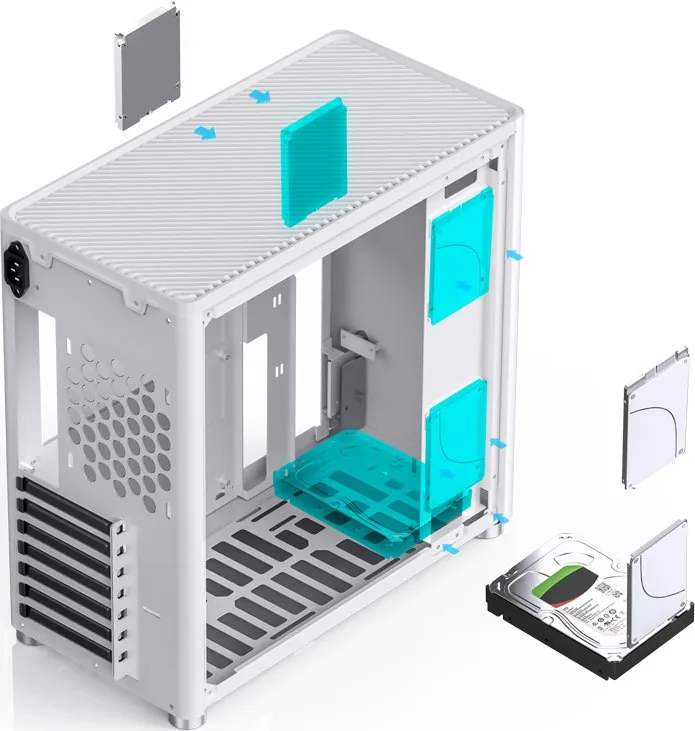
1x 2.5"/3.5", 3x 2.5"
Ports
1x USB-C 3.0 (5Gb/s), 1x USB-A 3.0 (5Gb/s), 1x 3.5mm jack (Line-In/Out)
Fans (front)
N/A
Fans (rear)
1x 4.72in (optional)
Fans (left)
N/A
Fans (right)
N/A
Fans (top)
2x 5.51in (optional)
Fans (bottom)
2x 5.51in (optional)
Fans (other)
N/A
Radiator sizes
N/A front, 4.72/9.45in top, 4.72in rear, 4.72/9.45in bottom
Motherboard
up to ATX
Supported Motherboards
uATX (9.6"x9.6")/ATX (12"x9.6")
Power supply
ATX (max. 11.02in deep)
PSU position
front top (vertical)
CPU cooler
max. 6.61in height
Graphics cards
max. 13.98in (with 6.69in PSU)
Lighting
without lighting
Dimensions (WxHxD)
8.03x15.20x15.79in
Volume
8.34 gal
Weight
12.52 lbs
Case type
Midi-Tower
Front
closed
Top
partially closed, mostly fan grille, dust filter
Bottom
partially closed, mostly fan grille, dust filter
Left
closed, glass
Front I/O Position
Case side: Front, Height: bottom, Position: right
Special features
Cable management, dust filter, glass side panel
USB notation
Link
Product Description
Jonsbo D40 Manual Overview
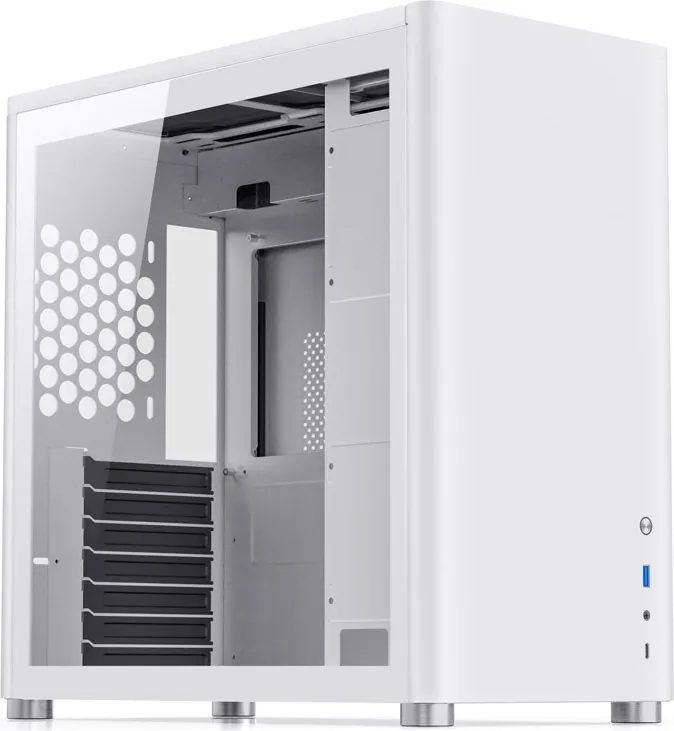
The Jonsbo D40 is a compact, feature-rich PC case designed for builders seeking a balance of aesthetics, airflow, and practical layout. With a modern exterior, tempered glass side panel, and clean internal structure, the D40 accommodates a range of builds from entry-level gaming rigs to more refined small-form-factor systems. It emphasizes straightforward assembly, efficient cooling options, and compatibility with common hardware standards.
Design and Build
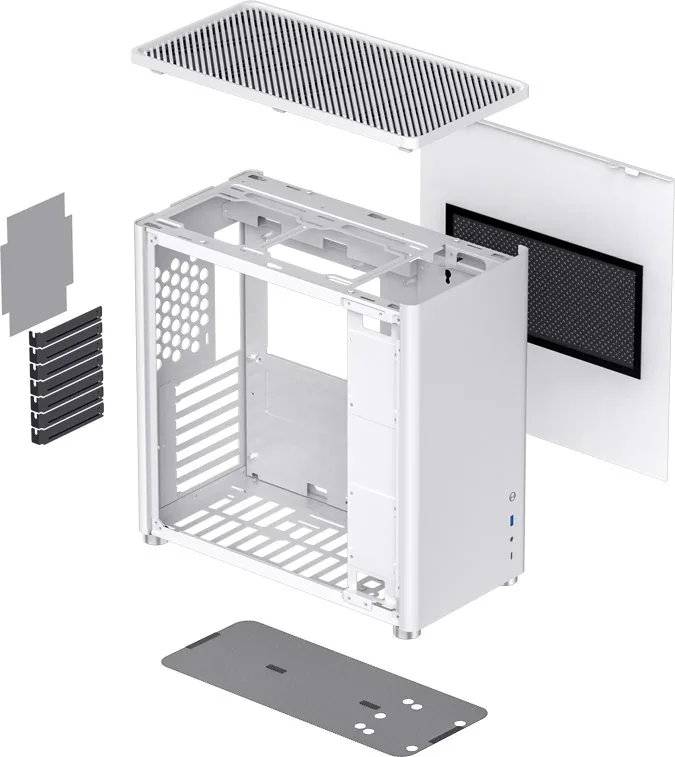
The D40 presents a minimalist yet refined silhouette that fits well on a desk or in a home entertainment setup. Its tempered glass side offers a clear view of internal components, while subtle ventilation channels and removable dust filters help maintain clean airflow. Cable routing channels and tie points inside the chassis reduce clutter and make it easier to achieve a tidy build aesthetic.
Cooling and Compatibility
Engineered to support multiple cooling configurations, the D40 supports front and rear fans, and has space for compact radiators, enabling liquid cooling in smaller footprints. Clearance for CPU coolers and GPU length is generous for its class, and mount points are provided for both 2.5" and 3.5" storage devices. The case balances silence and airflow with room for fan placement without sacrificing the sleek exterior.
Usability and Assembly
The internal layout is builder-friendly: tool-free drive bays, removable panels, and accessible standoffs streamline installation. Front I/O includes essential ports for daily use, while internal connectors follow standard layouts making this case compatible with most modern motherboards and power supplies. The D40 manual typically walks users through mounting motherboards, routing cables, installing storage, and optimizing fan placement.
Aesthetic and Customization
Subtle styling cues allow the D40 to blend into different setups—be it a dedicated gaming station or a minimalist workspace. The tempered glass panel showcases RGB components or clean monochrome builds equally well. For users wanting small custom touches, there are mounting points and space to integrate additional fans or compact lighting strips.
Notes:
- Check clearance specs for large GPUs and aftermarket CPU coolers before purchase.
- Use the included dust filters and clean them regularly to preserve airflow performance.
- Follow anti-static precautions and consult the manual for mounting standoff layout.
Search for 67,706 Manuals online


Type-in Brand or Model