
JBL Aquaristic ProFlora pH Control Touch Manual
PDF manual · 278 Pages
English



Quick check
Incorrect answer, please try again.
Chat with your JBL Aquaristic ProFlora pH Control Touch manual using AI
Get instant AI answers from your JBL Aquaristic ProFlora pH Control Touch manual
Ask anything about the JBL Aquaristic ProFlora pH Control Touch. Answers come from this manual, with the pages they are based on.
ProFlora pH Control Touch Maintenance Schedule
Perform a two-point calibration using buffer solutions pH 7.00 and then pH 4.00. The manual recommends calibrating every 30 days for reliable measurements.
Place the sensor tip in JBL Storage and Revitalisation Solution for 12-24 hours before each calibration to extend service life.
Wipe the surface of the device with a soft, slightly damp cloth. Do not use cleaning agents or immerse the device in water.
Inspect the sensor cable for damage and ensure the sensor is connected correctly if unstable readings or errors occur.
Free maintenance reminders
Timed to your purchase date. Always free, unsubscribe anytime.
Ask a Question
Do you recommend ProFlora pH Control Touch?
Yes NoFrequently Asked Questions
First fill cuvettes with buffer solutions pH 7.00 and pH 4.00 plus deionized water. Submerge both pH and temperature sensors in distilled water first. Follow on-screen prompts to dip sensors into buffer solutions sequentially. Always start with pH 7.00 then move to 4.00 never reverse order. Confirm completion once both solutions show OK status on display.
Is this answer helpful?
It is designed specifically for JBL PROFLORA v002 magnet valves or CO2 kits containing such valves. While third party valves might physically connect, communication protocols may differ. Using compatible hardware ensures reliable operation and warranty coverage remains intact for the control unit.
Is this answer helpful?
All previously set values remain stored in memory during interruptions. Only the timer calculation for calibration reminders pauses until power returns. Once electricity resumes the device continues functioning with original configuration parameters preserved automatically.
Is this answer helpful?
Calibration is recommended every 30 days for best accuracy. The device reminds you via display warnings approaching deadline intervals. Frequent calibration ensures measurements remain trustworthy as sensors age naturally over time periods.
Is this answer helpful?
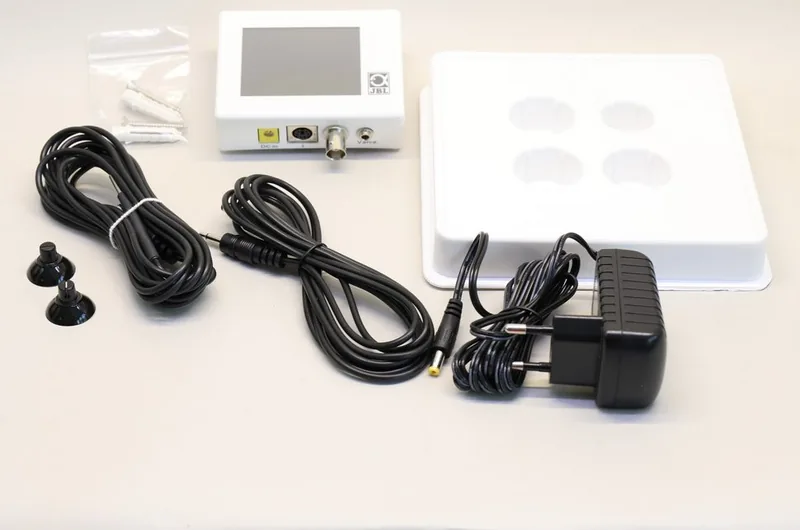
Yes, the package includes the universal power unit and mounting materials. However, the pH sensor and calibration liquids are listed as separate purchases. Temperature sensor is included within the main accessory bundle shipped with the controller.
Is this answer helpful?
Navigate to Settings Menu and select Software Version option. The current installed version along with serial number displays clearly on screen. This information is primarily needed for service support requests regarding repairs or updates.
Is this answer helpful?
Advantages and Disadvantages
Advantages

- Automatic pH and CO2 regulation reduces manual labor significantly for aquarium owners.
- Colorful touch display allows intuitive navigation with minimal learning curve required.
- Safe 12-volt low voltage operation prevents electrical hazards near water sources.
- Multi-language support enhances accessibility for international users and collectors globally.
- Comprehensive alarm system warns of critical deviations before they harm livestock.
Disadvantages

- Required pH sensor is not included and must be purchased separately for operation.
- Regular calibration every few weeks is necessary to maintain accurate measurement readings.
- Sensor lifespan is limited typically requiring replacement approximately every two years.
- Device is indoor only and cannot withstand exposure to outdoor weather elements.
- Initial setup requires specific knowledge of water chemistry parameters like KH levels.
Product Specification
Category
Water treatment, water parameters
Type
Controller for CO2 pressure regulator with solenoid valve (BNC connection for pH electrode, thermometer, touchscreen)
Application
Freshwater, Aquariums
Dimensions
3.50x2.64x0.98in (WxHxD)
Weight
2.07 lbs
Features
Also displays water temperature
Product Description
Unlocking Perfect Aquarium Chemistry
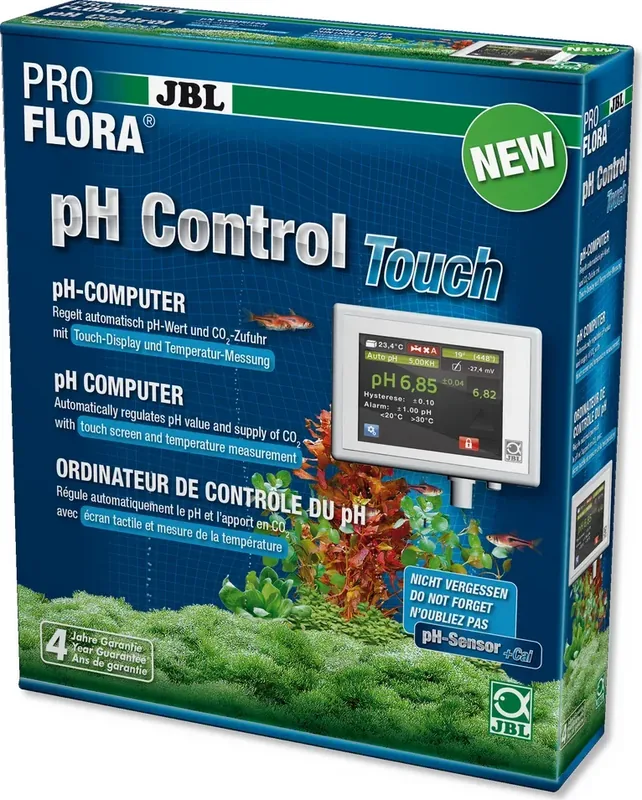
Maintaining optimal water conditions is essential for thriving aquatic ecosystems. Fish and plants require precise carbon dioxide and pH levels to survive and grow. The JBL Pro Flora CO2 Control Touch Manual keyword guides hobbyists to the best solutions for automation. This device manages parameters reliably without constant human intervention required daily. By measuring both pH and temperature continuously, it ensures your tank remains stable day and night.
Advanced Control Features
The unit features a colorful touch display designed for simple operation. You can navigate menus effortlessly using basic tapping gestures on the screen. Over nine languages are available to help people access functions easily. A dedicated automatic pH function calculates the ideal setpoint based on carbonate hardness levels. This eliminates complex guesswork when adjusting fertilizer systems in aquariums. Users benefit from reduced labor while achieving vibrant plant growth and healthy fish populations. Additional sensors allow real-time monitoring of environmental stability constantly. This helps maintain optimal conditions for diverse aquatic species daily. Hysteresis settings prevent frequent switching which extends component life during usage cycles.
Installation and Hardware Setup
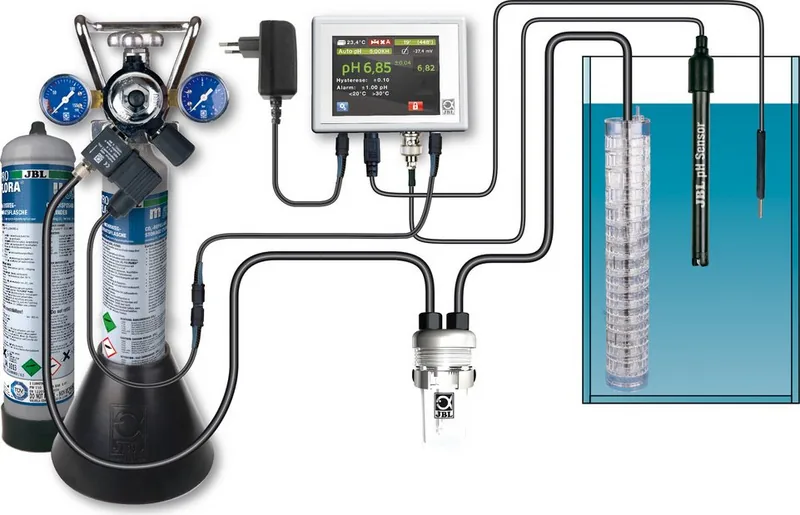
Proper installation begins with securing the mounting bracket near the aquarium on the wall. The device connects to an external magnetic valve designed for JBL systems. Note that the pH sensor is purchased separately and must be calibrated regularly for accuracy. Temperature sensors work alongside to provide compensation for thermal changes within the water. All components operate on safe low voltage DC to prevent electrical hazards around wet environments. Mounting bars secure firmly to walls preventing accidental displacement easily. Cables connect securely without risk of incorrect alignment during setup. Power failures do not erase stored configuration data ensuring continuity for saved settings.
Safety and Maintenance Protocols
Built-in alarms notify you immediately if values drift beyond safe limits for stock. Both pH and temperature thresholds can be customized to fit species needs accurately. Regular calibration every few weeks maintains measurement integrity over time for reliable readings. Avoid exposing the unit to moisture or direct sunlight during operation to protect electronics. Proper storage solutions extend the lifespan of sensitive glass probes when not in use.
In summary, this control system offers peace of mind through intelligent automation. It bridges the gap between biological needs and chemical management effectively. Hobbyists gain more time for observation rather than constant adjustment tasks. Reliable performance ensures a balanced environment for long-term success in setups. Investing in quality monitoring tools protects livestock health investment greatly. Ensure proper ventilation prevents overheating issues affecting internal electronics safely. Always refer to official documentation for complete troubleshooting steps when issues arise.
Search for 67,706 Manuals online


Type-in Brand or Model