
Jabra Talk 65 Manual
PDF manual · 18 Pages
English


Quick check
Incorrect answer, please try again.
Chat with your Jabra Talk 65 manual using AI
Get instant AI answers from your Jabra Talk 65 manual
Ask anything about the Jabra Talk 65. Answers come from this manual, with the pages they are based on.
Talk 65 Maintenance Schedule
Do not store the headset for longer than three months without charging it to maintain battery health.
Wipe with a damp cloth using mild soap and water. Avoid aggressive cleaners. Let dry for at least one minute before use.
Free maintenance reminders
Timed to your purchase date. Always free, unsubscribe anytime.
Ask a Question
Do you recommend Talk 65?
Yes No
qhunt47
4 months ago
Is there any way to adjust the device settings via a smartphone application?
Herr
4 months ago
Is there a dedicated app available to customize settings for the Jabra Talk 65?

Manual.ly
4 months ago
Currently, the Jabra Talk 65 does not support a dedicated mobile application for customization. All settings are adjusted directly via the device controls. However, the headset offers excellent call quality and noise cancellation even without an app.
debitis_ratione
5 months ago
How is the volume level in noisy environments like driving with windows open?
Frequently Asked Questions
It takes up to 150 minutes to fully charge the battery using the supplied USB cable. The LED indicator will turn blue when charging is complete.
Is this answer helpful?
Yes, the Jabra Talk 65 supports multipoint mode, allowing you to pair with eight devices and connect to two smartphones simultaneously to handle calls from either.
Is this answer helpful?
The headset has an IP54 rating, meaning it is protected against dust and water splashes. However, it should be dried thoroughly if exposed to water before powering on.
Is this answer helpful?
With the headset powered on, press and hold both volume buttons for 10 seconds until you hear two beeps. Then power off the device. You will need to re-pair it afterward.
Is this answer helpful?
Yes, pressing the multi-function button while not on a call activates voice assistants such as Siri or Google Assistant for hands-free control.
Is this answer helpful?
The package includes the headset, a USB charging cable, and three pairs of EarGels in small, medium, and large sizes to ensure a custom fit.
Is this answer helpful?
Advantages and Disadvantages
Advantages

- Up to 14 hours of talk time for all-day usage
- Advanced 80% noise cancellation with dual microphones
- IP54 rated protection against dust and water
- Multipoint mode connects to two devices simultaneously
- Comfortable fit with three included EarGel sizes
Disadvantages

- Charging requires up to 150 minutes for a full battery
- NFC pairing is not supported by all smartphones
- Resetting the headset erases all paired device history
- Cannot store the device for more than three months without recharging
- Requires manual selection of EarGel size for best comfort
Product Specification
Type
In-Ear Earphones
Form Factor
neckband-free, monaural
Microphone
integrated
Wireless
Bluetooth 5.1, NFC, Multipoint
Controls
1-button remote, volume control
Battery Life
14h (calls), 72h (standby)
Charging
USB-C port, 2.5h charge time
Frequency Range
20Hz-20kHz
Impedance
32 Ohm
Drivers
10.3mm
Device Features
water-resistant (IP54)
Software Features
voice assistant
Color
black
Weight
0.71 oz
Product Description
Discover the Jabra Talk 65: Your Ultimate Bluetooth Companion
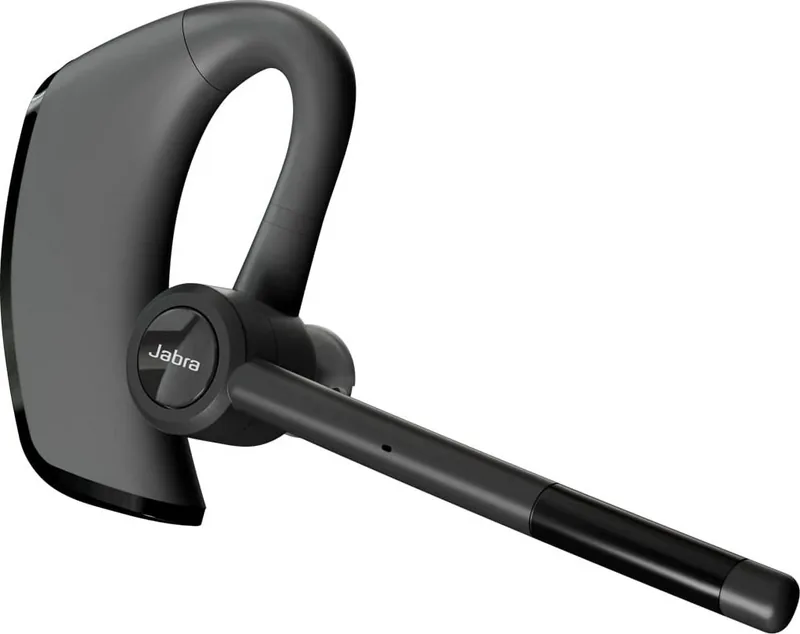
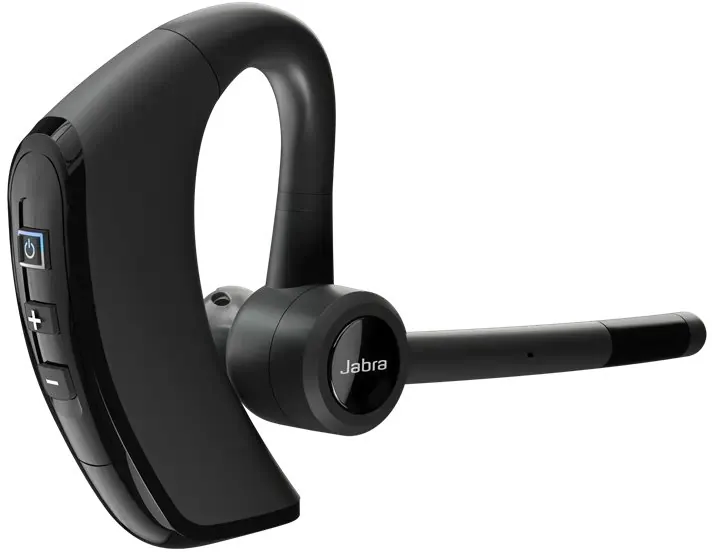
The Jabra Talk 65 stands out as a premier choice for professionals and individuals seeking reliable hands-free communication. Designed with precision, this headset delivers exceptional audio clarity while ensuring you stay connected throughout your busy day. Whether you are navigating a bustling office or commuting through traffic, the Jabra Talk 65 provides the stability and sound quality you need.
One of its standout features is the advanced noise cancellation technology, which utilizes two microphones to filter out background distractions. This ensures that your voice comes through clearly on calls, even in noisy environments. The device offers an impressive battery life, supporting up to 14 hours of continuous talk time on a single charge. With a wireless range extending up to 300 feet, you can move freely around your space without losing connection.
Comfort is paramount with the Jabra Talk 65. It includes multiple EarGel sizes - small, medium, and large - to guarantee a perfect fit for any ear shape. The IP54 rating means it is protected against dust and water splashes, making it durable enough for daily use in various conditions. Additionally, the headset supports multipoint mode, allowing you to connect to two smartphones simultaneously and switch between them effortlessly.
Setting up the device is intuitive. You can pair it via standard Bluetooth or utilize NFC for a quick connection with compatible devices. The multi-function button simplifies operations, enabling you to answer calls, reject incoming calls, mute the microphone, or activate voice assistants like Siri and Google Assistant with simple presses. For those who value versatility, the ability to transfer call audio between the headset and smartphone adds another layer of convenience.
Caring for your Jabra Talk 65 is straightforward. Regular cleaning with a damp cloth and mild soap keeps the device hygienic and looking new. Avoid exposing it to extreme temperatures to preserve battery health. With these features combined, the Jabra Talk 65 remains a top-tier solution for modern communication needs.
Notes:
- Ensure the EarGels are fitted firmly but not squeezed into the ear canal for optimal sound.
- Charging takes approximately 150 minutes for a full battery.
- Resetting the device clears all paired connections.
Search for 67,706 Manuals online


Type-in Brand or Model
Aaron Stewart
4 months ago
Does the Jabra Talk 65 have an app for settings, and how is the volume in noisy environments?
Manual.ly
4 months ago
The Jabra Talk 65 does not currently have a dedicated mobile app for configuration. Regarding audio performance, users report excellent call clarity with minimal background noise interference. However, some reviewers note that while the microphone effectively filters out motor hum or wind, the speaker volume could be louder to ensure clear communication in very loud settings like inside a moving vehicle.