
Jabra Speak 750 Manual
PDF manual · 23 Pages
English


Quick check
Incorrect answer, please try again.
Chat with your Jabra Speak 750 manual using AI
Get instant AI answers from your Jabra Speak 750 manual
Ask anything about the Jabra Speak 750. Answers come from this manual, with the pages they are based on.
Ask a Question
Do you recommend Speak 750?
Yes NoFrequently Asked Questions
Ensure both devices are within 4m/13ft of each other. Tap the Link button on both speakerphones simultaneously. They will connect to share audio for larger meetings or stereo media.
Is this answer helpful?
The device offers up to ten hours of talk time on a single charge. It takes approximately three hours to fully charge using the provided USB cable.
Is this answer helpful?
Yes. Hold the Bluetooth button for two seconds and follow the voice-guided instructions to pair with your smartphone or tablet. The range is up to 10m.
Is this answer helpful?
Hold the Answer call button and the End call button together for eight seconds until the speakerphone announces 'Factory reset'. This clears all paired devices and settings.
Is this answer helpful?
Yes, it is certified for Microsoft Teams. A dedicated button allows you to join meetings, view missed calls, and bring Teams to the foreground instantly.
Is this answer helpful?
Advantages and Disadvantages
Advantages

- Supports linking two devices for meetings with up to twelve participants
- Dedicated Microsoft Teams button streamlines call and notification handling
- Up to ten hours of battery life for extended usage without charging
- Versatile connectivity options including USB, Bluetooth adapter, and smartphone
- Includes a protective travel pouch and compact lightweight design
Disadvantages

- Linking feature temporarily replaces an active Bluetooth connection
- Buttons fade after one minute of inactivity until tapped again
- Requires specific audio settings configuration in some operating systems
- Limited to indoor use and cannot withstand exposure to liquids
- Shared use mode requires manual pairing for every new connection
Product Specification
Interfaces
1x USB-A (plug), Bluetooth 4.2 LE
Connection range
98 ft
Detection range
360 degrees
Frequency range
150Hz-20kHz (speaker)
Output power
0.27 hp
Power supply
Battery, USB-A (plug)
Talk time
11 hours
Dimensions
6.1x6.0x2.2 inches
Weight
10.6 oz
Product Description
Elevate Your Meeting Experience with the Jabra Speak 750
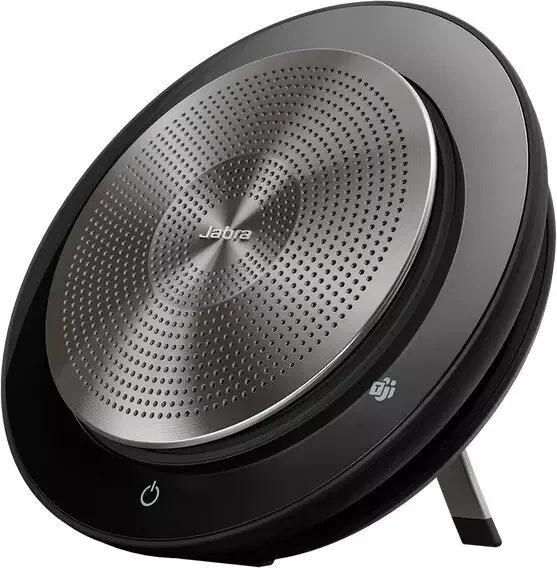
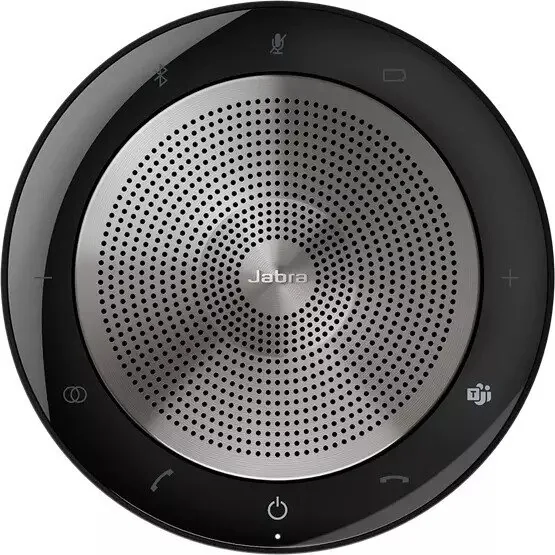
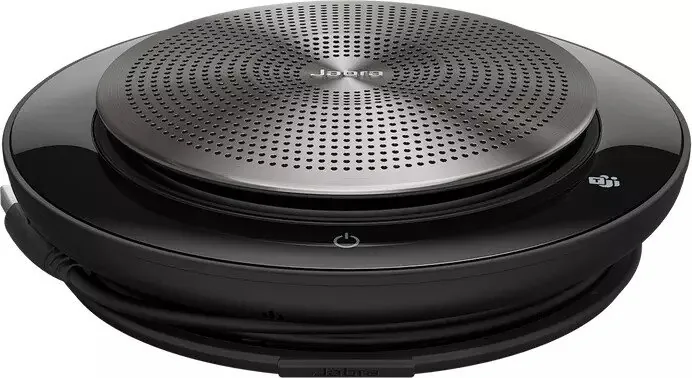
The Jabra Speak 750 stands as a premier solution for modern collaboration, designed to deliver immersive sound and intuitive connectivity for teams of all sizes. Whether you are in a small huddle room or a large conference hall, this device ensures every voice is heard clearly. Its lightweight design includes a protective travel pouch and offers up to ten hours of battery life, making it perfect for long meetings or travel.
One of its standout features is the dedicated Link button, which allows two Jabra Speak 750 units to pair seamlessly. This capability transforms your audio setup by enabling scalable meetings for up to twelve people or creating a stereo media experience for presentations. The device is certified for Microsoft Teams and Skype for Business, offering a true plug-and-play experience that simplifies your workflow.
Connecting is effortless through multiple methods. You can use the included Jabra Link 370 Bluetooth adapter for wireless freedom up to thirty meters, connect via USB cable for direct stability, or pair directly with smartphones and tablets over Bluetooth. The interface is user-friendly, featuring backlit buttons that activate only when needed to save power. Voice guidance keeps you informed of settings, while the dedicated Microsoft Teams button provides quick access to calls, missed voicemails, and meeting notifications.
Power management is intelligent; the device automatically powers off after periods of inactivity to preserve the battery. Charging takes approximately three hours via USB, ensuring you are ready for your next session. For shared environments, the Shared Use mode prevents automatic reconnection, requiring manual pairing each time for security and flexibility. Advanced users can manage firmware and settings through Jabra Direct software, ensuring their device always performs at its peak.
Search for 67,706 Manuals online


Type-in Brand or Model