
Jabra Evolve2 Buds Manual
PDF manual · 48 Pages
English


Quick check
Incorrect answer, please try again.
Chat with your Jabra Evolve2 Buds manual using AI
Get instant AI answers from your Jabra Evolve2 Buds manual
Ask anything about the Jabra Evolve2 Buds. Answers come from this manual, with the pages they are based on.
Evolve2 Buds Maintenance Schedule
Do not store the earbuds for a long period without charging them. Maximum storage time without charging is 3 months.
If dirty, clean the earbuds or charging case with a soft, lint-free cloth slightly dampened with clean water.
Free maintenance reminders
Timed to your purchase date. Always free, unsubscribe anytime.
Ask a Question
Do you recommend Evolve2 Buds?
Yes NoFrequently Asked Questions
You can enjoy up to 8 hours of battery life on a single charge with Active Noise Cancellation enabled. When using the charging case, the total usage time can extend up to 33 hours of music playback, ensuring you stay powered all day.
Is this answer helpful?
Yes, the earbuds support multipoint connectivity. This feature allows you to accept and handle multiple calls even on two different connected devices at the same time without needing to switch connections manually.
Is this answer helpful?
When the earbuds are at low battery, placing them in the charging case for 5 minutes will fast charge them. This provides up to 1 hour of music playback. Ensure the charging case has a minimum of 30% battery for fast charging to work.
Is this answer helpful?
For comprehensive guidance on functionalities like pairing, buttons, or resetting devices completely, you can refer to the Jabra Evolve2 Buds Manual. The manual covers connection procedures, software updates, and support details found online.
Is this answer helpful?
Yes, the Jabra Evolve2 Buds are certified for Microsoft Teams. They feature controls for joining meetings, raising your hand, and viewing missed calls directly from the earbud buttons when signed into the Teams app on your computer.
Is this answer helpful?
Place both earbuds in the charging case and press and hold the Left and Right buttons simultaneously for 10 seconds until the LED flashes pink. Close the lid for 5 seconds to complete the reset, then re-pair with your device.
Is this answer helpful?
Advantages and Disadvantages
Advantages

- Certified for Microsoft Teams ensuring seamless integration and top-tier call quality in virtual meetings for professionals.
- Up to 8 hours battery life on a single charge with ANC, extending to 33 hours total with the charging case for all-day use.
- Active Noise Cancellation and HearThrough modes provide flexible audio environments to reduce noise or stay aware of surroundings.
- Customizable button controls via Jabra Sound+ app MyControls allow personalized operation for specific workflow needs and preferences.
- Fast charging support offers up to 1 hour of playback with just 5 minutes in the charging case during low battery situations.
Disadvantages

- Some button controls for Microsoft Teams earbuds cannot be reassigned, limiting full customization compared to UC earbuds.
- Wireless charging for the case takes up to 4 hours, which is longer compared to fast USB-C charging methods.
- Jabra Sound+ app is required for MyControls and ANC customization, adding a dependency outside the earbud hardware.
- EarGels pre-mounted are medium size, requiring manual change for optimal fit which might not be ideal for all users immediately.
Product Specification
Type
Earphones (In-Ear)
Form
True Wireless, hookless
Acoustic Design
Closed
Microphone
Integrated, bone conduction sensor
Wireless
Bluetooth 5.2, AAC, Multipoint
Controls
1-button control, Auto-Pause/Play
Battery Life
8 hours (with ANC), 10 hours (without ANC), 33 hours (with charging case)
Battery
USB-C charging port, charging case, wireless charging (Qi), 2 hours charging time, fast charging function (5 minutes for 1 hour operating time)
Frequency Range
20Hz-20kHz (Earphones), 80Hz-8kHz (Microphone)
Drivers
0.24 inches
Device Features
Active Noise Cancellation (ANC), Ambient Mode, waterproof (IP57)
Software Features
Voice Assistant (Amazon Alexa, Apple Siri, Google Assistant), Equalizer presets, individual Equalizer, Sound personalization, App control, Ear fit test, Find device function, Level limiting
Color
Black
Weight
0.19 oz (per Earphone), 1.83 oz (Charging case)
Product Description
Experience Professional Audio with the Jabra Evolve2 Buds
Unlock Seamless Connectivity
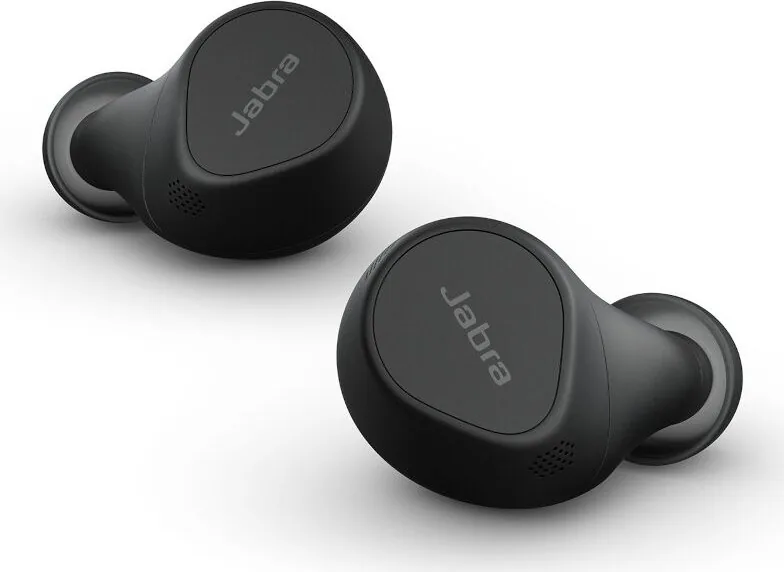
In the modern workspace, having reliable audio gear is essential for maintaining high productivity standards daily. The Jabra Evolve2 Buds are expertly designed to elevate your daily professional calls and music listening experience significantly. With official certification specifically for Microsoft Teams, these headsets ensure you stay connected without any interruptions during critical virtual meetings. The Ultra-compact design ensures maximum comfort for long meetings throughout the entire workday for users. Users can enjoy up to 8 hours of battery life on a single charge reliably, and the dedicated charging case extends this capability significantly to 33 hours total. This outstanding reliability makes them ideal for busy professionals who are always on the go.
Advanced Features and Controls
Active Noise Cancellation helps you focus by actively blocking out unwanted outside disturbances in noisy environments. Alternatively, HearThrough mode allows you to stay alert to your surroundings when not on a call. MyControls in the Jabra Sound+ app lets you customize button functions to your specific personal preference easily for customization. Though Microsoft Teams earbuds have some fixed controls for specific platform integration. Multipoint connectivity means you can handle incoming calls on two devices simultaneously without any hassle. Fast charging capabilities give you an hour of playback with just five minutes in the case. For detailed instructions on pairing, using buttons, or resetting devices completely, refer to the Jabra Evolve2 Buds Manual for comprehensive guidance on all functionalities available.
Comfort and Fit
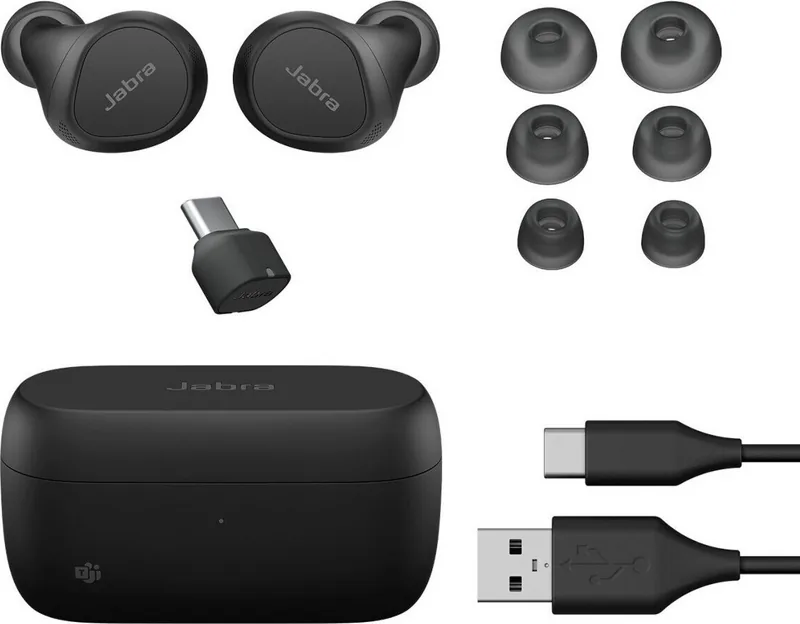
Proper fit is absolutely crucial for optimal sound quality and noise cancellation performance. The earbuds come with pre-mounted medium EarGels. You can change them if needed for a better seal around the ear canal. The MyFit test in the companion app helps optimize this fit for every user. Microphones are positioned towards your mouth for crystal clear conversation using Jabra MultiSensor Voice technology. Whether you use them for UC or Microsoft Teams, the controls remain intuitive and responsive. Auto-pause music when removing an earbud and auto-mute during calls add significant convenience. Sleep mode conserves power when the earbuds are inactive.
Battery and Charging Specifics
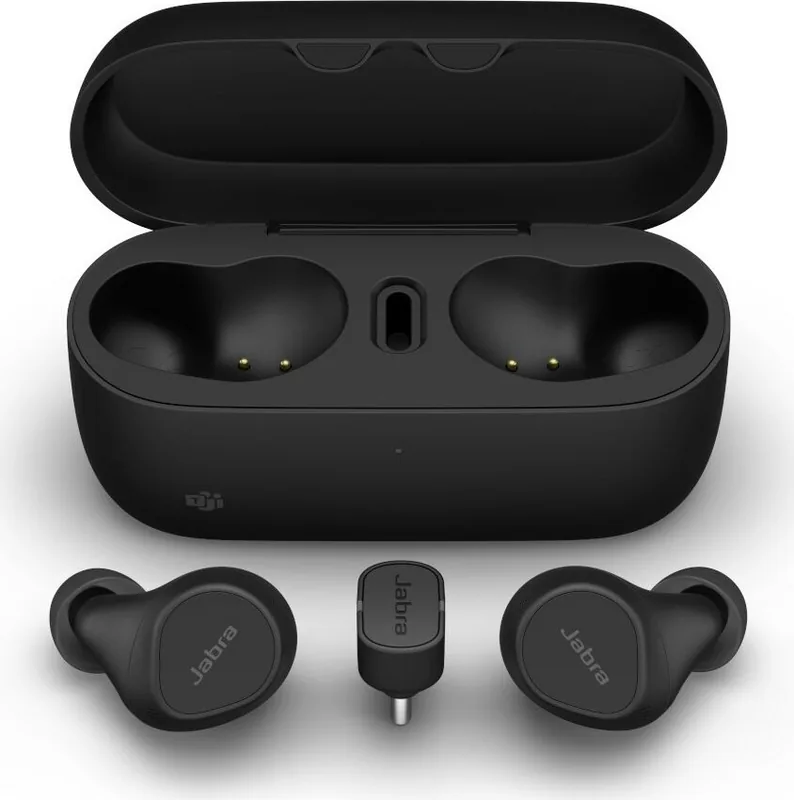
Powering your devices is straightforward with multiple methods available for charging needs. USB-C cable takes about 2 hours to fully charge the case and buds. Wireless pad takes 4 hours for the charging case fully.
Notes
Always store in the case to protect from damage and dust accumulation. Avoid extreme temperatures when storing the devices. Replace accessories via the official website for compatibility.
Search for 67,706 Manuals online


Type-in Brand or Model