
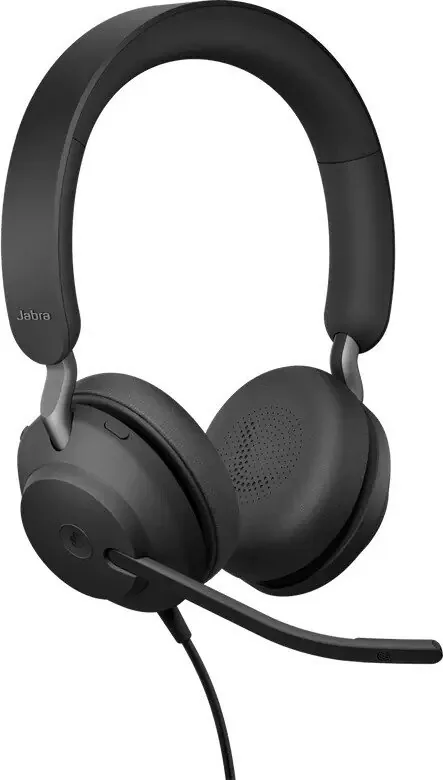
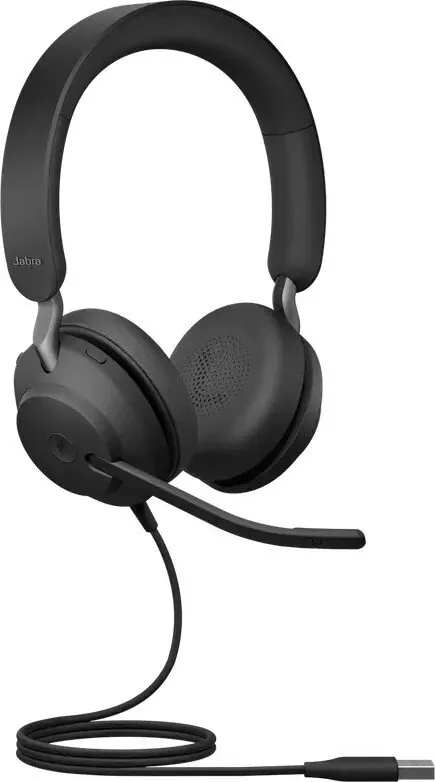
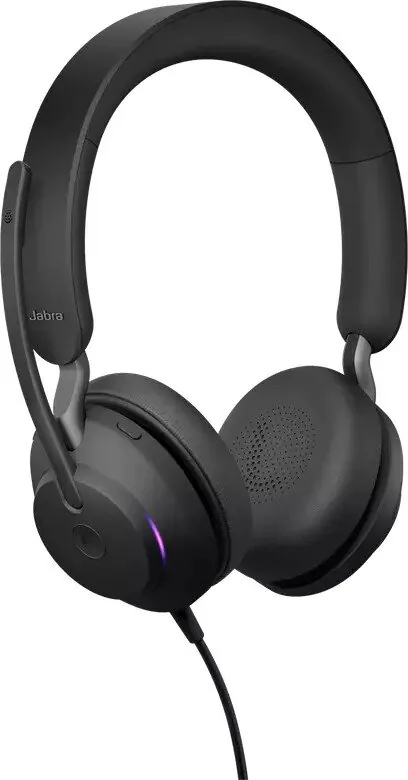
Jabra Evolve2 40 Manual
PDF manual · 19 Pages
English


Quick check
Incorrect answer, please try again.
Chat with your Jabra Evolve2 40 manual using AI
Get instant AI answers from your Jabra Evolve2 40 manual
Ask anything about the Jabra Evolve2 40. Answers come from this manual, with the pages they are based on.
Ask a Question
Do you recommend Evolve2 40?
Yes NoFrequently Asked Questions
Simply plug the Jabra Evolve2 40 into either a USB A or USB C port on your computer depending on the hardware variant you purchased. This provides immediate power and audio connectivity.
Is this answer helpful?
Yes, moving the microphone boom arm up mutes the microphone, while moving it down unmutes it. This feature is active by default and can be disabled in Jabra Direct.
Is this answer helpful?
The Busylight status LED shows the current operational status. It lights up red when the microphone is muted, indicating to nearby colleagues that you are on a call or unavailable.
Is this answer helpful?
Connect the headset to a computer and use the Jabra Direct software to check for and install the latest firmware updates. This improves performance and adds functionality.
Is this answer helpful?
No, you should not expose the headset to rain or other liquids. Always store it in the supplied pouch and avoid extreme temperatures to maintain device integrity.
Is this answer helpful?
Advantages and Disadvantages
Advantages

- Three microphone call technology ensures clear voice pickup in noisy environments
- All day comfort design with adjustable headband for long work sessions
- Built in Busylight indicates status to colleagues without verbal interruption
- Seamless USB connectivity supports both A and C ports for computers
- Dedicated Microsoft Teams button streamlines collaboration on Windows
Disadvantages

- Mobile connection via USB C varies in compatibility across different apps
- Some voice guidance features require configuration in Jabra Direct software
- Battery is wired only and relies on continuous power from connected device
- LED indicators may not be visible if worn or tucked in pockets
- Requires careful storage in pouch to avoid dust and damage
Product Specification
Type
Headphones (On-Ear)
Style
Headband
Microphone
Microphone Arm
Wireless
No
Controls
3-button remote, Mute button
Frequency Range
20Hz-20kHz (Headphones), 100Hz-14kHz (Microphone)
Sensitivity
117dB
Drivers
1.57 inches
Device Features
Status Light
Color
Black
Weight
0.41 lbs
Product Description
Unlocking Professional Audio Excellence
Finding Clarity in Every Conversation
When stepping into the modern workspace, having reliable audio equipment is absolutely crucial for productivity. The Jabra Evolve2 40 Stereo Manual highlights a device designed specifically for all day comfort and superior sound quality. This headset features a sophisticated three microphone call technology that ensures your voice is heard clearly even in surprisingly noisy environments. The built in Busylight indicates your current status to colleagues without needing any verbal interruption during meetings. This attention to detail defines the user experience for professionals.
Seamless Connectivity Options
Connecting your headset to your daily workflow is incredibly straightforward. Users can plug the device directly into a computer via USB A or USB C depending on the specific hardware variant chosen. Mobile connection is also supported via USB C connection for on the go usage scenarios, though app compatibility may vary significantly across different mobile devices and operating systems. Adjusting the headset involves positioning the headband for maximum comfort and aligning the microphone boom arm near your mouth for optimal pickup. The design allows for mono or stereo wearing styles to truly suit personal preference during long work sessions.
Advanced Control Features
Control over your incoming calls and music playback is intuitive and responsive for power users. The multi function button manages calls efficiently while the dedicated volume keys handle music tracks seamlessly. A dedicated Microsoft Teams button streamlines collaboration specifically for Windows users connecting to Teams. Voice guidance announces status updates like mute conditions automatically to keep you informed. Firmware updates via Jabra Direct keep the device performing at its absolute best over time with new features. Sidetone settings enable you to better hear your own voice during calls for feedback.
Care and Maintenance Guidelines
Proper maintenance ensures the longevity of your investment. Always store the headset in the supplied pouch when not in use to protect it from scratches. Avoid storage at extreme temperatures above forty degrees or below negative forty degrees. The manual advises against exposing the device to rain or other liquids to prevent damage to the electronics. With its robust build and thoughtful design, the Jabra Evolve2 40 remains a top choice for professionals seeking quality audio equipment. The Jabra Evolve2 40 Stereo Manual serves as a comprehensive guide for new users looking to maximize functionality.
The LED indicators inform users about connection status and mute conditions clearly. The busylight turns red when muted for other users to prevent interruption. When the headset is being worn, the LEDs turn off to avoid distractions during face to face interactions. Multiple call handling allows users to switch between held calls and active calls using simple button presses. This capability enhances multitasking during busy workdays for better productivity. Ultimately this device supports the dynamic needs of the modern office environment.
Search for 67,706 Manuals online


Type-in Brand or Model