
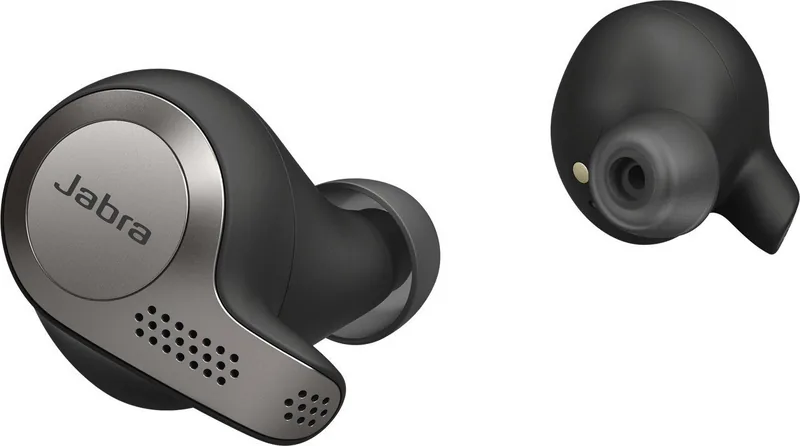
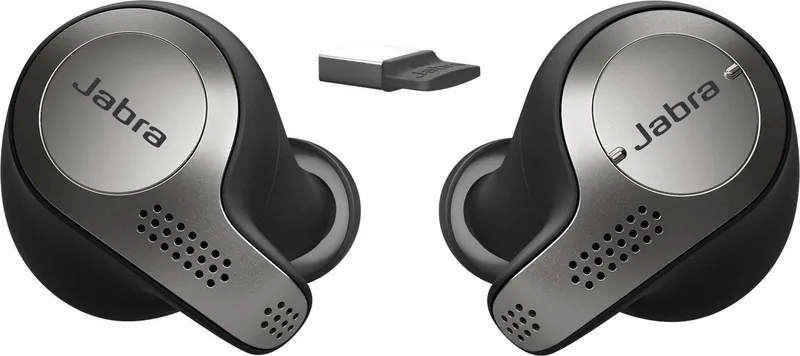
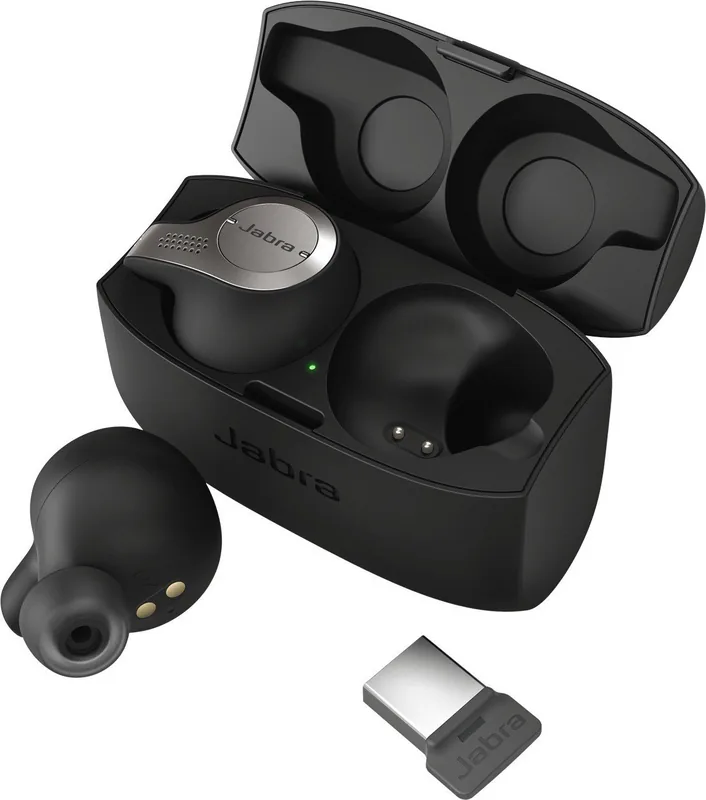
Jabra Evolve 65t Manual
PDF manual · 31 Pages
English


Quick check
Incorrect answer, please try again.
Chat with your Jabra Evolve 65t manual using AI
Get instant AI answers from your Jabra Evolve 65t manual
Ask anything about the Jabra Evolve 65t. Answers come from this manual, with the pages they are based on.
Evolve 65t Maintenance Schedule
Use a soft, lint-free cloth dampened with clean water if the earbuds or charging case become dirty.
Remove and clean the EarGels regularly to avoid earwax buildup on the speakers.
Ask a Question
Do you recommend Evolve 65t?
Yes No
Rosemarie Steiner
8 months ago
Do these headphones really meet expectations in everyday use?

Manual.ly
8 months ago
Yes. Reviewers report that the headphones fully match their expectations for overall quality and day-to-day performance. If you want the best experience, make sure you select the right fit (proper ear placement and tightness) and adjust the headband so the drivers sit correctly. This helps with comfort and consistent sound. Also consider checking the product specs (such as battery life, connection type, and controls) to ensure they match how you plan to use them.
Frequently Asked Questions
Its main benefit is clear, reliable wireless calling in a compact design. The four-microphone setup, stable connection options, and work-friendly controls make it a strong choice for daily communication and mixed media use.
Is this answer helpful?
The earbuds last up to about 5 hours on a charge, and the charging case can extend total use to around 15 hours. A short charge in the case can also add extra listening time when you need a quick boost.
Is this answer helpful?
Yes. It can pair with a computer using the Jabra Link 370 adapter and also connect to smartphones. It also supports multi-use, so you can stay connected to more than one device at the same time.
Is this answer helpful?
HearThrough lets outside sounds in so you stay aware of your surroundings while wearing the earbuds. It is useful when you need to hear announcements, traffic, coworkers, or other nearby activity without removing the earbuds.
Is this answer helpful?
You can reset them by holding the multi-function button on the right earbud for about 10 seconds until the LED flashes purple. This clears paired devices and restores default settings, so you will need to pair them again afterward.
Is this answer helpful?
No, basic use works without an app. However, Jabra Sound+ and Jabra Direct unlock extra features such as audio customization, firmware updates, HearThrough settings, voice guidance, and other advanced controls.
Is this answer helpful?
Advantages and Disadvantages
Advantages

- Four-microphone call system helps deliver clearer voice quality in noisy places.
- Up to 15 hours total battery life with the charging case supports a full workday.
- Works with computers and smartphones, with support for multi-use and easy switching.
- HearThrough, sidetone, and auto-pause add useful control for work and travel.
Disadvantages

- Battery life is solid, but newer earbuds may offer longer runtime.
- Full customization depends on Jabra Sound+ or Jabra Direct software.
- Some core controls rely on the right earbud, which may limit one-ear use.
- Pairing, resets, and replacement accessories can take extra setup steps.
Product Specification
Design
Earphones (In-Ear)
Form Factor
True Wireless, earhook-free
Acoustic Design
closed
Microphone
integrated
Wireless
Bluetooth 5.0, AAC, Multipoint
Controls
Touch Control
Battery Life
5h, 15h (with charging case)
Battery
USB Micro-B charging port, charging case, 2h charging time
Frequency Range
20Hz-20kHz (earphones), 100Hz-10kHz (microphone)
Driver
0.24 in
Certified for
Microsoft Teams, Skype for Business
Device Features
Ambient Mode, water resistant (IP55)
Software Features
Voice assistant (Amazon Alexa, Apple Siri, Google Assistant), Equalizer presets, individual Equalizer, Sound personalization, App control, Location function
Color
black, brown
Weight
0.22 oz (per earphone), 2.36 oz (charging case)
Product Description
Jabra Evolve 65t MS: Smart Wireless Earbuds for Work and Travel
The Jabra Evolve 65t MS brings a practical mix of business-ready communication and everyday listening comfort. Designed for users who want dependable wireless performance, it combines a compact true wireless shape with features that help calls sound clearer and music feel more personal. If you are looking up the Jabra Evolve 65t MS Manual, you will quickly see that this model is built around simple operation, strong call handling, and flexible use across devices.
Built for clear conversations
One of the strongest points of the Evolve 65t MS is its four-microphone setup, which is made to improve voice pickup while reducing distractions around you. That makes it a good match for busy offices, commuting, or working from home. The earbuds also support sidetone, so you can hear your own voice naturally during calls, which often makes conversations feel more comfortable and less forced.
Battery life and charging convenience
Battery performance is another useful advantage. The earbuds offer up to five hours of listening time on their own, and the charging case extends that to around 15 hours total. A short charge can also deliver extra listening time when you are in a hurry. The case is easy to carry, and the LED indicators help you check charging status at a glance, which makes daily use feel straightforward.
Flexible controls and smarter listening
The Evolve 65t MS is not only about calls. It also gives you easy music controls, voice assistant access, and HearThrough for staying aware of what is happening around you. Auto-pause adds convenience by stopping music when an earbud is removed, while mono use lets you rely on one earbud when you want to stay partially aware of your surroundings. It is a useful design for people who move between focused work and active multitasking.
Easy connection and management
This model works with a computer through the Jabra Link 370 Bluetooth adapter and can also be paired with smartphones. Multi-use support makes it possible to stay connected to more than one device, which is ideal for switching between calls and personal listening. For deeper control, the Jabra Sound+ app and Jabra Direct software let you adjust sound, update firmware, manage HearThrough, and fine-tune the experience.
Notes
- Best results come from a secure ear fit and the right EarGel size.
- Keep the earbuds in the case when not in use to protect battery life.
- Regular cleaning helps maintain comfort and audio quality.
Search for 67,706 Manuals online


Type-in Brand or Model
Joany Prohaska
9 months ago
Do these headphones really meet expectations in everyday use?
Manual.ly
9 months ago
Yes. Based on customer feedback, the sound and overall experience match expectations. If you have any specific requirements (like comfort for long sessions or preferred sound style), tell us what matters most and we can help you verify the best fit.