
Jabra Evolve 65e Manual
PDF manual · 30 Pages
English


Quick check
Incorrect answer, please try again.
Chat with your Jabra Evolve 65e manual using AI
Get instant AI answers from your Jabra Evolve 65e manual
Ask anything about the Jabra Evolve 65e. Answers come from this manual, with the pages they are based on.
Evolve 65e Maintenance Schedule
Charge the earbuds at least once per month. Clean and dry the USB charging port before charging.
Clean the metal grilles on the earbuds regularly so they remain free of dirt.
Free maintenance reminders
Timed to your purchase date. Always free, unsubscribe anytime.
Ask a Question
Do you recommend Evolve 65e?
Yes NoVideo Manual
Jabra Evolve 65e Unboxing - Is this the cheaper Evolve 75e?
Frequently Asked Questions
The Jabra Evolve 65e UC provides up to 8 hours of use on a full charge. It takes approximately 2 hours to fully charge using the supplied USB cable or a compatible smartphone charger.
Is this answer helpful?
Yes. Dual-connectivity allows simultaneous pairing to two Bluetooth devices so you can take calls and listen to audio from both a computer and a smartphone.
Is this answer helpful?
HearThrough lets ambient sound enter the earbuds so you can stay aware of your surroundings without removing them. Enable or disable HearThrough via the Jabra Sound+ mobile app or Jabra Direct on a computer.
Is this answer helpful?
To reset and clear the pairing list, ensure the earbuds are powered on and not on a call, then hold the Volume up and Multi-function buttons simultaneously for 5 seconds. You will then need to re-pair your devices.
Is this answer helpful?
The integrated Busylight automatically illuminates when you’re on a call to signal others you’re busy. Toggle the Busylight on/off by pressing both Volume up and Volume down simultaneously; hold both for 3 seconds to enable/disable via the headset, or change settings in Jabra Direct.
Is this answer helpful?
Firmware updates are provided to improve performance and add features. Connect the earbuds to a computer (USB or Jabra Link 370) or pair to your smartphone, then use Jabra Direct (desktop) or Jabra Sound+ (mobile) to check for and install updates.
Is this answer helpful?
The headset ships with multiple EarGel and EarWing sizes and a USB charging cable. Replacement or additional accessories can be purchased from jabra.com/accessories.
Is this answer helpful?
Advantages and Disadvantages
Advantages

- UC certified microphone and clear voice pickup for professional calls.
- Integrated Busylight and vibrate alerts reduce interruptions in shared spaces.
- Dual Bluetooth connectivity allows connections to phone and computer simultaneously.
- Up to 8 hours battery life with quick 2-hour full charge and 30m wireless range.
- Customizable fit with three EarGel and EarWing sizes for noise sealing and comfort.
Disadvantages

- Neckband form factor may feel bulky to users preferring truly wireless earbuds.
- HearThrough depends on software settings; some users may prefer hardware transparency.
- Re-pairing to a replacement USB adapter requires Jabra Direct and extra steps.
- Voice guidance and vibrate alerts may be intrusive if not disabled via app.
- Battery life (8 hours) may require daily charging for heavy users.
Product Specification
Design
Earbuds (In-Ear)
Form Factor
Neckband, Ear wings
Microphone
Cable microphone
Wireless
Bluetooth 5.0, Multipoint
Operating time
8h (Talk time)
Battery
USB Micro-B charging port
Certified for
UC
Device features
Status light
Software features
Equalizer presets, individual equalizer, sound personalization, app control, location function
Color
black
Weight
0.08 lbs
Product Description
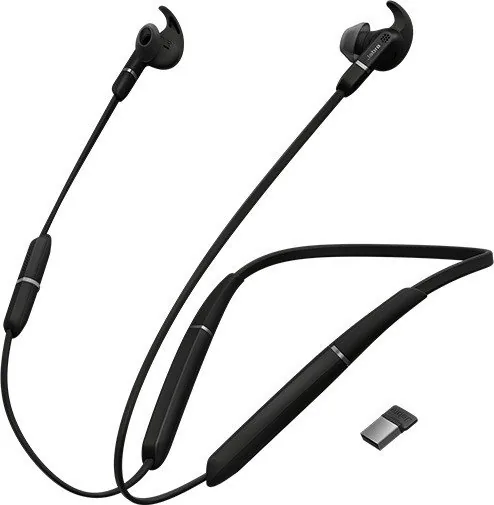
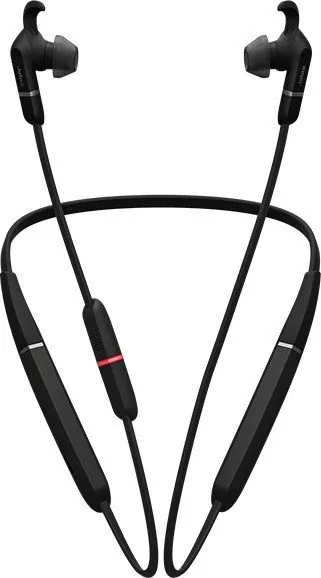
Jabra Evolve 65e UC — Comfortable, Professional Neckband Earbuds
The Jabra Evolve 65e UC blends professional-grade call performance with all-day wearable comfort. Designed as a neckband-style headset, it targets busy knowledge workers and mobile professionals who need reliable Bluetooth connectivity, clear voice calls, and sensible features that minimize interruptions. With unified communications (UC) certification, integrated busylight, and dual-device connectivity, the Evolve 65e UC supports seamless switching between a computer and a smartphone so you can take calls and listen to audio from either device.
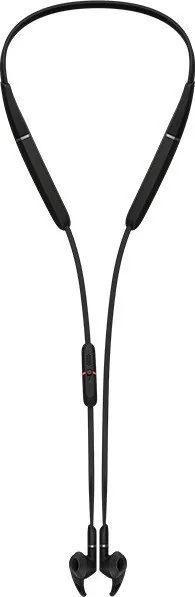
Fit and comfort are central: three sizes of EarGels and EarWings allow a tailored seal that blocks background noise and improves call clarity. The magnetic earbuds snap together to pause music and manage calls when docked, simplifying cable management and preserving battery. The microphone is positioned on the neckband for close proximity to the mouth for consistent voice pickup.
Battery life is engineered for a full workday, delivering up to eight hours on a two-hour charge and offering a long wireless range (up to 30 meters / 100 feet). The earbuds notify you of incoming calls via vibration and include a Busylight that indicates when you’re on a call to reduce interruptions in shared workspaces. HearThrough mode lets you toggle ambient sound into your listening mix when you need situational awareness without removing the earbuds.
Controls are intuitive: a multi-function button handles power, play/pause, and call management while separate volume and voice/mute buttons let you adjust audio and summon Siri or Google Assistant. The earbuds also support multiple-call handling so you can answer, hold, or switch between calls with simple presses. Voice guidance offers spoken status updates for pairing and battery information, and can be toggled on or off.
Setup is straightforward—pair via the Jabra Link 370 USB adapter for computers or directly with smartphones using standard Bluetooth pairing. Jabra Sound+ (mobile) and Jabra Direct (desktop) add configuration options, firmware updates, and toggleable features like HearThrough and vibrate alerts. If needed, resetting clears paired devices so you can re-pair from scratch.
For maintenance, store the headset powered off, avoid extreme temperatures, and keep earbud meshes clean. Replacement EarGels, EarWings, and charging cables are available through Jabra’s accessories store.
Notes
- Up to 8 hours battery life on a full charge (approx. 2 hours charging time).
- Dual-device Bluetooth lets you stay connected to phone and computer simultaneously.
- Use Jabra Sound+ or Jabra Direct for firmware updates and extra settings.
Search for 67,706 Manuals online


Type-in Brand or Model