
Jabra Evolve 65 Manual
PDF manual · 21 Pages
English


Quick check
Incorrect answer, please try again.
Chat with your Jabra Evolve 65 manual using AI
Get instant AI answers from your Jabra Evolve 65 manual
Ask anything about the Jabra Evolve 65. Answers come from this manual, with the pages they are based on.
Ask a Question
Do you recommend Evolve 65?
Yes NoFrequently Asked Questions
You can connect it with the Jabra Link 370 USB adapter or use a USB cable. The adapter is pre-paired, so setup is usually quick and simple.
Is this answer helpful?
Yes. It pairs with mobile devices over Bluetooth. Hold the power and pairing switch for about three seconds, then follow the voice prompts to complete pairing.
Is this answer helpful?
A full charge takes about three hours. If connected by USB to a PC, you can continue using the headset while it charges.
Is this answer helpful?
Yes. The microphone boom can be rotated to the left or right side, up to 270 degrees, so you can choose the most comfortable wearing style.
Is this answer helpful?
The optical busy light shows others that you are in a call or do not want interruptions. It is useful in shared offices and open work areas.
Is this answer helpful?
Press and hold the volume down button for about two seconds. This toggles mute on and off during calls.
Is this answer helpful?
Advantages and Disadvantages
Advantages

- Connects to PCs and phones through Jabra Link 370, USB, or Bluetooth.
- Noise-canceling microphone supports clearer conversations in busy spaces.
- Reversible mic boom and adjustable headband improve fit and comfort.
- Busy light helps show when you are in a call and should not be disturbed.
- Can continue working while charging over USB, reducing downtime.
Disadvantages

- A full recharge takes about 3 hours, which is not the fastest.
- Supports only one simultaneous Bluetooth connection at a time.
- Needs to be stored within temperature limits to protect the battery.
- The feature set is more office-focused than entertainment-focused.
Product Specification
Type
Headphones (On-Ear)
Microphone
Boom microphone
Connection
USB (Adapter)
Wireless
Bluetooth 4.0, NFC
Controls
1-button remote control, Volume control
Operating time
14h (Talk time), 7h (Music)
Battery
USB Micro-B charging port, Charging station, 2h charging time
Frequency range
20Hz-20kHz (Headphones), 100Hz-10kHz (Microphone), Wideband
Sensitivity
93.6dB
Driver
1.10 in
Device features
Status light
Software features
Level limitation
Color
black
Product Description
Jabra Evolve 65: A Reliable Headset for Work and Everyday Audio
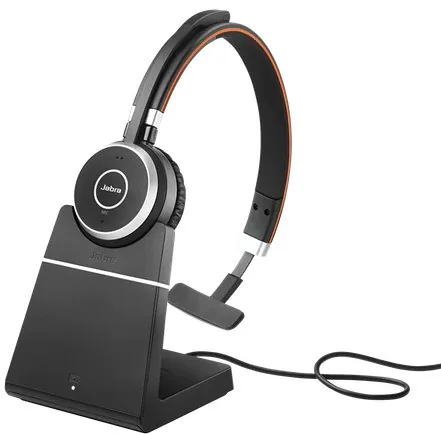
The Jabra Evolve 65 is designed for people who need clear calls, flexible connectivity, and a comfortable fit throughout the day. A quick look at the Jabra Evolve 65 Manual shows a product focused on practical use rather than complexity: pair it, wear it, mute when needed, and move on with your work. It is available in stereo and mono versions, so users can choose between richer audio immersion or a lighter single-ear setup for office life.
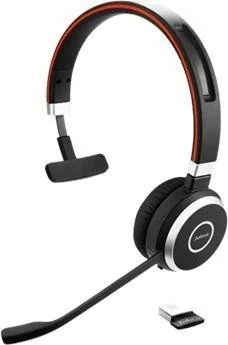
One of its biggest strengths is connection flexibility. The headset works with a PC through the Jabra Link 370 Bluetooth adapter or a USB cable, and it can also connect to mobile devices over Bluetooth. That makes it useful for desks, remote meetings, and quick phone calls on the go. The pre-paired dongle setup is especially convenient for people who want a fast start without dealing with long setup steps.
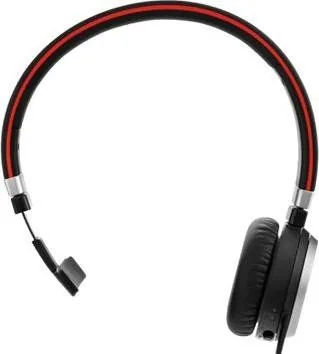
Comfort is another major selling point. The headband is adjustable, and the microphone boom can be worn on either side by rotating it up to 270 degrees. When you are listening to music or moving around, the mic can fold into the headband for a cleaner look. This makes the headset feel adaptable instead of rigid, which is important for long sessions and shared workspaces.
The Evolve 65 also focuses on communication quality. Its noise-canceling microphone helps reduce background distractions, while Hi-Fi sound supports both voice and music use. The built-in busy light is a practical touch for open offices, because it signals when you do not want interruptions. Everyday controls are easy to learn, with buttons for answering calls, ending calls, rejecting calls, adjusting volume, and muting the microphone.
Battery life and charging are straightforward as well. A full charge takes about three hours, and the headset can still be used during USB charging. That means less downtime and fewer interruptions in a busy schedule. For people who split time between calls, meetings, and casual listening, the Jabra Evolve 65 offers a balanced mix of convenience, clarity, and comfort.
Notes
- Best for office calls, online meetings, and daily multitasking.
- The Jabra Evolve 65 Manual highlights simple controls and quick pairing.
- Store it in a safe place and avoid extreme temperatures to help protect the battery.
- The busy light is especially helpful in shared or open-plan environments.
Search for 67,706 Manuals online


Type-in Brand or Model