
Jabra Engage 50 Manual
PDF manual · 19 Pages
English


Quick check
Incorrect answer, please try again.
Chat with your Jabra Engage 50 manual using AI
Get instant AI answers from your Jabra Engage 50 manual
Ask anything about the Jabra Engage 50. Answers come from this manual, with the pages they are based on.
Ask a Question
Do you recommend Engage 50?
Yes NoFrequently Asked Questions
It is a wired USB-C professional headset for computer calls, softphone use, customer conversations, and virtual meetings. Its mono design allows the wearer to stay aware of nearby activity while communicating clearly.
Is this answer helpful?
Rotate and bend the microphone boom so it sits about 12 mm from the mouth. Use the marked flexible sections of the boom and avoid bending the microphone tip.
Is this answer helpful?
No. Calls and music are controlled from the connected computer unless an optional Jabra Engage Link controller is used. The controller adds volume, mute, call, Busylight, and programmable button functions.
Is this answer helpful?
It can connect to a mobile device through USB-C. However, USB-C audio support is not available on every device or in every app, so compatibility depends on the phone or tablet being used.
Is this answer helpful?
The Busylight provides a visual indication that the wearer is busy or on a call. It can help coworkers recognize when interruptions should be minimized.
Is this answer helpful?
Jabra Direct supports device management, settings, firmware updates, microphone positioning guidance, and call analytics. It can also be used to configure sidetone and stereo channel settings.
Is this answer helpful?
Advantages and Disadvantages
Advantages

- Three-microphone system supports clear voice capture for professional calls.
- Mono design leaves one ear open to the surrounding workspace.
- USB-C connection provides a direct, simple computer setup.
- Busylight and status LEDs help signal when the wearer is busy.
- Jabra Direct enables settings, firmware updates, microphone guidance, and analytics.
Disadvantages

- The headset itself has no built-in call control buttons.
- Full physical call controls require the optional Engage Link controller.
- Not all USB-C mobile devices and apps support headset audio.
- Optional extension cables cannot be used with the Engage Link controller.
- Mono configuration may not suit users who prefer audio in both ears.
Product Specification
Design
Headphones (on-ear)
Form factor
Headband, monaural
Microphone
Boom microphone
Connection
USB-C
Wireless
No
Cable
Coiled cable
Controls
4-button remote control
Certified for
Skype for Business
Device features
Status light
Color
Black
Weight
2.15 oz
Product Description
Jabra Engage 50 Mono Manual: Focused USB-C Audio for Professional Calls
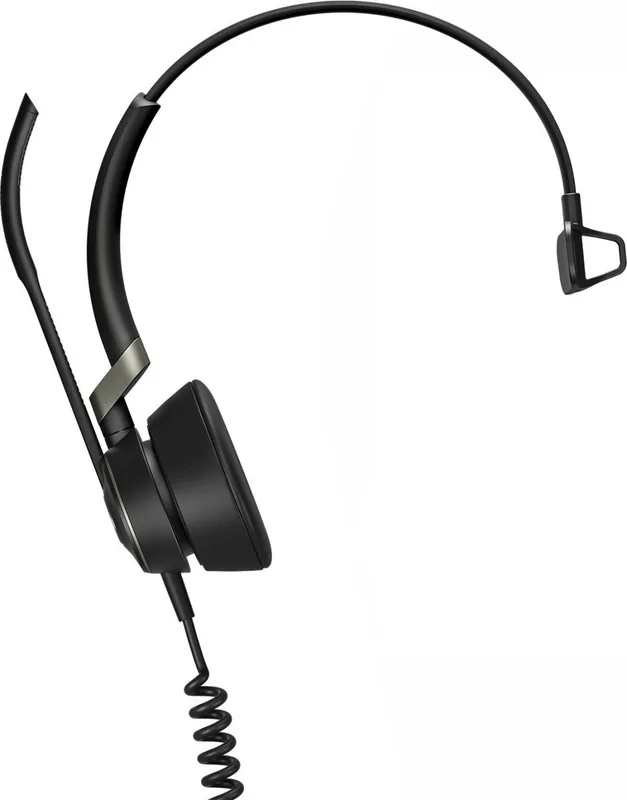
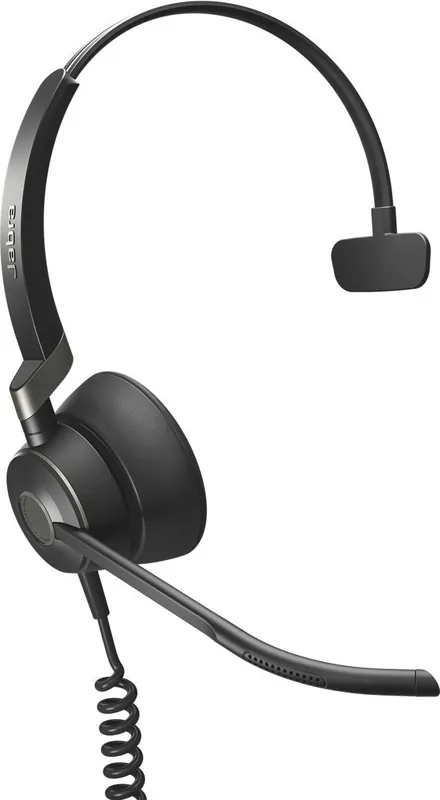
The Jabra Engage 50 Mono is a wired professional headset designed for clear conversations, everyday comfort, and streamlined computer-based communication. Its single-ear design keeps one ear open to the surrounding workspace while delivering focused audio for calls, customer interactions, and virtual meetings. For users looking for practical setup and usage guidance, the Jabra Engage 50 Mono Manual highlights a headset built around dependable USB-C connectivity and voice performance.
Clear Voice Capture and Wideband Audio
At the core of the Engage 50 Mono is a three-microphone system that supports clear speech pickup. The flexible boom arm can be rotated and adjusted to position the microphone approximately 12 mm from the mouth, helping users achieve consistent voice quality. Super-wideband audio further supports natural-sounding conversations, making this headset well suited to busy contact centers and office environments.
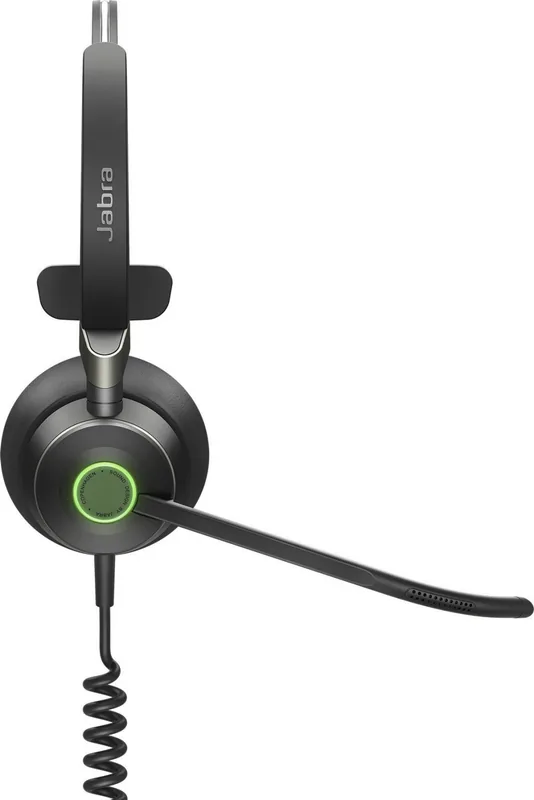
The headset includes status LEDs on the earcup area, along with a Busylight that indicates when the wearer is busy or on a call. This visual signal can help reduce interruptions in shared workplaces. Although the headset itself does not include built-in call buttons, call and music control can be handled through a connected computer or an optional Jabra Engage Link controller.
Flexible Connections for Modern Workspaces
The Jabra Engage 50 Mono connects directly to a computer through USB-C. It can also be connected to compatible mobile devices with a USB-C port, although audio support depends on the device and app. For desks that require more flexibility, optional USB-C to USB-A or USB-C extension cables are available.
An optional Jabra Engage Link controller adds physical controls for volume, mute, call answering and ending, a programmable button, and a programmable Busylight. This accessory can provide convenient call handling with many computer softphones. The headset should be selected as the default speaker and microphone device in the computer or softphone audio settings.
Software Support and Personal Settings
Jabra Direct software expands the Engage 50 Mono experience with device management and configuration options. Users can adjust sidetone settings to hear their own voice during calls and manage stereo channel settings when relevant. The software also provides microphone positioning guidance, call analytics, and firmware update notifications.
During a firmware update, headset LEDs turn purple. The headset and optional controller should remain powered during this process to ensure the update completes correctly. With its adjustable fit, single-ear wearing style, and software-supported controls, the Jabra Engage 50 Mono is a practical wired choice for organizations and individuals who rely on clear, professional voice communication.
Notes
- Position the microphone close to the mouth, without bending the boom tip.
- The optional extension cable cannot be used with the Engage Link controller.
- Mobile audio compatibility varies by USB-C device and application.
Search for 67,706 Manuals online


Type-in Brand or Model