
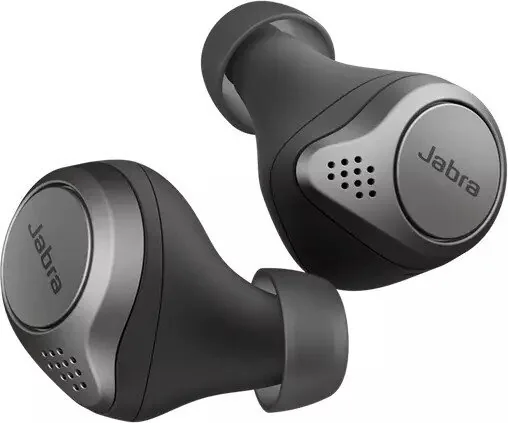
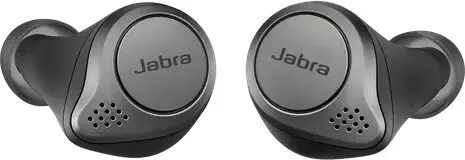
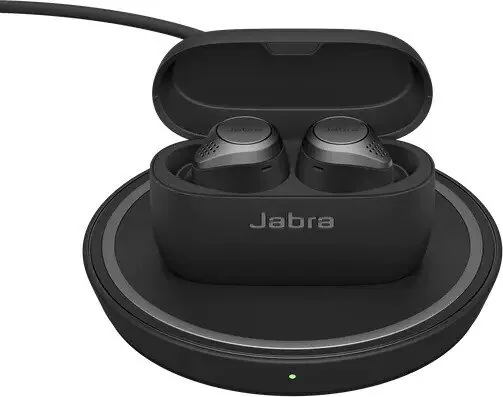
Jabra Elite 75t Manual
PDF manual · 28 Pages
English


Quick check
Incorrect answer, please try again.
Chat with your Jabra Elite 75t manual using AI
Get instant AI answers from your Jabra Elite 75t manual
Ask anything about the Jabra Elite 75t. Answers come from this manual, with the pages they are based on.
Elite 75t Maintenance Schedule
Do not store the earbuds without charging for longer than three months to avoid loss of battery life or capacity.
Use a soft, lint-free cloth slightly dampened with clean water to clean the earbuds or charging case if they become dirty.
Free maintenance reminders
Timed to your purchase date. Always free, unsubscribe anytime.
Ask a Question
Do you recommend Elite 75t?
Yes NoFrequently Asked Questions
Place the earbuds in the charging case and close the lid. It takes approximately 2 hours to fully recharge the earbuds. To charge the case itself, plug the USB-A to USB-C charging cable into the case and a USB power supply. Full charging takes approximately 2 hours and 20 minutes. Wireless charging is also available for compatible stands if you have the wireless variant, taking about 6 hours for full charge.
Is this answer helpful?
Remove the earbuds from the charging case to power them on. Press and hold the Left and Right buttons on the earbuds simultaneously for 3 seconds until the right earbud LED flashes blue. The earbuds are now ready to pair. Wear the earbuds and follow the voice-guided pairing instructions to pair to your smartphone successfully.
Is this answer helpful?
The earbuds offer up to 7.5 hours of battery life on their own. With the charging case, the total battery life extends up to 28 hours. A quick charge is also available where 15 minutes of charge time will give up to 1 hour of battery life if you are running low on power during your day.
Is this answer helpful?
Yes, the right earbud can be used on its own for mono music playback or for calls. When both earbuds are turned on and within 20 centimetres of one another, they will automatically relink. You can adjust volume using controls on the paired smartphone when in mono mode only.
Is this answer helpful?
Resetting clears the list of paired devices and resets all settings. Hold the Right button and Left button for 10 seconds until the LEDs flash purple. Remember to delete or forget the pairing in the Bluetooth menu on your smartphone. The earbuds will need to be re-paired to your smartphone after the earbuds are reset to work again.
Is this answer helpful?
IP55-rated dust and water resistance means the earbuds are protected against dust and water jets. This durability is guaranteed with a 2-year warranty. It ensures the earbuds can withstand various environmental conditions and offers peace of mind during outdoor activities or light rain exposure.
Is this answer helpful?
HearThrough utilizes the built-in microphones to enable you to pay attention to your surroundings. Press the Left button when not on a call to turn HearThrough on or off. HearThrough levels and settings can be configured using the Jabra Sound+ app to customize the transparency to your preference.
Is this answer helpful?
Advantages and Disadvantages
Advantages

- Up to 7.5 hours battery life with case extending to 28 hours for all-day use.
- Four microphones ensure superior call quality in noisy and windy environments easily.
- IP55 rated resistance protects against dust and water during outdoor activities reliably.
- Wireless charging case adds convenience for compatible stands and reduces cable dependency.
- Customizable equalizer and HearThrough mode available through Jabra Sound app settings.
Disadvantages

- Reseting requires holding buttons for 10 seconds and deleting pairing in Bluetooth manually.
- Firmware updates and voice guidance must be configured using the companion app only.
- Charging time for case is approx 2 hours and 20 minutes for full recharge time.
- Wireless charging takes approx 6 hours to fully charge earbuds and case completely.
- Replacement accessories require syncing with current earbuds or case for functionality.
Product Specification
Type
Earphones (In-Ear)
Form Factor
True Wireless, No Ear Hook
Principle
Closed
Microphone
Integrated
Wireless
Bluetooth 5.0, AAC, Multipoint
Controls
1-Button Remote, Auto-Pause/Play
Battery Life
7.5h, 28h (with charging case)
Battery
USB-C Charging Port, Charging Case, Wireless Charging (Qi), 2.5h Charge Time, Fast Charging (15min for 1h Battery Life)
Frequency Range
20Hz-20kHz (Earphones), 100Hz-10kHz (Microphone)
Drivers
0.24 inches
Device Features
Active Noise Cancellation (ANC), Ambient Mode, Water Resistant (IP55)
Software Features
Voice Assistant (Amazon Alexa, Apple Siri, Google Assistant), Equalizer Presets, Custom Equalizer, Sound Personalization, App Control
Weight
0.19 oz (per Earphone), 1.23 oz (Charging Case)
Product Description
Exploring the Jabra Elite Experience
The Jabra Elite 75t Wireless Charging Manual outlines advanced features for these true wireless earbuds. Designed for comfort, the compact form factor has been rigorously tested for a secure fit during daily activities. Users benefit from four microphones technology which ensures superior call quality even in loud or windy situations. This durability allows for freedom without worry about environmental factors affecting performance during outdoor runs or commutes.
Battery and Power Freedom
Power management is impressive with up to seven point five hours of battery life within the earbuds themselves alone. Including the charging case, users gain access to up to twenty eight hours of total battery life for extended listening sessions. Wireless charging support offers additional flexibility for compatible stands in the market. A fifteen-minute charge provides approximately one hour of usage when time is critically tight. LEDs indicate battery status clearly when the case opens to show red, yellow or green light.
Customization and Control
Personalize your audio experience through the companion app for deep settings control. A customizable equalizer ensures the sound matches your personal preference perfectly for music lovers. HearThrough technology uses built-in microphones to let you hear surroundings without removing the earbuds completely. Voice guidance supports multiple languages including English, French, German, Japanese, and Korean. Sidetone settings help you better hear your own voice during calls via the app interface customization tools.
Connectivity and Usage
Pairing is simple by pressing Left and Right buttons simultaneously until the light flashes blue for connection. You can connect to two smartphones at once for multi-use scenarios effectively. Only one phone carries active audio while the other waits for the last voice assistant activation event. Controls allow volume adjustment, track skipping, and voice assistant activation via right or left buttons. Calls can be answered or ended with simple taps or gestures on the side.
Maintenance and Support
Regular care extends hardware longevity significantly over the years of usage. Store earbuds in the charging case within twenty five degrees Celsius temperature range for safety. Avoid hot environments like closed cars in summer conditions which depletes battery capacity. Replacement accessories are available for EarGels and charging cases if needed from official online stores. Resetting clears paired devices if the earbuds need a fresh start to resolve issues. The two-year warranty covers specific defects for consumer peace of mind and protection.
Advanced Features
The right earbud supports mono earbud use for calls and music independently when necessary. Auto-pause music functionality stops playback when an earbud is removed from your ear comfortably. Returning the earbud to your ear unpause the music automatically within sixty seconds of time. Multi-call handling allows managing different calls simultaneously with specific button gestures easily. This flexibility ensures you never miss important communications during busy days without interruption or delay.
Notes
Always check the latest firmware updates for best performance and bug fixes. Ensure EarGels fit tightly for optimal audio quality and noise isolation. Keep the case lid closed when not in use to save battery power levels. Consult official channels for replacement part compatibility and purchasing information.
Search for 67,706 Manuals online


Type-in Brand or Model