
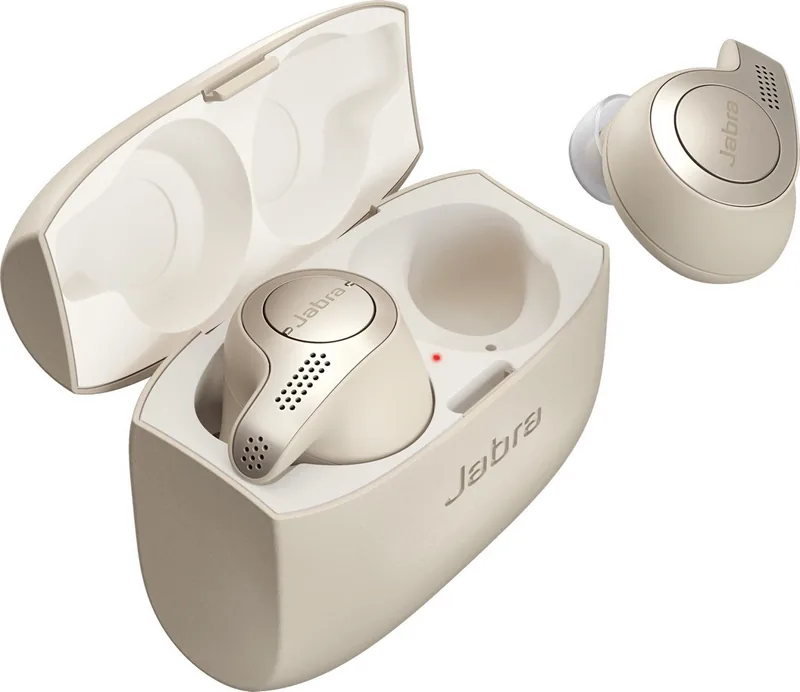

Jabra Elite 65t Manual
PDF manual · 28 Pages
English


Quick check
Incorrect answer, please try again.
Chat with your Jabra Elite 65t manual using AI
Get instant AI answers from your Jabra Elite 65t manual
Ask anything about the Jabra Elite 65t. Answers come from this manual, with the pages they are based on.
Elite 65t Maintenance Schedule
Remove and clean the earGels regularly to keep the speakers free from earwax.
Use a soft, lint-free cloth slightly dampened with clean water to clean dirty headphones or the charging case.
Ask a Question
Do you recommend Elite 65t?
Yes NoFrequently Asked Questions
It combines stable wireless performance, clear calls, customizable sound, and a compact design. The earbuds are easy to wear, simple to charge, and practical for music, meetings, and commuting.
Is this answer helpful?
The earbuds provide up to 5 hours of listening time on a single charge. With the charging case, total playback can reach up to 15 hours, depending on usage and volume.
Is this answer helpful?
Yes. The right earbud can be used alone for calls or mono listening. This is useful when you want to stay aware of your surroundings or extend battery life.
Is this answer helpful?
HearThrough uses the built-in microphones to let outside sound in. It helps you hear conversations or traffic without removing the earbuds, and it can be adjusted in the app.
Is this answer helpful?
Yes. The Elite 65t supports multi-use, so it can pair with two smartphones at the same time. This is helpful if you separate work and personal devices.
Is this answer helpful?
Resetting clears paired devices and restores default settings. Hold the Multi-function button on the right earbud for about 10 seconds until the LED flashes purple, then pair the earbuds again.
Is this answer helpful?
Advantages and Disadvantages
Advantages

- Strong four-microphone setup helps improve call clarity in daily use.
- Compact charging case delivers up to 15 hours of total playtime.
- Sound+ app allows useful customization for audio and HearThrough.
- Can be used in mono mode and supports two connected smartphones.
Disadvantages

- Battery life is good, but not class-leading by newer standards.
- Some advanced settings require the Jabra Sound+ app to adjust.
- Best fit depends on selecting the right EarGel size.
- Charging case uses Micro-USB instead of modern USB-C.
Product Specification
Design
Earphones (In-Ear)
Form factor
True Wireless, hookless
Acoustic design
closed
Microphone
integrated
Wireless
Bluetooth 5.0, AAC, Multipoint
Controls
3-button remote control, Auto-Pause/Play
Battery life
5h, 15h (with charging case)
Battery
USB Micro-B charging port, charging case, 2h charging time, fast charging function (15min for 1h operating time)
Frequency range
20Hz-20kHz (earphones), 100Hz-10kHz (microphone)
Impedance
16 Ohm
Sensitivity
103dB
Features
Ambient mode, water resistant (IP55)
Software features
Voice assistant (Amazon Alexa, Apple Siri, Google Assistant), Equalizer presets, individual Equalizer, Sound personalization, App control, Location function
Weight
0.22 oz (per earphone), 2.36 oz (charging case)
Product Description
Jabra Elite 65t: Compact True Wireless Sound for Everyday Life
If you are looking for a reliable pair of true wireless earbuds, the Jabra Elite 65t stands out for its practical design, strong call quality, and flexible controls. It is often searched alongside the keyword Jabra Elite 65t Manual because this model offers a lot of useful functions that are worth learning, from pairing and charging to customizing sound and managing calls. The earbuds are built for people who want convenience without giving up clear audio and a secure fit.
One of the biggest strengths of the Elite 65t is its focus on balanced daily performance. Jabra includes four microphones for enhanced call clarity, which helps reduce the frustration of noisy conversations. Music playback is also easy to tailor through the Jabra Sound+ app, where users can adjust audio settings, manage voice guidance, and control features like HearThrough. This makes the earbuds feel personal rather than generic, especially for listeners who switch between music, calls, and commuting.
Battery life is another practical advantage. The earbuds offer up to five hours on a single charge, and the charging case adds two extra recharges for a total of up to 15 hours. That is enough for a full workday, short travel, or regular gym sessions. The charging case itself is simple to use, and even a brief charge can provide extra listening time when the battery runs low. For many users, that kind of quick recovery is more valuable than a flashy battery spec.
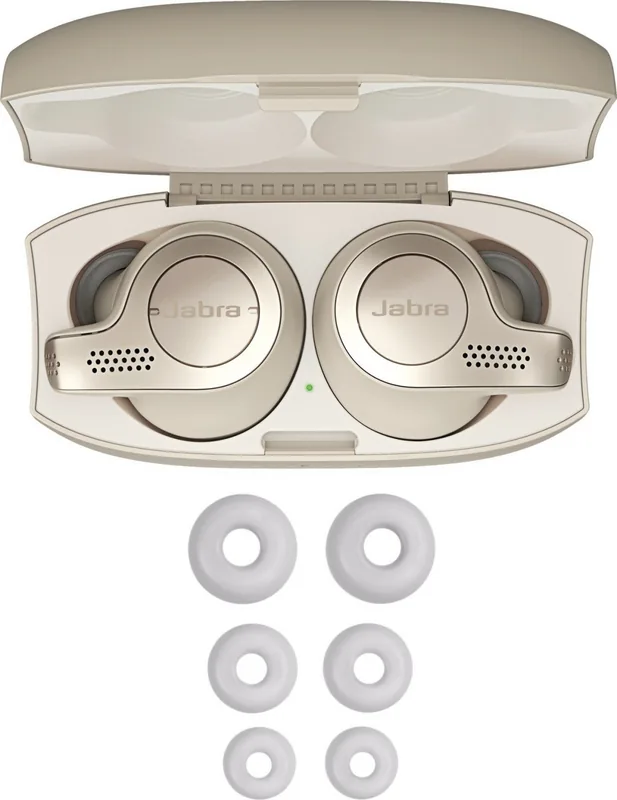
Comfort and fit also matter, and Jabra gives users multiple EarGel sizes to find the right seal. A proper fit improves sound isolation and helps the earbuds stay in place during movement. The design also supports mono use, so the right earbud can be used on its own for calls or casual listening. With multi-use support, the Elite 65t can connect to two smartphones, making it useful for people who juggle personal and work devices.
Beyond the basics, the Elite 65t includes thoughtful features such as auto-pause, auto power off, sidetone, voice assistant support, and firmware updates through the app. These details make the earbuds feel well-rounded and still relevant for users who want a dependable wireless audio experience.
Notes
- Choose the correct EarGel size for the best sound and fit.
- Use the app to fine-tune HearThrough and voice guidance.
- Store the earbuds in the case to protect battery life.
- A reset clears pairing history and requires re-pairing.
Search for 67,706 Manuals online


Type-in Brand or Model