
Jabra Elite 3 Manual
PDF manual · 31 Pages
English


Quick check
Incorrect answer, please try again.
Chat with your Jabra Elite 3 manual using AI
Get instant AI answers from your Jabra Elite 3 manual
Ask anything about the Jabra Elite 3. Answers come from this manual, with the pages they are based on.
Ask a Question
Do you recommend Elite 3?
Yes NoFrequently Asked Questions
Remove earbuds from the case and press and hold left and right buttons for 3 seconds until the LED flashes blue. Then select Jabra Elite 3 Active from your Bluetooth settings on the phone to complete pairing.
Is this answer helpful?
The earbuds offer up to 6 hours of battery life on a single charge. With the charging case, you can get up to 24 hours of total battery life for extended listening sessions.
Is this answer helpful?
Yes, the earbuds feature an IP55 rating, which protects them against water and dust. This makes them suitable for intense workouts and various weather conditions.
Is this answer helpful?
ANC is disabled by default. You can enable it using the Jabra Sound+ app. A firmware update might be required first to access this feature on your device.
Is this answer helpful?
Yes, you can use mono mode to use either the left or right earbud individually. Simply place the unused bud back into the charging case to activate this mode.
Is this answer helpful?
Place both earbuds in the case and hold the left and right buttons for 10 seconds until the lights flash magenta. Then reset them in your phone settings to re-pair.
Is this answer helpful?
You can register for the 2-year warranty using the Jabra Sound+ app. Support and FAQs are available on the Jabra website for additional assistance.
Is this answer helpful?
Advantages and Disadvantages
Advantages

- Ergonomic wing-free design ensures a secure fit for active lifestyles.
- IP55 rating provides protection against water and dust for durability.
- Active Noise Cancellation blocks intrusive sounds to help you stay in the zone.
- Up to 24 hours of battery life with the charging case included.
- Fast charging gives 60 minutes of battery with just 10 minutes of charge.
Disadvantages

- Active Noise Cancellation is disabled by default and may need a firmware update.
- No wireless charging support is available for the charging case unit.
- Full recharge of earbuds takes up to two hours without fast charge.
Product Specification
Type
Headphones (In-Ear)
Form Factor
True Wireless, Earhook-Free
Acoustic Principle
Closed-Back
Microphone
Built-in
Wireless
Bluetooth 5.2, aptX, Google Fast Pair
Controls
1-button Remote Control
Battery Life
7h, 28h (with charging case)
Frequency Response
20Hz-20kHz (Headphones), 100Hz-8kHz (Microphone)
Drivers
0.24 in
Device Features
Ambient Mode, Water-Resistant (IP55)
Software Features
Voice Assistant (Amazon Alexa, Apple Siri, Google Assistant), Equalizer Presets, Custom Equalizer, Sound Personalization, App Control, Tracking Function
Product Description
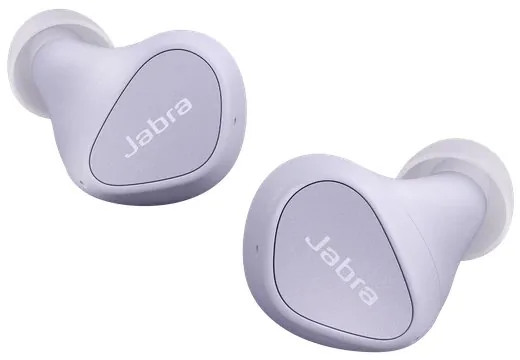
Experience Premium Audio with Jabra Elite 3 Active
Starting your journey with the Jabra Elite 3 Active is about embracing an active lifestyle without compromising audio quality or comfort. These wireless earbuds are engineered specifically for durability and reliability, ensuring you stay connected whether you are running marathons or commuting through crowded streets. The product stands out as a robust companion for anyone seeking crystal clear call clarity and rich bass in music playback. With four microphones included, call quality remains exceptional even in noisy environments.
Immersive Features and Robust Design
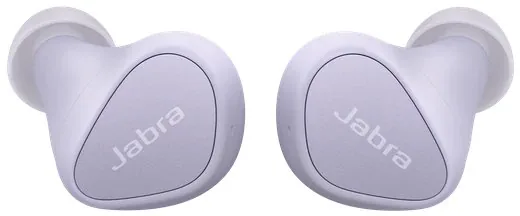
The device offers an ergonomic design that secures the buds firmly in the ear without heavy wings. With an IP55 rating, it handles water and dust effectively, making it suitable for intense outdoor workouts in any weather condition. A standout feature is the Active Noise Cancellation, which blocks disruptive background sounds to help you focus. Users can toggle this feature easily alongside HearThrough mode to remain aware of their surroundings. The battery life provides up to six hours per charge on a single cycle, extending significantly to twenty-four hours with the included charging case for total peace of mind.
Control and Seamless Connectivity
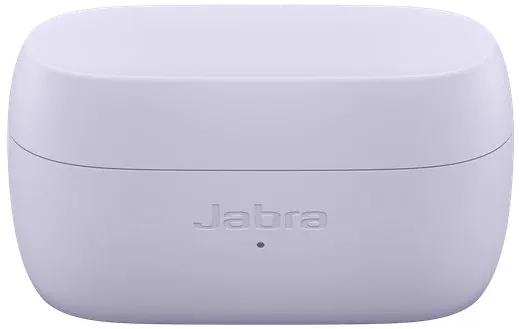
Interaction is seamless through physical buttons located on both earbuds. You can manage music tracks, answer incoming calls, or activate voice assistants like Alexa simply with a press. The Jabra Sound+ app enhances this experience by allowing equalizer customization and firmware updates directly from your phone. Pairing is straightforward via Bluetooth settings on compatible devices. Google Fast Pair ensures quick connection on Android systems for users who value speed. If you need specific guidance, the Jabra Elite 3 Manual offers detailed instructions on setting up mono mode or using the charging case efficiently without wasting time. The case takes about thirty-five minutes to charge fully using USB ports.
Durability and Care
Maintenance is minimal yet important for long-term use. Store the earbuds in the case when not in use to prevent damage or loss. Cleaning with a soft damp cloth keeps the sensors functioning correctly over time. The charging case utilizes USB-C for fast power input and easy integration with existing setups. Overall, these earbuds balance significant power in a compact package designed for modern users. Firmware updates may be required to enable ANC features fully. Always clean the earbuds before storing them away. Avoid charging in dusty environments.
Usage Tips
You should try different EarGel sizes for the best fit during active sessions. Remember to register for the full warranty period. Ensure firmware stays updated for best Active Noise Cancellation performance and security. Avoid extreme temperatures during storage to protect the battery health and longevity of the device. You can find replacement accessories on the official website for Jabra.
Search for 67,706 Manuals online


Type-in Brand or Model