
iStorage diskAshur DT2 Manual
PDF manual · 74 Pages
English



Quick check
Incorrect answer, please try again.
Chat with your iStorage diskAshur DT2 manual using AI
Get instant AI answers from your iStorage diskAshur DT2 manual
Ask anything about the iStorage diskAshur DT2. Answers come from this manual, with the pages they are based on.
Ask a Question
Do you recommend diskAshur DT2?
Yes NoFrequently Asked Questions
It is a secure external desktop hard drive designed to protect sensitive data with hardware encryption and PIN-based access. It is aimed at users who need strong physical and digital security in one device.
Is this answer helpful?
The drive unlocks when the correct Admin or User PIN is entered. Once verified, the data becomes accessible and the LED changes to show the active mode.
Is this answer helpful?
After repeated failed attempts, the brute-force defense activates. This can reset the drive, delete the encryption key, and erase all stored data, making recovery impossible.
Is this answer helpful?
Yes. The drive includes setup guidance for Windows, macOS, and Linux. It may need formatting depending on the system and how you want to use it.
Is this answer helpful?
Yes. Admins and users can configure the drive as read-only or read/write, depending on permissions. Admin settings can override user-level settings.
Is this answer helpful?
It is a security feature that performs a crypto-erase. When used, it deletes the encryption key, all data, and PINs, then unlocks the drive in a wiped state.
Is this answer helpful?
Advantages and Disadvantages
Advantages

- AES 256-bit hardware encryption protects data automatically when the drive is locked.
- PIN-based access is simple to use and supports memorable 7-15 digit combinations.
- Admin and User modes provide granular control over access and drive permissions.
- Self-destruct and brute-force protection add serious defense against unauthorized access.
Disadvantages

- Forgetting the PIN can mean permanent data loss with no recovery option.
- Setup and advanced settings may feel complex for casual users.
- The drive requires careful ejection to avoid corruption or data issues.
- Security features are strong, but they also make recovery and troubleshooting more demanding.
Product Specification
Form factor
3.5"
Internal connector
1x SATA 6Gb/s
External connector
1x USB-B 3.0
RAID Level
N/A
Fan
N/A
Dimensions
7.30x4.41x1.71in
Weight
2.73lbs
Color
silver/black
Manufacturer warranty
two years
USB notation
Link
Product Description
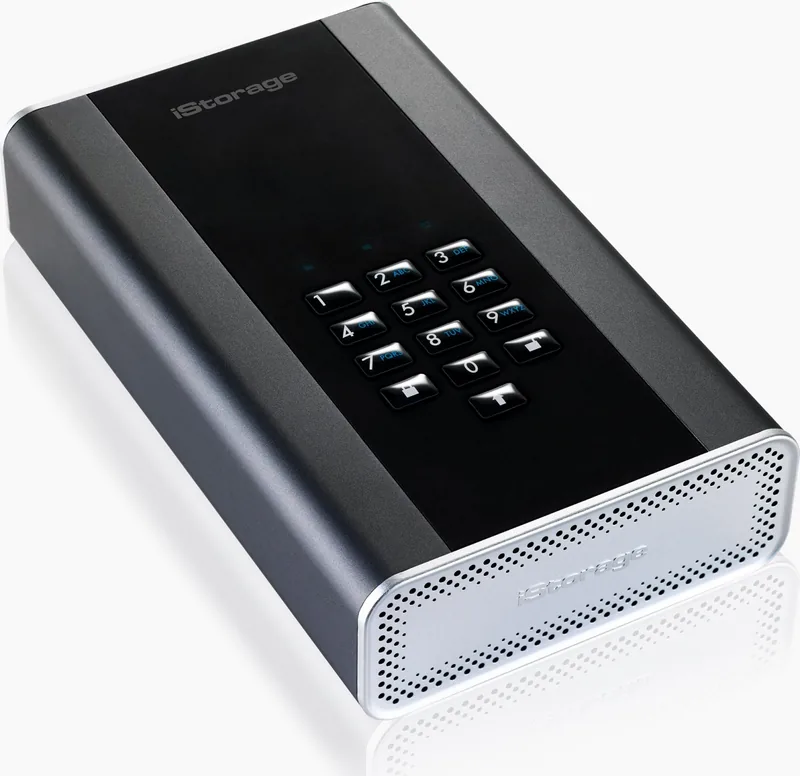
iStorage diskAshur DT2: Secure Desktop Storage with a Security-First Design
The iStorage diskAshur DT2 is built for users who need more than just extra capacity from an external HDD. It combines desktop-class storage with hardware-based encryption, PIN access, and physical tamper resistance, making it a strong fit for professionals, small businesses, and anyone handling sensitive data. If you are looking for the iStorage diskAshur DT2 external HDD Manual, the core idea is simple: the drive is designed to keep data locked until the correct PIN is entered.
What Makes It Stand Out
This drive uses AES 256-bit hardware encryption in XTS mode, so protection happens at the device level rather than relying only on software. That means the contents are automatically encrypted when the drive is locked, and they become accessible only after successful authentication. It supports 7- to 15-digit PINs, including memorable alphanumeric combinations, which can make security easier to manage without sacrificing strength.
Built for Control and Flexibility
The diskAshur DT2 offers both Admin and User modes, giving organizations more control over access permissions. An administrator can create, change, or delete user PINs, set read-only or read/write access, and even configure an unattended auto-lock timer for added protection. There is also a self-destruct PIN option that performs a crypto-erase, wiping data and keys in a single security event. That feature is especially useful in high-risk environments where data exposure must be prevented at all costs.
Everyday Use and Compatibility
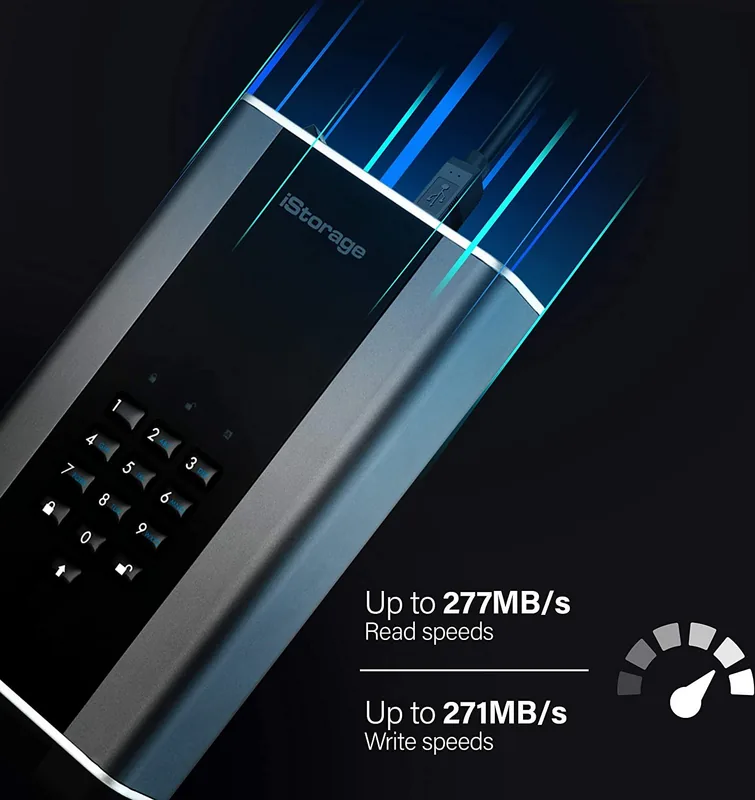
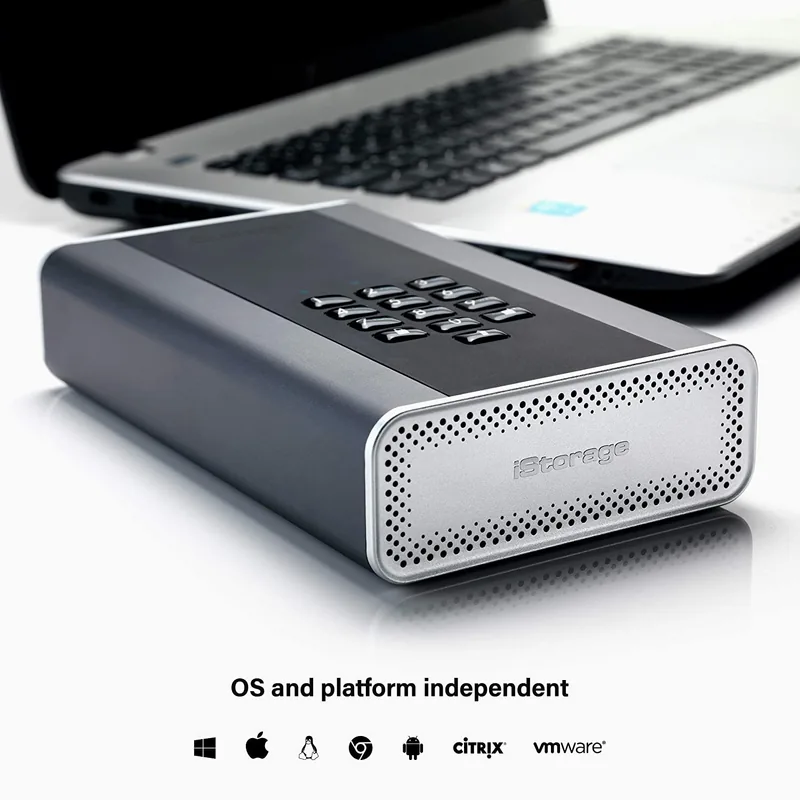
In daily use, the drive is straightforward: connect the included USB cable, power it on, enter the PIN, and unlock. LED indicators clearly show standby, user mode, and admin mode, helping users understand the drive’s status at a glance. It also supports Windows, macOS, and Linux setup paths, with formatting guidance for different operating systems. For large-capacity storage, the drive is available in sizes up to 8TB, giving it room for backups, archives, and work files.
Notes
- Always use the provided cable and adapter for safe operation.
- Remember the PIN carefully; without it, the data cannot be recovered.
- Safely eject the drive before unplugging to avoid corruption.
- A complete reset or brute-force lockout removes the encryption key and stored data.
In short, the diskAshur DT2 is not just an external HDD—it is a secure storage solution for users who want strong encryption, flexible access control, and dependable physical protection in one device.
Search for 67,706 Manuals online


Type-in Brand or Model