
iStorage datAshur Pro Manual
PDF manual · 23 Pages
English



Quick check
Incorrect answer, please try again.
Chat with your iStorage datAshur Pro manual using AI
Get instant AI answers from your iStorage datAshur Pro manual
Ask anything about the iStorage datAshur Pro. Answers come from this manual, with the pages they are based on.
Ask a Question
Do you recommend datAshur Pro?
Yes NoFrequently Asked Questions
Yes, the drive is compatible with both Windows and Mac OS. You can configure and format the drive using the Disk Management tools on Windows or Disk Utility on Mac. Specific instructions are provided to ensure seamless integration with your operating system of choice.
Is this answer helpful?
The drive has a brute force hacking detection mechanism. After ten consecutive incorrect entries, the system triggers a response. The User PIN may be deleted, or in some cases, both User and Admin PINs and all data can be deleted depending on the setup. This protects the data from unauthorized access.
Is this answer helpful?
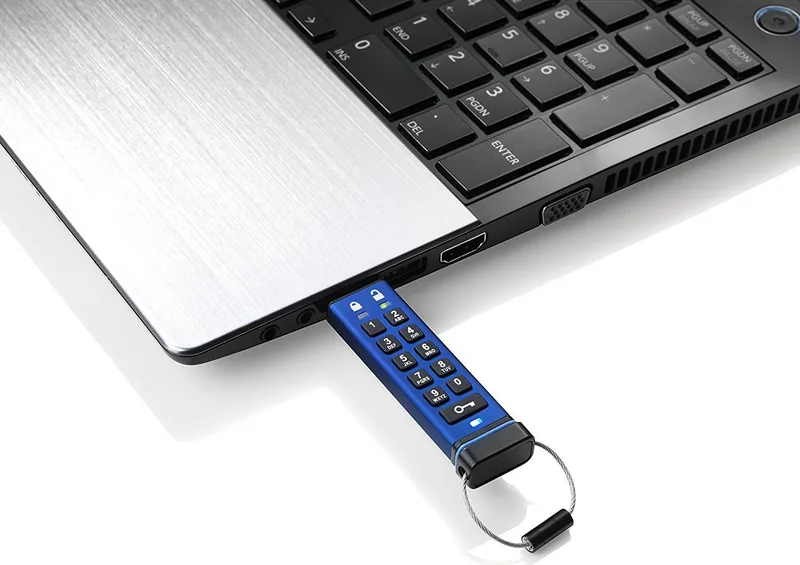
No, the datAshur Pro is hardware encrypted and requires no software. Access is granted through a PIN entered on the onboard keypad before connecting to a USB port. It is OS and host independent, offering plug-and-play compatibility.
Is this answer helpful?
Once unlocked with a User PIN, you can enter Options mode by pressing the KEY button three times. Then press 8 and 6 (tuV and mNo) to set up an Admin PIN. The Admin PIN allows recovery of user data and management of security policies like Read-Only mode.
Is this answer helpful?
The warranty covers defects in materials and workmanship for three years from the date of purchase. It requires the original sales receipt or invoice. The warranty does not cover accidental damage, misuse, or unauthorized modifications.
Is this answer helpful?
Yes, you can reset the drive to factory settings if both User and Admin PINs are lost. Note that this deletes all data and encryption keys, requiring you to reformat the drive and set new PINs. Always save PINs safely to avoid this scenario.
Is this answer helpful?
Advantages and Disadvantages
Advantages

- Hardware encryption with XTS-AES 256-bit prevents software attacks
- Dual PIN setup allows for powerful Admin and User management controls
- NIST FIPS 140-2 Level 3 certified for high security standards
- Bootable from USB without requiring host software installation
- Brute force protection deletes encryption keys after errors
Disadvantages

- Default PIN must be changed immediately to ensure security
- Battery must be charged before first use for full functionality
- Resetting the drive erases all data and requires formatting
- Complex keypad entry may be slower than password keyboards
Product Specification
Type
Loop, with protective cap
Interface
USB-A 3.0
Read
116 MB/s
Write
43 MB/s
Dimensions
3.15x0.79x0.41 in (LxWxH)
Weight
0.88 oz
Features
Keypad, 256-bit AES encryption, FIPS 140-2 Level 3, IP57 certified, MIL-STD-810F certified
Manufacturer Warranty
3 Years
USB Type
Link
Product Description
iStorage datAshur Pro: Securing Your Data Physically
The iStorage datAshur Pro stands out as an innovative solution for anyone seeking to safeguard sensitive information against modern cyber threats and physical security breaches. This high-security USB flash drive is designed with military-grade XTS-AES 256-bit hardware encryption. Unlike standard drives requiring software installation, the datAshur Pro relies on a unique PIN code system activated via an on-board keypad. This hardware-based security ensures that no key-loggers or malware can intercept your access credentials, providing a layer of protection that software solutions simply cannot match. It is certified to NIST FIPS 140-2 Level 3, a high level US government accreditation that tests the device against encryption algorithms and tamper-evidence.
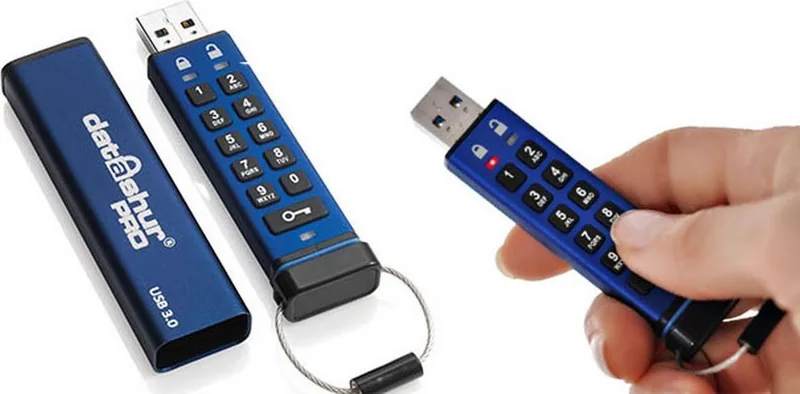
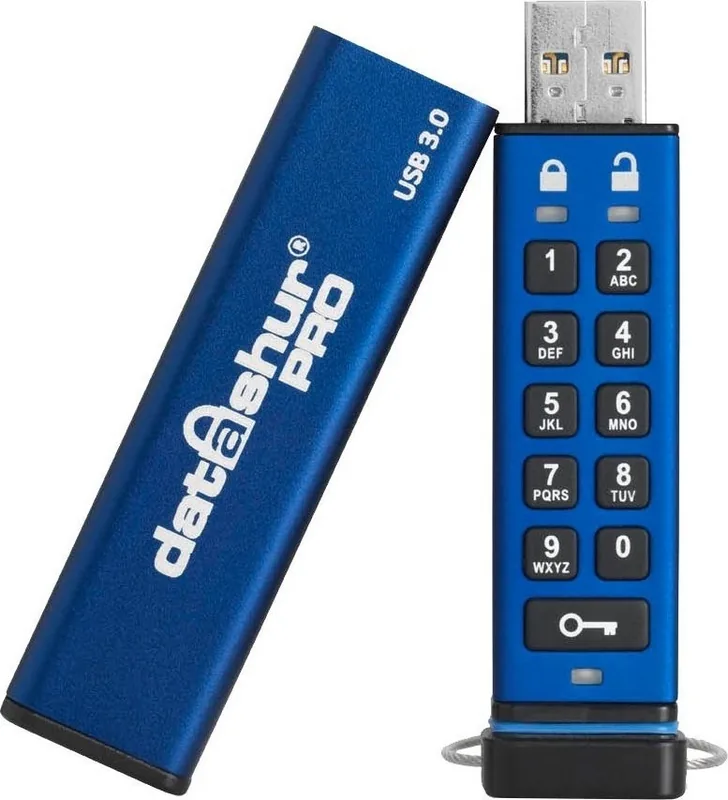
When you first use the device, it comes with a default PIN, but security experts strongly recommend changing this immediately to prevent unauthorized access. You can set a custom PIN ranging from 7 to 15 digits, or even use an alphanumeric combination mapped to the keypad numbers, allowing for a unique password strategy that is easy to remember yet hard to guess. The drive features a robust rechargeable battery, meaning you can unlock the drive even when disconnected from a USB host, preventing unauthorized access if the hardware is stolen or lost before being plugged into a victim machine.
The device supports advanced configuration through LED indicators which communicate the drives status. Red Green and Blue LEDs blink in specific patterns to indicate locked states, PIN entry errors, or successful unlocking. These visual cues help users manage the security settings without needing a secondary device. The device also allows for timeout locks between one and 99 minutes, automatically locking the drive after inactivity to protect against leave behind incidents.
The dual PIN structure supports a User PIN for general access and an Admin PIN for recovery and management. Administrators can enforce Read Only modes, set automatic timeout locks, and even overwrite User PINs if an employee forgets theirs or leaves the company. This makes it perfect for corporate and government deployment where data governance policies are strict. Configuration is seamless across operating systems with specific guides for Windows and Mac OS. You can easily format and configure the drive to suit different environments. Additionally, the datAshur Pro is capable of booting directly from the device, allowing you to run your operating system securely from the drive itself.
Should brute force hacking be attempted with ten incorrect entries, the system triggers a response to protect your data, potentially wiping sensitive information to ensure it remains inaccessible to attackers. With a three year warranty and robust technical support, the datAshur Pro delivers peace of mind for data protection. This drive ensures that your critical assets remain safe from both digital and physical compromises. Resetting the device deletes all data, so users must save their PINs in a safe place to avoid irretrievable loss. Regular backups are advisable when using advanced security features to ensure continuity. The device is constructed with an extruded aluminum sleeve for added durability and protection against physical handling stress. This ensures longevity in rugged environments where standard plastic drives might fail. For users managing large teams, the ability to remotely check version numbers via LED patterns adds a maintenance advantage that helps IT staff diagnose issues without manual inspection.
Search for 67,706 Manuals online


Type-in Brand or Model