
iStorage datAshur Personal2 Manual
PDF manual · 23 Pages
English



Quick check
Incorrect answer, please try again.
Chat with your iStorage datAshur Personal2 manual using AI
Get instant AI answers from your iStorage datAshur Personal2 manual
Ask anything about the iStorage datAshur Personal2. Answers come from this manual, with the pages they are based on.
Ask a Question
Do you recommend datAshur Personal2?
Yes NoFrequently Asked Questions
No, the device does not require any software. It uses hardware encryption and works independently of the host operating system, making it OS and host independent for maximum compatibility.
Is this answer helpful?
It utilizes military grade XTS-AES 256-bit hardware encryption. This encrypts all data stored on the drive in real time, ensuring security is built into the hardware itself rather than relying on software.
Is this answer helpful?
Brute force protection is triggered. If the wrong User PIN is entered ten times, the User PIN is deleted but data remains for Admin access. If the wrong Admin PIN is entered ten times, all data and keys are deleted permanently.
Is this answer helpful?
Yes, the drive is equipped with a boot delay feature. You can boot from the device by unlocking it with your PIN and connecting it to the USB port of a host computer without special actions.
Is this answer helpful?
Yes, the drive incorporates a rechargeable internal battery. You are recommended to charge the battery for sixty minutes prior to first use to power the keypad entry functionality.
Is this answer helpful?
The device comes with a three-year warranty against defects in materials and workmanship under normal use. This warranty is verified with the sales receipt or invoice showing the date of purchase.
Is this answer helpful?
Advantages and Disadvantages
Advantages

- Hardware encryption prevents software key-logger theft of credentials.
- Rechargeable keypad battery ensures independent operation from USB power.
- Compatible with Windows and Mac OS without driver installation.
- Dual User and Admin PIN modes allow granular corporate policy control.
- Brute force protection deletes PINs or data to stop guessing attacks.
Disadvantages

- Forgotten PINs without backup can result in permanent data loss.
- Default shipping PIN must be changed immediately for security reasons.
- Reset process requires reformatting and deletes all existing data permanently.
- PIN length is limited to seven to fifteen digits only, restricting complexity.
- Timeout lock settings must be configured manually by the user or admin.
Product Specification
Type
Loop with protective cap
Interface
USB-A 3.0
Read
116MB/s
Write
43MB/s
Dimensions
3.27x0.69x0.34in (L x W x H)
Weight
0.71oz
Features
Keypad, 256-bit AES encryption
Manufacturer Warranty
3 years
USB Port
Left
Product Description
Comprehensive Security for Data Protection with iStorage datAshur Personal 2
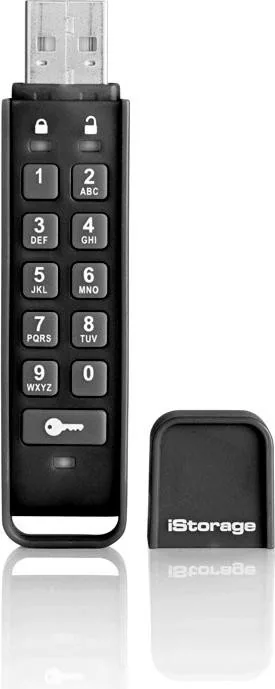
In an era where digital privacy is paramount, relying on standard storage solutions is often insufficient. The iStorage datAshur Personal 2 emerges as a top-tier choice for securing critical information against unauthorized access. A thorough understanding of the iStorage datAshur Personal 2 Manual is required to maximize the security features embedded within this advanced USB flash drive. Unlike traditional drives that rely on software encryption, this product employs XTS-AES 256-bit hardware encryption. This means every byte of data written to the drive is encrypted in real time, providing a high level of defense even if the physical device is compromised by malicious actors or thieves.
The Importance of Hardware Encryption
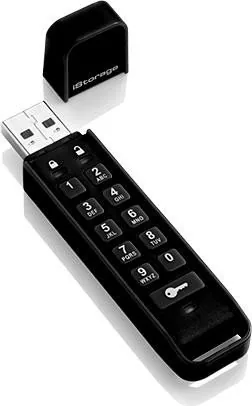
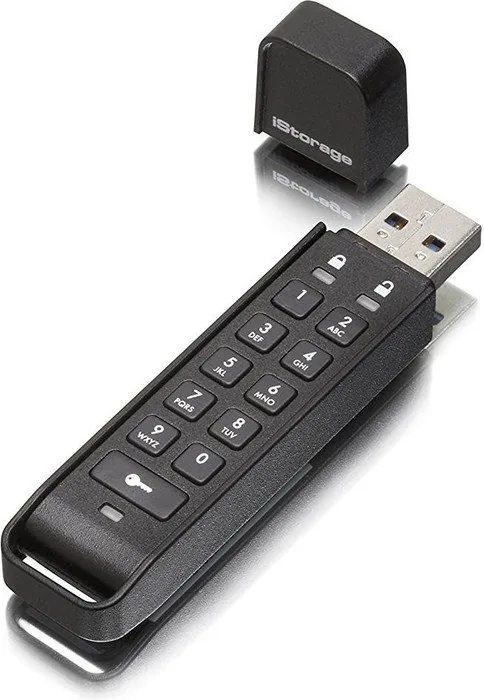
Security starts with the hardware itself. The datAshur Personal 2 features a built-in keypad allowing users to input a Personal Identification Number between seven and fifteen digits. This physical approach prevents key-loggers found on compromised computers from capturing your credentials. Once the correct PIN is entered, the Green LED illuminates, confirming the drive is unlocked. If the drive is disconnected after thirty seconds, it locks automatically to protect against unattended unauthorized access.
Dual Mode Functionality for Business
The drive supports both User and Admin PINs. User PINs allow standard file access for regular employees or owners. The Admin PIN offers superior control, enabling actions such as resetting User PINs, changing settings like read-only modes, or setting timeout locks between one and ninety-nine minutes. This flexibility is ideal for corporate deployments where IT policies must be enforced without compromising usability. Administrators can also verify the device version number directly on the unit using specific LED blink patterns.
Battery and Reset Protocols
An internal rechargeable battery powers the keypad functionality. It is crucial to charge the device for sixty minutes prior to first use to ensure full operation. Users must be cautious regarding PIN loss. If both User and Admin PINs are forgotten, a factory reset will clear all cryptographic parameters and delete all data permanently. Consequently, remembering these PINs in a secure location is vital for data recovery.
Brute Force Protection
To deter hacking attempts, the drive includes brute force detection mechanisms. Entering an incorrect PIN ten consecutive times triggers specific consequences depending on the PIN setup. In some configurations, only the User PIN is deleted while data remains for Admin access. However, in other scenarios involving incorrect Admin keys, all data and encryption keys are lost forever. This harsh consequence prevents prolonged guessing attacks on your valuable information.
Notes: Always format the drive after a reset procedure using Disk Management on Windows or Disk Utility on Mac. Do not use simple consecutive numbers for your PIN. Adhering to these practices ensures long-term reliability and data safety within your workflow.
Search for 67,706 Manuals online


Type-in Brand or Model