
Inter-Tech X-908 Infini2 Manual
PDF manual · 32 Pages
English



Quick check
Incorrect answer, please try again.
Chat with your Inter-Tech X-908 Infini2 manual using AI
Get instant AI answers from your Inter-Tech X-908 Infini2 manual
Ask anything about the Inter-Tech X-908 Infini2. Answers come from this manual, with the pages they are based on.
Ask a Question
Do you recommend X-908 Infini2?
Yes NoFrequently Asked Questions
The case supports front radiators up to 240/360mm, top radiators up to 240/280mm, and a rear 120mm radiator, giving flexibility for both single- and multi-fan water-cooling configurations.
Is this answer helpful?
The RGB/PWM controller accepts up to five 3-pin fan connectors plus multiple 3-pin RGB (5V digital) ports and RGB strip connectors. Ensure the combined load does not exceed the board’s power rating (48W per color channel) and supply power via the SATA power input.
Is this answer helpful?
Check connectors 2 and 4 for correct PWM and SYNC wiring, ensure the controller has SATA power, and verify the LED switch is connected. If the motherboard sends a faulty PWM signal, connect fans to the manual slider or place the PWM jumper on the controller (fans will run at full speed).
Is this answer helpful?
Yes—the case supports GPUs up to 420mm. It includes an adjustable graphics card holder with height, depth, and side adjustments to securely support and align the card to prevent sag.
Is this answer helpful?
3.5" drives mount in removable trays at the case bottom with clip-in mechanisms; 2.5" SSDs mount using dedicated frames or screw positions (options for 1+2 and 3+4 configurations), enabling easy installation and removal.
Is this answer helpful?
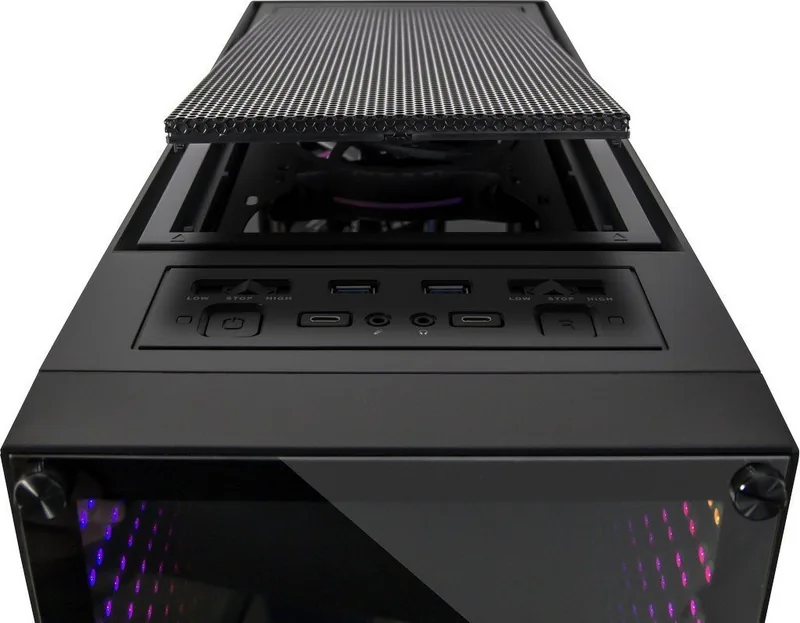
Front panel connectivity includes two USB 3.0 Type-A ports, two USB 3.0 Type-C ports, HD audio (headphone/microphone) jacks, power/reset switches, LED mode switch, and dust-filter access.
Is this answer helpful?
Always disconnect mains power before working inside the case, secure all LED and fan connections to reduce fire risk, and dispose of the case via local electronic waste collection points rather than household trash.
Is this answer helpful?
Advantages and Disadvantages
Advantages

- Extensive cooling support: front 240/360mm, top 240/280mm, rear 120mm radiators.
- Generous GPU clearance up to 420mm and adjustable GPU holder to prevent sag.
- Built-in RGB/PWM controller with motherboard sync and multiple fan/RGB ports.
- Multiple drive options: 3x 3.5" bays plus up to 4x 2.5" SSD mounts with removable trays.
- Modern front I/O including USB 3.0 Type-A and Type-C plus HD audio.
Disadvantages

- RGB/PWM controller limited by per-channel power constraints—may need extra distributors.
- PWM compatibility issues with some motherboards can force fans to run at full speed.
- Manual fan sliders offer only fixed steps (OFF/50%/100%) limiting fine control.
- Controller operation and wiring require careful attention to avoid damage.
- Case dimensions and weight may be bulky for very compact desks or setups.
Product Specification
External
N/A
Internal
2x 2.5"/3.5" (crosswise, drive rails), 1x 2.5"/3.5", 3x 2.5"
Ports
2x USB-C 3.0 (5Gb/s), 2x USB-A 3.0 (5Gb/s), 1x 3.5mm jack (Line-Out), 1x 3.5mm jack (Line-In)
PCI slots
7
Fans (front)
3x 4.72in (optional)
Fans (rear)
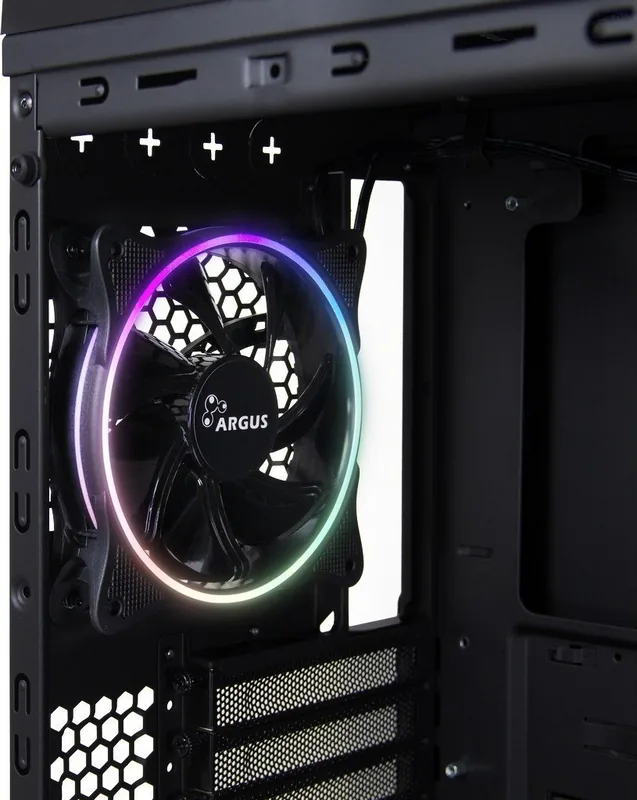
1x 4.72in (RGB illuminated)
Fans (left)
N/A
Fans (right)
N/A
Fans (top)
2x 4.72in (RGB illuminated) or 3x 4.72in (optional) or 2x 5.51in (optional)
Fans (bottom)
N/A
Fans (other)
N/A
Radiator sizes
4.72/9.45/14.17in front, 4.72/5.51/9.45/11.02/14.17in top, 4.72in rear
Motherboard
up to ATX (E-ATX with unknown dimensions possible)
Supported Motherboards
Mini-ITX (6.7"x6.7")/µATX (9.6"x9.6")/ATX (12"x9.6")/E-ATX (unknown dimensions)
Power supply
ATX
Power supply position
bottom
CPU cooler
max. 6.30in height
Graphics cards
max. 16.54in
Lighting
RGB-Header 3-Pin ARGB (+5V/DATA/GND), integrated LED control, integrated RGB LED lighting, illuminated fans
Dimensions (WxHxD)
8.27x20.87x20.08in
Volume
14.99 gal
Weight
25.97 lb
Case type
Midi-Tower
Front
closed, glass, side ventilation slots
Top
partially closed, mostly fan grilles, dust filter, removable cover
Bottom
partially closed, rear fan grille, external dust filter
Left
closed, glass
Right
closed
Rear
partially closed, fan grille top right, PCI slots (7x horizontal), 4x hose/tube routing top right
Front I/O Position
Case side: top, Height: front, Position: center
Special features
integrated fan control, cable management, dust filter, graphics card holder, glass viewing window
Note on E-ATX
Motherboard and case manufacturers refer to different dimensions as E-ATX. This manufacturer does not provide information on supported E-ATX dimensions. Motherboards with E-ATX/SSI EEB dimensions of 12.01x12.99in or 12"x13" may not be supported.
USB notation
Link
Product Description
Inter-Tech X-908 Infini2 — Stylish, Spacious, and RGB-Ready
The Inter-Tech X-908 Infini2 is a mid-tower PC case designed for builders who want flexible cooling, abundant storage options, and vivid RGB lighting control. With support for ATX, Micro-ATX and ITX motherboards, large graphics cards up to 420mm, multiple fan mounts, and radiator compatibility, the X-908 Infini2 balances airflow, expandability, and visual flair.
Design and Build
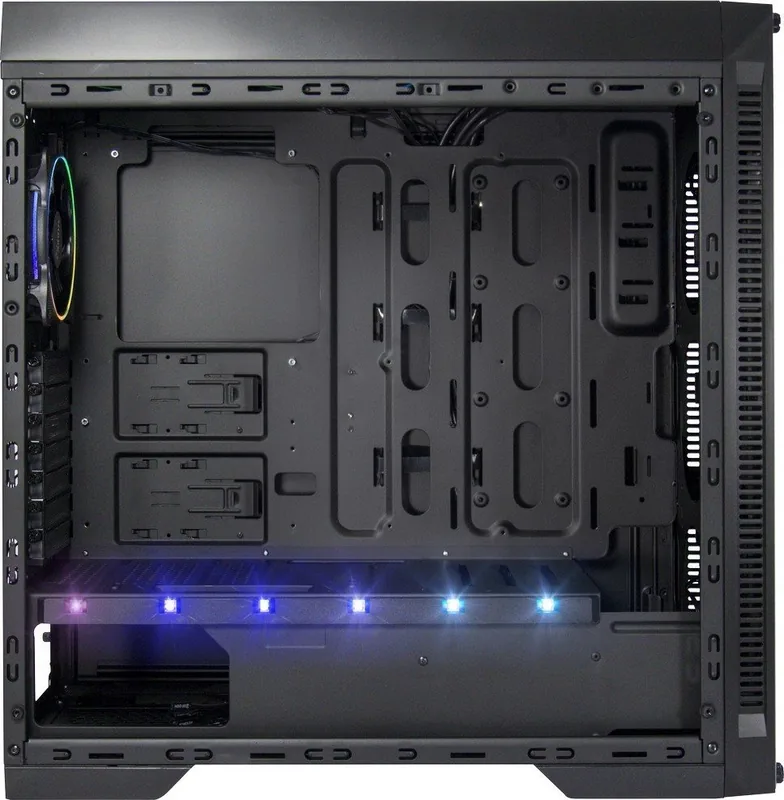
The chassis uses steel and ABS construction with dust filters on the top and bottom to keep components clean. It features a roomy interior layout with seven expansion slots, tool-friendly drive trays, and adjustable GPU support to prevent sag. Front I/O offers modern connectivity including USB 3.0 Type-A and Type-C ports plus HD audio.
Cooling and Compatibility
Cooling options are versatile: top mounts accept 240/280mm radiators, the front can host 240/360mm radiators, and the rear supports a 120mm unit. The case ships with multiple preinstalled fans and room for additional 120mm fans, enabling diverse air- or water-cooling builds. CPU coolers up to 160mm tall are supported.
Storage and Installation
Drive support includes three 3.5" bays and up to four 2.5" SSD mounting positions with removable frames for easy installation. A bottom-mounted PSU bay and clear routing paths make component installation straightforward, while the case’s removable dust filters simplify upkeep.
RGB + PWM Controller
A built-in RGB/PWM controller handles up to five fans and multiple RGB strips or digital 5V devices, with motherboard sync option via a SYNC connector. The controller stores the last lighting effect, supports manual LED switching, and includes a PWM test jumper and SATA power input. Note: the controller has per-channel power limits and must be connected correctly to avoid damage.
Usability and Safety
The case includes fan speed sliders for quick manual control (OFF / 50% / 100%), an adjustable graphics card holder, and clear front-panel connectors. Safety guidance emphasizes disconnecting power during installation, ensuring secure cable connections for LEDs and fans, and following the controller’s wiring diagram to prevent faults.
Notes
- Ensure total RGB/PWM controller load does not exceed specified wattage per color channel.
- If PWM signals from the motherboard are unstable, fans may need to be connected directly to sliders or use the controller jumper, which disables RPM regulation.
- Dispose of the case via proper electronic waste channels.
Search for 67,706 Manuals online


Type-in Brand or Model