
Inter-Tech Argus NB-90SA Manual
PDF manual · 20 Pages
English



Quick check
Incorrect answer, please try again.
Chat with your Inter-Tech Argus NB-90SA manual using AI
Get instant AI answers from your Inter-Tech Argus NB-90SA manual
Ask anything about the Inter-Tech Argus NB-90SA. Answers come from this manual, with the pages they are based on.
Ask a Question
Do you recommend Argus NB-90SA?
Yes NoFrequently Asked Questions
Yes, accepts 100-240V input globally.
Is this answer helpful?
+/- 0.5V is normal variance.
Is this answer helpful?
Yes, 24 months from purchase.
Is this answer helpful?
Yes, via the 5V USB port.
Is this answer helpful?
Use electronic waste collection points.
Is this answer helpful?
Check battery charge and cable connections.
Is this answer helpful?
No, risk shock and voids warranty.
Is this answer helpful?
Advantages and Disadvantages
Advantages

- High Efficiency of up to 91% reduces energy costs effectively.
- Includes 8 interchangeable tips for broad laptop brand compatibility.
- Built-in overload and temperature protection ensures user safety.
- Integrated USB port allows charging of phones alongside laptop power.
- Digital display confirms output voltage before device connection.
Disadvantages

- Requires manual lookup to ensure correct tip selection for specific model.
- Consumes power and generates heat even in standby mode constantly.
- Warranty becomes void immediately if the device casing is opened.
- Risk of notebook damage exists if wrong voltage tip is forced.
- Dust accumulation on housing requires regular dry cleaning to prevent issues.
Product Specification
Type
Universal
Compatibility
8 Adapter Tips (Acer, Benq, HP, Sony, Dell, Lenovo, Toshiba, Samsung)
Power
90W
Input Voltage
100-240V
Output Voltage
16V, 19V, 19.5V, 20V
Current
6A
Dimensions
4.49x2.76x0.67 inches
Weight
0.50 lbs
Features
8 Adapter Tips
Manufacturer Warranty
2 years
Product Description
Discover the Inter-Tech Argus NB-90SA Universal Adapter
Are you looking for a reliable power solution for your mobile device? The Inter-Tech Argus NB-90SA offers a versatile approach to powering modern notebooks efficiently. This device handles up to 90 watts of power delivery, making it highly suitable for various demanding laptops across different manufacturers. Unlike standard proprietary chargers which often break easily, this unit adapts to different requirements through its flexible universal design. When consulting the Inter-Tech Argus NB-90SA Manual, users find detailed guidance on selecting the right connector tips for optimal performance and safety.
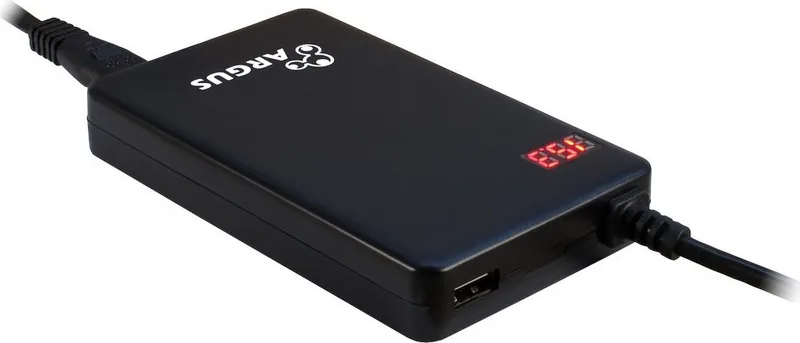
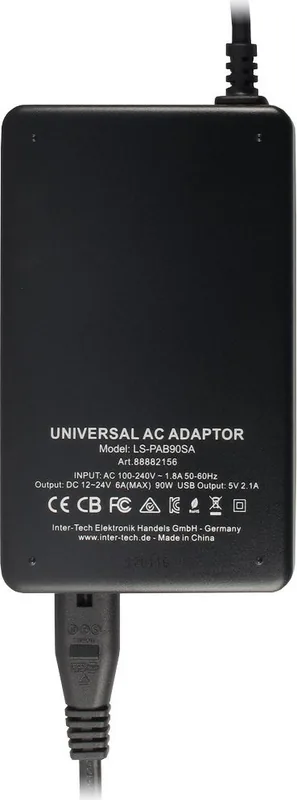
The reliable adapter supports a wide range of input voltages from one hundred to two hundred forty volts AC at fifty or sixty hertz. This feature ensures international usability without needing additional bulky converters when traveling abroad. Built-in efficiency reaches up to ninety-one percent, significantly reducing energy waste during continuous operation. A standout feature is the digital display embedded directly on the unit itself. This screen indicates the exact output voltage so you can verify settings before connecting to sensitive hardware. If the discrepancy exceeds plus or minus half a volt, it signals a potential fault condition, though minor variances are expected due to changing load fluctuations.
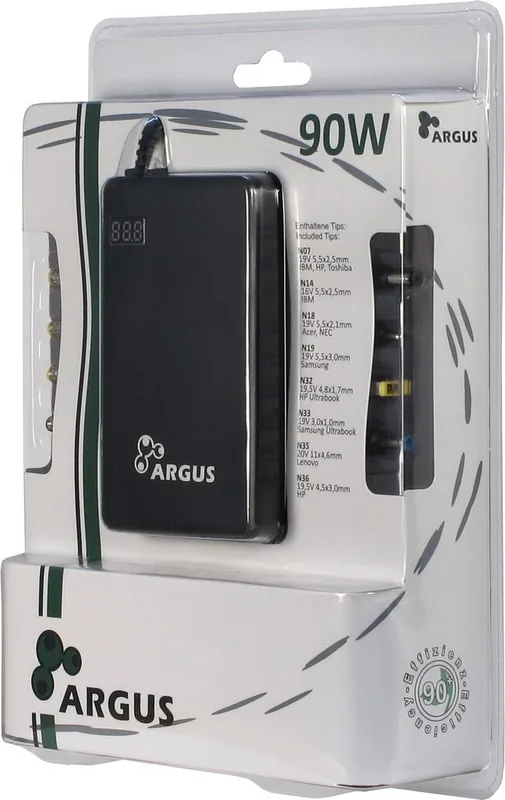
Safety protocols are integrated deeply into this engineering project. The unit includes electronic protection mechanisms against overvoltage surges, internal short circuits, and dangerous overheating scenarios. You should avoid opening the casing to maintain full warranty coverage and prevent electrical hazards to yourself. For added convenience, there is a dedicated USB port capable of charging external accessories like smartphones at five volts independently. The package comes with eight distinct interchangeable tips covering major global brands such as Dell, HP, Sony, Acer, and Apple. Always refer to the included compatibility chart to ensure the selected physical tip matches your specific notebook specifications exactly.
Routine maintenance involves simple surface cleaning with a soft dry cloth for dust removal. Never use wet or damp materials anywhere near the live electronics components. Proper environmental disposal at designated recycling centers is required by law instead of throwing units in general household waste. Users benefit from a solid two-year warranty period from purchase. Troubleshooting steps are outlined for issues like non-starting batteries or loose cables. Original packaging is recommended for transport if repairs become necessary. This tool simplifies power management for travelers. Ensure airflow to prevent fire risks in standby mode. With the right configuration, your computing experience remains uninterrupted by unexpected power supply failures. It provides peace of mind for all users.
Search for 67,706 Manuals online


Type-in Brand or Model